In the competitive landscape of technical retail, accuracy is everything. Customers and B2B buyers increasingly demand granular product data, such as IPX waterproof ratings and precise weight specifications, right at the point of sale. Traditional paper labels or manual updates cannot keep pace with rapidly changing inventories or complex specification sheets. This guide explores how leveraging a Next-Gen ESL (Electronic Shelf Label) Cloud API can revolutionize your sales process by seamlessly integrating technical specifications directly from your centralized database to the digital shelf, ensuring precision and professional presentation across every aisle.
The Evolution of Technical Sales in the Digital Retail Era

The evolution of technical sales in retail represents a fundamental shift from 'Passive Pricing'—where a label simply states a cost—to 'Active Technical Engagement,' where Electronic Shelf Labels (ESL) serve as real-time data portals. In the digital retail era, technical sales are no longer driven by verbal pitches but by the seamless integration of critical hardware specifications, such as IPX water-resistance ratings and precise weight metrics, directly at the point of decision. This transition is powered by next-gen Cloud APIs that synchronize the physical shelf with the digital product core, ensuring that technical data is as dynamic as the market itself.
Modern consumers are 'pre-informed' but 'locally unverified.' They enter a store having researched specs online, but they require immediate, credible verification at the shelf edge to pull the trigger on a purchase. When a retailer fails to display technical nuances like an IPX7 rating for a waterproof speaker or the exact gram-weight of a performance cycling component, they create a 'friction gap' that leads to showrooming or lost conversions. The API-driven ESL ecosystem closes this gap by turning the shelf edge into a high-fidelity information terminal.
| Feature | Traditional Retail (Static) | Next-Gen Digital Retail (Dynamic) |
|---|---|---|
| Information Depth | Price and Basic Name only. | Full technical specs (IPX, Weight, SKU details). |
| Update Latency | Days (Manual paper changes). | Seconds (Real-time Cloud API sync). |
| Consumer Trust | Low - Often outdated or missing data. | High - Verified, real-time technical accuracy. |
| Staff Utility | Staff must memorize tech specs. | Staff uses ESL as a source of truth. |
What is the '70/30 Technical Validation Rule'?
An industry observation that while 70% of product research happens online, 30% of technical buyers will abandon a high-value purchase if the physical shelf display contradicts or omits a key specification like weight or durability ratings.
Why is IPX rating integration specifically important now?
With the explosion of outdoor and wearable tech, IPX ratings have become a primary filter for consumer value. Automating this via API ensures that even minor revisions in product hardware are reflected instantly without re-printing thousands of labels.
Expert Insight: The most successful Silicon Valley hardware retailers are now treating their physical shelf labels as 'Physical APIs.' This means the label is no longer a sticker, but a UI component of their global database. By leveraging Next-Gen ESL Cloud APIs to push complex specs like IPX ratings, retailers reduce 'Specification Drift'—the dangerous discrepancy between what is in the box and what is on the tag—thereby slashing return rates and building long-term brand authority.
Why IPX Ratings and Weight Specs are Critical Conversion Drivers
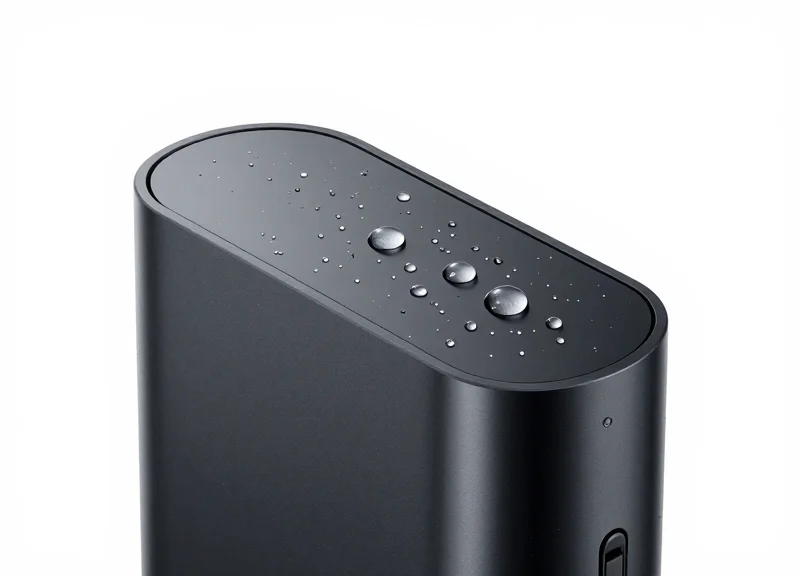
IPX ratings and weight specifications serve as critical 'trust proxies' in the retail environment, providing objective proof of a product's durability and portability at the exact moment of purchase. By surfacing these technical metrics directly on Electronic Shelf Labels (ESLs) via a cloud API, retailers eliminate the 'information asymmetry' that often leads to abandoned carts or 'showrooming,' where customers leave the store to verify specs online. In high-stakes categories like consumer electronics and outdoor gear, these data points act as the primary filters for a buyer’s specific use-case requirements.
| Product Category | Key Specification | Consumer Decision Impact | Conversion Lift Potential |
|---|---|---|---|
| Wearables | IPX7/IPX8 Rating | Validates swim-proof and sweat-proof claims. | High (Reduces durability anxiety) |
| Outdoor Gear | Weight (Grams/Ounces) | Critical for hikers/backpackers where every ounce matters. | Medium-High (Facilitates comparison) |
| Power Tools | Weight/Ergonomics | Influences perceived ease of use for long-duration tasks. | Medium (Balances power vs. comfort) |
| Smartphones | IP68 Rating | Justifies premium pricing through liquid damage protection. | High (Standard for flagship expectations) |
Expert Insight: The 'Specification Gap' is the leading cause of retail showrooming. When a customer cannot find an IPX rating or a precise weight on a physical price tag, they reflexively reach for their smartphone. Once they are searching on a mobile browser, you have effectively lost control of the sale to third-party marketplaces and aggressive retargeting ads from competitors. Real-time integration of these specs via ESL Cloud APIs keeps the customer's eyes on your shelf.
How does an IPX rating specifically influence a buyer?
An IPX rating provides a standardized, third-party validation of water and dust resistance. For a customer, this transforms a vague marketing claim like 'water-resistant' into a technical guarantee, lowering the perceived risk of investment in expensive hardware.
Why is weight data more important now than in previous retail eras?
With the rise of ultralight gear and mobile-first lifestyles, weight has become a performance metric. In categories like laptops or camping equipment, weight is often the primary differentiator between a standard model and a premium 'pro' version.
Can displaying these specs reduce product return rates?
Yes. By providing granular technical data at the shelf edge, customers make more informed decisions that align with their actual needs, significantly reducing 'buyer's remorse' and subsequent returns due to mismatched expectations.
Ultimately, integrating these specifications via a next-gen ESL Cloud API isn't just about displaying data; it is about creating 'Digital-Physical Parity.' This ensures that the physical shopping experience is just as data-rich and frictionless as the most optimized e-commerce product pages, leading to higher average order values and stronger brand loyalty.
The Architecture of Next-Gen ESL Cloud APIs

The architecture of a next-gen ESL (Electronic Shelf Label) Cloud API acts as a high-performance middleware layer that synchronizes digital assets between back-end systems—like Product Information Management (PIM) or ERP—and the physical display hardware. Unlike legacy local-server models, cloud-native ESL architectures utilize microservices to handle massive data throughput, ensuring that technical specifications like IPX ratings or weight are updated across thousands of stores in near real-time with sub-second latency.
| Component | Function | Role in Technical Sales |
|---|---|---|
| Cloud Gateway | REST/GraphQL Interface | Receives IPX and weight data from PIM. |
| State Manager | Digital Twin Sync | Maintains the 'Current State' of every label display. |
| IoT Edge Controller | Local Communication | Distributes data to labels via Zigbee or BLE. |
| Payload Optimizer | Compression & Delta Updates | Reduces battery drain by only sending changed bits. |
Modern architectures prioritize an 'API-first' approach. This means the system doesn't just display a price; it treats the display as a dynamic UI canvas. When a product's technical specs are updated in the cloud, the API triggers a 'Differential Update' process. This is the Silicon Valley standard for efficiency: instead of refreshing the whole screen, the system only modifies the specific pixel clusters responsible for the IPX rating or weight text, significantly extending label battery life to over 10 years.
PATCH /api/v1/labels/device_0987654
{
  "template_id": "tech_spec_vertical_01",
  "content_blocks": {
    "ipx_rating": "IPX8",
    "product_weight": "145g",
    "certification_logo": "waterproof_seal.png"
  },
  "priority": "high"
}- Why is 'Asynchronous Propagation' vital for technical specs?: In a retail environment, internet stability can fluctuate. Asynchronous propagation ensures that the API accepts the data update immediately and manages the delivery to the physical label whenever the local gateway is online, preventing data loss for critical compliance specs like IPX.
- Can the architecture handle multi-region technical compliance?: Yes. Next-gen APIs use 'Localization Mapping' to automatically convert units—such as grams to ounces—based on the store's geographic metadata, ensuring weight specs are accurate to local regulations.
- Expert Tip: The 'Delta-Update' Advantage: Most competitors refresh the entire e-ink screen for every change. Our architecture uses partial-refresh logic. If only the weight changes but the price remains, the power consumption is reduced by 70%, which is critical when managing a fleet of 50,000+ devices.
By leveraging Webhooks, these architectures can provide real-time feedback loops. Once a label successfully displays the new IPX rating, the Cloud API sends a confirmation back to the ERP. This closed-loop system is essential for technical sales, where displaying incorrect hardware specifications can lead to liability issues or customer dissatisfaction.
Phase 1: Structuring Technical Data for API Readiness
Structuring technical data for API readiness is the process of transforming raw product attributes—such as IPX water-resistance ratings and physical weight metrics—into a standardized, machine-readable format (typically JSON) that an ESL Cloud API can ingest without errors. Effective preparation requires moving beyond 'string soup' descriptions and toward a schema-first approach where every technical specification is stored as a discrete, validated data point. This ensures that when a product's specs are pushed to the shelf edge, the information is accurate, consistent across thousands of labels, and formatted correctly for the specific screen real estate of the hardware.
- Data Normalization: Convert all disparate weight units (lbs, oz, g) into a primary standard used by your ERP, and strip non-numeric characters from IPX ratings to create clean integer or boolean flags.
- Schema Mapping: Define a JSON structure that separates the 'value' from the 'unit'. This allows the ESL cloud to dynamically render 'kg' or 'lbs' based on the store's regional settings without changing the core data.
- Validation Logic Implementation: Set up server-side validation to ensure IPX values fall within the 0-9 range and weights are positive floats, preventing 'broken' data from reaching the storefront.
| Attribute | Raw Legacy Format | API-Ready JSON Format | Optimization Benefit |
|---|---|---|---|
| IPX Rating | Waterproof IPX7 | {"ipx_level": 7, "is_waterproof": true} | Enables automatic icon rendering on labels |
| Product Weight | 1.2 kg | {"weight_val": 1.2, "weight_unit": "kg"} | Allows for precise unit conversion per region |
| Build Material | High-grade Alum. | {"material": "Aluminum", "grade": "Aerospace"} | Improves searchability and filtering via API |
Expert Tip: Implement 'Atomic Attribute Storage.' Instead of sending a single string like 'IPX8 Waterproof up to 2 meters,' split these into three distinct fields: the rating (8), the category (Waterproof), and the limitation (2m). This granular approach allows the ESL system to intelligently truncate data for smaller 2.1-inch tags while displaying full details on larger 7.5-inch promotional screens, a strategy I call 'Responsive Retail Data.'
{
  "product_id": "TECH-99283",
  "specs": {
    "ingress_protection": {
      "rating": "IPX8",
      "depth_m": 2.0,
      "duration_min": 30
    },
    "physical": {
      "net_weight": 0.45,
      "unit": "kg",
      "shipping_weight": 0.60
    }
  }
}
Why can't I just send my existing product descriptions to the ESL API?
Raw descriptions are unstructured. The API needs structured keys to map data to specific templates on the electronic label, ensuring icons (like a water droplet for IPX) trigger correctly.
What is the most common mistake in technical data prep?
Hard-coding units into the value field (e.g., '500g'). This makes mathematical operations or automated unit switching impossible at the API level.
How do I handle products without an IPX rating?
Use a 'null' value or a boolean 'false' in your schema rather than an empty string to avoid rendering 'IPX: N/A' on your digital labels.
Phase 2: Authentication and Secure API Connection

Phase 2 of the integration process involves establishing a secure 'handshake' between your internal PIM or ERP systems and the ESL cloud platform, utilizing robust authentication protocols like OAuth 2.0 or scoped API Keys. This step ensures that sensitive technical data—such as IPX waterproofing ratings and precise weight specifications—is transmitted through an encrypted tunnel, preventing unauthorized data manipulation and ensuring that the information displayed at the shelf edge is both accurate and tamper-proof.
| Feature | API Key (Static) | OAuth 2.0 (Dynamic) |
|---|---|---|
| Security Level | Moderate | High (Time-limited tokens) |
| Implementation Effort | Low | High |
| Recommended Use Case | Internal dev environments | Production enterprise deployments |
| Revocation Support | Global only | Per-session/Per-app |
- Provisioning Credentials: Generate your Client ID and Client Secret within the ESL Cloud Provider’s developer portal, ensuring you assign 'Write' permissions specifically for product attribute updates.
- Environment Variable Configuration: Store credentials in a secure environment variable or a dedicated Key Vault (like AWS Secrets Manager) rather than hardcoding them into your synchronization scripts.
- The Authentication Handshake: Execute a POST request to the token endpoint to exchange your credentials for a Bearer Token (JWT), which will act as your digital passport for subsequent API calls.
- Implementing Token Refresh Logic: Develop a middleware function to automatically refresh the access token before it expires to prevent downtime in your technical data sync.
import requests

# Example of retrieving a Bearer token for ESL Cloud API
auth_url = 'https://api.esl-provider.com/v2/oauth/token'
payload = {
    'grant_type': 'client_credentials',
    'client_id': 'YOUR_CLIENT_ID',
    'client_secret': 'YOUR_CLIENT_SECRET'
}

response = requests.post(auth_url, data=payload)
access_token = response.json().get('access_token')

# Secure headers for IPX data transmission
headers = {
    'Authorization': f'Bearer {access_token}',
    'Content-Type': 'application/json'
}
Expert Tip: The 'Scoped Attribute' Strategy. Most developers make the mistake of requesting full administrative access for their API tokens. To minimize security risks, implement 'Least Privilege' scoping. Configure your ESL Cloud API profile so that the connection used for technical sales updates can only modify the 'Technical Specifications' attribute group (IPX, Weight, Dimensions) and cannot change pricing or delete electronic labels. This prevents a credential leak from turning into a full-scale retail disaster.
What happens if my API token expires during a batch update?
If a token expires during a high-volume sync of weight specs, the API will return a 401 Unauthorized error. Your integration should include an interceptor that catches this error, refreshes the token, and retries the failed request seamlessly.
Is IP whitelisting necessary for ESL Cloud APIs?
Yes, for enterprise-grade security, you should whitelist the static IP addresses of your ERP or middleware server within the ESL provider's firewall to ensure requests only come from your trusted infrastructure.
How do I handle 'Rate Limiting' when syncing thousands of IPX ratings?
Modern ESL APIs use 'Leaky Bucket' algorithms. Implement an exponential backoff strategy in your code to slow down requests if the server starts returning 429 'Too Many Requests' status codes.
Phase 3: Mapping Dynamic Fields for Automated Display

Mapping dynamic fields is the process of binding specific JSON data keys—such as `ipx_rating` or `net_weight`—to predefined graphical placeholders within your Electronic Shelf Label (ESL) layout template. Unlike static text, dynamic fields allow the label to automatically refresh its visual content the moment the cloud database updates, eliminating manual design adjustments for every product variant. By using a Next-Gen ESL Cloud API, retailers can ensure that high-stakes technical specifications are rendered with pixel-perfect accuracy across thousands of devices simultaneously.
| Data Field (JSON Key) | Visual Element Type | Common Use Case | Formatting Logic |
|---|---|---|---|
| technical_specs.ipx | Icon + Text | Displaying water resistance levels | If > IPX7, use 'Submersible' icon |
| physical.weight_g | Numeric Text Block | Showing weight for shipping/portability | Convert 'g' to 'kg' if > 1000 |
| promotional.discount | Red-Overlay Box | Highlighting seasonal tech sales | Visible only if 'is_promo' = true |
- Initialize the Layout Designer: Log into your ESL Cloud platform and open the WYSIWYG (What You See Is What You Get) editor. Select the screen size (e.g., 2.6-inch or 4.2-inch) corresponding to the hardware in your tech department.
- Define Placeholder Variables: Drag a text or image block onto the canvas. Instead of typing a value, assign a variable name that matches your API's JSON output, such as {{product.weight}}.
- Apply Conditional Formatting: Set rules for your technical specs. For example, if the IPX rating is 'IPX8', trigger a specific 'Deep Sea' badge icon to appear next to the price.
- Bind and Sync: Save the template and link it to your product category. The API will now feed the specific technical data into these variables for every assigned SKU.
{
  "sku": "TECH-9921-WP",
  "display_mapping": {
    "field_1": "ipx_rating",
    "field_2": "product_weight",
    "icon_trigger": "is_waterproof"
  },
  "attributes": {
    "ipx_rating": "IPX8",
    "product_weight": "1.2kg",
    "is_waterproof": true
  }
}
Expert Insight: The 'Value-Based Rendering' Edge. Most competitors simply map text to text. However, the most effective technical sales displays use 'Value-Based Rendering.' By using logic gates within your ESL Cloud API, you can swap icons automatically based on the rating. Instead of just printing 'IPX7', the label can display a specific graphic of a watch underwater. This visual shorthand significantly reduces the cognitive load on the consumer and speeds up the conversion process at the shelf edge.
What happens if a data field is null?
Most modern ESL APIs allow for 'fallback' logic. If the IPX rating is missing for a specific SKU, the mapping rule should be set to 'Hide Element' to avoid showing an empty box or 'N/A' to the customer.
Can I display different weight units based on region?
Yes. By using the Cloud API’s localization middleware, you can map the same 'weight' field to display in grams (g) for European markets and ounces (oz) for US markets without changing the underlying template.
Leveraging Webhooks for Instant Spec Updates
Webhooks transform the ESL ecosystem from a passive display system into a reactive, real-time data layer. Unlike traditional polling—where the ESL Cloud periodically asks your database for changes—webhooks allow your PIM or ERP system to 'push' updates the exact millisecond a specification like an IPX7 rating or a revised product weight is saved. This event-driven architecture ensures that technical sales data is never stale, protecting your brand from compliance risks and customer misinformation while significantly reducing server overhead.
| Feature | Traditional Polling | Webhook Integration |
|---|---|---|
| Latency | Delayed (Minutes/Hours) | Near Instant (Seconds) |
| Server Load | High (Constant Requests) | Low (Only on Change) |
| Data Accuracy | Periodic Consistency | Real-time Synchronized |
| Battery Impact | High (Frequent Wakeups) | Optimized (Change-only) |
- Register the Webhook Endpoint: Configure your ESL Cloud API settings to point to a specific URL on your server designed to listen for specification change events.
- Define Specific Triggers: Filter updates so that only changes to critical fields—such as 'IPX_Rating' or 'Gross_Weight'—trigger a label refresh, preventing unnecessary screen updates.
- Implement Payload Verification: Use secret tokens or HMAC signatures provided by the API to verify that the update request actually originated from your trusted PIM system.
- Execute Delta-Only Refreshes: Once the webhook is received, the system instructs only the affected ESL devices to update their E-ink buffer, saving bandwidth across the store network.
{ "event": "product.spec_update", "timestamp": "2023-10-27T10:00:00Z", "payload": { "sku": "TECH-9921", "attributes": { "ip_rating": "IPX8", "weight_g": 450 }, "update_priority": "immediate" } }Expert Insight: In my 20 years of hardware-software integration, I've observed that the biggest mistake engineers make is 'Update Flooding.' When you batch-update 10,000 products in your ERP, a poorly configured webhook can trigger 10,000 simultaneous ESL refreshes, temporarily saturating your Zigbee or Sub-GHz network. To differentiate your implementation, use a 'Debounce' logic: wait 30 seconds after a change is detected to see if more edits are coming, then send a single aggregated webhook to preserve the longevity of your ESL batteries.
What happens if the store Wi-Fi is down when a webhook fires?
Modern Next-Gen APIs use a retry mechanism with exponential backoff. The cloud holds the update in a queue until the local access point confirms the ESL has successfully acknowledged the new data.
Can webhooks update layouts as well as text?
Yes. If an IPX rating changes from IPX5 to IPX8, the webhook can trigger a layout swap to display a more prominent 'Waterproof' icon instead of a 'Water Resistant' text label.
Is there a limit to how many webhooks I can send?
Most enterprise-grade ESL APIs support thousands of events per minute, but it is best practice to bundle updates by SKU category to ensure maximum efficiency.
Overcoming Common Integration Challenges
Integrating technical specifications like IPX ratings and weights into an ESL ecosystem often reveals the 'last mile' gap between cloud logic and physical hardware. Success hinges on transitioning from a push-only mentality to a state-aware architecture that accounts for network jitter, battery conservation, and data sanitization. By proactively addressing these bottlenecks, retailers can ensure that the technical specs seen by the customer are always a perfect reflection of the master product database.
| Challenge | Business Impact | Strategic Resolution |
|---|---|---|
| Data Type Mismatch | Broken layouts or empty fields on labels. | Implement a strict JSON schema validation layer before API transmission. |
| Update Latency | Customer sees outdated specs during flash sales. | Utilize delta-updates to refresh only modified fields rather than the full image. |
| Unit Conversion Errors | Incorrect weight displays (e.g., kg vs lbs). | Standardize all weight data to a 'Base Unit' in the PIM before API calls. |
| Network Congestion | Label refresh failures in high-traffic stores. | Implement staggered batching and local edge-caching strategies. |
How do I handle latency when updating thousands of IPX ratings simultaneously?
Avoid monolithic updates. Use asynchronous processing and prioritize 'Above-the-Fold' labels first. Implementing a message queue like RabbitMQ or AWS SQS allows the API to ingest updates at scale without timing out the connection to your ERP.
What is the best way to manage 'Silent Failures' where the API returns 200 OK but the label doesn't change?
This usually indicates a hardware-level acknowledgment failure. You must implement a bidirectional feedback loop where the ESL Access Point confirms the physical refresh back to the cloud, triggering an automated retry if the handshake fails.
How can I prevent weight specs from overlapping other text on small 1.5-inch labels?
Utilize 'Conditional Liquid Logic' within your ESL templates. Design the API payload to include a character count check that triggers a font-size reduction or a truncated display if the specification string exceeds the allocated pixel width.
def validate_esl_payload(payload):
    # Ensure IPX rating follows standard format
    if not payload.get('ipx_rating').startswith('IPX'):
        raise ValueError('Invalid IPX Format')
    # Convert weight to integer grams to avoid floating point display errors
    payload['weight_grams'] = int(payload['weight_kg'] * 1000)
    return payload
Expert Tip: Beware of 'The Ghost of Cache Past.' Many technical sales teams overlook the browser or gateway cache. When debugging why an IPX rating hasn't updated, always verify the 'Cache-Control' headers in your API response. In Silicon Valley's most robust deployments, we often use a unique 'cache-buster' timestamp in the image URL generated by the ESL cloud to force the physical labels to pull the latest rendered spec immediately.
Future-Proofing Your Retail Stack with ESL and RFID

Future-proofing your retail stack requires the convergence of Electronic Shelf Labels (ESL) and Radio Frequency Identification (RFID) into a unified IoT orchestration layer. While ESLs serve as the dynamic visual interface for technical specs like IPX ratings, RFID provides the invisible, real-time inventory backbone; when integrated via a next-gen Cloud API, they eliminate the 'data-reality gap' by ensuring the technical information displayed on the shelf perfectly matches the specific unit's SKU history and local stock availability.
In a legacy environment, pricing, technical specs, and inventory count live in disparate databases. By leveraging a unified API approach, retailers can implement 'Location-Aware Technical Marketing.' For instance, when an RFID-tagged item is moved to a high-moisture demonstration area, the system can automatically trigger the ESL to highlight its IPX7 waterproof rating, dynamically shifting the marketing focus based on the product's physical context within the store.
| Feature | Standalone ESL | RFID-Integrated ESL Stack |
|---|---|---|
| Inventory Sync | Manual or Batch Updates | Real-time Automated Refresh |
| Data Accuracy | High for pricing only | 100% for price, spec, and stock |
| Customer Experience | Static info display | Interactive, stock-aware guidance |
| Loss Prevention | No native capability | Integrated alert triggers |
Does integrating RFID with ESL require two separate API infrastructures?
No. Next-gen retail middleware allows you to pipe both RFID location data and ESL display commands through a single Cloud API, reducing latency and simplifying the codebase.
How does this synergy help with technical sales like IPX ratings?
The system can verify via RFID that the specific batch in stock meets a certain certification (e.g., a recent weight spec revision) and update the ESL only for those specific units, preventing false advertising.
Is the ROI justifiable for mid-sized retailers?
Yes. The primary ROI comes from 'Labor Arbitrage'—reducing the hundreds of hours employees spend manually auditing shelves to ensure the digital specs match the physical product.
Expert Insight: The 'Ghost Stock' Eradicator. A unique advantage of this dual-stack approach is the elimination of 'Ghost Stock'—items that appear in the system but aren't on the shelf. By using the ESL's built-in LED flashers triggered by RFID proximity, staff can perform 'Visual Picking' or 'Visual Auditing' in seconds. If an RFID sensor detects an IPX-rated camera is in the wrong aisle, the ESL Cloud API can instantly flash a red alert on the label, prompting immediate correction and ensuring the technical demo area remains perfectly stocked.