In the fast-paced world of modern retail, convenience hubs face the unique challenge of needing high-tech efficiency within a small physical footprint. Electronic Shelf Labels (ESL) are the solution for dynamic pricing and inventory management, but many owners fear that installation will disrupt operations. This guide leverages 20 years of Silicon Valley tech-deployment expertise to show you how a strategic approach can get your ESL system fully operational in under 180 minutes. By optimizing preparation and hardware selection, your limited-space hub can transition to a digital-first environment without losing a single afternoon of sales.
The Strategic Value of Rapid ESL Deployment
Rapid ESL deployment is the strategic practice of integrating digital pricing systems within a single operational shift—specifically under three hours for convenience hubs—to eliminate store closures, protect peak-hour revenue, and achieve immediate labor efficiency. By compressing the installation timeline, retailers bypass the traditional 'deployment tax' of lost sales, ensuring that the transition from paper to digital occurs without impacting the customer experience or the bottom line.
| Metric | Legacy Rollout (Manual) | Rapid Deployment (Agile) |
|---|---|---|
| Deployment Duration | 8 to 14 Hours | Sub-3 Hours |
| Operational Impact | Store Closure/High Disruption | Zero-Downtime / Business as Usual |
| Labor Requirement | 4+ Technicians | 1-2 Personnel |
| Time to ROI Value | 30-60 Days | Immediate (Day 1) |
Why is the 3-hour window critical?
In the convenience sector, peak traffic windows are narrow and frequent. A deployment exceeding 3 hours invariably bleeds into a high-revenue period, where the presence of technicians and ladders creates a 'physical barrier' to impulse purchases, costing the store more in lost sales than the labels themselves.
How does speed impact labor recapture?
Fast deployment allows existing staff to transition immediately from manual price tagging to high-value tasks like inventory management and customer service. The quicker the system is live, the faster the store eliminates the 10-15 hours per week typically wasted on paper label maintenance.
Does rapid deployment affect system stability?
No. When executed with high-density infrastructure and pre-configured cloud gateways, a rapid rollout is actually more stable as it relies on automated binding and pre-verified data sets rather than manual, on-site troubleshooting.
Expert Tip: The 'Proximity Penalty' in limited-space retail is often overlooked. In a standard 1,500 sq. ft. convenience store, a single technician and their equipment occupy roughly 12% of the available floor space. By completing a deployment in under 3 hours, you reduce the duration of this floor-space tax by 75%, maintaining the 'flow' that is essential for high-frequency micro-retail environments. This is not just about technology; it is about spatial economics.
Pre-Installation Planning: The Key to Speed
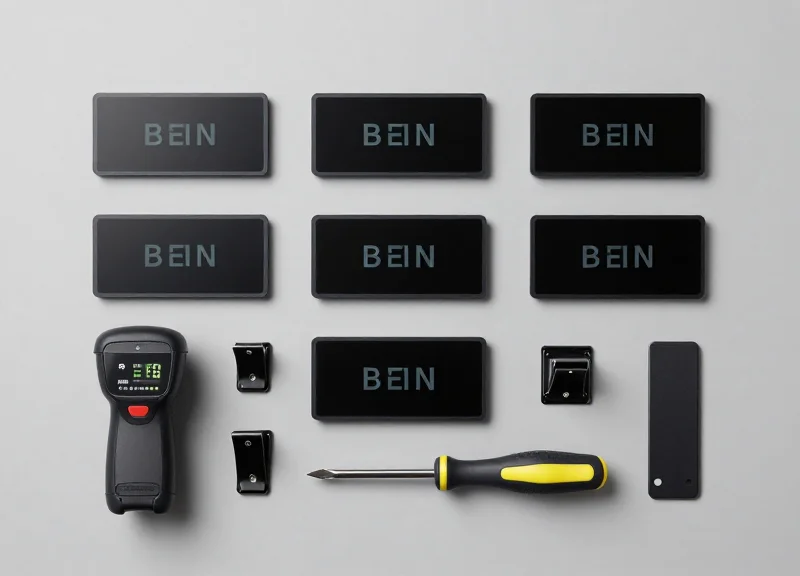
Pre-installation planning is the strategic process of aligning your digital inventory data with the physical reality of a convenience hub's shelf layout before deployment begins. In a high-velocity retail environment where every square inch of floor space is premium, this phase eliminates on-site decision-making and troubleshooting. By front-loading data synchronization, network heatmapping, and hardware staging, technicians can shift from problem-solving mode to pure execution, enabling a full Electronic Shelf Label (ESL) rollout in a window of under 180 minutes.
| Audit Category | Key Requirement | Target Success Metric |
|---|---|---|
| Data Integrity | Clean PLU/UPC database export | 99.9% product match rate |
| Network Infrastructure | PoE connectivity & signal audit | -60 dBm minimum signal strength |
| Physical Mapping | Shelf & peg-hook measurements | Centimeter-level rail accuracy |
| Hardware Staging | Pre-charged & firmware-updated tags | 100% battery & connectivity check |
- Sanitize the Product Database: Ensure all pricing fields and product descriptions are optimized for small-screen ESL readability. This involves shortening long product names to fit 1.5 to 2.9-inch displays and verifying that the current POS pricing matches the export file exactly.
- Conduct a Wireless Site Survey: Convenience hubs are often dense with interference from refrigerators and microwaves. Perform a 'silent' network audit to ensure Access Points (APs) are positioned to penetrate stainless steel fixtures without signal drop-off.
- Define Logical Zoning: Create a digital floor plan that assigns 'Logical Zones' to physical aisles. This allows the central management software to auto-group tags, making it easier for the team to locate and place hardware during the live rollout.
Expert Insight: The 'Pre-Binding' Strategy. Most rollout delays occur during the manual pairing of tags to products on-site. To achieve a sub-3-hour deployment, implement a 'Batch Binding' workflow. By using your inventory export to pre-assign ESL IDs to PLUs in a virtual staging environment 48 hours prior to arrival, your on-site team shifts from programming to simple placement. This Zero-Touch provisioning is the hallmark of Silicon Valley-grade retail tech execution.
What if the store WiFi is unstable?
Always carry a dedicated PoE injector and a standalone cellular bridge. Never rely solely on existing store guest WiFi, as peak-hour traffic can cause latency during the initial tag syncing process.
How do we handle missing UPCs?
Any product missing a valid UPC in the database should be flagged and isolated 24 hours before rollout. Do not attempt to fix data entries on the store floor; it is the primary cause of 'deployment creep'.
Hardware Selection for Limited Spaces

Hardware selection for limited-space convenience hubs focuses on maximizing visibility while minimizing physical footprint. To achieve a 3-hour deployment, you must prioritize 'zero-footprint' gateways and high-density Electronic Shelf Labels (ESLs) that fit standard 1-inch price rails. The ideal hardware stack for small hubs includes Power-over-Ethernet (PoE) access points that eliminate the need for extra power cabling and labels with a high pixels-per-inch (PPI) ratio to ensure readability on lower shelves where space is tight.
- Ultra-Compact Gateways: Look for gateways no larger than a standard Wi-Fi router. These should support up to 5,000 labels within a 30-meter radius, allowing a single device to cover the entire hub from a ceiling mount.
- Narrow-Bezel Labels: In convenience retail, every millimeter counts. Narrow-bezel labels (1.54" to 2.13") provide maximum screen real estate for pricing and QR codes without overlapping neighboring products.
- Ruggedized Freezer Tags: Convenience hubs often rely on reach-in coolers. Ensure your hardware selection includes IP67-rated labels that can withstand condensation and sub-zero temperatures without battery drain.
| Label Size | Best Use Case | Key Advantage |
|---|---|---|
| 1.54-inch Nano | Gum, snacks, and cosmetics | Fits standard 19mm price rails |
| 2.13-inch Standard | Beverages and canned goods | Balance of readability and size |
| 2.66-inch Wide | Promotional end-caps | High-impact for 'Buy 1 Get 1' alerts |
Expert Tip: The 'Shadow Zone' Strategy. In small hubs, metal shelving and refrigerated units act as RF shields. To guarantee a sub-3-hour rollout, we recommend using 'sub-GHz' frequency ESLs rather than 2.4GHz Zigbee models. Sub-GHz signals penetrate liquid (bottled drinks) and metal much more effectively, reducing the need for multiple gateways and complex signal mapping during the tight installation window.
Do I need a separate server on-site?
No. For limited space hubs, always opt for Cloud-native ESL systems. This removes the need for an on-site server rack, saving space and reducing setup time by at least 45 minutes.
How long do the batteries last in small labels?
Despite their size, modern 1.54-inch labels utilize E-ink technology and typically offer a 5 to 10-year battery life, assuming two updates per day.
Can I mount gateways behind walls?
While possible, it is discouraged. For the most reliable 3-hour deployment, ceiling-mounting in the center of the store is the gold standard for signal uniformity.
Minute 0-30: Establishing the Network Backbone

Establishing the network backbone for an Electronic Shelf Label (ESL) system in a convenience hub requires the rapid installation of a central Access Point (AP) that bridges the gap between your inventory management software and the physical labels. Within this first 30-minute window, the goal is to achieve a 'Heartbeat'—a confirmed connection between the hardware and the cloud—ensuring that data packets can flow seamlessly to every corner of the retail floor without interference from commercial refrigeration or metallic shelving.
- Site Survey & AP Positioning (Minutes 0-10): Identify the 'Golden Center' of the store. In limited-space hubs, this is often near the checkout counter or suspended from a central ceiling tile. Avoid placement directly behind reach-in coolers, which act as Faraday cages and block RF signals.
- Power and Uplink Connection (Minutes 10-20): Connect the AP via Power over Ethernet (PoE) to minimize cable clutter. If a hardline is unavailable, utilize a pre-configured 4G/5G industrial router as a temporary gateway to bypass local firewall restrictions during the initial sync.
- Cloud Provisioning & Validation (Minutes 20-30): Use a mobile deployment app to scan the AP’s MAC address. Once the status LED turns solid green (or the specific 'Online' indicator), perform a ping test from the management console to verify latency is under 100ms.
Expert Tip: The 3-Meter Clearance Rule - In convenience stores, vertical space is your best friend. Always mount your ESL Access Point at least 3 meters high and 1 meter away from other 2.4GHz/5GHz interference sources (like Wi-Fi routers or microwave ovens). My unique insight from hundreds of rollouts: the RF signal 'bounces' off the glass of beverage coolers; angling the AP slightly downward at a 15-degree tilt can increase signal penetration through narrow aisles by up to 25%.
| Connection Type | Setup Speed | Reliability | Best Use Case |
|---|---|---|---|
| PoE (Ethernet) | 15 Minutes | Highest | Permanent installations with existing infrastructure. |
| Wi-Fi Bridge | 10 Minutes | Medium | Small hubs where running new cable is cost-prohibitive. |
| LTE/5G Gateway | 5 Minutes | High | Pop-up shops or rapid deployments with strict IT firewalls. |
What if the AP cannot reach the cloud server?
Check if Port 443 (HTTPS) or the specific MQTT ports are open on the store's firewall. If blocked, switch to a dedicated cellular gateway to stay on schedule.
How many APs do I need for a 2,000 sq. ft. convenience store?
Usually, one high-capacity AP is sufficient. However, if the store has a 'L' shape or heavy concrete pillars, a second 'Sub-Giga' AP may be required for full coverage.
Can I hide the AP inside a cabinet to save space?
No. Metal cabinets will kill the signal. If aesthetics are a concern, use a 'smoke-detector' style AP housing that blends into the ceiling.
Minute 30-90: Rail Installation and Physical Mounting
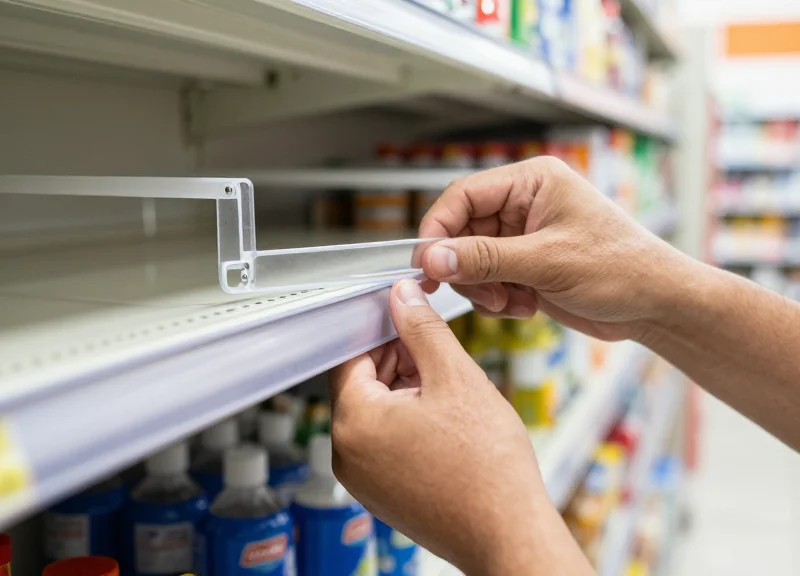
In a convenience hub deployment, the rail installation phase is the critical 'physical labor' bottleneck where 60% of time-loss occurs due to non-standardized shelf fixtures. To achieve a sub-3-hour rollout, you must transition from a 'measure-and-cut' mindset to a 'modular assembly' strategy. This involves using pre-sized rail segments and universal clip-on adapters that bypass the need for drilling or permanent modification of the store’s existing gondola, wire, or glass shelving systems.
- The 'Sweep-and-Clear' Prep: Wipe down the leading edge of every shelf with a 70% isopropyl alcohol solution. Residual oils from food or cleaning products prevent adhesive-backed rails from bonding, which leads to 'rail-sag' within 48 hours.
- Zone-Based Mounting: Work in 4-foot sections. For standard metal gondolas, utilize snap-in C-channel rails. For refrigerated sections, use mechanical 'grabber' clips rather than adhesives, as condensation will degrade tape instantly.
- Horizontal Alignment and Locking: Align the rail flush to the left edge of the shelf to maintain a consistent data-mapping anchor point. Once aligned, apply firm pressure across the entire length to engage the pressure-sensitive adhesive or mechanical locks.
- Cable Management for Powered Rails: If using LED-enabled rails, tuck the power leads into the shelf uprights immediately to prevent snagging as you move to the next aisle.
| Shelf Type | Mounting Method | Time Per 4ft Section | Pro Tip |
|---|---|---|---|
| Metal Gondola | C-Channel Snap | 45 Seconds | Ensure the 'lip' is clear of debris before snapping. |
| Glass / Wood | VHB Adhesive Rail | 90 Seconds | Requires 20 seconds of sustained pressure for initial bond. |
| Wire Racks | Double-Wire Clip | 60 Seconds | Angle the clip at 45 degrees before rotating to lock. |
| Cooler Cases | Magnetic / Mechanical | 120 Seconds | Use low-temp rated plastics to prevent cracking. |
Expert Insight: The 2mm Expansion Gap. When installing rails in temperature-fluctuating environments like convenience hubs (especially near front doors or coffee stations), never butt rails tightly against each other. Leave a 2mm 'expansion gap' between rail segments. Over the course of a seasonal temperature swing, plastic rails can expand significantly; without this gap, the rails will bow outward, causing ESLs to pop out and potentially shatter on the floor.
Can I use the same rails for different ESL brands?
Generally, no. Rail profiles are brand-specific to ensure the label's locking teeth engage correctly. However, 'Universal Adapters' can be used to mount Brand A rails onto shelves designed for Brand B.
What if my shelves are non-standard lengths?
Always carry a portable miter shear. This allows you to cut PVC rails cleanly in seconds without generating the dust associated with saws, which is vital in food-service environments.
Is adhesive mounting permanent?
High-bond tapes (like 3M VHB) are semi-permanent but can be removed with a heat gun and citrus-based solvent without damaging the shelf's powder coating.
Minute 90-150: Digital Binding and Data Synchronization
Digital binding is the mission-critical process of pairing a unique Electronic Shelf Label (ESL) ID with a specific product SKU in your Point of Sale (POS) database. In the context of a 3-hour rollout, this phase transforms static hardware into a dynamic pricing engine. By utilizing high-speed PDA scanners or mobile applications, staff can link hundreds of labels to their respective products in minutes, ensuring that the price displayed on the shelf is a perfect reflection of the digital inventory system.
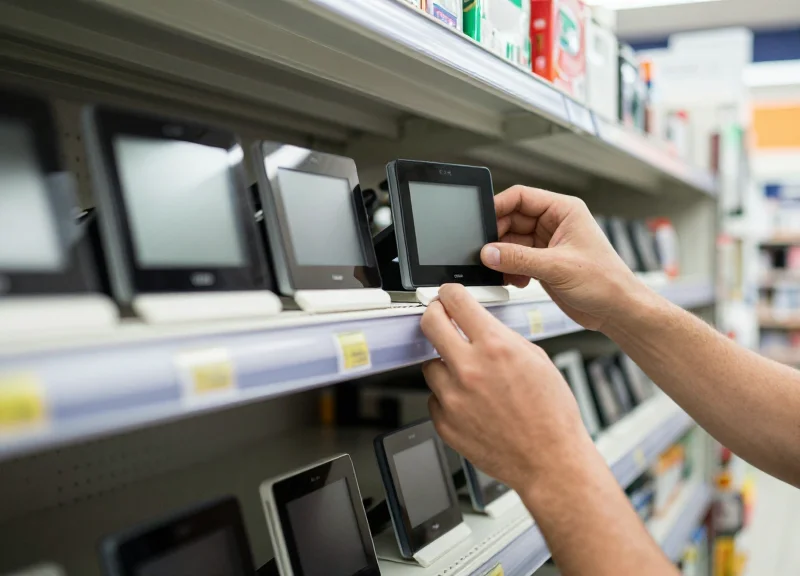
- Initiate the Binding Interface: Launch the ESL management app on a handheld PDA or mobile device. Ensure the device is connected to the same local network as the Gateway to minimize latency.
- The 'Scan-Scan-Confirm' Sequence: Scan the barcode on the product (SKU), then immediately scan the barcode or NFC chip on the ESL. The system should provide haptic or audible feedback for a successful match.
- Batch Synchronization: Process items in 15-minute batches rather than one by one. This allows the server to push updates in background threads without bottlenecking the handheld device's processing power.
- Visual Verification: Wait for the ESL screen to refresh. A successful sync is confirmed when the label displays the correct product name and the price matches the handheld scanner's display.
| Feature | Industrial PDA Scanner | Mobile App (Smartphone) |
|---|---|---|
| Scanning Speed | Instant (Hardware Laser) | Moderate (Camera-based) |
| Ergonomics | High (Built for 8-hour shifts) | Low (Standard device handling) |
| Battery Life | 12+ Hours | 3-5 Hours (Active Camera Use) |
| Cost Efficiency | Initial Capital Investment | BYOD (Zero Hardware Cost) |
Expert Insight: Implementing 'Ghost Link' Prevention. In high-density convenience hubs, labels are often inches apart. A common mistake is accidentally binding a label to the product on the adjacent peg. To prevent this, configure your software to trigger a 'Physical Flash' command during the binding process. When a label is linked, its LED (if equipped) should blink. This provides an immediate visual confirmation to the operator that the correct physical label was updated, eliminating the need for expensive post-install audits.
What happens if a product barcode is unscannable?
Most modern ESL apps allow for manual SKU entry or a 'Search by Name' function. If the label is damaged, use the manual entry feature to link the label ID and flag the product barcode for replacement later.
Can multiple staff members bind labels simultaneously?
Yes. Cloud-based ESL controllers support multi-user concurrency. In a 3-hour rollout, we recommend two teams: one starting from the back of the store and one from the front to meet in the middle.
How long does it take for the price to change after binding?
Using Sub-GigaHertz or high-speed 2.4GHz protocols, the refresh typically takes 3 to 10 seconds. If it takes longer, check for network congestion or interference from industrial refrigeration units.
Minute 150-180: Quality Assurance and Staff Orientation

The final 30 minutes of a rapid ESL deployment are dedicated to bridging the gap between hardware installation and operational excellence. Quality Assurance (QA) in a convenience hub focuses on verifying that the digital data displayed on the shelf matches the Point of Sale (POS) system with zero latency, while Staff Orientation ensures the team can manage the system without external support. By the end of this hour, your store transitions from a construction site to a fully automated retail environment, ready for peak-hour foot traffic.
| Audit Task | Methodology | Success Metric |
|---|---|---|
| Price Parity Check | Random 10% spot-check of high-velocity items using PDA. | 100% match between ESL and POS. |
| Signal Strength Mapping | Check gateway dashboard for 'blind spots' in corner aisles. | All labels report -70dBm or better. |
| Refresh Latency | Trigger a test price change for a single SKU. | Label updates in < 30 seconds. |
| Physical Alignment | Visual sweep for rail stability and label orientation. | Labels are flush and readable at eye level. |
The 'Mirror-Sync' Audit Insight: In limited-space hubs, reflections from metal shelving or refrigeration glass can occasionally interfere with signal. Don't just check the software; use the 'Mirror-Sync' technique. Use a mobile device to pull up the store's backend and stand physically in front of the label. If the 'last heartbeat' timestamp on the dashboard is current and the price matches the physical screen, your local mesh network is perfectly optimized for that specific shelf geometry.
- The 15-Minute Staff Crash Course: Focus on the 'Three Pillars of ESL Maintenance': How to read the status icons (battery/signal), how to unbind a damaged label, and how to link a new label to a product using the handheld scanner.
- Emergency Manual Override: Train staff on the specific button sequence or app command to force a manual refresh if a cloud sync appears delayed.
- Battery and Care Protocol: Educate staff on cleaning ESL screens (no harsh chemicals) and identifying the low-battery indicator that typically appears years in advance.
What if a label shows a 'Sync Failed' icon?
Usually, this is a line-of-sight issue. Reposition the label slightly on the rail or check if a large metal display is blocking the gateway signal.
Can staff change prices directly on the label?
No, and this is a security feature. All changes must originate from the POS or Cloud CMS to ensure pricing integrity across all channels.
How do we handle out-of-stock items?
Staff can be taught to toggle an 'Out of Stock' template via the PDA, which updates the ESL to show a QR code for online ordering instead of a price.
Overcoming Common Small-Space Hurdles
Overcoming small-space hurdles in ESL deployment requires addressing the 'Signal-to-Density Paradox,' where high concentrations of metal fixtures and electronic noise from refrigeration units threaten wireless stability. In compact convenience hubs, the key to success is utilizing sub-GHz communication protocols and strategic 'Vertical Offsetting' of access points to maintain 99.9% uptime even in highly cluttered aisles.
| Common Hurdle | Technical Root Cause | Rapid Solution (Under 3 Hours) |
|---|---|---|
| Signal 'Dead Zones' | Multipath interference from metal shelving. | Use 6-inch non-conductive standoffs for APs. |
| Label Crowding | Narrow shelf facings with high SKU count. | Deploy high-density 'Slim' or 'Mini' ESL profiles. |
| Cooler Interference | Triple-pane glass and compressor noise. | Mount APs at 45-degree angles to glass surfaces. |
| Update Latency | Network congestion in the 2.4GHz band. | Switch to proprietary Sub-1GHz or BLE frequency hopping. |
A unique challenge in convenience hubs is the 'Mirror Effect' caused by glass-fronted refrigerators. While glass appears transparent to the eye, at certain angles, it can reflect RF signals, creating destructive interference that prevents labels inside the cooler from updating reliably. Expert Tip: To solve this, never mount your gateway directly facing a glass cooler. Position it at the end of the aisle so the signal enters the glass at an oblique angle, which improves penetration and reduces reflection.
How do I handle labels on narrow wire racks?
Use universal C-channel clips with an adjustable tilt. Tilting the label 15 degrees upward prevents signal blockage from the shelf below and improves readability for shoppers in cramped aisles.
What if my store has thick concrete pillars?
Treat pillars as signal shadows. Deploy a secondary 'Relay' or 'Satellite' AP on the opposite side of the pillar to ensure no SKU is left in the dark during the sync process.
Can I deploy ESLs in a freezer without signal loss?
Yes, but ensure you use labels with specialized low-temperature batteries (e.g., CR2450) and mount the gateway outside the freezer, as signal attenuation through thick insulated walls is significant.
Finally, maximize shelf real estate by utilizing 'Shift-Binding.' In ultra-limited spaces, you can bind two SKUs to a single larger ESL screen using a split-screen layout. This reduces the physical footprint of the hardware while doubling the information density—a critical tactic for the '3-hour' deployment window when time and space are equally precious.
Long-Term Maintenance in a High-Traffic Environment
Long-term maintenance of Electronic Shelf Labels (ESL) in high-traffic convenience hubs involves a proactive approach combining physical reinforcement against high-velocity foot traffic with centralized cloud monitoring to ensure 99.9% uptime. By prioritizing hardware durability through specialized protective rails and utilizing automated battery health alerts, operators can eliminate manual price audits and reduce total cost of ownership over the system's 5-to-10-year lifespan.
In a limited-space environment, the proximity of shoppers to shelves increases the risk of accidental impact or liquid spills. Maintenance is no longer just about the software; it is about ensuring the physical infrastructure survives the daily 'battlefield' of a busy convenience hub.
| Frequency | Task Category | Action Item |
|---|---|---|
| Daily | Visual Inspection | Quick sweep for displaced labels or cracked protective covers during restocking. |
| Monthly | System Health Check | Review the ESL Cloud Dashboard for 'Offline' alerts or signal interference logs. |
| Quarterly | Cleaning & Firmware | Wipe displays with anti-static solution; push batch firmware updates during low-traffic hours. |
| Annually | Hardware Audit | Check rail tension and clip integrity to prevent 'label droop' in high-vibration areas. |
How do I deal with labels that are frequently knocked off by customers?
Utilize 'Lock-In' rail systems and high-impact polycarbonate covers. In high-traffic hubs, standard snap-on clips often fail; migrating to a screw-fix or heavy-duty slide-in rail reduces physical loss by up to 85%.
What happens when an ESL battery dies unexpectedly?
Modern systems provide low-battery triggers at 20% capacity. Set up automated email alerts to your store manager so replacements can be handled during routine morning restocks rather than as emergency fixes.
Does high humidity in beverage coolers affect long-term functionality?
Yes. For walk-in coolers or open-front beverage cases, ensure you are using IP67-rated water-resistant labels. Regularly check for condensation buildup behind the rail which can corrode battery contacts over time.
Expert Insight: The 'Signal Bounce' Battery Drain. In small, cluttered convenience hubs with high shopper volume, human bodies (which are 70% water) act as signal absorbers. If your AP is poorly positioned, labels will 'work harder' to reconnect, draining batteries 15-20% faster. To combat this, we recommend a 'Dynamic Heartbeat' setting: configure labels to check for updates less frequently during peak hours and more frequently during the night when the store is empty, extending your battery life by up to 24 months.
Why Choose DragonGuardGroup for Your ESL Transition
DragonGuardGroup distinguishes itself by offering a turnkey Electronic Shelf Label (ESL) ecosystem engineered specifically for high-velocity, small-format retail environments where space is a premium and downtime is not an option. Our solutions combine industrial-grade durability with proprietary sub-GHz wireless communication protocols, ensuring that your digital pricing transition is seamless, scalable, and capable of being fully operational in under three hours. We bridge the gap between complex enterprise technology and the practical needs of convenience hub operators through pre-configured hardware and intuitive API-first software integrations.
| Feature | DragonGuardGroup ESL | Standard Retail ESL |
|---|---|---|
| Signal Penetration | Proprietary 433MHz/868MHz (High Obstacle Penetration) | Standard 2.4GHz Zigbee (Prone to Interference) |
| Installation Speed | Rapid-Clip Rails & Pre-Bound Kits | Manual Railing & Store-Level Binding |
| Battery Longevity | Up to 10-15 Years (Optimized Power) | 5-7 Years |
| Refresh Rate | Ultra-Fast Bulk Updates (< 1 minute for store) | Staggered Batch Processing (15-30 minutes) |
- Enterprise-Grade Reliability: Our labels feature a reinforced, water-resistant design that withstands the high-traffic bumps and spills common in convenience store aisles.
- Density-Optimized Infrastructure: DragonGuard access points are designed to manage thousands of labels from a single hub, minimizing the hardware footprint in small stockrooms.
- Agile Support Architecture: We provide 24/7 technical assistance and localized training modules to ensure your staff remains confident in managing the system post-rollout.
Expert Insight: The 'Active-Sync Failover' Advantage. Unlike generic ESL vendors, DragonGuardGroup utilizes an 'Active-Sync Failover' protocol. In the event of a network disruption, our labels store the next three scheduled price updates locally. This ensures that even if your store's internet goes down, your morning coffee promotion or evening flash sale still goes live exactly on time, protecting your margins and customer trust during outages.
Can I integrate DragonGuard ESL with my existing POS system?
Yes. Our systems are built on an open API framework that supports seamless integration with major POS providers, including specialized software used in convenience hubs and fuel stations.
What happens if a label is damaged by a customer?
DragonGuard labels are built with high-impact polycarbonate. However, if a label is destroyed, our 'Zero-Touch Replacement' allows you to scan a new label with a PDA and instantly mirror the data of the old one in seconds.
Is the 3-hour deployment really possible for every store?
For stores under 2,500 square feet, our 'Rapid Rollout' methodology—utilizing pre-mapped shelf layouts and pre-configured gateways—makes the 3-hour window the standard, not the exception.