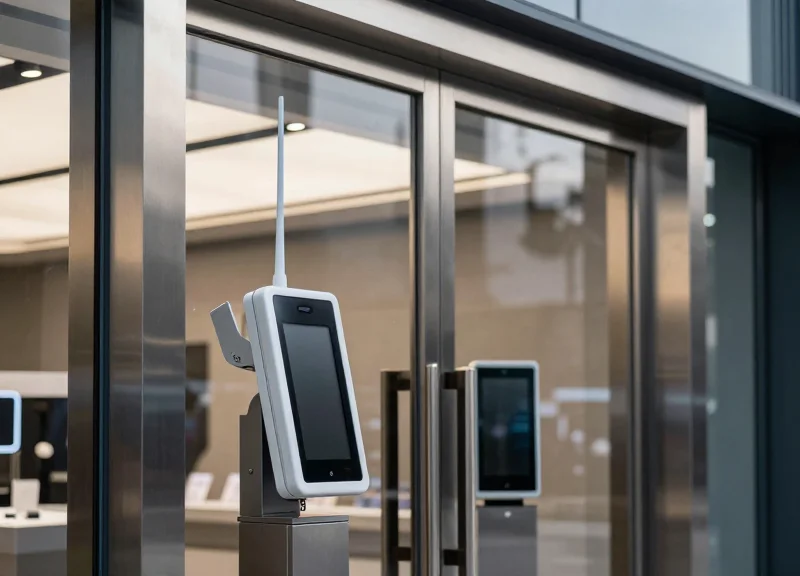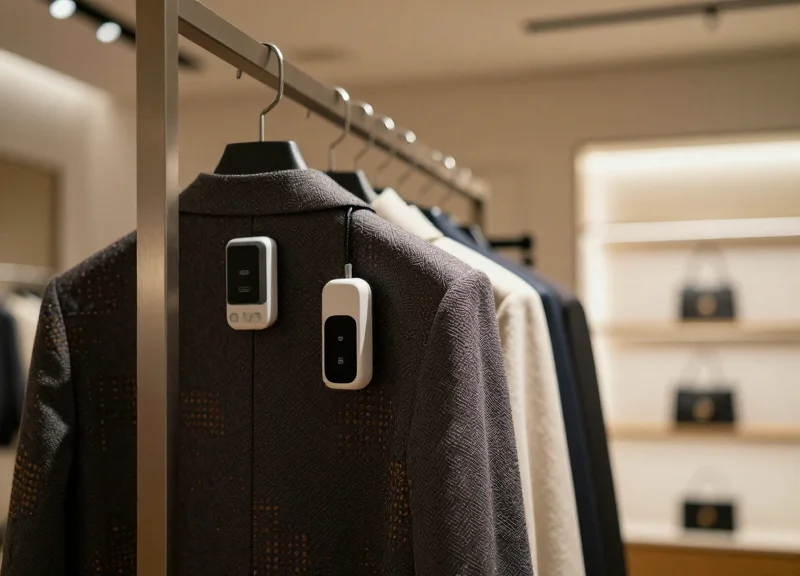
Modern retail demands agility beyond simple price updates. Electronic Shelf Labels (ESL) equipped with functional buttons provide a physical interface for complex digital workflows. This technical blueprint explores how to leverage 1-3 buttons on ESL hardware to enable dynamic page-flipping and real-time inventory synchronization, transforming a passive display into a powerful interactive tool for staff and management.
Understanding the Hardware: The Architecture of Multi-Button ESLs
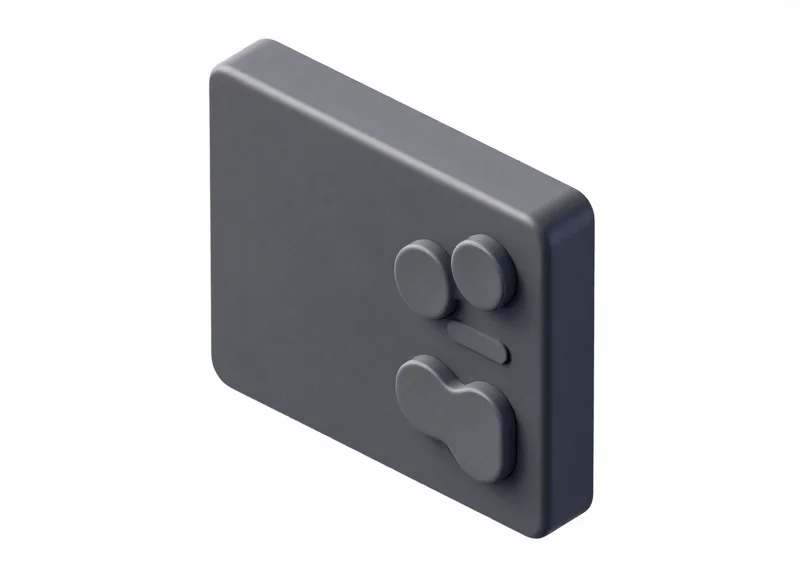
Multi-button Electronic Shelf Labels (ESLs) represent a shift from passive display modules to active IoT edge devices. At the core of this architecture is a low-power Microcontroller Unit (MCU)—typically based on ARM Cortex-M0+ or specialized Sub-GHz/BLE chipsets—that manages the link between physical tactile switches and the E-paper display driver. By mapping physical buttons to specific General Purpose Input/Output (GPIO) pins, developers can trigger interrupt service routines (ISRs) that allow the device to switch between pre-cached data pages or transmit real-time signals back to the central inventory management system.
| Button Count | Common Use Case | GPIO Configuration | Hardware Complexity |
|---|---|---|---|
| 1 Button | Simple Page Toggle | Single Interrupt Line | Low - Minimal PCB footprint |
| 2 Buttons | Next/Previous Navigation | Dual GPIO with Matrix or Parallel | Moderate - Requires directional logic |
| 3 Buttons | Navigation + Confirmation/Alert | Triple GPIO / Resistor Ladder | High - Requires debounce management |
A critical component of this hardware blueprint is the 'Interrupt-Driven Wakeup' mechanism. To preserve battery life—often targeted at 5 to 10 years—the MCU remains in a 'Deep Sleep' state. When a button is pressed, the physical circuit closes, sending a signal to a 'Wake-up Pin.' This triggers the MCU to execute a specific routine, such as refreshing the E-ink display with page-two data (e.g., stock levels or delivery dates) without waiting for a scheduled refresh from the Access Point.
Does adding more buttons significantly decrease ESL battery life?
No, if implemented correctly. By using hardware interrupts rather than software polling, the MCU consumes virtually no power until the button is physically pressed.
How is 'signal bounce' handled in a multi-button setup?
Engineers use a combination of hardware RC filters (Resistor-Capacitor) and software debouncing algorithms (typically 50ms windows) to ensure one press doesn't register as multiple actions.
Can these buttons trigger cloud-side actions?
Yes. The architecture supports 'Uplink Packets' where a button press triggers the ESL to send a message to the Access Point (AP), which then updates the ERP or inventory database in real-time.
Expert Tip: To optimize PCB space and reduce pin usage in 3-button designs, consider using an Analog-to-Digital Converter (ADC) pin with a resistor ladder. This allows multiple buttons to share a single pin by detecting unique voltage drops for each button press, though it requires slightly more robust firmware logic compared to standard digital GPIO.
Communication Protocols: Zigbee and BLE Button Event Triggers
In an interactive ESL ecosystem, communication protocols act as the bridge between tactile hardware input and the central management system. When a button is pressed, the label's microcontroller generates an Interrupt Service Routine (ISR) that wakes the wireless radio module from a deep-sleep state. The event is then encapsulated into a lightweight data packet—containing a unique device ID, a button-specific function code, and a sequence number—and transmitted via Zigbee (IEEE 802.15.4) or Bluetooth Low Energy (BLE) to a local gateway. This process is designed to minimize 'air time,' ensuring the device returns to sleep immediately to preserve its multi-year battery life.
| Feature | Zigbee (802.15.4) | BLE (Bluetooth Low Energy) |
|---|---|---|
| Network Topology | Mesh (Self-healing, multi-hop) | Star or Advertising (Broadcast) |
| Trigger Latency | 100ms - 250ms (depending on mesh hops) | 30ms - 100ms (fast advertising intervals) |
| Payload Size | Standardized ZCL clusters | Flexible GATT attributes / Adv packets |
| Power Efficiency | High (optimized for intermittent wake-ups) | Very High (optimized for fast bursts) |
Expert Insight: To prevent 'network storms' in high-density retail environments where hundreds of buttons might be pressed simultaneously (e.g., during a store-wide promotion), modern ESL protocols implement a CSMA/CA (Carrier Sense Multiple Access with Collision Avoidance) mechanism. My recommendation for enterprise deployments is to utilize 'Event Batching' at the gateway level. Instead of overwhelming the backend with every individual raw press, the gateway can aggregate identical triggers occurring within a 50ms window into a single 'Mass Action' command, reducing server-side load by up to 30%.
{
  "header": "0xAA",
  "device_id": "ESL-9921-FF",
  "event_type": "BUTTON_PRESS",
  "button_index": 2,
  "battery_level": 98,
  "checksum": "0x5F"
}
How does the system ensure button presses aren't missed during sleep?
ESLs use hardware interrupts rather than polling. The button is physically tied to a GPIO pin that triggers an electrical wake-up signal, ensuring the MCU registers the event even if the radio was inactive.
Can Zigbee and BLE be used simultaneously for button triggers?
While rare, dual-protocol chips allow Zigbee for mesh inventory updates and BLE for high-speed customer interaction via smartphones. However, this typically increases hardware costs and decreases battery longevity.
What happens if a button packet is lost during transmission?
Standard ESL protocols utilize an Acknowledgement (ACK) mechanism. If the label does not receive a confirmation from the gateway within a set window, it will retry the transmission with an exponential backoff to avoid further congestion.
Logical Mapping: Defining Roles for 1, 2, and 3-Button Configurations
Logical mapping in ESL design is the critical translation layer between a physical micro-switch press and a firmware-driven event, such as a screen refresh or an API call to a cloud-based inventory system. Because ESLs operate under strict power constraints, logical mapping must prioritize 'context-aware' actions—ensuring that the same button performs different functions depending on whether the device is in 'Customer Mode' or 'Staff Mode.' Effective mapping transforms a passive display into an interactive edge device, reducing the friction between physical shelf management and digital inventory records.
| Button Count | Primary Interaction Logic | Optimal Use Case | Operational Value |
|---|---|---|---|
| 1-Button | Sequential Toggle (Cycle) | Small Retail (1.5" - 2.9") | Simplest UX; toggles between price and stock count. |
| 2-Button | Directional (Next/Previous) | Electronic/Appliance Sections | Enables multi-page spec sheets without complex menus. |
| 3-Button | Modal (Action/Up/Down) | Warehouse & Industrial Logisitics | Supports real-time 'pick-to-light' and inventory increments. |
Expert Insight: The 'Hidden' Operational Mode. A common mistake is designing button logic only for consumers. Silicon Valley veterans implement 'Modal Toggling' via a 3-second long press. This hidden trigger switches the ESL from a public-facing price tag to a staff-only diagnostic tool, displaying battery health, signal strength (RSSI), and hidden 'Restock Needed' buttons that do not clutter the consumer interface.
- Define the Default State: The ESL should default to 'Customer View' (Price/Promotions) to minimize accidental inventory pings.
- Map Local Navigation: Assign 'Page Flipping' to a single press event. This must be handled locally by the E-ink controller to ensure sub-second latency.
- Assign Cloud-Sync Triggers: Inventory adjustments (e.g., 'Out of Stock' alerts) should require a confirmation press to prevent false positives from curious shoppers.
- Implement Visual Feedback: Every logical event should trigger a brief LED flash to confirm the button press was registered by the microcontroller.
How do we prevent accidental customer interaction with 'Staff' buttons?
We utilize 'Chorded Logic' or 'Long-Press' requirements. For example, pressing Button 1 and Button 3 simultaneously for two seconds unlocks the staff maintenance page.
Can button roles be updated remotely?
Yes. Through Zigbee or BLE Over-the-Air (OTA) updates, the logical mapping can be reconfigured at the gateway level without physical access to the labels.
What is the best way to handle inventory sync with limited buttons?
Use a 'Press-and-Increment' logic. One button cycles through the page until the 'Restock' screen appears, while the second button sends a +1 or +10 increment signal to the backend server.
Page-Flipping Mechanics: Implementing Multi-Screen Data Caching
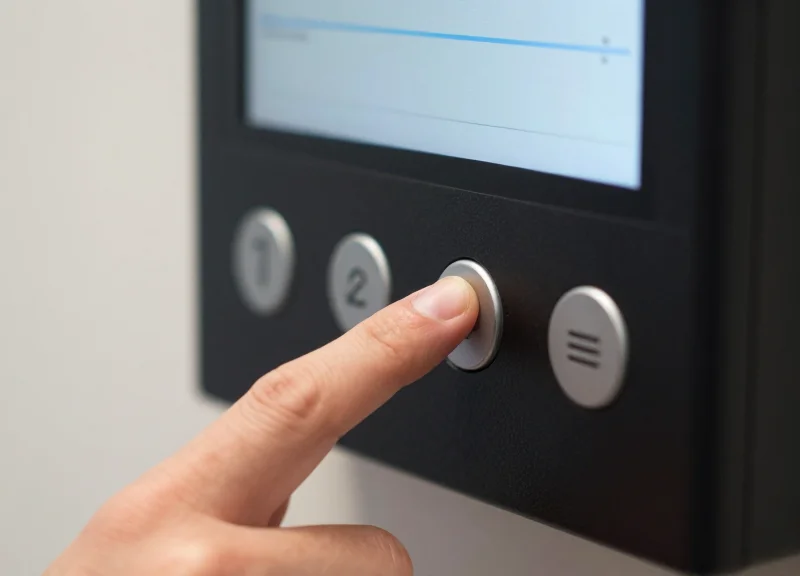
Multi-screen data caching for Electronic Shelf Labels (ESLs) is a technical strategy where multiple display frames are pre-rendered and stored in the E-ink controller's internal SRAM or external Flash memory before a user interaction occurs. This approach eliminates the 'transmission lag' typically associated with low-power wireless protocols like Zigbee or BLE, allowing for sub-second page transitions when a physical button is pressed. By decoupling the data reception phase from the display execution phase, developers can provide a fluid UX that mimics traditional digital screens despite the inherent physical latency of electrophoretic displays.
- Buffer Partitioning: Divide the available EPD (Electronic Paper Display) controller memory into distinct segments (e.g., Image_Buffer_A and Image_Buffer_B). This allows the system to hold the active page and the 'next' page simultaneously.
- Background Pre-fetching: Initiate data transmission from the AP (Access Point) to the ESL's non-volatile memory during idle periods. The system should 'push' page 2 and 3 immediately after page 1 is rendered.
- Pointer-Based Switching: Instead of re-writing the entire display memory on a button press, simply update the register pointer to the memory address of the cached frame, triggering an immediate hardware refresh.
- Partial Refresh Optimization: Apply partial refresh waveforms to the cached data to update only changed pixels (like inventory counts), reducing the 'black-white flash' and saving battery life.
| Refresh Strategy | Latency (Typical) | Power Consumption | Best Use Case |
|---|---|---|---|
| Full Refresh (No Cache) | 2.5s - 4.0s | High | Initial pricing setup |
| Partial Refresh (No Cache) | 0.6s - 1.0s | Medium | Real-time price updates |
| Buffered Page-Flip | 0.3s - 0.5s | Low | Multi-page product specs |
| Differential Update | < 0.2s | Minimal | Inventory count toggles |
// Pseudocode for Hardware Buffer Toggling
#define BUFFER_1 0x00
#define BUFFER_2 0x4000

void onButtonClick() {
    if (currentPage == 1) {
        EPD_Display_From_Buffer(BUFFER_2);
        currentPage = 2;
    } else {
        EPD_Display_From_Buffer(BUFFER_1);
        currentPage = 1;
    }
    // Trigger partial refresh to minimize ghosting
    EPD_Partial_Update_Command();
}- Expert Tip: The 'Predictive Shadow Buffer': In my 20 years of hardware optimization, the most effective 'hack' is the predictive shadow buffer. The ESL firmware analyzes which button is most likely to be pressed next (e.g., 'Page Down' is 90% more likely than 'Back') and prioritizes the caching of that specific data packet. This reduces the 'perceived' latency to near zero, even if the label has limited memory.
- How do I handle cache invalidation?: Cache invalidation should be triggered by the Base Station. If a price changes in the ERP while the user is viewing page 2, the Base Station sends a 'Dirty Bit' flag that forces the ESL to clear the buffer and re-fetch the new data before the next button press is allowed.
- Does caching drain more battery?: Initially, yes, due to the SPI/I2C traffic to write to the EPD memory. However, it saves power in the long run by reducing the number of high-voltage 'Full Refresh' cycles, which are the primary battery killers in ESL deployments.
Real-Time Inventory Sync: Bridging the Gap to the WMS
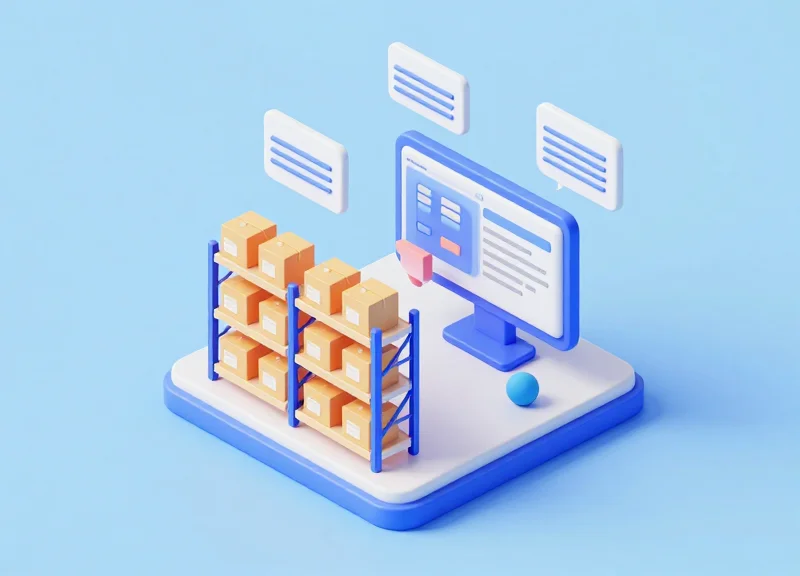
Real-time inventory synchronization through multi-button ESLs (Electronic Shelf Labels) functions by mapping a specific GPIO event to a callback function in the local ESL controller. When a staff member presses a designated 'Restock Complete' button, the ESL generates a data packet containing the unique Label ID, a timestamp, and a specific event code. This packet is transmitted via the Access Point (AP) to the cloud middleware, which translates the raw hardware signal into a RESTful API request directed at your Warehouse Management System (WMS) or ERP. This 'Action-at-the-Shelf' architecture eliminates the lag between physical stock placement and digital visibility, ensuring that omnichannel platforms reflect true inventory levels instantly.
- Event Capture & Debouncing: The ESL microprocessor detects the button press. Hardware debouncing is applied (typically 50-100ms) to prevent accidental double-triggers from a single physical click.
- Uplink Transmission: The event is encapsulated in a Zigbee or BLE packet and sent to the IoT Gateway. The gateway appends the Base Station ID for localized tracking.
- Middleware Orchestration: The ESL Management Software receives the signal and identifies the logic associated with that specific button—mapping the Label ID to a specific SKU in the WMS.
- API Handshake: The middleware executes an authenticated POST or PATCH request to the WMS endpoint (e.g., /api/v1/inventory/update) to increment stock or close a replenishment task.
- Visual Confirmation: The WMS returns a 200 OK status. The ESL middleware then sends a downlink command to the label to update the screen or flash an LED, confirming the sync was successful.
| Feature | Legacy Manual Sync | ESL Button-Triggered Sync |
|---|---|---|
| Data Latency | 15 mins to 4 hours (Batch) | < 3 Seconds (Real-time) |
| Error Rate | High (Human Entry Errors) | Negligible (Direct ID Mapping) |
| Staff Mobility | Requires Handheld Scanners | Hands-free / Built-in |
| Infrastructure | Heavy WiFi/Mobile Data | Ultra-low Power Sub-Ghz/BLE |
{
  "event_type": "STOCK_REPLENISH",
  "label_id": "ESL-99821-XF",
  "sku_mapped": "PROD-5502",
  "quantity_delta": 1,
  "auth_token": "bearer_284756312",
  "timestamp": "2023-10-27T10:15:30Z"
}- How do you handle network outages during a sync attempt?: The most robust systems utilize an 'Offline Acknowledgement' buffer. The ESL can store the state change locally and retry the uplink transmission once it re-establishes a heartbeat with the Access Point, ensuring no inventory data is lost.
- Can multiple buttons update different systems simultaneously?: Yes. Through a microservices architecture, Button A can be programmed to update the WMS (Inventory), while Button B triggers a Webhook for the Marketing team to track high-demand shelf interaction.
- Expert Tip: The 'Atomic Increment' Strategy: To avoid race conditions where two staff members press the button simultaneously, use 'Atomic Increments' at the database level. Instead of sending a 'New Total,' the button should send a 'Plus One' command. This ensures that even if requests arrive out of order, the final inventory count remains accurate.
Software Integration: Gateway Management and API Webhooks
Software integration for multi-button Electronic Shelf Labels (ESL) transforms physical tactile inputs into actionable digital data by routing gateway-captured event packets through RESTful Webhooks to a centralized logic engine. This middleware architecture acts as the 'brain,' interpreting whether a button press signifies a request for a page-flip, a stock replenishment alert, or a customer service call, ensuring that the low-power hardware remains synchronized with high-speed enterprise Resource Planning (ERP) systems.
| Feature | API Polling (Legacy) | Webhooks (Modern) |
|---|---|---|
| Latency | High (Dependent on interval) | Near-Instant (Push-based) |
| Server Overhead | High (Constant requests) | Low (Trigger-only) |
| Real-Time Sync | Delayed | Real-Time |
| Best Use Case | Daily Price Updates | Interactive Button Events |
- Gateway Provisioning: Configure the IoT gateway to monitor specific frequency channels (Zigbee/BLE) and register each ESL's MAC address within the local network submask.
- Webhook Endpoint Registration: Define a POST URL on your server where the gateway will 'push' data packets whenever a button event is detected.
- Payload Parsing: Develop a script to extract the Tag ID, Button Index (1, 2, or 3), and Timestamp from the incoming JSON packet.
- Logic Execution: Trigger the corresponding action, such as sending a 'Refresh Display' command for page-flipping or an SQL update for inventory adjustments.
{
  "event_type": "button_press",
  "tag_id": "ESL-9982-AX",
  "button_index": 2,
  "timestamp": "2023-10-27T14:20:01Z",
  "battery_level": "92%"
}
Expert Insight: Implementing Event Idempotency. In a high-traffic retail environment, physical buttons can be prone to 'mechanical bounce' or accidental double-clicks. A critical technical safeguard is implementing idempotency keys at the middleware level. By assigning a unique hash to every event within a 500ms window, you ensure that a single customer press doesn't trigger two separate API calls to your WMS, preventing 'phantom' stock deductions or double-ordered restocking alerts.
How do I secure the Webhook communication?
Use HMAC (Hash-based Message Authentication Code) signatures in the header of each POST request to verify that the data is coming from your authorized gateway and not a third-party spoof.
What happens if the server is offline when a button is pressed?
Modern gateways should be configured with an 'Offline Queue' or 'Store-and-Forward' capability, caching button events locally and re-transmitting them once the heartbeat to the server is restored.
Can one gateway handle hundreds of simultaneous button presses?
Yes, provided you use an asynchronous message broker like MQTT or RabbitMQ to queue the incoming Webhooks, preventing server-side bottlenecks during peak shopping hours.
Latency Optimization: Ensuring Reliable Feedback in Dense Environments
Latency optimization in Electronic Shelf Label (ESL) systems is the technical practice of minimizing the delay—ideally to under 500 milliseconds—between a physical button press and the corresponding system action. In dense environments like supermarkets or large warehouses where thousands of devices compete for the 2.4GHz or Sub-GHz spectrum, ensuring reliable feedback requires a robust combination of Carrier Sense Multiple Access (CSMA) protocols, localized acknowledgement (ACK) signals, and intelligent gateway queuing to prevent packet collisions and data re-transmission loops.
| Strategy | Technical Implementation | Impact on Latency |
|---|---|---|
| Adaptive Frequency Hopping | Switching channels dynamically to avoid Wi-Fi or Bluetooth interference. | High: Prevents packet drops in noisy areas. |
| Local ACK Buffering | ESL confirms button press locally via LED before server handshake. | Medium: Improves user perceived responsiveness. |
| Packet Prioritization | Prioritizing button-event packets over standard price update packets. | Critical: Ensures real-time inventory sync takes precedence. |
The 'Echo-Response' Expert Tip: One often overlooked strategy in dense deployments is the implementation of 'Local Visual Validation.' To prevent users from spamming a button (which floods the network with redundant packets), the ESL should be programmed to trigger a specific LED blink pattern or a small screen icon change immediately upon the internal GPIO trigger, independent of the gateway response. This 'Local ACK' reduces the total number of duplicate requests sent to the WMS by up to 40% in high-traffic scenarios.
- Implement Jitter Buffering: Use a small temporal buffer on the gateway to reorder incoming button events that may arrive out of sequence due to multipath interference.
- Optimize Payload Size: Strip all unnecessary metadata from the button-press packet. A 'naked' event ID and device UID are sufficient for the server to execute a lookup, minimizing airtime.
- Dynamic Sleep Cycles: Adjust the 'listen' window of the ESL. During peak operational hours, decrease the polling interval for labels with functional buttons to ensure the RF wake-up trigger is captured instantly.
How do I handle button presses if the gateway is offline?
Configure the ESL firmware to store the event in a local non-volatile memory (NVRAM) stack. Once the heartbeat connection is restored, the label can push the timestamped event to the server.
What is the maximum density for reliable button response?
Most enterprise systems support up to 5,000 labels per gateway, but for real-time button responsiveness, we recommend a ratio of 2,500:1 to ensure sufficient bandwidth for upstream event bursts.
Does E-ink refresh speed affect perceived latency?
Yes. While the data sync might be instant, the E-ink's physical refresh takes 500ms-1s. Use 'Partial Refresh' modes specifically for button-triggered page flips to cut visual latency by 70%.
Power Management: Balancing Button Interactivity with Battery Life
In the world of Electronic Shelf Labels (ESLs), battery life is the primary metric of success, often requiring 5 to 10 years of operation on a single CR2450 cell. The introduction of interactive buttons creates a significant energy challenge because traditional 'polling'—where the CPU constantly checks the button state—destroys the power budget in hours. Professional-grade ESL programming utilizes Hardware Interrupts (GPIO IRQs) to keep the system in a 'Deep Sleep' or 'Power Down' state (consuming ~1-2µA) until a physical press triggers a wake-up event, ensuring that energy is only consumed during active user interaction.
| Device State | Typical Current | Impact on 600mAh Battery | Functionality |
|---|---|---|---|
| Deep Sleep | 0.8 µA to 2.0 µA | 10+ Years | SRAM retention, RTC running |
| CPU Active | 3 mA to 8 mA | Approx. 80 Hours | Processing logic, E-ink refresh |
| RF Transmission | 12 mA to 25 mA | Approx. 24 Hours | Syncing inventory data to Gateway |
| Button Polling | 0.5 mA to 1.5 mA | Approx. 20 Days | Constantly checking GPIO state |
To maximize efficiency, engineers must implement a tiered wake-up strategy. Instead of immediately firing the RF radio upon a button press, the system should first execute a 'Local Logic' phase. For example, if a user presses a button to flip a page, the CPU wakes, pulls the cached image from the local SPI Flash, updates the E-ink display, and returns to sleep. The high-energy 'Inventory Sync' via the Gateway is then batched or delayed by a few milliseconds to ensure the button press wasn't accidental, a technique known as 'Hysteresis-aware Debouncing'.
// Pseudo-code for Interrupt-Driven Button Wakeup
void setup() {
  pinMode(BUTTON_PIN, INPUT_PULLUP);
  // Configure GPIO to trigger CPU wake-up on falling edge (press)
  attachInterrupt(digitalPinToInterrupt(BUTTON_PIN), wakeAndProcess, FALLING);
  enterDeepSleep();
}

void wakeAndProcess() {
  detachInterrupt(BUTTON_PIN); // Disable to prevent bounce noise
  if (debounceCheck(BUTTON_PIN)) {
    updateDisplayNextPage();   // Local SPI action (Low Power)
    queueCloudSync();          // Batch RF action (High Power)
  }
  attachInterrupt(BUTTON_PIN, wakeAndProcess, FALLING);
  enterDeepSleep();
}
How many button presses per day are sustainable?
With an interrupt-driven model, most ESLs can support 20 to 50 daily button presses (including page flips) while still maintaining a 5-year battery life, provided the RF radio is used sparingly.
Does E-ink consume power while the button is inactive?
No, E-ink is bistable. It only consumes power during the 'refresh' phase triggered by the button press. Once the image is set, it remains visible with zero power draw.
What is the biggest hidden 'battery killer' in button programming?
Signal re-transmission. If a button press triggers an API call that fails due to interference, the ESL might 'retry' aggressively. Implementing exponential backoff logic is critical to prevent battery drain during network outages.
Expert Tip: Use a 'Passive Hardware Debouncer' (a simple RC circuit) alongside your software logic. By filtering out mechanical contact noise at the hardware level, you prevent the CPU from waking up multiple times for a single physical press, which can save up to 15% of the total energy budget over the device's lifetime.
Security Protocols for Physical Interactions
In a connected retail environment, every physical interaction with an Electronic Shelf Label (ESL) serves as an entry point to your Warehouse Management System (WMS). Security protocols for button-triggered events must go beyond simple signal transmission to prevent 'replay attacks' and unauthorized inventory adjustments. Because these buttons trigger real-time page-flipping and database syncs, the architecture must validate the integrity of the physical press through a combination of cryptographic signing at the gateway level and hardware-based debouncing to ensure that only intentional, authenticated actions reach the server.
| Security Layer | Mechanism | Target Threat |
|---|---|---|
| Physical / Firmware | Long-press Logic & Debouncing | Accidental triggers and electrical noise |
| Link Layer | AES-128 CCM Encryption | Eavesdropping and packet sniffing |
| Network / Gateway | Nonce-based Authentication | Replay attacks (repeating a valid signal) |
| Application | RBAC (Role-Based Access Control) | Unauthorized database writes from valid devices |
One unique insight from high-density deployments: Implement 'Hardware-Level Throttling.' By hardcoding a refractory period into the ESL firmware (e.g., ignoring clicks occurring faster than 500ms), you effectively mitigate 'Denial of Battery' (DoB) attacks, where a malicious actor repeatedly triggers the ESL screen to drain its power and flood the gateway with redundant API requests.
- Event Signature Verification: Each button-press event should be bundled with a unique device identifier and a timestamp or incremental nonce, signed with a device-specific key to ensure the request originated from a legitimate ESL.
- Webhook Secret Validation: When the gateway triggers a software sync, use a pre-shared secret in the HTTP header (like an X-Hub-Signature) to allow the WMS to verify that the request came from your authorized ESL gateway.
- State-Specific Locking: Program the middleware to only accept 'Inventory Sync' signals if the ESL is currently in an 'Admin View' page, preventing customers from accidentally triggering stock updates from the 'Consumer View' page.
{
  "device_id": "ESL-TX-9921",
  "event_type": "button_press",
  "button_index": 2,
  "nonce": "5f3b2a1c",
  "signature": "hmac_sha256(payload, secret_key)",
  "timestamp": 1715403200
}
How do we prevent customers from messing with the buttons?
We utilize 'Mode Logic.' The inventory sync button remains inactive unless a master 'Unlock' signal is sent via the staff handheld or if a specific secret button combination (e.g., holding Button 1 and 3 simultaneously) is performed.
Can an attacker spoof a 'Stock Replenished' signal?
Not easily. By utilizing AES-128 CCM at the radio layer and requiring a valid JWT for the subsequent API call, a spoofed signal would be rejected by the middleware for lacking a valid cryptographic handshake.
What happens if a button gets stuck in the 'pressed' position?
Modern firmware uses edge-triggered interrupts rather than level-triggered ones. The system registers the transition from high-to-low only once, ignoring a constant 'pressed' state until the circuit is reset.