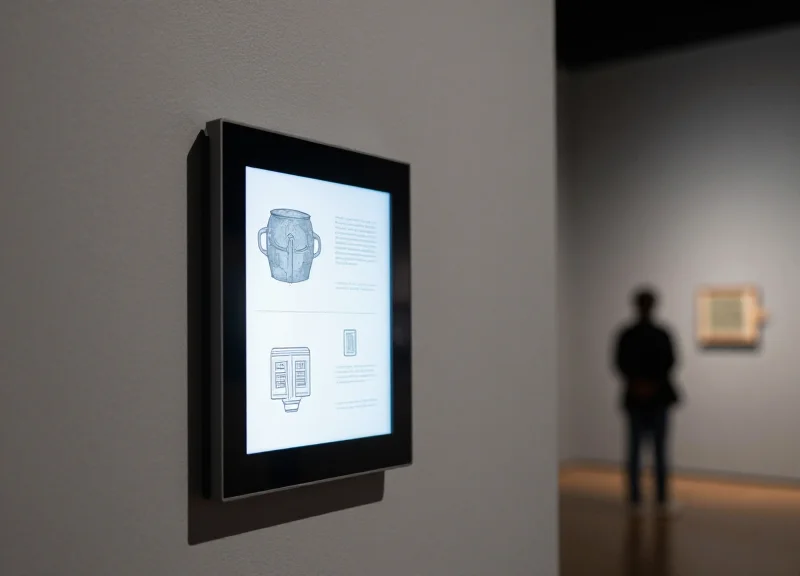
As we approach 2026, the museum landscape is witnessing a significant shift in how digital information is integrated into physical spaces. For years, bulky RFID kiosks were the primary solution for providing interactive content, yet they often acted as visual barriers that distracted from the artifacts themselves. The rise of Next-Gen E-ink labels—leveraging advanced Electronic Shelf Label (ESL) technology—is now offering a more elegant, sustainable, and non-intrusive alternative. These sleek displays allow curators to blend digital storytelling seamlessly with the physical exhibit, creating a truly immersive environment where the technology enhances, rather than competes with, the visitor experience.
The Evolution of Exhibit Interpretation: From Static to Dynamic
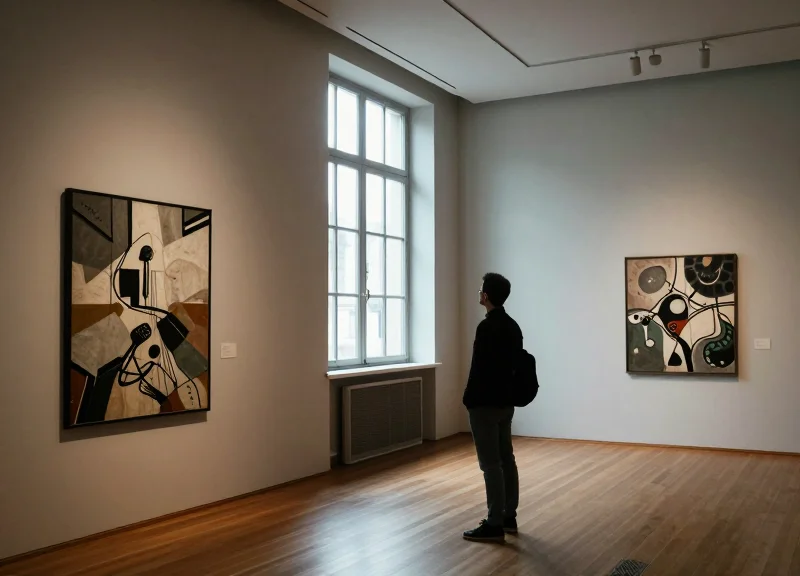
Exhibit interpretation has evolved from a 'read-only' experience dominated by static paper cards to a dynamic ecosystem where information is contextual, multi-layered, and instantly updatable. While traditional museums relied on fixed silk-screened panels, the 2026 outlook emphasizes a shift toward 'Ambient Interpretation'—technologies like Next-Gen E-ink that offer the flexibility of digital data without the distracting glow or physical footprint of traditional bulky kiosks.
| Era | Primary Medium | Visitor Experience | Operational Constraint |
|---|---|---|---|
| Pre-2000s: The Static Era | Printed Paper & Vinyl | Passive/One-way reading | High cost for any content changes |
| 2010s: The Interactive Era | RFID Kiosks & LCDs | Active/Transactional | Screen fatigue and 'tech-clutter' |
| 2026: The Dynamic Era | Smart E-ink Labels | Immersive/Contextual | Requires robust IoT infrastructure |
The shift from static to dynamic was initially fueled by the 'Kiosk Boom' of the 2010s. Museums rushed to install RFID-enabled terminals to provide deeper dives into collections. However, these often created 'interpretive bottlenecks,' where groups huddled around a single screen, breaking the visual flow of the gallery. As we approach 2026, the industry is correcting this by decentralizing the interface. The goal is no longer to draw the visitor toward a computer terminal, but to embed intelligence directly into the label itself, maintaining the 'Visual Silence' that high-end curation demands.
- The Printed Era (1850s-1990s): Defined by 'The Authoritative Voice.' Curators decided on a single block of text that remained unchanged for decades. Language support was limited to what could fit on the wall.
- The Interactive Explosion (2000s-2015): The introduction of touchscreens and RFID badges. While revolutionary, these units were prone to hardware failure and required significant electricity and cooling.
- The BYOD Pivot (2016-2022): 'Bring Your Own Device' using QR codes. This reduced hardware costs but forced visitors to look at their personal phones rather than the art.
- The Seamless Integration Era (2024-Beyond): The rise of E-ink and low-power IoT displays. These provide the aesthetic of paper with the backend power of a server, allowing for real-time language toggles and updated provenance.
Expert Insight: The 'Visual Silence' Principle. A common mistake in the last decade was treating galleries like high-tech retail stores. Silicon Valley veteran curators now advocate for 'Visual Silence'—where the technology is invisible until it is needed. Next-gen E-ink achieves this because it reflects ambient light rather than emitting it, preserving the intended lighting design of the gallery while allowing for dynamic storytelling that kiosks simply cannot match without being an eyesore.
The Decline of the RFID Kiosk: Identifying the Friction Points
Traditional RFID kiosks are rapidly becoming legacy technology because they centralize interpretation in a way that creates physical bottlenecks, interrupts the visitor's emotional connection with artifacts, and demands high-touch maintenance that strains modern museum budgets. In the 2026 outlook, the shift toward 'frictionless interpretation' has exposed the RFID kiosk as a 'stop-and-go' solution in a world that demands continuous, seamless storytelling.
| Operational Factor | Traditional RFID Kiosk | Modern Curatorial Standard |
|---|---|---|
| Visitor Flow | Batch processing (queues) | Continuous, fluid movement |
| Power Requirements | Constant AC power (heavy cabling) | Battery-powered/Energy harvesting |
| Aesthetic Integration | Bulky, intrusive hardware | Discrete, integrated minimalist labels |
| Maintenance Cycle | Monthly (OS updates/cleaning) | Multi-year (Low-energy E-ink systems) |
| Interpretation Gap | 3-10 feet from artifact | Zero-distance proximity |
Why do RFID kiosks cause visitor fatigue?
Kiosks create 'Interpretive Bottlenecks.' When multiple visitors want to dive deeper into a specific collection, they are forced to wait for a single screen, turning a reflective cultural experience into a frustrating queue-based task.
What are the hidden costs of kiosk maintenance?
Beyond the initial hardware cost, kiosks suffer from 'Screen Burn-in,' high electricity consumption, and the need for frequent software patches to prevent security vulnerabilities, making them a significant long-term liability for IT departments.
How does hardware affect gallery aesthetics?
Modern exhibit design favors 'invisible technology.' Large, glowing RFID kiosks often clash with curated lighting and minimalist architecture, acting as visual noise that distracts from the actual artwork or artifact.
From a Silicon Valley marketing perspective, the biggest failure of the RFID kiosk is the 'Cognitive Switching Penalty.' Every time a visitor turns their back on an artifact to interact with a centralized screen, the immersion is broken. This '3-foot disconnect' means the visitor is engaging with a computer interface rather than the historical narrative. Expert curators now realize that for a story to be truly immersive, the data must live where the object lives, not at a standalone station down the hall. This realization is the primary driver behind the mass migration toward low-power, high-visibility E-ink systems that mimic the look of paper while providing the intelligence of a connected device.
Next-Gen E-ink: The Technical Edge in 2026
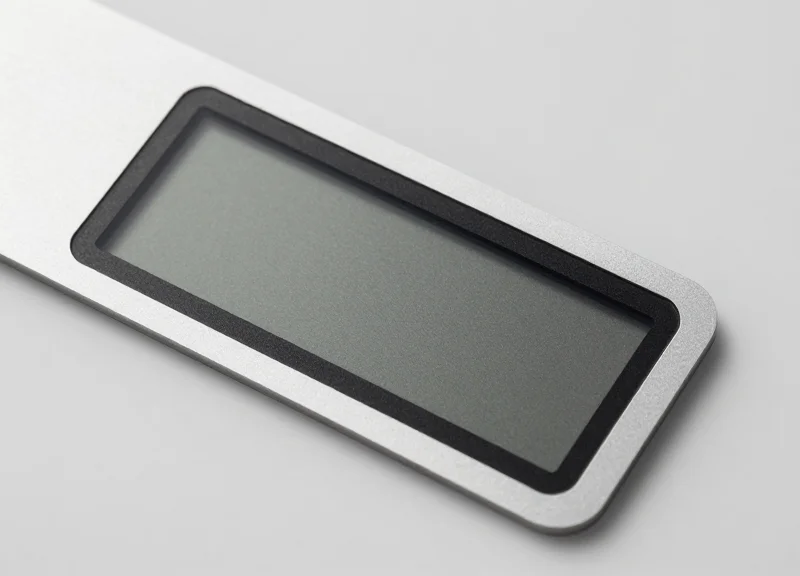
By 2026, the technical bottleneck of 'digital paper' has been shattered. Next-generation E-ink labels, specifically those utilizing Spectra 6 and Kaleido 3 architectures, now provide 300 PPI (Pixels Per Inch) resolution with a full-color gamut that mimics high-end offset printing. Unlike the laggy, monochrome screens of the past, these displays leverage advanced 'Localized Waveform Updates,' allowing for partial screen refreshes in under 400 milliseconds. This enables subtle animations and real-time data updates without the jarring full-screen 'flash' associated with legacy E-paper, making them a technologically superior and aesthetically cohesive alternative to bulky, light-emitting RFID kiosks.
| Feature | Legacy E-ink (Pre-2022) | Next-Gen E-ink (2026) |
|---|---|---|
| Color Depth | Grayscale or 3-color (Red/Yellow) | Full Color (Spectra 6 / 65,000+ Colors) |
| Resolution | 150 - 200 PPI | 300+ PPI (Retina Grade) |
| Refresh Rate | 1000ms - 2000ms (Full Flash) | 300ms - 500ms (Seamless/Partial) |
| Power Efficiency | High (Weeks of battery) | Ultra-High (Years on a single coin cell) |
| Integration | Standalone / Manual Update | Matter-compliant / IoT Mesh Ready |
The most profound technical shift is the move toward 'Passive Interactivity.' In 2026, E-ink labels are no longer just display units; they are IoT nodes. Utilizing Bluetooth Low Energy (BLE) 5.4 and ultra-wideband (UWB) chips, these labels can detect a visitor's presence and adjust content based on the user's profile stored in a museum app. This means a label can instantly switch from English to Mandarin, or from a high-level summary to a technical breakdown, the moment a specific visitor approaches. Expert Tip: This 'Ambient Intelligence' profile allows curators to track dwell time with precision far exceeding traditional RFID tap-points, as the label itself acts as the sensor.
Can 2026 E-ink displays show video content?
While not designed for high-frame-rate cinema, the 2026 'Cine-Ink' mode supports up to 15 frames per second. This is ideal for instructional loops, sign language interpretation, or moving diagrams that enrich a display without the light pollution of an LCD.
How do these labels handle varying museum lighting?
Next-gen labels incorporate 'Front-light 2.0' with adaptive CCT (Correlated Color Temperature). The display automatically matches the warm or cool ambient light of the gallery, ensuring the digital label is indistinguishable from traditional cardstock.
What is 'Waveform Personalization'?
This is a 2026 breakthrough where the E-ink driver adjusts its refresh algorithm based on ambient temperature and humidity. This prevents 'ghosting' or image retention, a common problem in older displays located in historic, non-climate-controlled buildings.
Furthermore, the inclusion of Matter and Thread protocol support ensures that these labels integrate into the broader museum 'smart building' ecosystem. They don't just display text; they can trigger lighting changes in the display case or alert security if a vibration sensor within the label's chassis is tripped. This multi-layered utility is why the industry is moving away from centralized kiosks toward distributed, intelligent E-ink surfaces.
Designing for Immersion: How ESL Prioritizes the Artifact

Designing for immersion in a museum context requires the application of 'invisible technology'—tools that provide utility without demanding attention. Next-gen E-ink labels (ESL) prioritize the artifact by mimicking the organic, reflective properties of high-quality paper rather than the emissive, glowing light of traditional LCD kiosks. This shift ensures that the visitor's primary focus remains on the texture, depth, and historical presence of the object on display, while digital updates occur seamlessly in the background without creating a visual barrier of blue light or glass glare.
The psychological impact of 'Screen Fatigue' is a critical hurdle for modern curators. When a visitor moves from a backlit smartphone to a backlit kiosk, the brain remains in 'digital consumption mode,' which is inherently transactional. By utilizing Electronic Shelf Labels that rely on ambient light reflection, curators can keep visitors in 'contemplative mode.' The technology effectively disappears, allowing the artifact to be the protagonist of the space rather than a secondary element to a flashing screen.
| Aesthetic Variable | Traditional RFID Kiosks | Next-Gen E-ink Labels |
|---|---|---|
| Light Emission | Active Backlighting (Distracting) | Passive Reflection (Natural) |
| Visual Integration | Stand-alone Furniture Clutter | Low-profile, Integrated Frame |
| Viewing Angles | Limited / Color Shift | Near 180 Degrees (Paper-like) |
| Contextual Proximity | Often 3-5ft away from Art | Directly adjacent to Artifact |
How does E-ink reduce 'Cognitive Load' for visitors?
By matching the visual texture of traditional signage, E-ink allows the eye to transition from the artifact to the text without adjusting to a different brightness level, reducing eye strain and keeping the visitor focused on the narrative.
Can E-ink labels support multi-language accessibility without clutter?
Yes. Unlike static paper, ESLs can toggle between languages via a visitor's proximity or a simple touch, providing comprehensive information while maintaining a minimalist aesthetic that doesn't crowd the display case.
What is 'Substrate Harmony' in museum design?
This is a design principle where the digital display is chosen to match the material era of the exhibit. E-ink is unique because it can be matte-finished to resemble vellum, parchment, or modern bond paper.
Expert Insight: In 2026, the most successful installations will utilize 'Ambient Light Matching.' Modern ESL systems now include sensors that allow the E-ink's grayscale or color profile to adjust based on the gallery's Kelvin temperature. This ensures that a label next to a 17th-century oil painting under warm lighting doesn't look like a cold, 'techy' gadget, but rather an integrated part of the frame itself. This level of aesthetic synergy is impossible with emissive RFID kiosks.
Operational Agility: Remote Management and Real-Time Updates
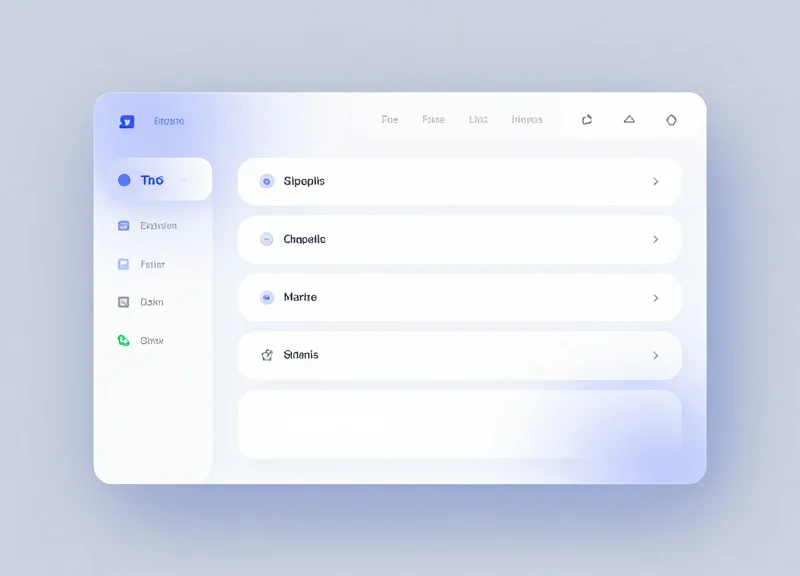
In the 2026 museum landscape, operational agility is defined by the shift from physical maintenance to digital orchestration. By leveraging centralized IoT (Internet of Things) management software, curators can now synchronize thousands of E-ink labels simultaneously from a single dashboard. This capability eliminates the need for manual printing or the cumbersome on-site technical resets associated with traditional RFID kiosks. Whether it is correcting a typo, updating historical context based on new research, or adjusting language options for an incoming international tour group, the update process is instantaneous and can be managed remotely from any authorized device.
- Centralized Content Management: Integrate your labels directly with the museum's existing Digital Asset Management (DAM) system to push text and image updates to specific galleries or individual pieces.
- IoT Gateway Propagation: The central server transmits encrypted data packets via Sub-GHz or Wi-Fi 6 low-power protocols to local gateways positioned throughout the building.
- Zero-Touch Display Refresh: Labels receive the signal and refresh their bi-stable displays to reflect new content, consuming energy only during the few seconds of the update.
- Real-Time Status Monitoring: Dashboards provide visual confirmation of successful updates, battery health, and connection strength across the entire network.
| Operational Metric | Traditional RFID Kiosks | Next-Gen E-ink Labels |
|---|---|---|
| Update Speed | Manual/Per Station Update | Instantaneous Bulk Updates |
| Labor Requirement | IT Technician On-site | Remote Curatorial Staff |
| Multi-language Support | Limited by UI Menus | Dynamic Toggle via Mobile/Cloud |
| Maintenance Cost | High (Screen/PC Repairs) | Near-Zero (10-Year Battery) |
Beyond simple text updates, the 2026 outlook introduces 'Event-Driven Curation.' This allows museums to dynamically alter content based on specific triggers, such as temporary exhibit changes or even time-of-day traffic patterns. Expert Tip: Use this agility to perform 'Narrative A/B Testing.' By changing the focus of an artifact’s description in different galleries and monitoring visitor dwell time via sensor data, curators can scientifically optimize the storytelling experience for maximum engagement.
How do E-ink labels handle multiple languages without user buttons?
Labels can display QR codes that instantly redirect visitors to a localized audio or text guide on their own devices, or the E-ink screen itself can cycle through languages at pre-set intervals during high-traffic international events.
What happens if the museum's Wi-Fi goes down?
Because E-ink is bi-stable, the current content remains on the screen indefinitely without power. Once connectivity is restored, the system automatically pushes any queued updates from the cloud.
Can these labels be used for dynamic pricing in the museum shop?
Absolutely. The same infrastructure used for gallery storytelling can be extended to the gift shop, allowing for real-time price adjustments and promotional 'happy hour' discounts across all retail labels.
Sustainability and Efficiency: The Zero-Power Advantage
In the context of 2026 museum operations, the 'Zero-Power Advantage' refers to the use of bistable electrophoretic display (EPD) technology that requires no electricity to maintain a static image. Unlike traditional RFID kiosks or LED screens that draw constant power to remain illuminated, E-ink labels only consume energy during the few seconds it takes to refresh the content. This allows institutions to deploy thousands of digital labels that run for up to a decade on a single coin-cell battery, aligning perfectly with global ESG (Environmental, Social, and Governance) mandates and the 'Green Museum' movement.
| Feature | Traditional RFID Kiosk | Next-Gen E-ink Label |
|---|---|---|
| Active Power Draw | 60W - 150W (Constant) | 0W (Static Display) |
| Infrastructure Needs | Dedicated Power Lines & Ethernet | Wire-free (Battery/Solar) |
| Thermal Output | High (Requires ventilation) | None (Safe for artifacts) |
| Hardware Lifespan | 3-5 Years (Screen burnout) | 7-10 Years (Bistable durability) |
| Carbon Footprint | High (Continuous grid reliance) | Ultra-Low (Carbon-neutral potential) |
Beyond simple energy savings, the transition to E-ink labels solves a critical preservation challenge: thermal management. High-traffic RFID kiosks act as localized heat radiators, which can destabilize the micro-climates required for sensitive artifacts like Renaissance oils or ancient textiles. By eliminating the heat-generating power supplies found in kiosks, museums can reduce their HVAC load—the single largest energy expense for cultural institutions—creating a compounding effect on operational efficiency.
How do E-ink labels contribute to LEED or EDGE certification for museums?
By significantly lowering the building's 'Lighting and Plug Load' power density, E-ink labels help museums earn points in the Energy and Atmosphere (EA) categories of green building certifications.
Is the battery waste from thousands of labels an environmental concern?
2026 models utilize high-density solid-state batteries or organic 'paper' batteries that are non-toxic and more easily recyclable than the lithium-ion packs found in kiosks.
Can these labels run entirely on ambient gallery light?
Yes, the latest generation of museum ESLs often includes thin-film indoor solar cells (PV) that harvest enough energy from standard gallery lighting to power updates indefinitely.
Expert Tip: For the most sustainable rollout, implement 'Batch Updating' via your IoT gateway. By scheduling content refreshes during off-peak hours or in single daily bursts, you maximize battery life and minimize network congestion, ensuring your digital infrastructure remains invisible both to the visitor's eye and the institution's utility bill.
Cost Analysis: Kiosk Infrastructure vs. Distributed ESL Networks
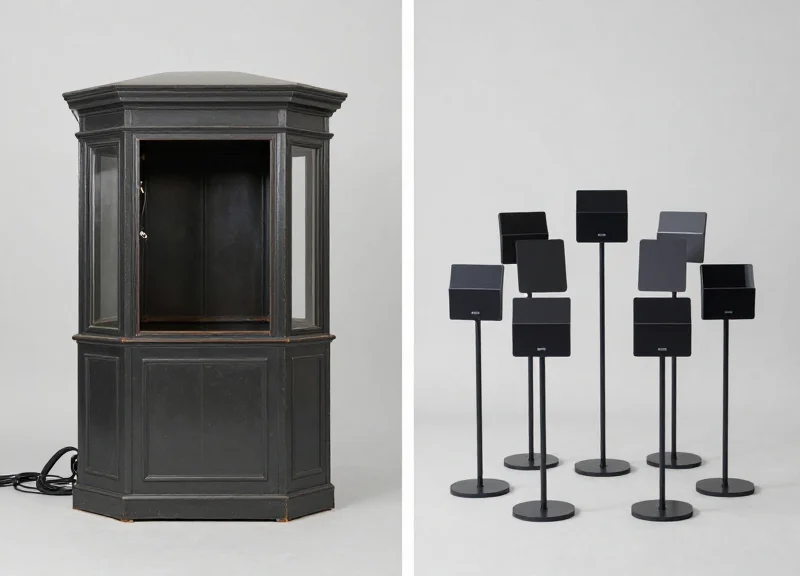
Transitioning from centralized RFID kiosks to distributed Electronic Shelf Label (ESL) networks represents a shift from a High-CAPEX, High-Maintenance model to a Scalable-OPEX model. While a single interactive kiosk can cost upwards of $5,000 to $15,000 including enclosure and electrical work, a distributed E-ink network spreads investment across thousands of touchpoints, leveraging existing Wi-Fi or Zigbee infrastructure to reduce the Total Cost of Ownership (TCO) by nearly half over a five-year lifecycle.
| Cost Factor | Traditional RFID Kiosk (Per Unit) | Distributed ESL Network (Per 100 Labels) |
|---|---|---|
| Hardware Acquisition | $4,500 - $12,000 | $3,000 - $6,000 |
| Installation & Labor | High (Requires electrical & masonry) | Low (Battery-powered, adhesive mount) |
| Energy Consumption | ~150W - 300W (Always on) | Near-Zero (Power only used during refresh) |
| Maintenance & Lifecycle | OS updates, screen burn-in, mechanical | 5-10 year battery, no moving parts |
| Scalability Cost | Linear ($10k per new station) | Marginal ($30-$60 per new artifact) |
Expert Insight: The 'Hidden Technical Debt' of Kiosks. In my two decades in Silicon Valley tech deployments, the most overlooked cost is 'The Ghost in the Machine.' A kiosk is a full computer with an OS, cooling fans, and backlights—each a point of failure. In a 2026 museum environment, the labor cost for IT staff to troubleshoot a 'Blue Screen of Death' on a kiosk is 12x higher than simply swapping a coin-cell battery in an ESL. We call this the 3:1 Maintenance Ratio: for every three kiosks, you need a dedicated monthly support ticket; for 1,000 ESLs, you perform one centralized cloud update.
- Phase 1: Infrastructure Audit: Evaluate existing IoT gateways. ESLs run on sub-GHz or 2.4GHz bands; if your museum has modern Wi-Fi 6E/7, the 'base station' cost for E-ink is virtually zero.
- Phase 2: Labor Displacement Value: Calculate the hours spent by docents or facilities staff manually changing printed labels or rebooting kiosks. ESL networks typically reclaim 15-20 hours of staff time per week in mid-sized galleries.
- Phase 3: Energy ROI Calculation: At current commercial energy rates, a fleet of 20 kiosks can cost over $2,400 annually just to power. An ESL network of 500 units costs less than $50 per year.
Do E-ink labels require expensive specialized servers?
No. Modern 2026 ESL systems are cloud-native. Management occurs via a lightweight API or web dashboard, eliminating the need for expensive on-site server hardware.
What is the typical 'break-even' point for an ESL migration?
Most museums see a full ROI within 18 to 24 months, primarily driven by the elimination of printing costs and the drastic reduction in electricity and IT support hours.
Is the initial setup of an ESL network complex?
While kiosks require structural integration into the building, ESLs are 'stick-and-play.' The complexity lies in the initial data integration between your CMS and the ESL gateway, which is a one-time software setup.
Future-Proofing Your Museum: Implementing ESL for 2026 and Beyond
Future-proofing a museum for 2026 involves shifting from static, energy-intensive hardware like RFID kiosks to a decentralized Electronic Shelf Label (ESL) architecture. This transition allows cultural institutions to decouple digital storytelling from physical space constraints, enabling instant multilingual updates, accessibility compliance, and real-time content synchronization across entire galleries via low-power IoT networks. By implementing ESL, museums move from 'point-of-contact' information to an 'ambient information' model that preserves the aesthetic integrity of the artifact while providing limitless digital depth.
| Implementation Phase | Key Milestone | Strategic Outcome |
|---|---|---|
| Infrastructure Audit | Sub-GHz Gateway Mapping | Ensures 100% signal coverage without interfering with visitor Wi-Fi. |
| CMS Integration | API Bridge Construction | Connects existing collections databases to labels for automated updates. |
| Pilot Deployment | Focused Gallery Launch | Validates hardware mounting styles and visitor interaction patterns. |
| Institutional Scaling | Global Label Sync | Full-scale rollout across all wings with centralized cloud management. |
- Step 1: Define Your Metadata Architecture: Before hardware arrives, ensure your Collection Management System (CMS) is tagged for multi-channel output. Map fields for artist name, dates, and dynamic content like 'Current Location' or 'Exhibition Status'.
- Step 2: Deploy Low-Latency Gateways: Install sub-GHz IoT gateways in the ceiling or behind wall panels. Unlike Wi-Fi, these frequencies offer superior penetration through thick stone or concrete walls common in historical museum buildings.
- Step 3: Select Aesthetic-First Mounting: Choose between magnetic mounts, adhesive tracks, or custom acrylic stands. The goal is to make the label look like a traditional paper card while maintaining the ability to swap it out in seconds.
- Step 4: Establish the Digital Feedback Loop: Configure your ESL management software to track battery health and signal strength, ensuring the system remains maintenance-free for the typical 5-10 year battery lifecycle.
Expert Insight: The 'Dwell-Time' Trigger Strategy. A unique advantage of next-gen ESL systems is their ability to integrate with PIR or Bluetooth sensors. We recommend a 'layered information' approach: a label can display a simple title card by default, but trigger an 'expanded' view with QR-linked deep-dives or accessibility fonts when a visitor stays within the proximity zone for more than 10 seconds. This prevents information overload while rewarding deep engagement.
Will ESL labels interfere with our existing security systems?
No. Most modern ESL systems operate on dedicated 2.4GHz Zigbee or proprietary sub-GHz protocols that are specifically designed to coexist with security RF and public Wi-Fi without interference.
Can these labels withstand high-traffic, touch-heavy environments?
Yes. Leading 2026 models feature industrial-grade protective coatings and tempered glass faces that are scratch-resistant and easy to sanitize, outlasting the touchscreens found on kiosks.
What happens if our museum Wi-Fi goes down?
The E-ink display is bi-stable, meaning it requires zero power to maintain an image. If the network goes down, the last updated description remains perfectly legible on the screen indefinitely.