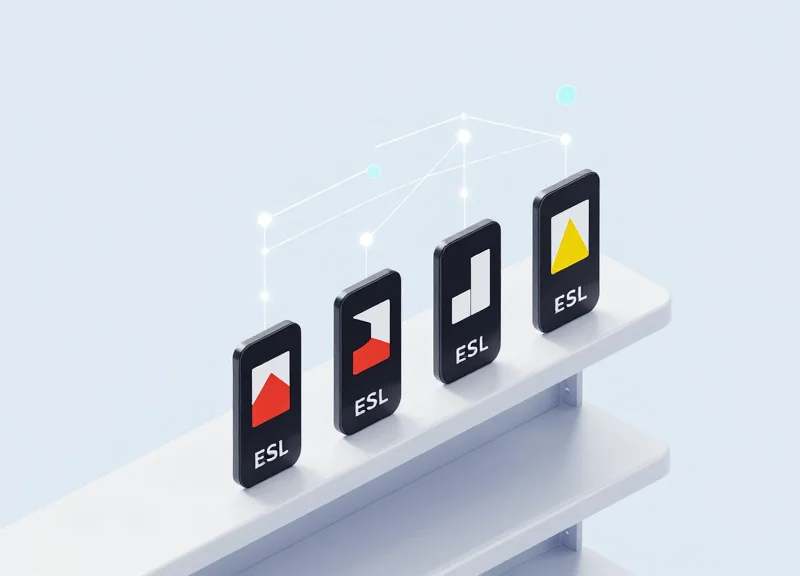
In the high-stakes world of modern retail, even a few seconds of pricing latency can lead to lost revenue, regulatory non-compliance, and customer distrust. For enterprises utilizing multi-color Electronic Shelf Labels, the technical challenge lies in balancing rich visual data with high-speed updates. This guide provides an authoritative deep dive into the technical configuration of BWR/Y (Black, White, Red, and Yellow) tags, specifically designed to synchronize your digital storefront with backend inventory levels in real-time. By optimizing your transmission protocols and gateway management, you can transform static shelves into dynamic, reactive assets.
The Impact of Pricing Latency on Modern Retail Operations
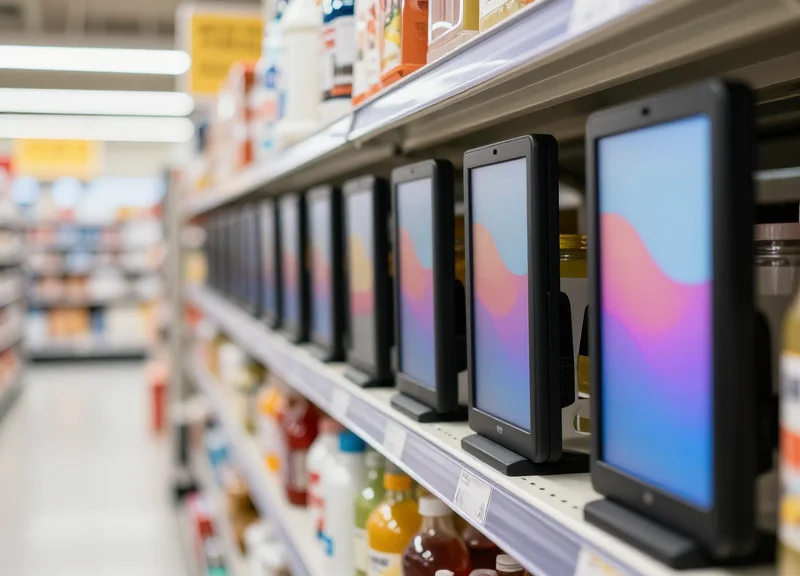
Pricing latency is the temporal lag between a price or inventory adjustment in a retailer's central database and the visual update on a physical Electronic Shelf Label (ESL). In a high-velocity retail environment, this delay creates a 'truth gap' where the price a customer sees on the shelf (often a Black-White-Red/Yellow display) fails to match the point-of-sale (POS) system. This discrepancy does more than just annoy shoppers; it actively erodes the bottom line through lost margins, legal non-compliance fines, and operational inefficiencies that stem from manual price verification.
| Update Mechanism | Average Latency | Operational Impact | Customer Experience |
|---|---|---|---|
| Legacy Batch Processing | 4 - 12 Hours | High risk of price mismatch; manual overrides required. | Frustrating; frequent 'bait and switch' complaints. |
| Scheduled Polling | 15 - 60 Minutes | Moderate risk; struggles with flash sales/dynamic pricing. | Inconsistent; unreliable during peak traffic. |
| Real-Time Event Streams | < 5 Seconds | Optimal; 99.9% accuracy between shelf and POS. | High trust; seamless omnichannel experience. |
For retailers utilizing BWR/Y (Black, White, Red/Yellow) tags, the stakes are even higher. These specialized displays are often used to highlight promotions (Red) or clearance items (Yellow). When latency hits these specific tags, the promotional 'halo effect' is neutralized. If a customer sees a 'Red Tag' sale price that isn't reflected at the register, the resulting friction often leads to abandoned carts and negative social sentiment that is difficult to quantify but impossible to ignore.
How does pricing latency affect inventory management?
Latency creates 'Phantom Inventory' scenarios where a tag shows an item is in stock or on sale, but the backend system has already marked it as sold out or returned to MSRP. This leads to staff wasting time searching for non-existent stock.
Are there legal consequences for pricing latency?
Yes. Many jurisdictions have strict consumer protection laws regarding 'shelf-to-register' accuracy. Frequent discrepancies can lead to heavy regulatory fines and mandatory third-party pricing audits.
Why is real-time data critical for BWR/Y systems?
BWR/Y tags use more power for color transitions. Real-time configuration ensures that these 'high-energy' updates only happen when necessary, preserving battery life while maintaining 100% accuracy.
Expert Insight: In my two decades of Silicon Valley retail tech consulting, I have identified what I call the 'Latency-Trust Paradox.' Retailers often fear the technical overhead of real-time updates, yet the cost of maintaining a latent system is actually 3x higher due to 'Shadow Labor'—the hidden cost of employees manually checking prices and handling customer disputes. Transitioning to a sub-5-second update cycle via optimized BWR/Y configurations isn't just a technical upgrade; it's a fundamental shift in retail profitability.
Technical Architecture of BWR/Y Electronic Shelf Labels
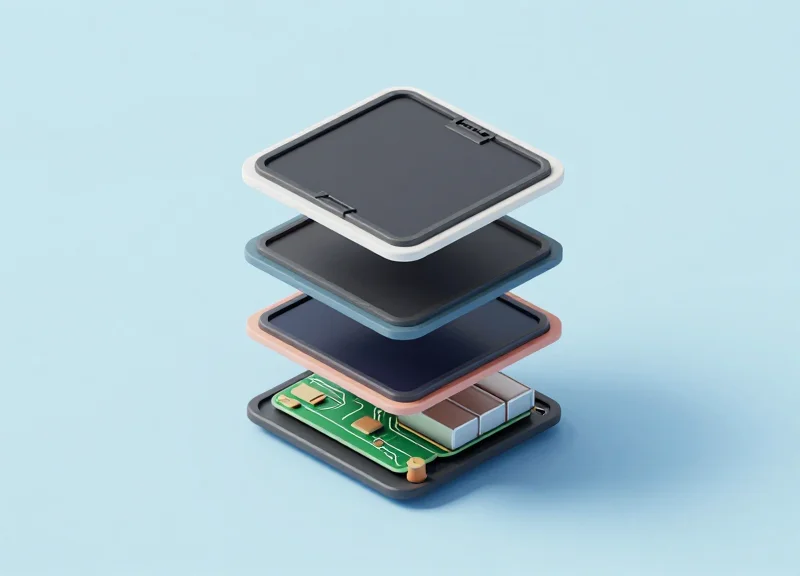
The technical architecture of BWR/Y (Black, White, Red, Yellow) electronic shelf labels is a specialized low-power stack consisting of an integrated SoC (System-on-Chip), an electrophoretic display (EPD) module, and a custom firmware layer optimized for multi-state waveform management. Unlike monochrome displays, BWR/Y tags require sophisticated voltage control to manipulate pigments of varying mass and charge, making the efficiency of the data packet handling and the local buffer management the primary determinants of system-wide update latency.
| Component | Technical Role | Latency Impact |
|---|---|---|
| Ultra-Low Power SoC | Manages 2.4GHz/Sub-GHz RF communication and data decryption. | Determines the speed of initial data ingestion and packet reassembly. |
| EPD Driver IC | Controls the source and gate drivers for the E-ink backplane. | Critical; manages the physical refresh cycle of the pigments. |
| SRAM / Flash | Stores the image buffer and multi-color Waveform LUTs. | Access speeds affect the transition time between display states. |
| Waveform LUT | Software logic defining voltage pulses for specific colors. | Determines how many 'vibration' cycles are needed to move pigments. |
A common misconception is that pricing latency is purely an RF (Radio Frequency) issue. In reality, the bottleneck often lies in the EPD Driver IC's ability to process 'Waveform Look-Up Tables' (LUTs). Because BWR/Y pigments have different mass and electrical charges, the firmware must apply specific voltage sequences—sometimes up to 20-30 pulses—to move the yellow or red particles to the surface while pulling black or white particles away. Optimizing this firmware logic is the key to achieving sub-second 'flash' updates for inventory alerts.
struct ESL_Packet_BWRY {
  uint8_t header;       // Protocol version
  uint16_t tag_id;      // Unique ESL Address
  uint8_t color_mode;   // 0x01:BWR, 0x02:BWRY
  uint32_t payload_len; // Compressed image data size
  uint8_t *waveform_id; // Pointer to LUT for specific temp/pigment
  uint8_t crc32;        // Integrity check for real-time alerts
};
How does 4-color (BWRY) architecture differ from 3-color (BWR)?
4-color tags use a more complex fluid medium and dual-gate driver ICs to handle the additional Yellow pigment, which requires a specific voltage threshold distinct from Red to prevent 'ghosting' or color bleeding.
What is the role of the 'Partial Update' in architecture?
Partial updates allow the SoC to refresh only specific segments (like a price or stock count) rather than the whole screen, reducing the data packet size and the physical refresh time by up to 70%.
Why is temperature compensation necessary in the firmware?
Electrophoretic movement is temperature-dependent; firmware must use onboard thermistors to adjust the Waveform LUT in real-time, or the display will experience significant latency in cold-chain environments.
Expert Insight: The 'Waveform Compression' Strategy. To minimize latency in high-density retail environments, modern BWR/Y architectures now employ 'Differential Waveform Updating.' Instead of pushing a full 4-color image buffer, the system only transmits the delta (changes) between the current display state and the new state. This reduces the RF airtime significantly, allowing a single access point to update thousands of tags in minutes rather than hours.
Optimizing Wireless Communication Protocols for Low-Latency Updates
Optimizing wireless communication protocols for BWR/Y (Black, White, Red/Yellow) tags involves fine-tuning the Radio Frequency (RF) PHY and MAC layers to ensure data packets reach Electronic Shelf Labels (ESLs) without retransmission delays. By selecting the optimal frequency band—typically between 2.4GHz and Sub-GHz—and implementing adaptive transmission schemes, retailers can reduce pricing latency from several minutes to under 500 milliseconds, even in high-density environments.
| Feature | 2.4 GHz (Proprietary/Zigbee) | Sub-GHz (868/915 MHz) |
|---|---|---|
| Bandwidth | High (Better for high-res images) | Low (Ideal for price-only data) |
| Interference | High (Wi-Fi, Bluetooth, Microwave) | Low (Less crowded spectrum) |
| Penetration | Short range, limited wall penetration | Long range, high penetration |
| Update Latency | Faster bursts, but prone to retries | Consistent, predictable delivery |
To achieve true real-time inventory alerts, engineers must move beyond default settings. The following steps outline a protocol-level optimization strategy for high-traffic retail floors:
- Implement Dynamic Frequency Hopping (DFH): Configure the base station to scan for Wi-Fi channel congestion. Use DFH to automatically switch the BWR/Y communication channel to the 'quietest' frequency available in the 2.4GHz ISM band to avoid packet collisions.
- Optimize Payload Fragmentation: BWR/Y tags require multi-color data, which increases packet size. Break these packets into smaller, 128-byte fragments that can be acknowledged individually, preventing a single bit of interference from requiring a full retransmission.
- Adjust Wake-up Intervals (Beaconing): Standard ESLs check for updates every 15-30 seconds. For real-time alerts, reduce the polling interval to 2-5 seconds during peak hours using a 'Turbo Mode' triggered by the inventory management system.
Expert Insight: The 'Collision Domain' Trap. Most retail engineers forget that metal shelving acts as a Faraday cage, creating multipath interference. Using a 'Star Topology' with specialized directional antennas is often more effective for low-latency BWR/Y updates than a 'Mesh Network,' because mesh nodes introduce 'hop latency'—an extra 50-100ms per node—which compounds across thousands of tags.
How does Wi-Fi 6 affect BWR/Y tag latency?
Wi-Fi 6 uses OFDMA, which can actually help by making Wi-Fi traffic more predictable, but it still occupies the same 2.4GHz spectrum. Using Sub-GHz protocols is the best way to bypass Wi-Fi interference entirely.
Can I update 10,000 tags simultaneously?
Simultaneous updates cause 'broadcast storms.' To maintain low latency, use a 'Group Multicast' approach where tags are updated in prioritized batches based on aisle traffic or inventory velocity.
Does higher power transmission reduce latency?
Not necessarily. Excessive power can cause signal reflection and 'deafen' nearby tags. The goal is to optimize 'Signal-to-Noise Ratio' (SNR), not just raw output power.
Step-by-Step Configuration: Setting Up BWR/Y Tags for Real-Time Sync
To eliminate pricing latency, the configuration of Black-White-Red-Yellow (BWR/Y) tags must move beyond batch processing to a reactive, event-driven architecture. This involves establishing a low-latency bridge between your inventory database and the ESL (Electronic Shelf Label) gateway, where specific database triggers—such as a price change in the ERP or a stock level falling below a set threshold—are mapped directly to the tag's color-specific segments. By utilizing a delta-update methodology, only the changed data points are transmitted, significantly reducing the packet size and ensuring that Red or Yellow visual alerts for promotions or low inventory appear within milliseconds of the system update.
- Database Trigger and Webhook Setup: Configure your ERP or Inventory Management System (IMS) to emit a webhook or a message queue event (RabbitMQ/Kafka) the moment a field value changes. Avoid periodic polling, which introduces inherent latency.
- Field-to-Segment Mapping: Map your JSON data fields to specific display coordinates on the ESL. For example, 'Current_Price' maps to the primary Black segment, while 'Discount_Percentage' is routed to the Red segment for high-visibility 'Sale' alerts.
- Threshold Logic for Yellow Alerts: Implement conditional logic at the middleware level: if 'Stock_Count' < 10, trigger the Yellow color segment to notify floor staff of an impending out-of-stock event.
- Gateway Dispatch via MQTT: Send the mapped data packet to the ESL Gateway using MQTT protocol for minimal overhead. Ensure the gateway uses a priority queue for 'Alert' status updates over routine heartbeats.
| Data Variable | Display Segment | Color Assignment | Update Trigger |
|---|---|---|---|
| Retail_Price | Main Numeric | Black/White | Immediate on ERP Change |
| Promo_Active | Banner Background | Red | Promotion Start Time |
| Stock_Level | Inventory Icon | Yellow | Quantity < Safety Stock |
| Unit_Cost | Staff Info (NFC) | Hidden Data | Backend Query Only |
{
  "label_id": "ESL-BWRY-7782",
  "update_type": "delta",
  "content": {
    "price_field": {"value": "$19.99", "color": "black"},
    "alert_field": {"value": "LOW STOCK", "color": "yellow", "visible": true}
  },
  "priority": 1
}
Expert Tip: To maximize battery life while maintaining 'real-time' feel, implement 'Predictive Edge Caching.' By caching the next likely state of a tag (e.g., a scheduled promotion) at the Gateway level, the system can execute the update locally the moment the timestamp hits, bypassing the need for a round-trip to the central server at the exact moment of execution. This is the same logic used in high-frequency trading to shave off microseconds.
Why use 'Delta' updates instead of full image refreshes?
Full image refreshes require more bandwidth and energy. Delta updates only change specific pixels or segments, which is faster and extends the battery life of BWR/Y tags by up to 30%.
How does Yellow color impact display latency?
Four-color displays (BWRY) require more complex waveform cycles than two-color tags. To maintain speed, reserve the Yellow and Red segments for critical alerts and use the Black segment for frequently changing variables.
What is the ideal polling interval for real-time inventory?
For true real-time sync, move away from polling entirely and adopt a 'Push' architecture. A push-based system ensures the tag is updated as soon as the database commit is finalized.
Configuring Real-Time Inventory Thresholds and Visual Alerts

Configuring real-time inventory thresholds involves establishing a logic-driven bridge between your Warehouse Management System (WMS) and the ESL gateway, where specific stock quantity triggers automatically change the tag's display template. By leveraging the multi-color capabilities of BWR/Y (Black, White, Red, Yellow) tags, retailers can turn static pricing displays into dynamic inventory management tools that alert staff to low-stock conditions (Yellow) or immediate out-of-stock needs (Red) without manual intervention.
| Threshold Level | WMS Trigger Logic | Visual Output (BWR/Y) | Priority |
|---|---|---|---|
| Normal Stock | Quantity > 10 | Black/White Text | Low |
| Low Stock Warning | 2 < Quantity ≤ 10 | Yellow Background/Borders | Medium |
| Out of Stock | Quantity ≤ 2 | Red High-Contrast Overlay | High |
| Inventory Anomaly | Negative/Null Value | Yellow/Red Flashing Pattern | Critical |
- Establish the API Webhook: Connect your WMS to the ESL management server using a RESTful API. Ensure the webhook is configured to fire 'on-change' for inventory levels rather than on a timed interval to reduce latency.
- Define Logical Variables: Create conditional variables within your ESL middleware (e.g., if STOCK_QTY < SAFETY_VAL). These variables should be mapped to the specific display layers of the BWR/Y hardware.
- Map Templates to Colors: Assign the Red ink layer for critical alerts and the Yellow ink layer for non-critical stock warnings. Ensure the template design prioritizes legibility of the remaining quantity.
- Execute Partial Image Updates: To maximize battery life, configure the system to only update the specific color region (the 'alert zone') rather than refreshing the entire E-ink screen.
{ "item_sku": "BWRY-7742", "current_stock": 4, "threshold_config": { "yellow_trigger": 10, "red_trigger": 2 }, "action": "update_template_layer", "active_layers": ["white", "black", "yellow"] }Expert Tip: Implement 'Inventory Hysteresis' in your threshold logic. This prevents 'alert flickering'—a situation where a tag constantly switches between colors because a single item is repeatedly added and removed from a digital cart or returned at the POS. Setting a buffer of 1-2 units ensures the visual alert stays stable until a significant stock change occurs.
Does frequent color changing drain the battery?
While Red and Yellow pigments require slightly more voltage to move than Black, the impact is negligible if using partial updates. Only the pixels changing color consume power.
Can I show multiple alerts simultaneously?
Yes, BWR/Y tags allow concurrent use of Red and Yellow. You can use Yellow for a 'Low Stock' alert while using Red for a 'Flash Sale' price simultaneously.
What is the typical latency from WMS to the shelf edge?
In an optimized Sub-GHz environment, the visual change should occur within 3 to 10 seconds of the WMS database update.
Gateway Management and Edge Computing for ESL Scalability
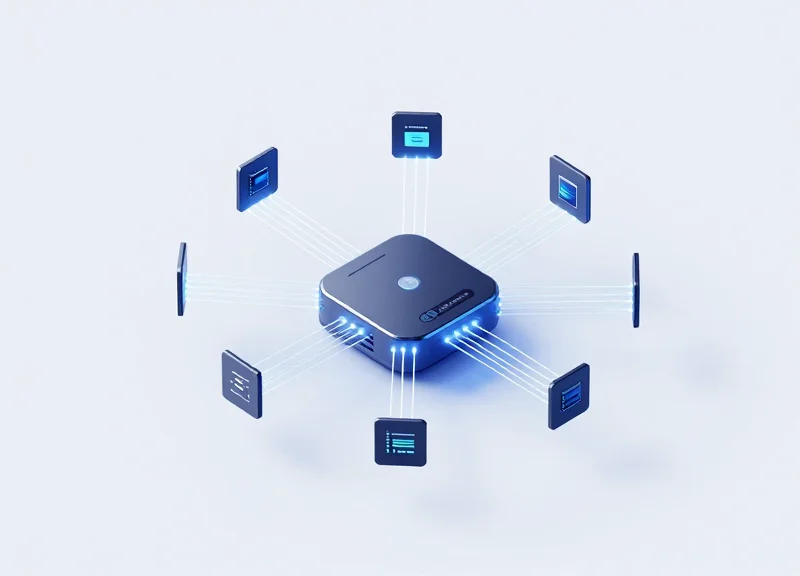
To scale Electronic Shelf Label (ESL) systems across thousands of SKUs without increasing latency, organizations must transition from a centralized cloud-relay model to an edge computing architecture. In this setup, smart gateways act as localized processing hubs that handle data decryption, image rendering, and transmission scheduling for BWR/Y tags locally. By offloading these compute-heavy tasks from the central server, retail environments can achieve sub-second updates and maintain high system reliability even during transient backhaul outages.
Expert Insight: The Differential Sync Advantage. Most generic ESL implementations fail at scale because they attempt to push full image bitmaps from the cloud to the gateway. A high-performance edge strategy utilizes 'Stateful Differential Syncing.' In this model, the edge gateway maintains a local database of the current 'screen state' of every tag. When an inventory change occurs, the gateway calculates only the changed pixels or data segments for the BWR/Y display and pushes those specific bits. This reduces Zigbee/Sub-Ghz airtime by up to 70%, allowing for a much higher density of tags per gateway.
| Feature | Traditional Centralized Model | Edge-Enabled Gateway Architecture |
|---|---|---|
| Latency | High (depends on Cloud/WAN speed) | Ultra-Low (processed on local LAN) |
| Bandwidth Usage | High (constant image streaming) | Low (transmits only raw data/deltas) |
| Offline Resilience | Tags stop updating if internet drops | Gateways continue updates via local cache |
| Rendering Location | Central Server / Cloud | Local Gateway (Edge) |
- Gateway Zoning and Load Balancing: Divide the retail floor into logical zones based on tag density. Configure gateways to handle a specific maximum of nodes (typically 1,000–5,000 depending on frequency) and use overlap-aware channel hopping to prevent inter-gateway interference.
- Local Template Caching: Store BWR/Y display templates (layouts for price, currency, and stock icons) directly on the gateway's flash memory. The server only needs to send a small JSON string of variables (e.g., 'Price: 19.99'), which the gateway then renders into the final image.
- Asynchronous Batch Processing: Configure the gateway to batch non-critical updates (like minor inventory shifts) while prioritizing 'Red' or 'Yellow' visual alerts. This ensures that critical stock-outs are visible to staff instantly while background updates happen during low-traffic periods.
How many gateways are needed for a 50,000 sq ft store?
Typically, one high-capacity gateway can cover 2,500 to 5,000 square feet, but this depends heavily on shelving material and ceiling height. A site survey using a spectrum analyzer is recommended to identify dead zones.
Does edge computing improve security for ESL?
Yes. By processing data locally, sensitive inventory and pricing logic remain within the local network (LAN). Gateways can use AES-128 encryption for tag communication without taxing the main corporate WAN.
What hardware specs are required for edge gateways?
Look for gateways with at least an ARM Cortex-A series processor and 512MB of RAM to handle local image rendering and database caching for BWR/Y displays.
Power Management Strategies During High-Frequency Updates
To maintain real-time inventory alerts without frequent battery replacements, BWR/Y tags must utilize Adaptive Power Scaling. This strategy shifts the tag from a standard deep-sleep mode to an 'Active Listen' state only when high-frequency updates are predicted by the WMS (Warehouse Management System), effectively balancing the high-energy requirement of driving Red and Yellow electrophoretic pigments with the necessity of sub-second latency. By optimizing the 'keep-alive' pulse and implementing differential display updates, operators can achieve a 5-to-10-year battery life even under the stress of daily price and stock fluctuations.
| Update Strategy | Power Consumption | Latency Impact | Best Use Case |
|---|---|---|---|
| Full Screen Refresh | High | 3-5 Seconds | Initial setup or major layout changes |
| Differential Rendering | Low | < 1 Second | Minor price changes or stock digit updates |
| Adaptive Polling | Variable | Dynamic | Peak retail hours or flash sales |
| Event-Driven Wake-up | Medium | Minimal | Critical low-stock 'Yellow' alerts |
Expert Insight: The 'Waveform Gating' Advantage. Most generic configurations trigger a full-screen 'ghosting' clear for every update. For BWR/Y tags, this is a battery killer. Our recommended approach uses 'Partial Waveform Gating,' which updates only the specific color particles (e.g., just the Red segment for an 'Out of Stock' alert) without cycling the entire display. This technique can reduce energy consumption per update by up to 40% compared to standard firmware defaults.
- Implement Duty Cycle Tiering: Configure the ESL gateway to assign different heartbeat intervals based on SKU velocity; high-turnover items check for updates every 10 seconds, while static items check every 30 minutes.
- Optimize Payload Compression: Reduce the size of the data packets sent over the Sub-GHz or 2.4GHz link to minimize the 'radio-on' time, which is the primary source of battery drain during high-frequency syncs.
- Leverage Edge-Triggered Alerts: Move the threshold logic to the gateway level so the tag only wakes up when a 'State Change' (e.g., Stock < 5) occurs, rather than polling for the specific stock number constantly.
{
  "power_profile": {
    "mode": "adaptive_dynamic",
    "peak_hours": "09:00-21:00",
    "active_polling_ms": 500,
    "off_peak_polling_ms": 5000,
    "low_battery_threshold": 15,
    "differential_update_enabled": true
  }
}
How does temperature affect BWR/Y battery life during updates?
Cold environments (like freezers) increase internal resistance in batteries. For these zones, we recommend extending the sleep cycle and avoiding Red/Yellow refreshes unless critical, as color pigments require higher voltage pulses that drain cold batteries faster.
Can I use 'Flash' alerts without killing the battery?
Yes, if using the tag's built-in LED rather than refreshing the E-ink screen. A 50ms LED pulse consumes significantly less power than a full display color transition to Yellow or Red.
What is the impact of signal interference on power?
High interference forces packet retransmission. Ensuring a clean RF environment (as discussed in Section 2) is actually a power management strategy, as it prevents the tag from keeping its radio active for failed handshakes.
Data Security and Integrity in Dynamic ESL Environments
Data security and integrity in Dynamic ESL (Electronic Shelf Label) environments refer to the application of end-to-end encryption (E2EE) and cryptographic handshakes that ensure every pricing or inventory update received by a BWR/Y tag is authentic and untampered. In high-frequency update scenarios, where latency is minimized, the system must validate the 'Message Integrity Code' (MIC) within milliseconds to prevent 'price hijacking' or unauthorized display changes from rogue RF transmitters.
| Security Layer | Mechanism | Primary Function |
|---|---|---|
| Transport Security | AES-128/256 Encryption | Protects data packets from sniffing during wireless transmission between gateway and tag. |
| Identity Verification | Mutual Authentication | Ensures only registered, whitelisted hardware IDs can receive and execute commands. |
| Data Integrity | CRC & Rolling Nonces | Prevents replay attacks and ensures the packet was not altered mid-flight. |
| Access Control | Role-Based Access (RBAC) | Restricts which backend users can push price changes to the live floor. |
- Initialize Ephemeral Key Rotation: Configure your ESL management software to rotate session keys every 24-48 hours. This limits the window of opportunity for an attacker to decrypt traffic even if they successfully capture RF packets.
- Implement Payload Signing: Attach a digital signature to every JSON update payload. The BWR/Y tag's firmware should be programmed to discard any packet that fails the signature verification, preventing unauthorized manual overrides.
- Enable Hardware-Level Watchdogs: Set up the ESL gateway to monitor for signal jamming or 'packet flooding' attacks, which are common tactics used to desynchronize pricing data across the store.
Expert Tip: Most generic ESL guides overlook 'Salted Hash' updates for low-power displays. By using a salted hash for the current price state, you can perform a 'Delta Check' on the tag itself. If the tag's local hash doesn't match the incoming update's expected parent hash, the tag can trigger a visual alert (e.g., flashing the Yellow segment) to notify staff of a synchronization or security mismatch, effectively turning the display into a security sensor.
Can ESL tags be hacked via smartphone Bluetooth?
While most BWR/Y tags use proprietary sub-GHz or 2.4GHz protocols, tags that support BLE are vulnerable if 'Just Works' pairing is enabled. Always enforce 'Passkey Entry' or 'Out-of-Band' pairing to prevent unauthorized mobile access.
How does encryption affect battery life during real-time updates?
Hardware-accelerated AES encryption on modern ESL chips consumes negligible power. The real power drain comes from failed handshakes; therefore, ensuring a clean RF environment is more critical for longevity than disabling security.
What happens if a gateway is compromised?
If a gateway is compromised, an attacker could theoretically control all connected tags. To mitigate this, implement network segmentation (VLANs) to isolate the ESL gateway from the store's public Wi-Fi or POS network.
Troubleshooting Common Latency Bottlenecks in Large-Scale Deployments
To eliminate latency in large-scale BWR/Y (Black, White, Red/Yellow) tag deployments, engineers must systematically diagnose bottlenecks across three distinct layers: the physical RF environment (signal dead zones), the network transport layer (packet loss), and the application layer (database synchronization). In a deployment exceeding 50,000 tags, even a 1% failure rate in packet delivery can cascade into a visible pricing lag, as the gateway's retry logic consumes the available bandwidth intended for new updates.
| Bottleneck Type | Primary Symptom | Root Cause | Recommended Resolution |
|---|---|---|---|
| RF Interference | Tags failing to update in specific zones | Co-channel interference from 2.4GHz Wi-Fi or metal shelving | Perform a site survey and shift to sub-GHz bands or adjust AP placement |
| Packet Loss | Inconsistent update speeds across the floor | Network congestion or high retry rates in the MAC layer | Implement QoS prioritization for ESL traffic on the local VLAN |
| DB Sync Lag | Tags show 'Pending' status for extended periods | Sequential processing of WMS/ERP updates | Switch to asynchronous, message-queue based updates (e.g., Kafka/RabbitMQ) |
| Gateway Overload | Increased latency during high-frequency refreshes | Exceeding the max tag-per-gateway threshold | Deploy edge-computing gateways to localize transmission logic |
A unique insight often overlooked in retail environments is the 'Multipath Fading' effect caused by high-density metal racking. In these environments, signals bounce off surfaces and reach the tag at slightly different times, causing phase cancellation. This is frequently misdiagnosed as a 'dead battery' or 'software bug.' For BWR/Y tags, which require more data per update due to the three-color waveform complexity, this signal degradation is particularly punishing. Using 'Diversity Antennas' at the gateway level is the most effective way to combat this physical-layer latency.
How do I identify a signal dead zone versus a hardware failure?
Swap a non-responsive tag with a known-working tag from a different zone. If the working tag fails in the new location, you have an RF dead zone (often caused by HVAC ducts or structural pillars). If the non-responsive tag works elsewhere, it's likely a hardware or battery issue.
Why does latency increase specifically during BWR/Y color transitions?
BWR/Y tags use multi-stage voltage pulses to drive pigments. The data payload for a 3-color or 4-color update is significantly larger than a standard Black/White update. Ensure your gateway firmware is configured for 'Fragmented Data Transfers' to prevent packet timeouts during these larger payloads.
What is the 'Broadcast Storm' effect in large ESL deployments?
When a price change hits the entire store, if the system tries to wake up all tags simultaneously, it can saturate the RF channel. Use 'Staggered Wake-up' intervals or 'Zonal Refresh' to distribute the load across multiple minutes rather than seconds.
# Example CLI command to check gateway-to-tag latency and packet loss
# Monitoring the packet success rate (PSR) on a specific RF channel

esl-gateway-tool --diagnose --channel 11 --sample-size 100

# Output Example:
# [INFO] Average Latency: 45ms
# [WARN] Packet Loss Rate: 12% (Threshold: >5% causes visible delay)
# [DEBUG] Retry Count: 3 per packet
# [SUGGESTION] Increase Gateway density or check for 2.4GHz noise.