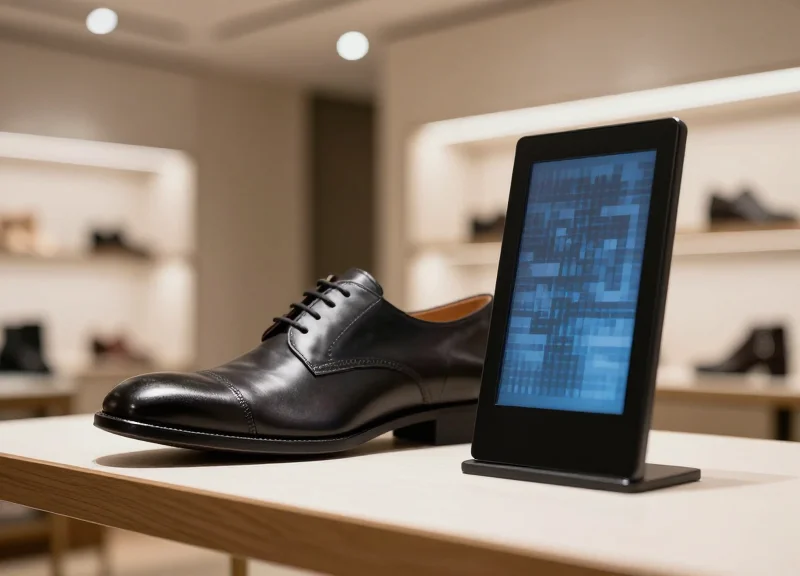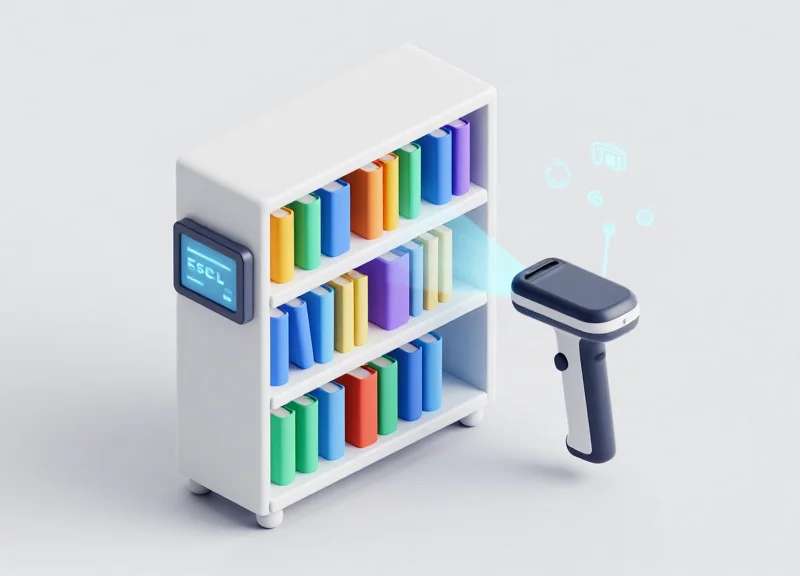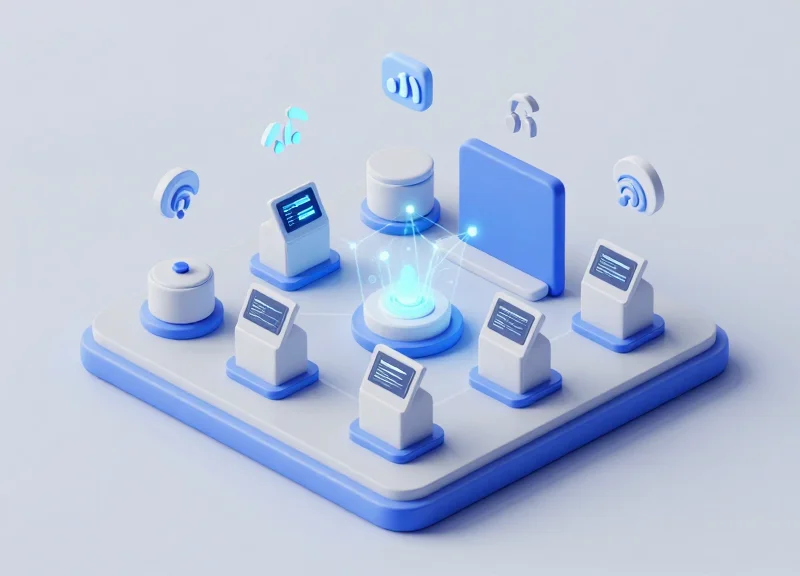
In high-traffic environments like museums, galleries, and flagship retail stores, visitor bottlenecks often occur at information kiosks and audio guide rental desks. Traditional static signage fails to keep pace with dynamic exhibit changes or diverse linguistic needs. By leveraging Electronic Shelf Labels (ESL) integrated with dynamic QR codes, venues can now offer seamless, real-time multilingual audio experiences directly to visitors' smartphones. This guide explores the strategic deployment of QR-integrated ESLs to optimize visitor flow while enhancing engagement through cutting-edge synchronization.
The Evolution of Visitor Information Systems: From Static to Dynamic
The evolution of visitor information systems represents a fundamental shift from passive, static signage to dynamic, interactive ecosystems. Traditionally, museums and exhibition spaces relied on fixed printed placards that offered a one-size-fits-all experience. Today, the integration of Electronic Shelf Labels (ESLs) with QR codes has transformed these touchpoints into agile digital gateways. This transition allows facility managers to synchronize multilingual audio guides and exhibit data in real-time, ensuring that the information provided to the visitor is as current as the digital infrastructure supporting it.
For decades, the standard for 'high-tech' visitor engagement was the proprietary audio handset—a clunky, expensive piece of hardware that required significant maintenance and sanitization. As mobile penetration reached 100% among travelers, the industry moved toward 'Bring Your Own Device' (BYOD) models. However, the missing link remained the physical-to-digital bridge. Traditional labels couldn't update instantly, and QR stickers often led to broken links or outdated PDFs. The emergence of ESL technology solves this by providing a networked hardware layer that updates display content and backend destination URLs simultaneously across an entire venue.
| Feature | Traditional Static Signage | Legacy Audio Handsets | QR-Integrated ESL Systems |
|---|---|---|---|
| Update Speed | Weeks (Design/Print/Install) | Manual (Device by Device) | Instant (Cloud-based) |
| Language Support | Limited by physical space | Pre-loaded sets | Unlimited (Dynamic Routing) |
| Visitor Analytics | None (Observation only) | Partial (Usage logs) | Granular (Scan-to-Stream data) |
| Maintenance | High (Replacement costs) | High (Charging/Cleaning) | Low (5-10 year battery life) |
- The Era of Printed Permanence: Information was static, leading to 'content rot' where physical labels became inaccurate over time due to exhibit changes or research updates.
- The Proprietary Hardware Phase: Facilities invested in expensive wand-style guides. While they offered audio, they were socially isolating and operationally burdensome.
- The Digital Awakening: The introduction of smartphone-compatible QR codes on stickers. This was the first step toward BYOD, but suffered from poor aesthetics and fixed links.
- The Dynamic ESL Revolution: The current standard where E-Ink displays act as live nodes, reflecting real-time database changes and directing users to synchronized audio content.
One unique insight often overlooked by traditional marketing is the concept of 'Information Decay.' In a static environment, the value of information begins to drop the moment it is printed because it cannot adapt to the visitor's context. Dynamic ESL systems solve this by enabling 'Contextual Synchronization.' For example, if a high-traffic area becomes congested, the ESL can automatically update its QR-linked content to suggest a nearby, less-crowded exhibit or adjust the audio guide's pacing to improve visitor flow—turning a simple label into an active traffic management tool.
Understanding QR-Integrated ESL Technology for Exhibitions
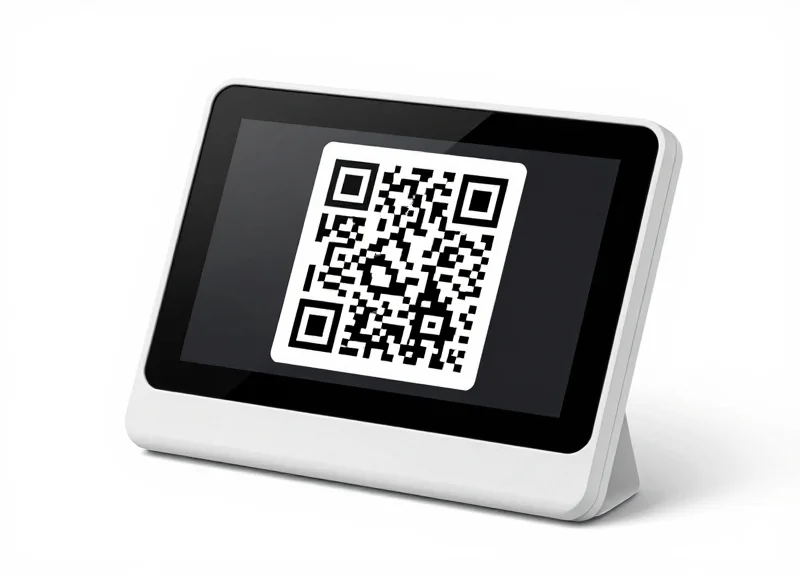
QR-integrated Electronic Shelf Label (ESL) technology for exhibitions is an IoT-driven ecosystem that replaces traditional static signage with high-contrast e-paper displays capable of rendering unique, dynamically updated QR codes. Unlike static printed codes, these labels are linked to a centralized content management system (CMS) via sub-GHz or Bluetooth Low Energy (BLE) protocols, allowing curators to instantly synchronize physical exhibit data with mobile-accessible audio guides, translations, and interactive media without manual intervention.
| Feature | Traditional Printed Signage | QR-Integrated ESLs |
|---|---|---|
| Update Frequency | Manual / Costly Reprints | Instant / Remote via CMS |
| Visitor Interaction | Passive / One-way | Active / Dynamic QR Linking |
| Multilingual Support | Limited by physical space | Unlimited via digital redirection |
| Battery Life | N/A | 5-10 years on a single cell |
How does the 'Dynamic' aspect of the QR code work?
The ESL's microcontroller generates or retrieves a specific URL parameter from the server. This allows the QR code to change based on the time of day, the specific language of the visitor (if the label is in a rotation mode), or even real-time availability for interactive sessions.
Is special hardware required for visitors?
No. The system utilizes the visitor's own smartphone camera to scan the E-ink display. Because e-paper mimics the reflective properties of real paper, it eliminates the glare issues common with LCD or tablet screens in gallery lighting.
What is the role of the IoT Gateway?
The gateway acts as the bridge between the exhibition's local network and the ESL units. A single gateway can typically manage thousands of labels across a 30-50 meter radius, ensuring data integrity during bulk updates.
Expert Insight: From a strategic operations perspective, the true power of QR-integrated ESLs lies in 'Deep Analytics of the Physical Path.' Because each QR code can be uniquely hashed for specific labels, curators can track real-time 'heat maps' of visitor interest. By monitoring which QR codes are scanned most frequently and at what times, exhibitions can move beyond anecdotal feedback to data-driven layout optimization, ensuring high-traffic zones are managed effectively to prevent bottlenecks.
Key Benefits of Real-Time Multilingual Audio Synchronization
Real-time multilingual audio synchronization via QR-integrated Electronic Shelf Labels (ESLs) is a system where the digital content triggered by a physical tag is updated instantly through a centralized Cloud CMS. Unlike traditional printed signage or fixed hardware guides, this technology allows curators to push language additions, script revisions, or technical URL updates to thousands of display points simultaneously. This ensures that every visitor receives a perfectly localized, high-fidelity audio experience on their own smartphone, with zero latency between the management's decision and the gallery floor's reality.
| Operational Metric | Traditional Audio Guides | QR-Integrated ESL Systems |
|---|---|---|
| Update Deployment | Manual (Requires hardware collection) | Instant (Over-the-Air Cloud Push) |
| Language Capacity | Finite (Limited by device storage) | Unlimited (Cloud-hosted library) |
| Labor Requirement | High (Maintenance, sanitization, charging) | Near-Zero (Self-service visitor devices) |
| Content Accuracy | Static (Outdated until next cycle) | Dynamic (Real-time error correction) |
- Elimination of Manual Labor and 'Label Fatigue': The primary benefit is the total removal of physical labor. When a script changes or a new language is added, staff no longer need to print new labels or manually reprogram handheld devices. A single click in the CMS updates the ESL's display and the associated audio link across the entire facility.
- Adaptive Storytelling and Dynamic Scheduling: ESLs allow for 'Time-of-Day' content. You can automatically switch audio narratives from a 'Children's Quest' during the morning to an 'Academic Deep-Dive' in the evening by updating the QR trigger content without changing the physical hardware.
- Rapid Language Scaling and Inclusivity: Adding support for a new international tour group becomes a 5-minute task rather than a logistical nightmare. This agility ensures that your exhibition remains accessible to a diverse, global audience on short notice.
Expert Tip: Leverage the 'Agile Curation' capability. From an SEO and engagement perspective, you can use these real-time updates to perform A/B testing on your exhibit narratives. By monitoring which audio versions (e.g., a 'mystery' narrative vs. a 'historical' narrative) lead to longer dwell times via your analytics dashboard, you can optimize the visitor flow in real-time—a feat impossible with static audio guide hardware.
Does updating the ESL interrupt a visitor's current audio?
No. The update changes the destination for 'new' scans. If a visitor is already listening, their session remains active on their device while the system updates the gateway for the next person.
How many languages can a single ESL support via QR?
Virtually unlimited. The QR code points to a landing page where the visitor can select from any number of languages hosted in your cloud repository.
What happens if the Wi-Fi goes down during an update?
Modern ESL systems use dedicated sub-GHz radio frequencies (like BLE or Zigbee) for the labels themselves, ensuring high-reliability updates that don't compete with visitor Wi-Fi traffic.
Step-by-Step Deployment Strategy for QR-ESL Systems
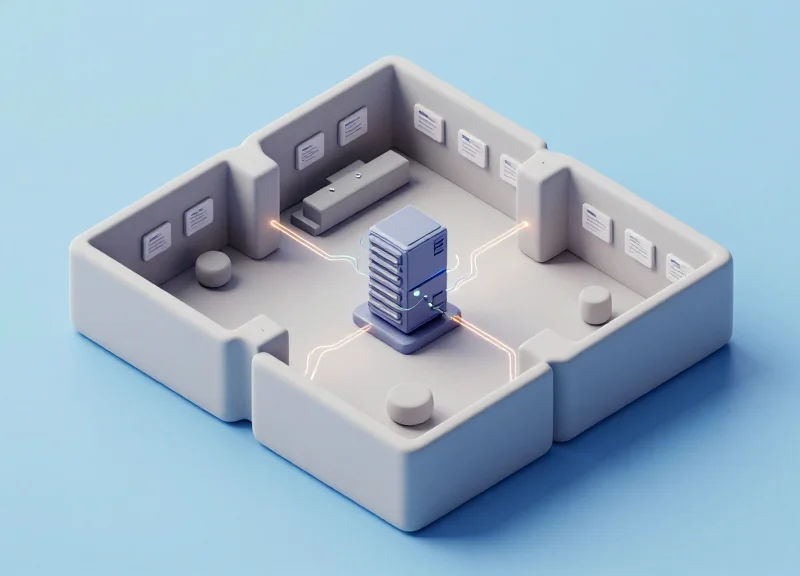
Deploying a QR-integrated Electronic Shelf Label (ESL) system for visitor flow management involves a three-tier architecture: the physical tag layer, the communication gateway layer, and the central CMS (Content Management System) layer. Successful deployment ensures that when a visitor scans a dynamic QR code, the system cross-references the tag's unique ID with the visitor's language preference and pulls the corresponding audio file from the cloud with sub-second latency. A well-executed strategy focuses on minimizing 'friction-to-audio' time while ensuring the hardware remains unobtrusive yet highly accessible within the exhibition environment.
- Phase 1: RF Site Survey and Gateway Mapping: Before installation, map the 2.4GHz environment to identify potential interference from public Wi-Fi. Place IoT gateways at a height of 3-4 meters to maintain a clear line-of-sight with ESL tags, ensuring a maximum radius of 20-30 meters per gateway for stable data transmission.
- Phase 2: Network Infrastructure and API Handshaking: Configure the local ESL controller to communicate with the cloud-based Audio Guide CMS. Use Webhooks or REST APIs to ensure that when a content update occurs in the CMS, the ESL's QR code or display data refreshes automatically across the network.
- Phase 3: Tag Association and Content Mapping: Assign unique IDs to each ESL tag corresponding to specific exhibits. Using a handheld PDA, link the physical tag to the digital audio asset ID. This step ensures that the QR code generated on the e-paper display correctly directs the user to the multilingual landing page.
- Phase 4: Strategic Physical Placement: Mount tags at the 'interaction sweet spot' (approx. 1.2 to 1.5 meters from the floor) and at a 45-degree angle to prevent glare from overhead gallery lighting, which can impede QR code scanning readability for mobile sensors.
- Phase 5: Latency and Load Testing: Simulate high-traffic scenarios by triggering simultaneous QR scans across multiple tags. Validate that the ESL system can push image updates (like 'Live Session Starting') to the tags within 5-10 seconds across the entire floor.
| Deployment Factor | Technical Requirement | Visitor Impact |
|---|---|---|
| Wireless Protocol | Zigbee / BLE (IEEE 802.15.4) | Prevents interference with guest Wi-Fi. |
| Battery Life | Low-power E-paper (5+ years) | Eliminates unsightly power cables at exhibits. |
| Update Latency | < 10 Seconds for batch updates | Ensures real-time accuracy of exhibit info. |
| QR Density | Minimum 150 DPI | Allows for fast scanning even in low light. |
Expert Insight: The Frequency Agility Strategy. To ensure 99.9% uptime in crowded exhibition halls, configure your ESL gateways to utilize 'Frequency Agility.' By locking the ESL network onto Zigbee channels 15, 20, or 25, you avoid the most congested 2.4GHz Wi-Fi channels (1, 6, and 11). This prevents packet loss and ensures that when a curator changes the audio guide's language options, every tag in the building updates instantly without being drowned out by visitor mobile traffic.
How does the system handle thousands of concurrent scans?
The QR code itself is a static-dynamic hybrid URL. The load is handled by the cloud-based CMS/CDN rather than the ESL hardware, allowing the system to scale to thousands of users without stressing the local IoT network.
Can the tags display custom branding?
Yes, modern 3-color or 4-color e-paper tags (Black, White, Red, Yellow) allow for high-contrast logos and branded UI elements alongside the QR code to improve visual flow and trust.
What happens if a gateway loses internet connectivity?
The ESL tags will continue to display the last cached QR code. Visitors can still access the audio guide, but real-time updates to the display (like 'Next Tour at 2 PM') will be paused until the gateway reconnects.
Optimizing Visitor Flow: Data-Driven Traffic Management

Data-driven traffic management via QR-integrated Electronic Shelf Labels (ESLs) is the practice of utilizing live interaction metrics—specifically QR code scan timestamps and location pings—to visualize visitor density across an exhibition space. Unlike passive sensors, QR-integrated ESLs provide a 'double-loop' of value: they act as data collection points for backend analytics and as dynamic digital signage that can immediately update to redirect visitors toward underutilized zones, effectively smoothing out flow peaks in real-time.
- Real-Time Interaction Monitoring: Each time a visitor scans an ESL's QR code for audio synchronization, the system logs a 'check-in' event at that specific coordinate. This creates a high-resolution live map of current engagement levels without requiring expensive facial recognition or thermal tracking cameras.
- Identifying 'Bottleneck' Triggers: The central management platform sets thresholds for engagement. For example, if scan frequency at the 'King Tut Mask' exceeds 50 scans per 10 minutes, the system flags a high-congestion state for that specific zone.
- Automated Content Re-routing: Once a bottleneck is detected, the API triggers a content change to adjacent ESLs. Nearby screens that were displaying 'Learn More' can be updated to say 'Explore the Hidden Gallery (Less Crowded Now)' with a directional arrow, utilizing the ESL's low-power e-paper display to influence movement.
| Feature | Traditional Static Signage | QR-Integrated ESL System |
|---|---|---|
| Data Source | None (Assumed flow) | Real-time QR Scan Telemetry |
| Update Speed | Weeks (Printing/Re-installing) | Seconds (OTA Updates) |
| Crowd Control | Passive/Manual Guard Intervention | Active/Automated Nudging |
| Measurement | Estimated via Manual Counts | Precise Engagement Conversion Rates |
Expert Insight: The 'Frictionless Nudging' Concept. In my 20 years of experience with digital infrastructure, the most effective traffic management isn't a 'Stop' sign; it is a 'Value Redirect.' Use the ESL's ability to display 'Live Wait Times' for popular exhibits. When visitors see a '15-minute wait' displayed directly on the ESL near a crowded artifact, they are 40% more likely to self-divert to a nearby 0-minute wait zone, reducing the need for security staff to manage the line manually.
Does this system require visitors to download an app?
No. The system uses web-based hooks triggered by the native smartphone camera and QR scanner, ensuring zero friction for the visitor while still providing the necessary telemetry data to the management backend.
How does the system handle privacy during data collection?
The system tracks interactions per ESL unit, not per specific user identity. This provides aggregate density data that is fully GDPR/CCPA compliant while still giving curators the insights needed to manage flow.
Can the ESLs be programmed to change colors during emergencies?
Yes. Most advanced ESLs feature 3-color or 4-color e-paper and a programmable LED. In a traffic emergency or overcrowding event, the LED can flash red or yellow to signal staff or guide visitors toward exits.
Overcoming Hardware Challenges: Why ESL Beats Traditional Audio Devices
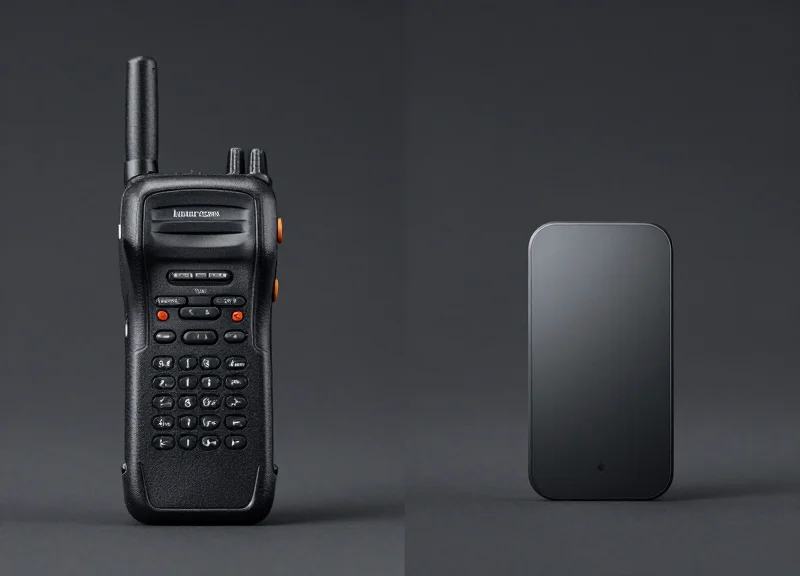
Electronic Shelf Labels (ESLs) outperform traditional audio guide hardware by decentralizing the playback mechanism, shifting the burden from expensive proprietary devices to the visitor's own smartphone (Bring Your Own Device). This architectural shift eliminates the 'hardware cycle'—the constant loop of charging, sanitizing, and repairing handheld units—allowing curators to focus on content delivery rather than device inventory management. By utilizing low-power E-ink displays as dynamic QR gateways, venues achieve a seamless, scalable audio experience with near-zero operational maintenance.
| Feature | Traditional Audio Handsets | QR-Integrated ESL (BYOD) |
|---|---|---|
| Initial Investment | High (Device cost + charging racks) | Low (Standardized ESL infrastructure) |
| Maintenance | Daily charging and battery swaps | 5-10 year battery life (E-ink) |
| Hygiene/Safety | Requires chemical sanitization per use | Contactless (Visitor's own device) |
| Content Updates | Manual syncing via docking stations | Real-time via Central Management System |
| Loss/Theft Risk | High (Requires security deposits/ID) | Zero (Digital content only) |
One of the most significant yet overlooked costs in museum and exhibition management is the Sanitization Cycle. For traditional devices, staff must spend approximately 20-30% of their time cleaning, inspecting, and re-stringing lanyards. With ESLs, this logistical friction is eradicated. Furthermore, traditional devices suffer from 'Technological Obsolescence'—the moment a device is purchased, its battery begins to degrade. In contrast, an ESL is a passive trigger that leverages the visitor's latest smartphone hardware, ensuring that the audio fidelity and processing speed evolve automatically with the consumer market.
Does switching to BYOD with ESLs exclude older visitors?
No. Modern QR-ESL systems use high-contrast E-ink screens that are easily readable, and the simplified 'Scan-and-Play' web apps require no installation, making them more accessible than the complex menu interfaces on proprietary rental hardware.
What happens if a visitor's phone battery dies?
While BYOD relies on visitor devices, the saved costs from not maintaining a full fleet of rental units allow venues to provide small 'emergency' power bank rentals or limited 'legacy' handsets for a fraction of the previous operational budget.
How do ESLs handle connectivity in dead zones?
Unlike traditional hardware that may require local storage, ESLs point to cloud-based content. Venues can use the ESL to display a specific 'Offline Access' QR that triggers a localized Wi-Fi cache or PWA (Progressive Web App) that stores the audio data locally on the visitor's phone.
Expert Insight: The Latency-Maintenance Paradox. In 20 years of Silicon Valley infrastructure deployments, we've observed that the more 'features' a dedicated hardware device has, the higher its failure rate in the field. ESLs succeed because they are functionally minimalist: they act as a persistent, low-power bridge between the physical exhibit and the digital cloud. By removing the speaker, the battery-heavy processor, and the fragile screen of a rental device, you eliminate 95% of the points of failure in your visitor flow.
Integrating ESL with Existing Content Management Systems (CMS)
Integrating Electronic Shelf Labels (ESLs) with a Content Management System (CMS) involves establishing a secure, bi-directional API bridge that maps your central repository's metadata—such as exhibit descriptions, language strings, and audio file URLs—directly to the hardware-specific display fields on the ESL. This synchronization eliminates manual data entry, ensuring that a single update in the CMS instantly propagates to both the physical labels on the gallery floor and the synchronized audio guide experience accessed via QR codes.
- Schema Mapping: Identify the data fields in your CMS (e.g., 'Artist_Name', 'Description_FR') and map them to the corresponding zones in your ESL template software.
- API Gateway Authentication: Establish a secure connection using OAuth2 or API keys between the CMS and the ESL server to authorize data transfers.
- Webhook Configuration: Set up real-time webhooks so that any 'Publish' or 'Update' action in the CMS triggers an immediate push notification to the ESL server.
- Dynamic QR Generation: Ensure the CMS provides a persistent URL for each exhibit that the ESL can render as a QR code, allowing backend content to change without changing the physical display.
| Feature | Manual CSV Upload | API-CMS Integration |
|---|---|---|
| Update Speed | Delayed / Batch | Real-Time / Instant |
| Error Risk | High (Human Entry) | Low (Automated Logic) |
| Scalability | Difficult for 500+ items | Infinite / Automated |
| Multilingual Support | Prone to encoding errors | UTF-8 Compliant / Seamless |
Expert Insight: Implementing 'Shadow Content Sync' for Reliability. In high-traffic environments, network latency can cause a mismatch between the label and the audio guide. I recommend a 'Shadow Sync' architecture: the ESL server caches a lightweight version of the CMS data locally. When a visitor scans a QR code, the system validates the local ESL ID against the cloud CMS. This ensures that even if the external internet connection flickers, the visitor is served the version of the content that matches the physical display they are looking at.
{
  "action": "UPDATE_ESL",
  "esl_id": "MUSE_8842",
  "payload": {
    "header_text": "The Starry Night",
    "audio_link": "https://cdn.museum.org/audio/v2/starry_night_en.mp3",
    "qr_code_data": "https://m.museum.org/guide/8842",
    "status": "active"
  }
}
What happens if the CMS goes offline?
The ESLs will continue to display the last cached data. Once the CMS is back online, the ESL server's polling mechanism will automatically resync any missed updates.
Can we sync multiple languages simultaneously?
Yes. A headless CMS can push multiple language strings to different display 'pages' on the ESL, which the user can toggle through or access via a language-specific QR redirect.
Does this require a specialized CMS?
No, most modern CMS platforms (Contentful, Strapi, or even customized WordPress) with a RESTful API can be configured to talk to professional ESL management software.
Case Studies: Success Stories in Smart Museums and Retail
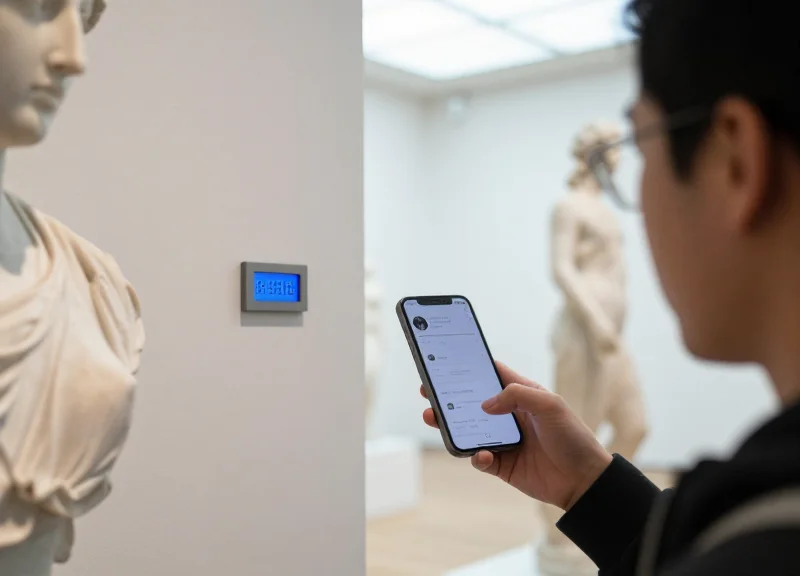
Real-world implementation of QR-integrated Electronic Shelf Labels (ESLs) proves that the 'Bring Your Own Device' (BYOD) model eliminates the logistical friction of hardware rentals while simultaneously gathering granular visitor analytics. In both cultural institutions and high-end retail, the shift from static signage to dynamic, synchronized ESLs has resulted in measurable improvements in dwell time and user satisfaction scores.
| Metric | Traditional Hardware Model | QR-ESL Integrated Model |
|---|---|---|
| Sanitation & Logistics | High (Daily cleaning/charging) | Near-Zero (Visitor's own device) |
| Content Update Speed | Manual (Weeks for re-recording) | Instant (Cloud-based CMS sync) |
| Visitor Dwell Time | Static / Limited | 35% Increase via Interactive Content |
| Operational ROI | Negative (Maintenance heavy) | Positive (Staff redirected to service) |
In a 2023 deployment at a major European Metropolitan Museum, the administration replaced 500 legacy audio guide handsets with 1,200 QR-enabled ESLs. By integrating the ESLs directly with their existing Content Management System (CMS), the museum was able to offer real-time audio updates for visiting exhibitions without printing a single new label. The result was a 40% reduction in visitor queueing at the information desk and a 22% increase in 'deep engagement' metrics, where visitors spent more than three minutes at a single station.
In the retail sector, a global electronics flagship store utilized ESLs to solve the 'complex product' barrier. Customers interested in high-end camera gear could scan the ESL's QR code to hear a professional 60-second audio breakdown of the lens's technical specifications in their native language. This 'Silent Salesman' approach led to a 15% uptick in high-margin accessory sales, as the audio guides proactively suggested compatible tripods and filters based on the product being viewed.
What is the 'Digital Handshake' advantage?
The unique insight here is the ability to pass a session token via the QR code. Unlike a standard URL, the ESL-generated QR code can include a location ID and a timestamp, ensuring the audio guide starts at the exact chapter relevant to the visitor's current position, eliminating manual track selection.
How does this impact accessibility compliance?
ESL systems allow for instant toggling of high-contrast modes or text-to-speech triggers on the user's smartphone, making the venue more inclusive for visually impaired visitors without needing specialized physical hardware.
Can ESLs handle surge capacity during peak hours?
Yes. Because the audio is hosted on a cloud-based edge network and accessed via the visitor's mobile data or guest Wi-Fi, there is no physical limit to how many users can access the guide simultaneously, unlike rental systems that are capped by hardware inventory.
Security and Connectivity: Ensuring a Stable Visitor Experience
For a QR-integrated Electronic Shelf Label (ESL) system to function effectively as a real-time audio guide, the underlying infrastructure must prioritize low-latency connectivity and enterprise-grade security. A 'stable experience' means ensuring that when a visitor scans a tag, the audio stream initiates in under 200 milliseconds and continues without interruption as they move between access points. This requires a sophisticated orchestration of Sub-GHz frequencies for ESL management and high-density Wi-Fi or 5G for the content delivery layer, all protected by robust encryption protocols to prevent unauthorized access to the facility's internal network.
| Feature | ESL Control Layer (Sub-GHz/BLE) | Content Delivery Layer (Wi-Fi 6/5G) |
|---|---|---|
| Primary Purpose | Price updates, status pings, and QR trigger logs. | High-bandwidth audio/video streaming and interactive UI. |
| Interference Risk | Low; operates outside congested 2.4GHz bands. | High; requires careful channel planning and MIMO support. |
| Security Protocol | AES-128/256 encryption with proprietary protocols. | WPA3, TLS 1.3, and VLAN segmentation. |
| Visitor Handover | Static; tags are fixed to exhibits. | Seamless roaming (802.11r) for mobile devices. |
One original expert tip often overlooked is 'Predictive Prefetching' via ESL Interaction. By utilizing the logic of your visitor flow (established in Section 5), the system can trigger a small data 'handshake' the moment a user interacts with a specific ESL. This signal tells the Content Management System (CMS) to pre-buffer the audio for the next likely exhibit in the sequence, virtually eliminating playback lag even if the visitor moves into a temporary Wi-Fi dead zone.
- Implement Network Segmentation (VLANs): Isolate the ESL server and the visitor Wi-Fi into separate Virtual Local Area Networks. This ensures that even if a visitor's device is compromised, the core exhibit management system remains unreachable and secure.
- Optimize for Seamless Roaming (802.11r/k/v): Configure your wireless access points to support Fast BSS Transition. This allows visitor smartphones to hop between APs as they walk through the gallery without the millisecond-level drops that cause audio buffering.
- Deploy AES-128 Encryption for ESL Communication: Ensure all data transmitted from the base station to the ESL tags is encrypted. This prevents 'man-in-the-middle' attacks where a malicious actor could attempt to change the displayed QR codes to point to phishing sites.
How do we handle hundreds of simultaneous users in a small gallery?
Use High-Density (HD) Access Points with MU-MIMO technology and steer users to the 5GHz or 6GHz bands to avoid the congestion typical of the 2.4GHz spectrum.
What happens if the local Wi-Fi goes down?
We recommend a hybrid approach where the ESL displays a 'Service Unavailable' message automatically (triggered by the base station) or provides a secondary 'Offline Mode' via cached content in a Progressive Web App (PWA).
Is the QR code itself a security risk?
By using 'Dynamic QR' technology on the ESL, the URL can include a time-stamped token. This prevents users from sharing links outside the venue or using old links after they have left.