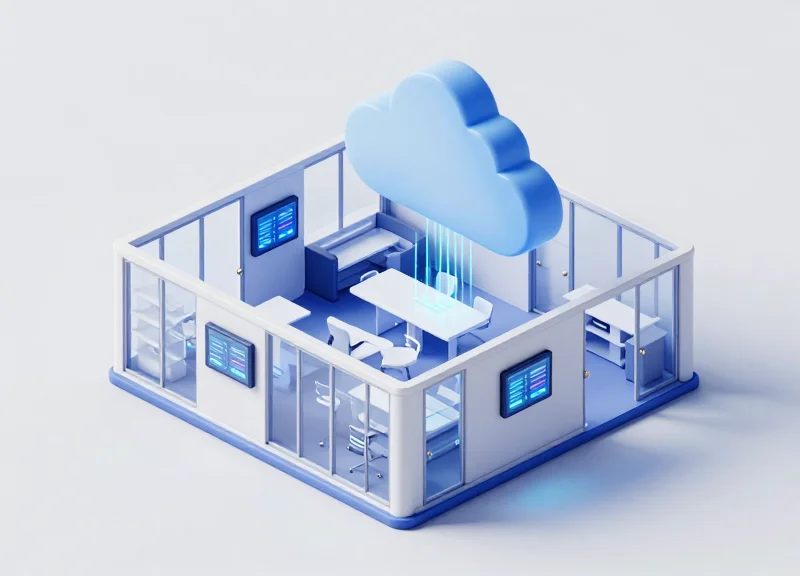
Modern office environments demand agility and precision, yet many facilities still struggle with the 'ghost meeting' phenomenon and double-booked conference rooms. Traditional paper-based systems are obsolete, and power-hungry tablets often pose wiring challenges. Enter the 7.5" Electronic Shelf Label (ESL). This guide provides a deep dive into the technical integration of large-format ESLs with cloud-based scheduling platforms, offering a low-power, high-visibility solution that streamlines workspace utilization and enhances the employee experience.
The Shift Toward Automated Workspace Management
Automated workspace management is the strategic integration of cloud-based scheduling software with physical IoT hardware, such as 7.5-inch Electronic Shelf Labels (ESLs), to synchronize office space availability in real-time. This evolution addresses the 'coordination tax' of the modern hybrid office, replacing static, manual sign-ups with a dynamic ecosystem that eliminates phantom meetings and maximizes real estate ROI.
| Feature | Traditional Management | Automated Workspace (ESL + Cloud) |
|---|---|---|
| Booking Accuracy | High risk of double-booking/ghosting | Real-time cloud-to-door synchronization |
| Employee UX | Frustrating search for open space | Visual status cues (Red/Green) at a distance |
| Data Insights | Anecdotal or manual audits | Granular API-driven utilization analytics |
| Operational Cost | High (manual updates/admin time) | Low (automated updates, 5-year battery life) |
The surge in hybrid work has rendered traditional office management obsolete. With employees coming into the office on varied schedules, the 'static desk' model has been replaced by 'hot-desking' and 'neighborhooding.' This fluidity requires a technical backbone capable of reflecting room status changes instantly. Without a physical-to-digital bridge, companies often suffer from 'The Ghost Meeting Phenomenon,' where rooms appear booked on digital calendars but sit empty in reality, wasting valuable square footage and frustrating staff.
Why are 7.5-inch ESLs preferred over small tablets?
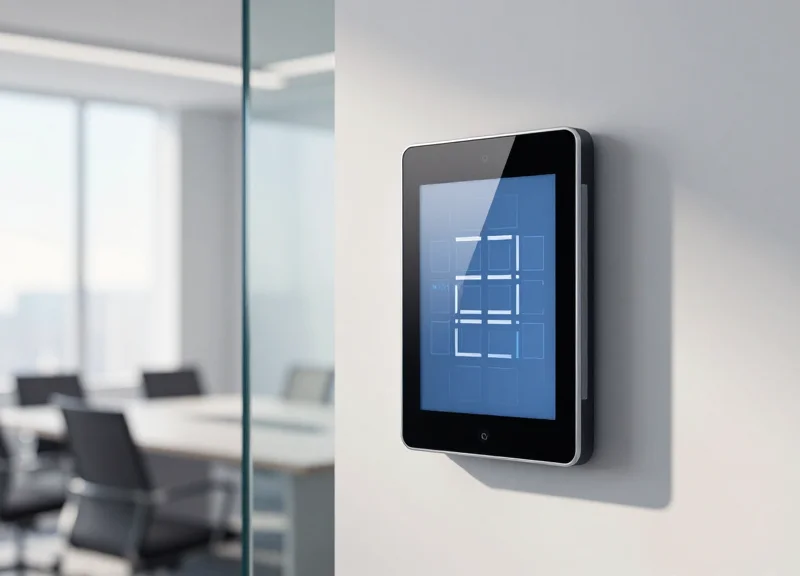
Unlike consumer tablets, 7.5-inch ESLs offer a high-contrast e-paper display that consumes zero power between updates, ensuring a 5+ year battery life and no wiring costs. The 7.5-inch form factor provides enough real estate for QR codes, booking names, and timelines that are readable from 10 feet away.
How does cloud integration reduce 'phantom meetings'?
Cloud integration allows for 'check-in' features. If a user does not tap their badge or scan the QR code on the ESL within 10 minutes, the cloud releases the room and the ESL instantly updates to 'Available,' reclaiming the space for others.
Can these systems integrate with Microsoft 365 or Google Workspace?
Yes, modern automated management layers use REST APIs to pull data directly from O365 or Google calendars, pushing updates to the ESLs via a local or cloud-based gateway.
Expert Insight: The 'Display-First' psychological effect. Research shows that employees are 40% more likely to respect a room's booking status when a physical display is present at the door compared to an app-only solution. The ESL acts as a 'physical anchor' for digital policies, effectively bridging the gap between a user's smartphone and the actual office environment.
Technical Advantages of 7.5" ESLs for Room Signage
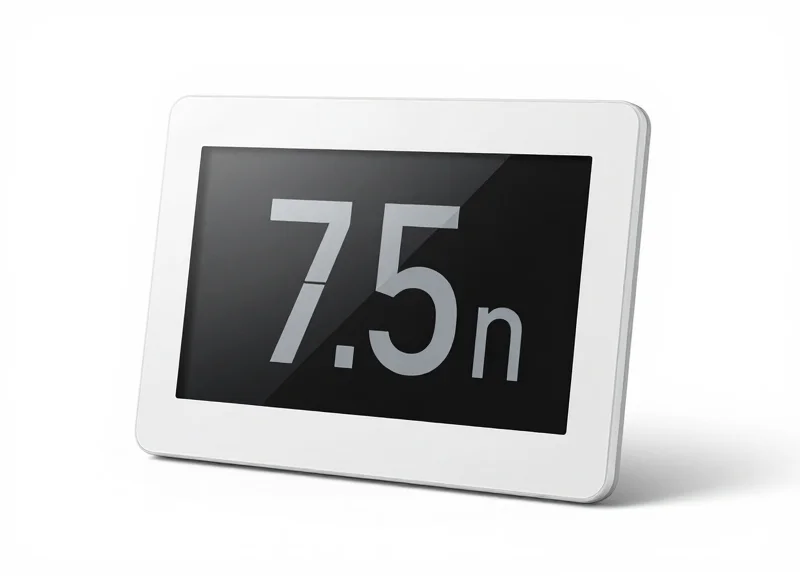
7.5-inch Electronic Shelf Labels (ESLs) represent the technical sweet spot for meeting room signage, combining a high-contrast E-ink display with ultra-low power consumption to provide a wireless, real-time interface for workspace availability. Unlike traditional LCD or LED tablets, these devices operate on bistable display technology, meaning they require zero energy to maintain an image and only consume power during data updates, resulting in a maintenance-free lifecycle that can exceed five years on standard coin-cell batteries.
- Superior Readability and Viewing Angles: ESLs utilize electrophoretic displays (EPD) that mimic the appearance of ink on paper. With nearly 180-degree viewing angles and zero glare under harsh office lighting, the status of a room is visible from the end of a corridor, unlike reflective glass tablets.
- Zero-Wire Infrastructure: Because 7.5" ESLs consume so little power, they do not require Power-over-Ethernet (PoE) or electrical wiring. This significantly reduces installation costs and allows for mounting on glass, wood, or brick surfaces using simple adhesive solutions.
- Optimized Form Factor: The 7.5-inch dimensions provide a resolution (typically around 800x480) that is large enough to display complex information including QR codes for instant booking, meeting titles, and daily agendas without appearing cluttered.
| Feature | 7.5" E-ink ESL | Standard Tablet (LCD) | Traditional Paper |
|---|---|---|---|
| Power Source | Battery (5-10 Years) | Wired/Rechargeable (Daily) | None |
| Update Method | Automated Cloud Sync | Automated Cloud Sync | Manual/Physical |
| Visibility | High (Reflective) | Moderate (Backlit/Glare) | High |
| Installation Cost | Low (No Wiring) | High (Power/Data Cables) | N/A |
| Night Visibility | External Light Required | Self-Illuminated | External Light Required |
Expert Insight: From a technical TCO (Total Cost of Ownership) perspective, the true value of the 7.5" ESL lies in its 'Bistable Logic.' In a standard 8-hour workday, a room schedule might only change 10 times. While a tablet's backlight remains active for 28,800 seconds, the ESL only activates its RF radio and display driver for a total of roughly 30 seconds, reducing the hardware's carbon footprint and failure rate by orders of magnitude compared to active display counterparts.
Does E-ink support color for room status?
Modern 7.5" ESLs typically support 3-color (Black/White/Red) or 4-color (Black/White/Red/Yellow) palettes. This allows for clear color-coding: Red for 'In Use' and White for 'Available'.
How do these devices handle network latency?
Most ESL systems use Sub-GHz or optimized Zigbee protocols. When a room is booked in the cloud, the update signal is pushed to the ESL within 15-45 seconds, ensuring the physical sign matches the digital calendar.
Core Architecture: From Cloud API to E-ink Display
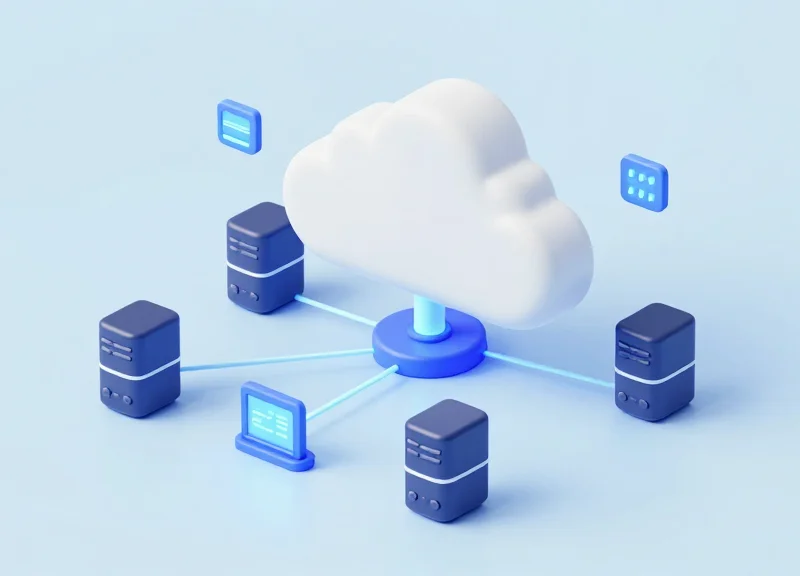
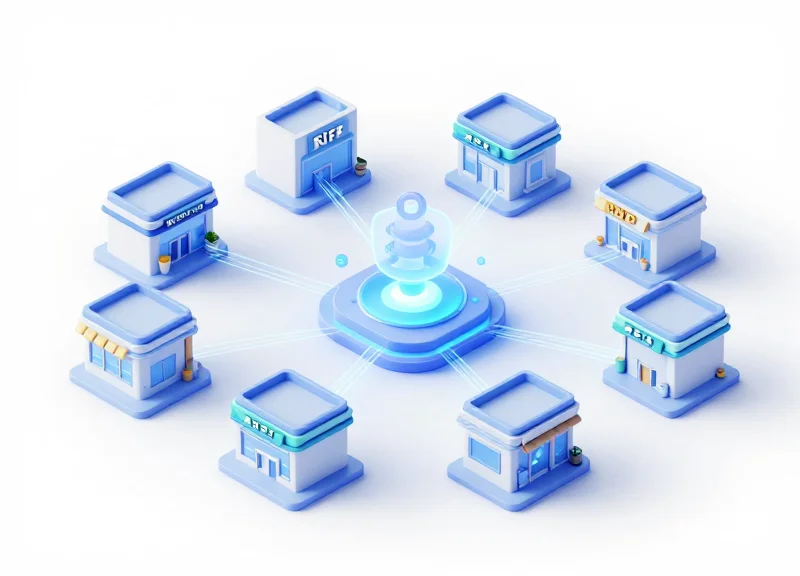
The core architecture of a modern ESL-based meeting room system is a distributed IoT framework that bridges the gap between enterprise cloud calendars and physical workspace endpoints. It consists of four primary layers: the Data Source (e.g., Microsoft 365 or Google Workspace), a Cloud Management System (CMS) for image rendering and device orchestration, a local IoT Gateway (Base Station) that manages the wireless network, and the 7.5-inch E-ink display itself. This structure ensures that a booking made on a mobile device is translated into a visual update on a room sign in under 30 seconds, maintaining a 'single source of truth' across the organization.
| Feature | 2.4GHz Protocol | Sub-GHz Protocol (868/915MHz) | |||
|---|---|---|---|---|---|
| Signal Range | Up to 30 meters | Up to 100+ meters | |||
| Interference Profile | High (shares spectrum with Wi-Fi/Bluetooth) | Low (cleaner spectrum) | Wall Penetration | Moderate | High |
| Power Consumption | Lower for small bursts | Higher per packet but better long-range efficiency |
The communication flow begins with the CMS polling the calendar API via OAuth2 authentication. Once a change is detected—such as a meeting cancellation—the CMS generates a new 1-bit or 3-bit (Black/White/Red) bitmap. This image is then pushed to the local Gateway using MQTT or WebSockets. The Gateway, which acts as the 'brain' of the local mesh, schedules the transmission to the specific ESL based on its next wake-up window, ensuring minimal energy expenditure for the battery-operated display.
{ "gateway_id": "GW-8829-X", "payload": { "device_id": "ESL-75-001", "action": "refresh", "image_url": "https://cdn.cms.io/render/room_101_v2.bmp", "priority": "high" }, "timestamp": 1694563200 }How does the system handle network outages?
The ESLs are designed as 'stateful' devices; if the network fails, the display remains on the last known state indefinitely due to the bi-stable nature of E-ink. The Gateway buffers pending updates and synchronizes them once connectivity is restored.
Is the data transmission secure?
Professional-grade architectures use AES-128 or AES-256 encryption for the wireless link between the Gateway and the ESL, preventing 'man-in-the-middle' attacks that could display unauthorized information on room signs.
Can one Gateway support an entire office floor?
Typically, a single Sub-GHz gateway can manage up to 5,000 devices and cover a radius of 50-100 meters in open office environments, whereas 2.4GHz gateways may require more density due to Wi-Fi congestion.
Expert Tip: To maximize battery life, implement 'Delta Rendering' at the CMS level. Rather than transmitting a full 800x480 bitmap for every update, calculate the XOR difference between the old and new images. By only transmitting changed pixels, you reduce the radio-frequency (RF) airtime by up to 40%, which is the single most effective way to extend 7.5-inch ESL battery life beyond the typical 5-year mark.
Integrating with Enterprise Calendars: Outlook and Google Workspace
To achieve a truly automated meeting room environment, the ESL management system acts as a bridge between enterprise calendar APIs and the physical E-ink displays. This integration relies on the Microsoft Graph API for Outlook/Office 365 and the Google Calendar API for Workspace. By utilizing OAuth 2.0 protocols, the management software securely authenticates with the organization’s tenant, pulls real-time data from designated 'Resource Mailboxes,' and pushes formatted visual updates to the 7.5" screens via the gateway. The primary goal is to ensure that the 'Current Meeting' and 'Upcoming Schedule' reflect exactly what is visible on the user's desktop or mobile app with minimal latency.
- App Registration & Authentication: Register the ESL middleware in the Azure Portal (for Outlook) or Google Cloud Console. Assign scoped permissions such as 'Calendars.Read' or 'https://www.googleapis.com/auth/calendar.events.readonly' and generate secure client credentials.
- Resource Identification: Map the unique Hardware IDs of each 7.5" ESL to the corresponding SMTP email address of the meeting room resource in the calendar system.
- Subscription via Webhooks: Establish a push-notification subscription (Webhooks) so the calendar service alerts your server immediately when an event is created, modified, or deleted, rather than relying solely on battery-draining polling.
- Data Parsing & Image Rendering: The middleware parses the JSON response, extracts key strings (Meeting Name, Organizer, Time), and renders a high-contrast 1-bit or 3-bit BMP/PNG image optimized for the 7.5" display.
| Feature | Microsoft Graph (Outlook) | Google Calendar API |
|---|---|---|
| Auth Method | OAuth 2.0 / Azure AD | OAuth 2.0 / Service Accounts |
| Push Mechanism | Change Notifications (Webhooks) | Push Channels |
| Room Object | Resource Mailbox | Resource Calendar |
| Latency | Sub-10 seconds typical | Sub-5 seconds typical |
Expert Insight: Implementing 'Delta' Refresh Logic for Battery Longevity. A common mistake in ESL integration is refreshing the screen for every calendar metadata change. In high-traffic Silicon Valley offices, we use 'Delta Logic': the middleware compares the new payload with the last displayed state. If a user only changes the 'description' field—which isn't displayed on the 7.5" screen—the system suppresses the refresh command. This single optimization can extend the coin-cell battery life of your 7.5" units by up to 18 months.
{
  "action": "update_display",
  "device_id": "ESL-75-AF82",
  "template_fields": {
    "subject": "Q4 Board Review",
    "organizer": "Sarah Jenkins",
    "status": "OCCUPIED",
    "time_range": "14:00 - 15:30",
    "next_meeting": "16:00 Sprint Planning"
  },
  "refresh_mode": "partial"
}
What happens if the Wi-Fi or Cloud goes down?
Most advanced 7.5" ESL systems cache the next 24 hours of schedule data locally. If the connection is lost, the screen remains static with the last known data, preventing 'blank' displays during outages.
Can we support 'Ad-hoc' bookings from the screen?
Yes, if the 7.5" ESL model includes NFC or a return button, the integration can push a 'Create Event' command back to the Outlook/Google API to claim the room instantly.
Is a service account required for Google Workspace?
While not strictly required, using a Service Account with Domain-Wide Delegation is the industry standard for enterprise deployments to manage hundreds of rooms without individual user prompts.
Template Design and Dynamic Content Rendering
Template design for 7.5-inch ESLs is the process of mapping dynamic enterprise data (like meeting subjects and durations) onto a graphical canvas that is converted into a low-power, bitmapped image format compatible with E-ink controllers. Unlike traditional LCDs, E-paper rendering must account for limited color palettes—typically Black/White or Black/White/Red—and specific pixel resolutions to ensure text remains crisp and readable from a distance in corporate environments. The process involves a server-side rendering engine that merges a pre-defined layout with live JSON payloads from calendar APIs, generating a binary image file that the gateway transmits to the label.
Why is high contrast critical for 7.5" ESL templates?
E-ink displays rely on ambient light reflection. High-contrast designs using bold sans-serif fonts ensure that room status (e.g., 'OCCUPIED') is legible from 15-20 feet away, even in dimly lit hallways.
How does the system handle anti-aliasing on E-paper?
Standard anti-aliasing can cause 'ghosting' or fuzzy edges on 3-color screens. It is best to use pixel-perfect font rendering or specialized dithering algorithms to maintain sharp edges without grayscale artifacts.
What is the benefit of including a dynamic QR code?
A dynamic QR code allows users to scan and book an ad-hoc meeting directly from their mobile device, syncing the update back to the cloud calendar and the ESL display instantly.
| Data Field | Display Element | Design Requirement |
|---|---|---|
| Subject Line | Meeting Title | Max 2 lines, Bold, 24pt+ font |
| Organizer Name | Host Info | Secondary placement, 14pt font |
| Start/End Time | Timeline Bar | Visual progress bar for current meeting |
| Meeting ID | QR Code | Minimum 120x120 pixels for reliable scanning |
| Room Status | Background Color | Red block for Busy, White for Available |
from PIL import Image, ImageDraw, ImageFont

# Define canvas for 7.5 inch ESL (800x480 resolution)
img = Image.new('1', (800, 480), 1)
draw = ImageDraw.Draw(img)

# Dynamic data injection
meeting_name = 'Q4 Strategy Review'

# Load font and draw text
font = ImageFont.truetype('Arial_Bold.ttf', 40)
draw.text((50, 100), meeting_name, font=font, fill=0)

# Save as BMP for transmission
img.save('output_buffer.bmp')
A unique expert insight for optimizing 7.5-inch displays is the implementation of 'Differential Rendering' or 'State-Aware Updates.' Instead of pushing a full 800x480 image update every time a minute passes on the clock, the rendering engine should compare the new frame with the current one. If only the time text has changed, the system can trigger a partial refresh or skip the update if the visual change is negligible. This 'Delta-logic' significantly extends battery life, potentially moving the needle from a 3-year to a 5-year replacement cycle by reducing the energy-intensive physical movement of E-ink capsules.
Latency and Synchronization: Ensuring Real-Time Accuracy
Real-time accuracy in Electronic Shelf Label (ESL) systems is the capability of a display to reflect cloud-based calendar changes within a defined latency threshold—typically under 30 seconds—without depleting the internal battery. In professional meeting room management, this creates a technical paradox: frequent 'heartbeat' checks between the ESL and the gateway ensure data freshness but consume significant power, while infrequent checks save energy but risk displaying outdated 'Available' status for a room that is already occupied.
| Polling Interval | Typical Latency | Estimated Battery Life (7.5" ESL) | Use Case |
|---|---|---|---|
| 10 Seconds | < 15s | 1.5 - 2 Years | High-traffic huddle rooms |
| 60 Seconds | < 70s | 4 - 5 Years | Standard conference rooms |
| 5 Minutes | < 310s | 7+ Years | Low-frequency event spaces |
Expert Insight: Implementing 'Predictive Pre-caching' and Temporal Throttling. To outperform standard 'fixed-interval' polling, advanced integrations use a temporal throttling strategy. By analyzing the Outlook or Google Workspace API for upcoming 'edge cases'—such as the 5 minutes before and after a scheduled meeting—the system can dynamically instruction the ESL gateway to increase the heartbeat frequency only during these high-change windows. This maintains a perceived 'instant' update experience for users while keeping the label in deep-sleep for 90% of the day.
- Determine Gateway Capacity: Calculate the total number of labels per base station; excessive labels on a single gateway can increase packet collision and retry latency.
- Configure Sub-GHz or 2.4GHz Channels: Select RF channels that avoid interference from corporate Wi-Fi to ensure the 'Wake-up' signal is received on the first attempt.
- Apply Delta-Update Logic: Only transmit image data if the meeting status has changed (the 'delta'), reducing the radio-on time for the ESL hardware.
- Monitor ACK (Acknowledgment) Success Rates: Set up alerts for ESLs that fail to acknowledge updates within three cycles, indicating a potential synchronization desync.
Why does my ESL show 'Meeting in Progress' after the meeting ended?
This is usually caused by 'Polling Latency.' The label only checks the server at set intervals. Reducing the heartbeat to 30-60 seconds or using a manual 'Refresh' trigger via the gateway can resolve this.
Does signal interference affect synchronization accuracy?
Yes. If the 2.4GHz spectrum is crowded, packets may drop. We recommend using ESLs with Sub-GHz frequencies (like 433MHz or 915MHz) for better wall penetration and less interference.
Can I force an immediate update for an ad-hoc meeting?
Most systems allow a 'Push' command from the cloud console, but the label must still reach its next heartbeat to receive the 'Wake-up' packet unless it supports an Always-On-Radio mode (which significantly drains battery).
Installation Best Practices and Network Topology
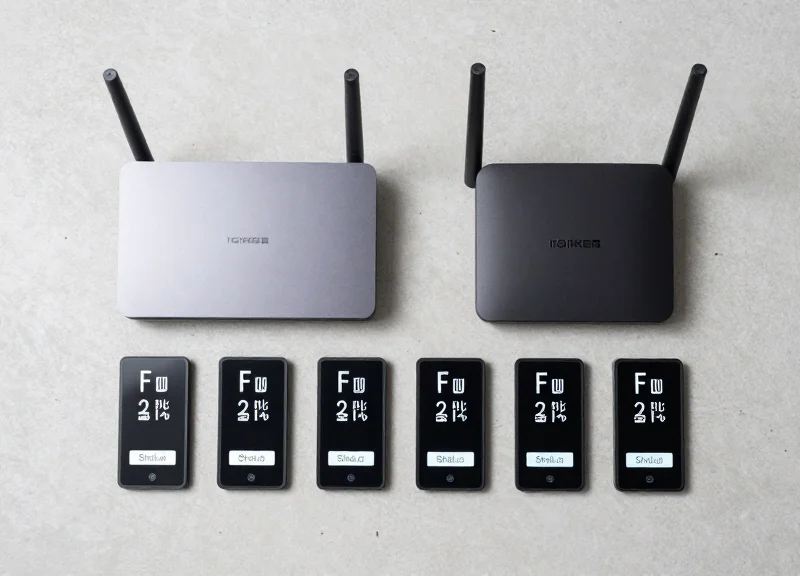
Successful 7.5" ESL installation for corporate environments hinges on a 'Signal-First' architecture, where IoT gateways are strategically placed to minimize path loss and interference from existing enterprise WiFi. In a standard office layout, this involves deploying gateways at a density of one per 2,500 to 5,000 square feet, ensuring that every meeting room label has a primary and secondary signal path to maintain high availability during dynamic scheduling updates.
| Network Parameter | Recommended Configuration | Technical Rationale |
|---|---|---|
| VLAN Assignment | Dedicated IoT VLAN | Isolates ESL traffic from corporate data; enhances security and broadcast domain management. |
| IP Addressing | Static or DHCP Reservation | Ensures gateways maintain persistent connections for cloud management and troubleshooting. |
| PoE Standard | 802.3af (Class 1 or 2) | Standardizes power delivery through existing switches, eliminating the need for AC outlets near ceilings. |
| RF Channeling | Non-overlapping (e.g., Ch 11, 15, 20, 25) | Reduces co-channel interference with 2.4GHz WiFi networks (802.11b/g/n). |
Expert Insight: The Glass Attenuation Trap. Most modern 'smart offices' utilize Low-E (low-emissivity) glass for conference room walls. This glass often contains a microscopic metallic layer that can attenuate RF signals by as much as 15-30 dB, effectively turning a meeting room into a Faraday cage. To ensure 99.9% update reliability, always mount your 7.5" ESLs on the glass frame or adjacent wall with a direct line-of-sight to a gateway located in the hallway, or place a dedicated micro-gateway inside the room if using heavily shielded glass.
- Phase 1: RF Site Survey: Use a spectrum analyzer to identify high-noise areas, specifically checking for 2.4GHz interference from microwave ovens and high-density WiFi APs.
- Phase 2: Gateway Grid Deployment: Install gateways on the ceiling at least 2 meters away from WiFi Access Points to prevent near-field desensitization of the ESL receivers.
- Phase 3: Logical Mapping: Bind label MAC addresses to specific room IDs in the cloud management software before physical mounting to streamline the onsite verification process.
- Phase 4: Signal Stress Testing: Trigger a global 'Refresh' command during peak office hours to validate network throughput and ensure all labels update within the target 30-second window.
Should I use Sub-GHz or 2.4GHz ESLs for office use?
Sub-GHz (e.g., 868MHz or 915MHz) offers better penetration through walls, but 2.4GHz allows for higher data rates and global hardware standardization. For meeting rooms, 2.4GHz is preferred for its ability to handle larger 7.5" image files quickly.
Can one gateway manage multiple floors?
Technically yes, but practically no. Concrete floor slabs with steel reinforcement are highly effective at blocking ESL signals. A best practice is to have at least one gateway per floor.
What is the maximum distance between a 7.5" label and a gateway?
While some manufacturers claim 30-50 meters, in a dense office environment with walls and cubicles, we recommend a maximum radius of 15-20 meters for consistent performance.
Security Protocols in ESL-Cloud Communication
Security in ESL-Cloud communication is the practice of safeguarding the data transmission path between the electronic shelf labels, the local gateway, and the cloud-based management platform. Because 7.5-inch ESLs often display sensitive corporate information—including meeting titles, internal project names, and high-profile attendees—it is critical to implement a 'Security-by-Design' framework. This involves encrypting data at rest and in transit, utilizing mutual authentication (mTLS), and ensuring that the low-power wireless link between the gateway and the labels remains resistant to interception and replay attacks.
| Security Layer | Protocol / Standard | Function |
|---|---|---|
| Cloud-to-Gateway | TLS 1.2/1.3 (HTTPS) | Protects data packets from interception over the public internet. |
| Gateway-to-Label | AES-128 Encryption | Ensures the sub-GHz or Zigbee wireless signal is unreadable to sniffers. |
| Authentication | OAuth 2.0 / JWT | Validates the identity of the server before the gateway accepts updates. |
| Device Identity | X.509 Certificates | Provides a unique hardware-bound identity for every gateway in the network. |
Expert Tip: To achieve a 'Zero Trust' IoT environment, implement Ephemeral Key Rotation. Instead of using a static encryption key for the life of the device, the cloud management system should trigger a key refresh every 24 hours. This significantly limits the 'blast radius' if a single device is physically compromised, as the captured keys will become obsolete before they can be effectively exploited.
GET /api/v1/gateways/status HTTP/1.1
Host: esl-cloud.example.com
Authorization: Bearer [JWT_TOKEN]
X-Device-Signature: [HMAC_SHA256_HASH]
Content-Type: application/json
How do you prevent unauthorized 'spoofing' of meeting data?
Spoofing is prevented by implementing Message Authentication Codes (MACs). Every packet sent from the cloud to the 7.5-inch ESL includes a cryptographic signature that the gateway verifies using a pre-shared secret key, ensuring the data originated from a trusted source.
Is sensitive data stored on the ESL hardware itself?
Modern enterprise ESLs use volatile memory for rendering, meaning that if a label is removed or loses power, the meeting data is not easily retrievable from the physical chips. Furthermore, data at rest on the gateway should be encrypted using hardware-backed modules (TPM).
How are Over-the-Air (OTA) firmware updates secured?
Firmware updates are digitally signed by the manufacturer. The gateway will only execute an update if the signature matches the public key stored in the secure enclave, preventing attackers from pushing malicious code to the display labels.
Measuring ROI: Operational Efficiency and Energy Savings

Measuring the Return on Investment (ROI) for 7.5-inch ESL room management systems involves a dual-layered analysis of Total Cost of Ownership (TCO): the drastic reduction in kilowatt-hour consumption compared to traditional LCD tablets and the elimination of manual administrative labor. Unlike active displays that require constant power to maintain an image, E-ink ESLs only consume energy during a state change, allowing for a 'set-and-forget' infrastructure that yields payback periods typically ranging from 12 to 18 months depending on facility size.
| Feature | Traditional LCD Tablets | 7.5-inch E-ink ESLs |
|---|---|---|
| Power Consumption | 5W - 10W (Constant) | ~0W (Static) / 20-30mA (Update) |
| Battery Life | Requires Hardwiring or Daily Charging | 5+ Years (Internal Battery) |
| Installation Cost | High (Requires Electrical Wiring) | Low (Peel-and-Stick / Magnetic) |
| Maintenance | OS Updates & Screen Burn-in | Zero Maintenance until Battery Cycle |
Expert Insight: One often overlooked 'hidden' ROI factor is the avoidance of 'ghost meetings.' By integrating ESLs with cloud-based occupancy sensors and a 'Check-In' button on the label, firms can reclaim up to 20% of underutilized real estate. From a technical standpoint, the lack of power cabling reduces the initial capital expenditure (CapEx) by approximately $150 per meeting room door, as no licensed electrician is required for installation.
- Labor Cost Reduction: Automating the synchronization between the cloud calendar and the door label removes the need for facilities staff to manually print and replace paper schedules, saving an estimated 52 man-hours per year for every 10 meeting rooms.
- Energy Sustainability (ESG Goals): A deployment of 100 ESLs consumes less energy in one year than a single 10-inch LCD tablet consumes in one month, directly contributing to corporate Carbon Footprint reduction targets.
- Hardware Longevity: Because E-ink is a bistable technology, there is no 'backlight decay' or 'pixel degradation.' The hardware lifecycle typically exceeds 7 years, significantly longer than the 3-4 year refresh cycle of Android or iOS-based tablets.
Does the system work during a power outage?
Yes. Because ESLs are bistable, the last scheduled information remains visible on the screen indefinitely without power, ensuring room status is clear even during network or electrical failures.
How do we calculate the exact energy savings?
Energy savings = [(LCD Wattage 24h) - (ESL Update Wattage Number of Updates per Day)] * Cost per kWh. In most enterprise environments, this results in a 99% reduction in display-related electricity costs.
What is the cost of battery replacement vs. hardware replacement?
Standard CR2450 batteries cost roughly $1-$2 per unit. Replacing batteries every 5 years is significantly more cost-effective than replacing a $300 tablet every 4 years.