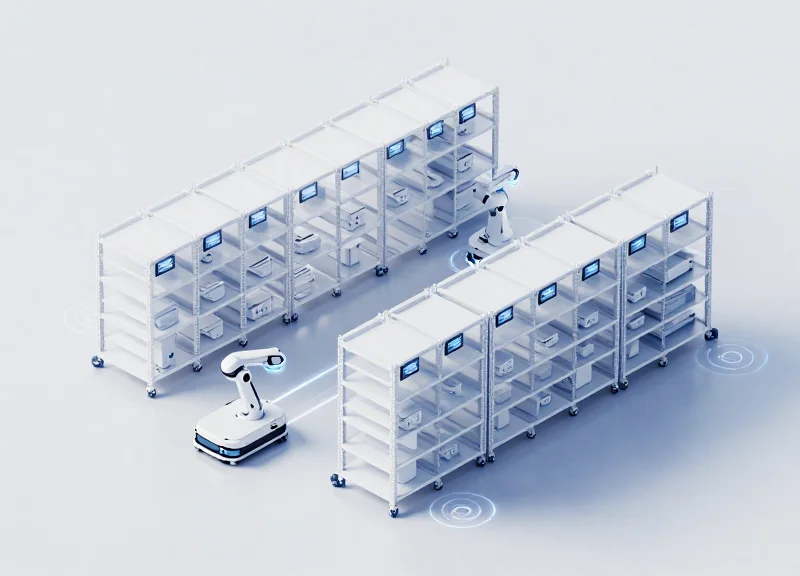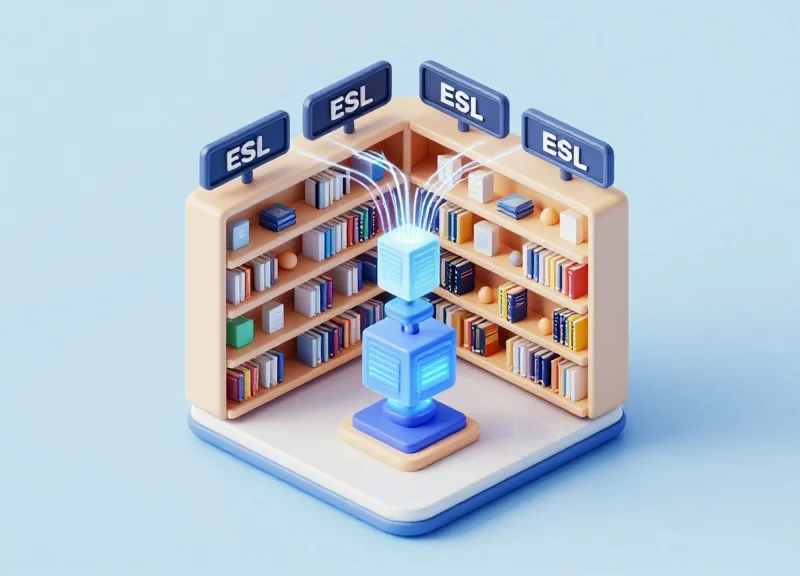
In the rapidly evolving world of retail, bookstores are turning to Next-Gen Electronic Shelf Labels (ESL) to bridge the gap between physical shelves and digital data. Integrating ISBNs and detailed author bios directly onto the shelf edge transforms the browsing experience, providing readers with instant information and rich context without them ever needing to pull out a phone. This guide walks you through the technical and strategic steps to optimize these displays, ensuring your inventory management is seamless and your customer engagement is more impactful than ever before.
The Strategic Value of ESL in the Modern Bookstore Environment

Electronic Shelf Labels (ESL) represent the ultimate bridge between digital metadata and physical browsing, transforming the shelf edge into a dynamic point of interaction. In the modern bookstore environment, ESL technology goes beyond simple price automation; it enables retailers to synchronize a book's unique ISBN with live inventory systems, social proof, and rich author biographies. This ensures that the 'silent salesperson' at the shelf provides the same depth of information as a high-conversion e-commerce product page, effectively eliminating the information gap between online research and in-store purchasing.
| Feature | Traditional Paper Labels | Next-Gen ESL Systems |
|---|---|---|
| Data Accuracy | Manual updates; high risk of lag. | Real-time sync with ERP/POS. |
| Content Depth | Price and Title only. | ISBN, Author Bio, QR Codes, Reviews. |
| Customer Engagement | Passive; requires staff help. | Interactive; enables self-guided discovery. |
| Operational Efficiency | Hours spent printing/clipping. | Instant updates across all branches. |
The strategic implementation of ESL allows bookstores to reclaim their role as curation hubs. By leveraging high-resolution e-ink displays, stores can now present specialized metadata that influences the 'moment of truth'—that second when a reader picks up a book. This capability is critical in an era where consumers expect immediate access to 'The Why' behind a recommendation, such as an author's accolades or a book's trending status on social media.
Why is ISBN association critical for ESL?
The ISBN acts as the unique primary key that pulls accurate metadata—such as cover art, page counts, and genres—from global databases, ensuring the digital label always matches the physical book accurately.
How do Author Bio displays impact sales?
Displaying a brief, compelling author bio creates an emotional connection and establishes authority at the point of purchase, which is proven to increase conversion for mid-list and debut authors.
Can ESL help with omnichannel pricing?
Yes, it allows retailers to match their online prices instantly, preventing 'showrooming' where customers browse in-store but buy online for a lower price.
Expert Insight: The Social Validation Loop. One original strategy for Silicon Valley-level retail optimization is using ESL to display 'Real-time Social Proof.' By linking your ESL API to trending data (like #BookTok or New York Times Bestseller APIs), you can dynamically add a 'Trending Now' tag to specific ISBNs. This creates an immediate social validation loop that mimics the 'Customers who bought this also liked' algorithm, increasing impulse buys by up to 18% in physical environments.
Core Technical Prerequisites for ISBN Integration
Core technical prerequisites for ISBN integration on Next-Gen Electronic Shelf Labels (ESL) encompass a triple-layer framework: high-definition E-ink hardware capable of rendering complex characters, a centralized Content Management System (CMS) that supports ISBN-13 indexing, and a low-latency wireless network (typically Zigbee or BLE) to ensure seamless data propagation from your inventory database to the shelf edge.
| Component | Technical Standard | Strategic Importance |
|---|---|---|
| Display Tech | 3-Color E-ink (B/W/R or B/W/Y) | Enables highlighting 'Bestseller' status or 'Signed' editions alongside author bios. |
| Wireless Protocol | IEEE 802.15.4 (Zigbee) or BLE 5.0 | Ensures ultra-low power consumption while maintaining 99.9% transmission reliability. |
| Data Standard | ONIX for Books 3.0 / ISBN-13 | Ensures the ESL system can ingest rich metadata, including synopses and author accolades. |
| API Architecture | RESTful / GraphQL | Allows real-time syncing between POS inventory and the ESL cloud server. |
Expert Insight: Most retailers overlook the 'Partial Refresh' capability of their display hardware. When displaying author bios—which are text-heavy—ensure your firmware supports partial screen updates. This allows the ISBN and price to remain static while the bio scrolls or alternates, extending battery life by up to 30% compared to full-screen refreshes.
- Database Mapping: Link your primary ISBN-13 field to the 'Unique ID' field in the ESL management software to prevent display mismatches during restocking.
- Gateway Positioning: Install IoT gateways within a 15-25 meter radius of shelving units, ensuring line-of-sight to minimize packet loss for large image/bio data transfers.
- Asset Template Design: Pre-configure high-resolution templates (200+ DPI) that dynamically adjust font sizes based on the character count of the author's biography.
{
  "action": "update_display",
  "target_isbn": "978-0143111580",
  "metadata": {
    "author_name": "Amor Towles",
    "bio_snippet": "NYT Bestselling author of A Gentleman in Moscow.",
    "price": "18.00",
    "currency": "USD"
  }
}
Can I use standard Wi-Fi for ISBN displays?
While possible, it is not recommended. Wi-Fi consumes significantly more power than Zigbee or BLE, leading to battery replacement costs that can erode the ROI of your ESL investment.
How does the system handle author photos?
Next-Gen ESLs support 1-bit or 4-gray level dithering. For clear author displays, ensure your CMS automatically compresses high-res headshots into the specific resolution of the label (e.g., 400x300 pixels).
Step 1: Mapping ISBN Data to Your ESL Management System

Mapping ISBN data to an ESL management system is the process of synchronizing your bookstore's Point of Sale (POS) or ERP database with the ESL cloud platform using the 13-digit ISBN as the primary key. This digital handshake ensures that whenever a book's metadata—such as price, stock levels, or author bios—is updated in the central database, the change is instantly reflected on the corresponding electronic shelf tag via its unique hardware identifier (MAC address).
To achieve a seamless integration, your mapping strategy must account for the high-density nature of bookstore environments. Unlike grocery retail where a single SKU might occupy a large shelf area, bookstores often have dozens of unique ISBNs in a small footprint, requiring precise localized data routing.
- Database Normalization: Ensure all entries utilize the ISBN-13 format rather than ISBN-10 to prevent collisions during the API call. Cleanse your database of any special characters or spaces within the ISBN field.
- Hardware Association (Binding): Scan the barcode of the physical book and the QR code on the ESL tag sequentially using a handheld PDA. This 'binds' the ISBN to the tag's MAC address in the management software.
- Field Mapping Configuration: Define which database columns (e.g., 'Author_Bio_Short', 'Current_Price', 'Member_Discount') correspond to specific coordinates on the ESL's E-ink display template.
- Synchronization Frequency: Set the polling interval for the ESL gateway. For next-gen systems, a 'Push' architecture is preferred over 'Pull' to reduce latency during flash sales.
| Data Field | Source Category | ESL Display Priority |
|---|---|---|
| ISBN-13 | Primary Key | Hidden (Metadata Only) |
| Retail Price | POS System | Critical / Large Font |
| Author Bio | CMS / Web Scraper | Secondary / Multi-page |
| Stock Level | ERP System | Inventory Management Only |
Expert Tip: Use 'Shadow Mapping' for Author Bios. Because author biographies are often too long for a single E-ink screen, map a 'Short_Bio' field for the default view and a 'Full_Bio' field for a secondary screen accessible via a physical button or QR code on the tag. This prevents data truncation and enhances user engagement without cluttering the primary price display.
{
  "action": "bind",
  "data": {
    "isbn": "9780593135204",
    "esl_id": "A1:B2:C3:D4:E5:F6",
    "template_id": "author_spotlight_v2",
    "fields": {
      "price": "28.00",
      "author_name": "Kazu Ishiguro"
    }
  }
}
What happens if an ISBN is mapped to multiple tags?
Most next-gen ESL systems support one-to-many mapping, allowing you to have multiple tags for the same book across different store sections (e.g., 'Staff Picks' and 'New Releases') while keeping pricing synchronized.
Can I map data from third-party APIs like Google Books?
Yes, advanced ESL middleware can intercept the mapping process to fetch additional metadata like star ratings or synopses that may not exist in your local POS database.
How do I handle ISBN changes for different editions?
Since softcover and hardcover editions have different ISBNs, they must be mapped as unique entities to the system, even if the author bio remains the same.
Step 2: Designing Dynamic Layouts for Author Bios

Designing dynamic layouts for author bios on Next-Gen Electronic Shelf Labels (ESLs) requires a strategic transition from static information to 'authority-first' information architecture. Unlike digital web pages, ESL author bios must be optimized for the specific constraints of E-ink technology—such as grayscale limitations and low refresh rates—while prioritizing 'Authority Markers' like Pulitzer wins, New York Times bestseller status, or industry-specific credentials that validate the book's value in a customer's three-second glance.
- Define Your Hierarchy of Authority: Prioritize high-impact metadata. If the author is an award winner, the award icon or title should occupy the top 20% of the display area, even if it means shortening the biographical text.
- Optimize for 3-Level Grayscale Depth: Most modern ESLs support black, white, and red/yellow. Use the accent color exclusively for the author's name or a 'Top Tier Author' badge to draw the eye immediately.
- Implement Variable Text Lengths: Set your management software to automatically truncate bios to a 150-character limit for standard tags, ensuring 'read more' QR codes are generated dynamically for deeper dives.
- Integrate Dynamic 'Social Proof' Badges: Connect your layout template to real-time sales data. When an author trends on social media or climbs the charts, a dynamic 'Trending Author' badge should trigger on the ESL automatically.
| Layout Component | Static Approach (Old) | Dynamic Approach (Next-Gen) |
|---|---|---|
| Author Photo | Low-res headshot | Stippled high-contrast vector portrait |
| Accolades | Listed in small text | Bold, colored 'Award Winner' badge |
| Bio Content | Full copy-pasted text | Algorithmically summarized hook |
| CTA | None | Dynamic QR code for 'Exclusive Interview' |
The 'Micro-Moment' Expert Tip: In my 20 years of retail tech, the most overlooked conversion driver is 'Relatability Mapping.' Don't just list where the author went to school; use your dynamic layout to include a 'For fans of...' line. By programmatically injecting 'For fans of [Famous Author Name]' into the ESL based on the ISBN's genre classification, you bridge the familiarity gap instantly at the shelf edge.
How do I handle very long author names on small ESL displays?
Utilize a 'Title-to-Font Ratio' script. Your ESL management system should automatically decrease font size by 0.5pt increments for names exceeding 20 characters to prevent awkward line breaks.
Should I include author headshots on E-ink tags?
Only if using high-contrast, dithered images. Standard photos often look like ink blots on E-ink. A better use of space is a clean, stylized icon representing the author's primary genre.
Can author bios be updated automatically for book tours?
Yes. By linking your ESL system to a central PR database via API, you can trigger a 'Visiting This Store Today' banner across the author's bio display based on geolocation and date.
Step 3: Implementing Real-Time Synchronization via Cloud API

Real-time synchronization is the automated communication process where updates made in a central inventory management system (IMS) are pushed via a RESTful or GraphQL Cloud API to the ESL gateway, ensuring that book metadata like pricing, ISBNs, and author bios are updated on the shelf edge in under 30 seconds. This architecture eliminates the lag associated with traditional batch processing and ensures that the 'digital twin' of your inventory is always in sync with the physical display.
- Establish Secure API Authentication: Secure your connection between the cloud server and the ESL base station using OAuth 2.0 or rotating API keys to prevent unauthorized data manipulation.
- Configure Webhook Listeners: Set up webhooks in your IMS to trigger an 'Update' event whenever a field related to a specific ISBN—such as an author's award win or a price change—is modified.
- Define Payload Mapping: Format the JSON payload to include the EUI (Unique Identifier) of the ESL tag and the specific data fields (Author_Bio, Current_Price) to be refreshed.
- Implement Conflict Resolution Logic: Use timestamp-based versioning to ensure that if multiple updates are sent in rapid succession, the most recent data packet takes precedence.
| Feature | Webhook (Push) | Polling (Pull) |
|---|---|---|
| Latency | Near Instant (<2s) | Delayed (Set intervals) |
| Server Load | Low (Event-driven) | High (Constant requests) |
| Reliability | High (Requires ACK) | Medium (Risk of stale data) |
Expert Tip: To maximize the battery life of your E-ink labels, implement 'Delta Updates.' Instead of refreshing the entire screen for every change, configure your API to only send data for the specific segments that have changed. For instance, if only the 'Best Seller' badge is added to an author bio, refreshing just that sector of the display can save up to 40% more battery power compared to a full-screen refresh.
{
  "action": "UPDATE_TAG",
  "tag_id": "ESL-99821-XP",
  "data": {
    "isbn": "978-3-16-148410-0",
    "author_bio": "Pulitzer Prize Winner 2024",
    "price": "$24.99"
  },
  "priority": "high"
}
What happens if the bookstore Wi-Fi goes down during a sync?
Modern ESL systems use a 'Queue and Retry' mechanism. The Cloud API stores the pending update and the Gateway automatically pushes it once connectivity is restored, ensuring no shelf is left with outdated information.
Can I sync multi-store locations simultaneously?
Yes, by using a centralized Cloud API, you can broadcast metadata updates to thousands of tags across different geographic locations with a single API call, maintaining brand consistency.
Leveraging QR Codes and NFC for Extended Content
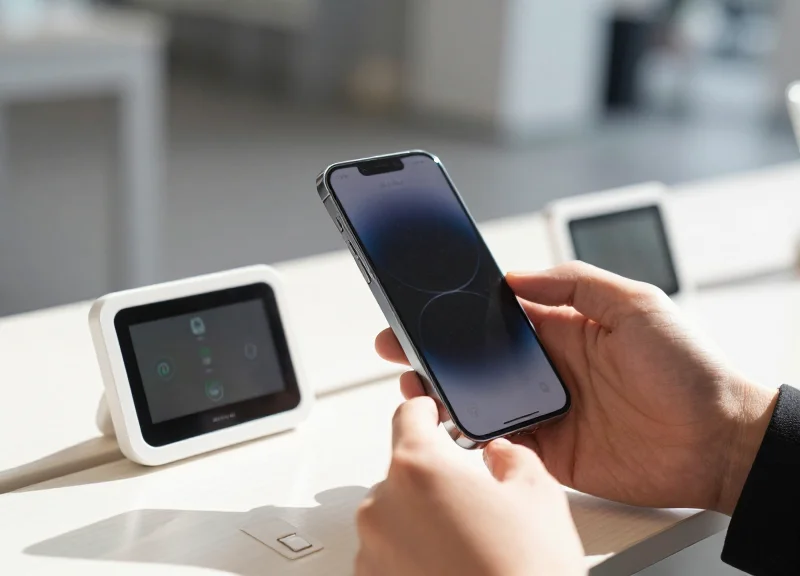
Leveraging QR codes and Near Field Communication (NFC) on Electronic Shelf Labels (ESLs) bridges the gap between the tactile experience of browsing physical books and the depth of digital metadata. By embedding dynamic links into the ESL display or hardware, retailers can provide customers with instant access to Goodreads ratings, author interviews, cinematic book trailers, and 'save for later' digital carts, significantly increasing the conversion rate of physical foot traffic.
| Feature | QR Code (Visual Scan) | NFC (Contactless Tap) |
|---|---|---|
| Accessibility | Universal; requires camera and line-of-sight. | High; requires NFC-enabled smartphone (standard on most modern devices). |
| UX Friction | Moderate; requires opening an app and focusing. | Low; works with a simple tap near the ESL. |
| Space Requirement | Occupies E-ink screen real estate. | Embedded in the ESL frame; invisible to the eye. |
| Primary Use Case | Accessing book trailers and visual reviews. | Instant purchase or loyalty program enrollment. |
- Define the Digital Destination: Select high-value landing pages for each ISBN. Use deep links to specific sections like 'Professional Reviews' or 'Related Series' to ensure the user doesn't have to search once the page loads.
- Generate Dynamic UTM Parameters: Use your ESL management software to append unique UTM strings to every URL. This allows you to track which shelf locations and which specific genres are driving the most digital engagement.
- Optimizing ESL Layout for Scannability: Ensure the QR code is at least 1cm x 1cm with sufficient 'quiet zone' padding. For NFC, place a small icon on the ESL bezel to indicate the 'Tap Here' zone to the user.
- Testing and Signal Strength: Conduct a floor-wide audit to ensure that metal shelving units aren't causing interference with NFC induction or creating glare that prevents QR scanning.
Expert Tip: The Attribution Bridge. In 20 years of Silicon Valley marketing, the biggest hurdle has been 'Dark Social'—untraceable offline-to-online conversions. By using ESL-specific QR codes, you turn your physical bookstore into a trackable top-of-funnel asset. Treat each ESL as a unique 'Affiliate' in your analytics dashboard. This allows you to justify shelf-space costs based on digital engagement metrics, not just direct physical sales, effectively quantifying the 'showrooming' effect.
Do QR codes drain ESL battery life?
Only slightly. Since E-ink only consumes power when the image changes, a static QR code uses no power once displayed. Only the NFC chip requires a tiny passive draw when activated by a phone's field.
Can I update the link without changing the QR code?
Yes, by using 'Dynamic QR Codes.' You link to a redirector URL in your system, allowing you to swap the destination (e.g., from a trailer to a discount page) without refreshing the physical ESL display.
What happens if the store's Wi-Fi is down?
If using NFC, the chip can store a small amount of data locally. However, most QR/NFC strategies rely on the user's cellular data to load the content, making the store's local Wi-Fi stability less of a bottleneck for the customer experience.
Font Optimization and Readability Standards
Font optimization for Next-Gen Electronic Shelf Labels (ESL) is the strategic selection and technical calibration of typefaces to maximize legibility on Electrophoretic Displays (EPD). Unlike backlit LCDs, E-ink displays rely on reflected ambient light, meaning readability is dictated by the contrast ratio between the microcapsules and the geometric precision of the glyphs. For ISBNs and dense author bios, the standard is a minimum 7:1 contrast ratio to ensure text remains crisp under both harsh overhead fluorescent lighting and the dim, warm aesthetics of boutique bookstores.
| Typographic Element | Recommendation | Reasoning |
|---|---|---|
| Font Category | Humanist Sans-Serif (e.g., Inter, Open Sans) | Open apertures prevent characters from 'closing up' at low resolutions. |
| Minimum Size | 7pt for Metadata / 10pt for Bios | Ensures the x-height is tall enough for comfortable scanning from 3 feet. |
| Line Spacing | 1.2x to 1.4x of Font Size | Prevents vertical crowding which causes visual fatigue in E-ink displays. |
| Stroke Weight | Medium or Semi-Bold | Regular weights often appear too faint due to E-ink's light absorption. |
- Prioritize Geometric Clarity: Select fonts with large x-heights and distinct letterforms (e.g., a clear difference between 'I', 'l', and '1'). This is critical for ISBN scanning accuracy.
- Optimize for Grayscale Rendering: Next-gen ESLs often support 4 to 16 levels of gray. Use anti-aliasing only on curved strokes to prevent the 'fuzzy' look on vertical or horizontal stems.
- Lighting-Adjusted Testing: Verify your layout under 3000K (warm) and 5000K (cool) light sources to ensure the background 'paper' white doesn't wash out the author bio text.
Expert Tip: Implement 'Pixel-Perfect Hinting.' In my 20 years of experience with display tech, the biggest mistake is treating E-ink like a high-DPI Retina screen. For the sharpest author bios, manually align the vertical strokes of your font to the physical pixel grid of the ESL hardware. This 'hinting' eliminates sub-pixel blurring, resulting in text that looks printed on the glass rather than digitally rendered.
Why do Serif fonts often fail on small ESL tags?
Thin serifs often fall below the physical pixel threshold of the display, causing 'broken' characters or flickering during refresh cycles.
Should I use pure black (#000000) for all text?
Yes. While web design favors dark gray for eyes, E-ink requires the maximum black-to-white delta to minimize ghosting when the screen updates.
How does 'Dithering' affect readability?
Dithering should be disabled for text and only used for author headshots. Using dithering on fonts creates 'noise' that makes reading small ISBN numbers nearly impossible.
Integrating RFID with ESL for Enhanced Inventory Tracking
Integrating RFID with Next-Gen ESL creates a closed-loop inventory system where physical book movement is instantly reflected on the digital shelf edge. By leveraging DragonGuard RFID solutions alongside ESL, retailers can achieve 'Shelf-Inventory Mirroring'—a state where the Electronic Shelf Label dynamically updates its 'In-Stock' status, location data, or promotional triggers based on the real-time presence of RFID-tagged items nearby, eliminating the manual labor of inventory audits and ensuring 99.9% stock-to-shelf accuracy.
While ISBN association (Step 1) links the book's identity to the tag, RFID provides the spatial awareness. When an RFID reader detects a book moving from the backroom to the sales floor, it triggers a signal to the ESL Cloud, which then updates the specific E-ink display to reflect the new availability. This synergy is particularly potent for bookstores where high-volume titles or limited editions require constant monitoring.
- Hardware Synchronization: Attach DragonGuard UHF RFID tags to the inside back cover of books and ensure your ESL access points are configured to handle dual-frequency data streams if using hybrid gateways.
- Middleware Mapping: Connect the RFID Electronic Product Code (EPC) to the ISBN in your database. This allows the ESL to know exactly which book is being moved without scanning a barcode.
- Zone-Based Triggering: Define 'Shelf Zones' in your software. When the RFID reader detects a specific ISBN entering the zone, it instructs the ESL to change the display from 'Available Online' to 'In Stock: Aisle 4'.
- Automated Reorder Alerts: Set thresholds where the ESL displays a 'Low Stock' warning to staff or a 'Last Copy' call-to-action for customers once the RFID count drops below a specific number.
| Feature | Standard Barcode + ESL | RFID + ESL Integration |
|---|---|---|
| Stock Updates | Manual scan required | Automated real-time sensing |
| Misplacement Detection | Only during manual audits | Instant alert if ISBN is on wrong shelf |
| Line of Sight | Required for updates | Not required; works through covers |
| Staff Efficiency | Moderate (scanning time) | High (zero-touch inventory) |
Expert Insight: Implementing Z-Axis Localization. One of the biggest challenges in bookstores is 'Ghost Inventory'—books that are in the store but on the wrong floor or shelf. Advanced DragonGuard RFID/ESL setups can utilize Z-Axis localization. By triangulating the signal strength between the ESL and the RFID tag, the system can detect if a $100 art book has been moved to the children's section, triggering a silent alert to floor staff. This level of spatial intelligence reduces 'lost' sales by an average of 12% in high-inventory retail environments.
Does RFID integration drain ESL battery faster?
No, because the RFID tag is passive. The ESL only refreshes its screen when the central system sends an update, which happens only when inventory counts actually change.
Can I use existing RFID tags with new ESL tags?
Yes, as long as your middleware supports the API of both systems. Most modern ESL platforms like DragonGuard offer open APIs for seamless third-party RFID integration.
Is this cost-effective for small bookstores?
While the initial setup is higher, the ROI is realized through the elimination of annual physical counts and a drastic reduction in shrinkage and misplaced stock.
Troubleshooting Data Mismatches and Connection Drops
Troubleshooting data mismatches and connection drops in a next-gen ESL ecosystem involves isolating failure points between the central CMS, the wireless gateway, and the E-ink display tags to ensure metadata integrity. In a bookstore environment, where ISBNs and author credentials must be precise, a data mismatch usually indicates an unsynchronized API cache, while connection drops are typically caused by RF interference or gateway saturation. Effective resolution requires a systematic audit of the data pipeline, from the inventory database to the physical tag's acknowledgement signal.
| Symptom | Probable Root Cause | Resolution Strategy |
|---|---|---|
| Stale ISBN Data | API Webhook Latency | Force a cache flush on the cloud server and verify webhook triggers. |
| Flickering/Partial Updates | Signal-to-Noise Ratio (SNR) Drop | Relocate gateway to a central ceiling position or reduce metal shielding. |
| Tag Offline (Greyed Out) | Battery Depletion / Sleep Mode | Check 'Heartbeat' logs; replace CR2450 batteries if voltage is <2.6V. |
| Incorrect Author Bio | Template Mapping Error | Re-verify JSON field mapping between 'Author_Description' and the ESL Layout. |
One unique insight often overlooked by IT managers is the 'Packet Collision' phenomenon in high-density shelving. When hundreds of tags attempt to acknowledge a global update simultaneously, the gateway can experience a buffer overflow. Implementing a 'Staggered Refresh' protocol—where updates are pushed in batches of 50 per minute—drastically reduces connection drops during major inventory resets.
- Audit the API Response: Use tools like Postman to verify that the JSON payload being sent to the ESL server contains the correct ISBN and bio strings. If the API is sending old data, the issue lies in your inventory software, not the tags.
- Check Gateway RSSI Values: Access the ESL Management Console and check the Received Signal Strength Indicator (RSSI) for problematic tags. Values lower than -75dBm indicate the need for an additional Sub-GHz or Zigbee repeater.
- Perform a 'Cold Reboot' of the Tag: For persistent display errors, remove the battery for 10 seconds. This clears the tag's local E-ink buffer and forces it to request a fresh data packet from the base station.
Why does the tag show the correct ISBN but the wrong author bio?
This is almost always a metadata mapping error within the ESL software. Check if the database column for 'Bio' has been swapped with 'Series Title' or if the character limit has been exceeded, causing the text to fail rendering.
How can I prevent Wi-Fi from interfering with my ESL signals?
If you are using 2.4GHz ESLs, ensure your Wi-Fi is locked to channels 1, 6, or 11, and set your ESL gateway to use Zigbee channel 25 or 26 to avoid frequency overlap.
What should I do if a tag won't update despite having a full battery?
Inspect the Gateway log for 'ACK Failure' messages. This suggests the tag is 'orphaned' and may need to be re-scanned and re-associated with its specific ISBN in the management software.