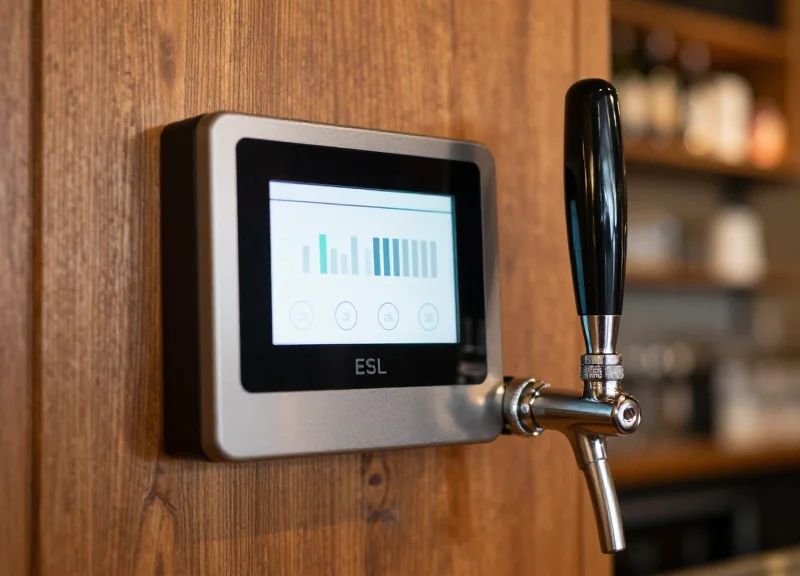
In the fast-paced craft beverage industry, maintaining an accurate tap list is a constant challenge. Traditional chalkboards and static printed menus often lag behind keg changes, leading to customer frustration and operational inefficiency. By leveraging Next-Gen Electronic Shelf Labels (ESL), brewery owners and bar managers can now synchronize their POS and draft management systems directly with digital displays. This integration ensures that critical data like ABV, IBU, and real-time availability are always precise, allowing your staff to focus on service rather than signage.
The Evolution of Taproom Management: Moving Beyond Manual Menus
The evolution of taproom management marks a critical shift from static, high-friction chalkboard menus to dynamic, automated digital ecosystems. In a modern craft beverage environment where kegs can 'kick' multiple times an hour, manual updates are no longer a viable operational strategy. Transitioning to automated displays, specifically leveraging Next-Gen Electronic Shelf Labels (ESL), allows taprooms to synchronize their Point of Sale (POS) data directly with the tap wall. This ensures that ABV, IBU, and real-time availability are always 100% accurate, eliminating the 'out-of-stock' friction that frequently degrades the customer experience.
| Operational Metric | Manual/Chalkboard Method | Next-Gen ESL Integration |
|---|---|---|
| Update Latency | 5-15 Minutes per change | Near Instant (<30 Seconds) |
| Labor Requirement | High (Requires physical presence) | Zero (Automated via POS Sync) |
| Data Accuracy | Prone to human error (Typo risks) | Source-of-truth precision |
| Customer Sentiment | Frustration from 'Kicked' kegs | High trust in real-time data |
A unique insight gained from twenty years in Silicon Valley tech integration is the concept of 'Inventory Drift.' In a manual taproom, the time gap between a keg emptying and a staff member updating the menu creates a period of misinformation. For a taproom with 30 lines, this drift can account for up to 12% of total service time. Automation doesn't just save labor; it reclaims this lost service time, allowing beertenders to focus on storytelling and sales rather than maintenance.
How does manual management impact labor costs?
Manual updates consume roughly 10-15 labor hours per week for high-rotation taprooms, costing thousands in annual overhead that yields no direct revenue.
Why is ABV/IBU accuracy critical for compliance?
Many jurisdictions require accurate alcohol content labeling. Automated ESLs ensure that even minor variations between batches are updated without manual intervention, reducing legal risk.
What is the primary driver of customer dissatisfaction in taprooms?
Ordering a specific beer only to be told it is unavailable is the leading cause of negative reviews; automation removes this failure point entirely.
How ESL Technology Revolutionizes Beverage Information Displays
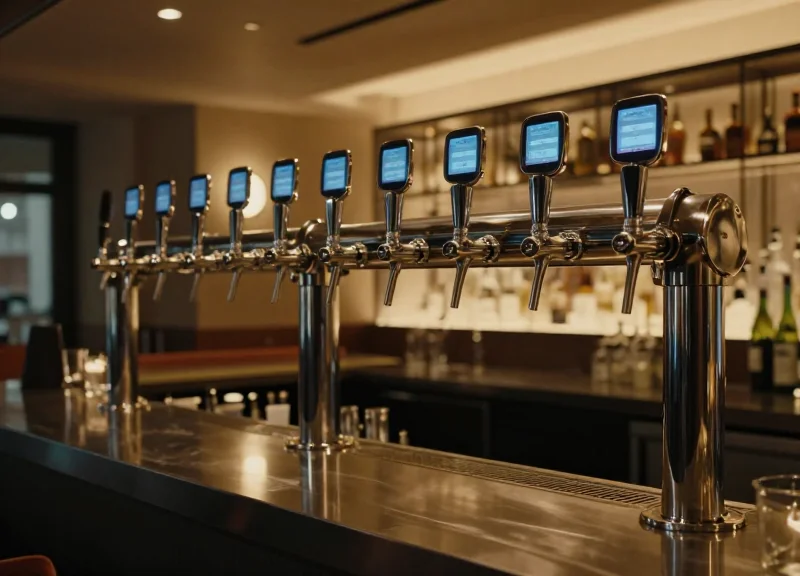
Electronic Shelf Label (ESL) technology revolutionizes beverage displays by replacing static chalkboards and high-energy digital screens with low-power, high-contrast e-paper modules that sync directly with your inventory management software. Unlike traditional displays, next-gen ESLs utilize bi-stable electrophoretic technology (E-ink) to maintain a crisp, paper-like image of ABV, IBU, and pricing without consuming power unless the data changes. This ensures that the 'Single Source of Truth'—your point-of-sale or keg-tracking system—is always perfectly reflected at the point of pour, eliminating discrepancies between the menu and the actual inventory.
From a technical perspective, the revolution lies in the integration of wireless communication protocols (typically Sub-GHz or BLE) with a central gateway. This allows a taproom manager to update fifty tap handles simultaneously with a single click, or better yet, automate the update based on real-time flow-meter data. This shift from 'manual maintenance' to 'automated accuracy' is what defines the next generation of hospitality operations.
| Feature | Traditional Chalk/Print | Standard TV/LED Screens | Next-Gen ESL |
|---|---|---|---|
| Update Speed | Manual (Minutes/Hours) | Instant (Software dependent) | Instant & Automated |
| Energy Use | Zero | High (Continuous) | Ultra-Low (Update only) |
| Visibility | Variable | Poor in High Glare | Perfect (180° E-Ink) |
| Reliability | Human Error Prone | High Failure Rate | Industrial Grade (IP67) |
Does ESL technology require a constant Wi-Fi connection?
No. Most professional-grade ESL systems operate on dedicated Sub-GHz frequencies (like 868MHz or 915MHz) to avoid interference with guest Wi-Fi, ensuring reliable updates even in crowded bar environments.
Can ESLs display custom branding and logos?
Yes. Modern ESLs support multi-color displays (Black, White, Red, and Yellow) and high-resolution graphics, allowing for brewery logos, specific font styles, and QR codes for detailed tasting notes.
How long do the batteries actually last in a taproom setting?
In a typical beverage environment with 2-3 daily updates, ESL batteries can last between 5 to 10 years, making them a 'set and forget' solution compared to high-maintenance tablets or monitors.
Expert Insight: The Sub-GHz Advantage. While many consumer IoT devices rely on the 2.4GHz band (Wi-Fi), the most reliable taproom ESL deployments utilize Sub-GHz communication. Why? Because the 2.4GHz spectrum in a crowded bar is flooded with smartphones and POS tablets. Sub-GHz frequencies penetrate through stainless steel kegs and dense coolers much more effectively, ensuring your tap displays never 'ghost' or fail to update during the Friday night rush.
Step 1: Auditing Your Current Data Infrastructure and POS Compatibility
Auditing your data infrastructure is the process of verifying that your Point of Sale (POS) or inventory management system can programmatically export real-time beverage data—specifically ABV, IBU, style, and remaining volume—to an external Electronic Shelf Label (ESL) gateway. For a 'Smart Tap' ecosystem to function, your POS must act as the 'Single Source of Truth,' allowing the ESL system to pull or receive data updates automatically without human intervention whenever a keg is kicked or a price is adjusted.
Before investing in hardware, you must determine if your current software environment is 'closed' or 'open.' Most modern taproom platforms like Toast, Square, or Arryved offer API access, but the depth of that access varies significantly. The goal of this audit is to identify where your data lives and whether a bridge (middleware) is required to translate POS data into the specific image-render formats required by ESL displays.
| POS System | API Type | ESL Readiness | Key Requirement |
|---|---|---|---|
| Toast | REST API | High | Requires Partner Connect subscription for API access. |
| Arryved | REST API | High | Direct integration available for many craft beverage tools. |
| Square | Webhooks/REST | Medium | Excellent for price updates; inventory tracking needs custom mapping. |
| Legacy/Local | None/Export-only | Low | Requires manual CSV uploads or a secondary middleware layer. |
- Identify Data Source Ownership: Confirm if your beverage data (ABV, IBU, etc.) is stored within the POS itself or a secondary inventory tool like Ekos or Untappd for Business.
- Verify API Field Availability: Ensure your software's API actually exposes the 'Meta' fields. Many systems show ABV on the front end but don't include it in the basic API data stream.
- Analyze Update Latency: Measure the time it takes for a change in the POS to reflect in the cloud. For ESLs, you want a latency of under 60 seconds to avoid customer friction during 'kicked keg' events.
- Security & Permission Audit: Determine if your network infrastructure allows for an IoT Gateway to communicate with your local POS server or cloud endpoint safely.
Expert Insight: Beware of 'API Polling Fatigue.' Many generic integration guides suggest 'polling'—where the ESL system asks the POS for updates every minute. In a high-volume taproom, this can throttle your POS performance. Instead, look for 'Webhooks.' A webhook-capable POS will 'push' data to your ESLs only when a change occurs, saving bandwidth and ensuring the display updates the exact millisecond a keg status changes.
Does my POS need to be cloud-based?
Not strictly, but cloud-based systems make ESL integration significantly easier via REST APIs. Local systems often require a 'Bridge PC' to sit on the same network.
Can I use ESLs if I use Untappd for Business?
Yes! In many cases, it is easier to sync ESLs with your Untappd API rather than your POS, as the beverage data (ABV/IBU) is usually more curated there.
What if my POS doesn't have an API?
You can still use ESLs, but you will likely need a middleware spreadsheet (like Google Sheets) that the ESL system monitors, requiring one manual entry point instead of zero.
Step 2: Choosing the Right ESL Hardware for Humid Bar Environments
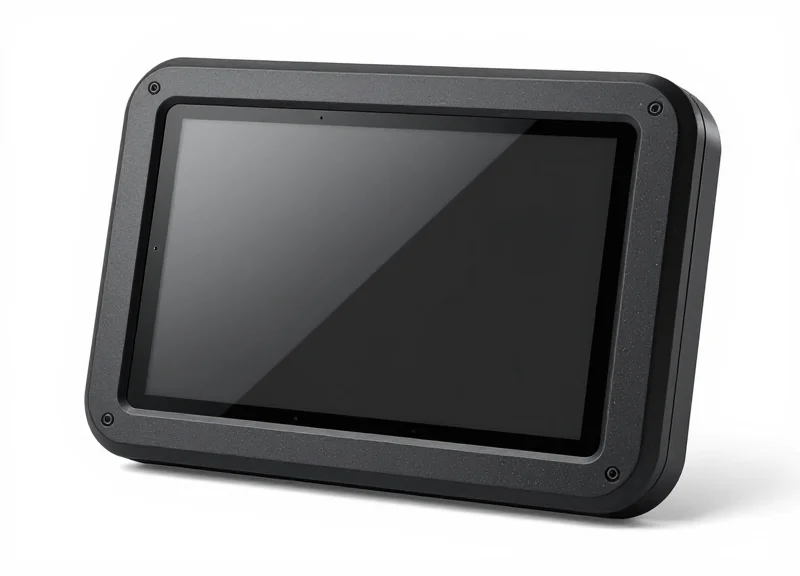
To successfully automate taproom displays, you must select Electronic Shelf Label (ESL) hardware specifically engineered for high-moisture environments. The ideal hardware for a bar setting features an IP67-rated waterproof seal to protect against condensation and spills, a high-contrast e-paper display for visibility in low-light conditions, and a ruggedized casing that resists the acidic nature of beer and cleaning solvents. DragonGuardGroup's specialized hospitality series provides the industrial-grade resilience needed to maintain 24/7 uptime at the pour station without frequent hardware failures.
| Feature | Standard Retail ESL | DragonGuard Bar-Optimized ESL |
|---|---|---|
| Ingress Protection | IP54 (Dust resistant) | IP67 (Fully waterproof/Submersible) |
| Casing Material | Standard ABS Plastic | Non-porous Polycarbonate |
| Display Tech | TN/STN LCD | 3-Color E-Paper (Black/White/Red) |
| Operating Temp | 10°C to 40°C | 0°C to 50°C (Cold-chain ready) |
| Battery Life | 3-5 Years | Up to 10 Years (Optimized refresh) |
- Water and Humidity Resistance: Look for a minimum of IP67 certification. This ensures the device is protected against the fine mist of glass rinsers and the heavy condensation found on direct-draw draft towers.
- Visual Clarity and Viewing Angles: Taprooms often have mood lighting. E-paper (e-ink) technology is superior to LCD because it offers 180-degree viewing angles and remains perfectly legible even in dim or high-glare environments.
- Impact-Resistant Mounting: ESLs must be secured with tension-based or screw-lock brackets. Adhesive solutions often fail in humid environments, leading to 'tag drop' into floor drains or keg storage.
Expert Tip: The 'Vapor Lock' Advantage. In my 20 years of tech integration, I've seen standard ESLs fail not because of a direct splash, but due to internal 'micro-sweating.' When warm bar air hits a cold tap handle, moisture condenses inside cheap plastic housings. DragonGuardGroup utilizes a specialized ultrasonic welding process for their casings that creates a hermetic seal. This prevents internal vapor accumulation, which is the leading cause of premature battery corrosion and screen 'ghosting' in hospitality deployments.
Will beer splashes damage the screen over time?
No, if you use polycarbonate-faced tags. Unlike standard plastic, polycarbonate resists the organic acids in beer, preventing the screen from becoming cloudy or pitted after repeated cleaning.
How do these tags handle cold-room temperatures?
Choose tags specifically rated for cold-chain environments if you plan to mount them directly on refrigerated walk-in doors. Standard batteries drain faster in the cold; cold-rated ESLs use lithium-thionyl chloride batteries to maintain 10-year longevity.
Can the displays show more than just text?
Yes. Modern ESLs support 1-bit bitmaps, allowing you to display QR codes for Untappd check-ins, brewery logos, and even graphical ABV/IBU progress bars.
Step 3: Creating an Automated Data Sync Workflow for ABV and IBU
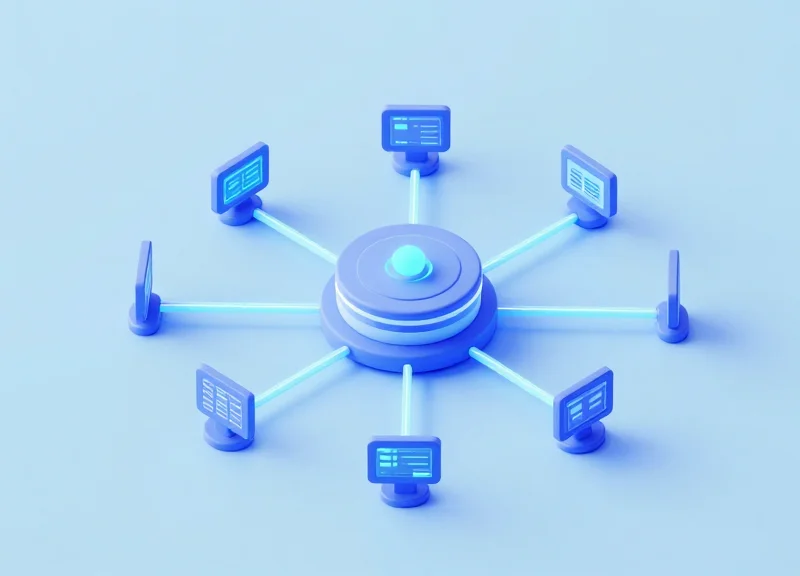
Creating an automated data sync workflow is the process of building a digital 'bridge' that translates information from your beverage management database or POS into the visual template of an Electronic Shelf Label (ESL). By mapping specific data fields such as Alcohol by Volume (ABV) and International Bitterness Units (IBU) to the ESL's display variables, you eliminate the need for manual data entry, ensuring that your taproom's digital menu and physical tap displays are perfectly synchronized 100% of the time.
| Sync Method | Update Trigger | Battery Impact | Best Use Case |
|---|---|---|---|
| Webhook-Driven | Instant (Event-based) | Low | High-volume taprooms with frequent keg rotations |
| API Polling | Scheduled Intervals | Medium | Small bars with static menus |
| Manual CSV Push | User Upload | Negligible | Seasonal events or one-off specialty pop-ups |
- Field Mapping & Template Design: Within your ESL management software, create a template that designates specific zones for 'ABV' and 'IBU'. You must map these zones to the corresponding headers in your POS database to ensure '6.5%' always lands in the correct corner of the display.
- API Authentication and Token Setup: Generate secure API keys from your inventory software (like Untappd for Business or Ekos). This allows the ESL server to securely fetch metadata without manual login prompts.
- Configure the Webhook Listener: Set up a webhook that triggers an update whenever a 'Keg Status' change is detected. This ensures that as soon as a bartender marks a keg as 'Active', the ESL tag pulls the fresh ABV/IBU profile automatically.
- Validation and Delta-Sync Testing: Run a test sync to verify data integrity. Use 'Delta-Sync' logic—only sending updates when data actually changes—to maximize the 5-10 year battery life of your DragonGuardGroup labels.
{"action": "UPDATE_ESL", "tag_id": "DG-TAP-042", "data": { "beer_name": "Hoppy Valley IPA", "abv": "7.2%", "ibu": "65", "status": "On Tap" }}- What happens if the Wi-Fi or Cloud connection drops?: Next-gen ESLs store the last known state locally. The display will remain static until a successful handshake is re-established, preventing blank screens during outages.
- Can I automate pricing changes along with ABV/IBU?: Absolutely. By linking the 'Price' field in the same workflow, you can trigger 'Happy Hour' pricing across all tap tags simultaneously via a scheduled API call.
- Expert Tip: The Power of Partial Refresh: Utilize 'Partial Refresh' technology for IBU/ABV updates. Unlike a full E-Ink flash, a partial refresh only updates the specific numbers changed, which is faster and consumes roughly 80% less power than a full screen redraw.
Step 4: Designing High-Contrast Digital Templates for Maximum Readability
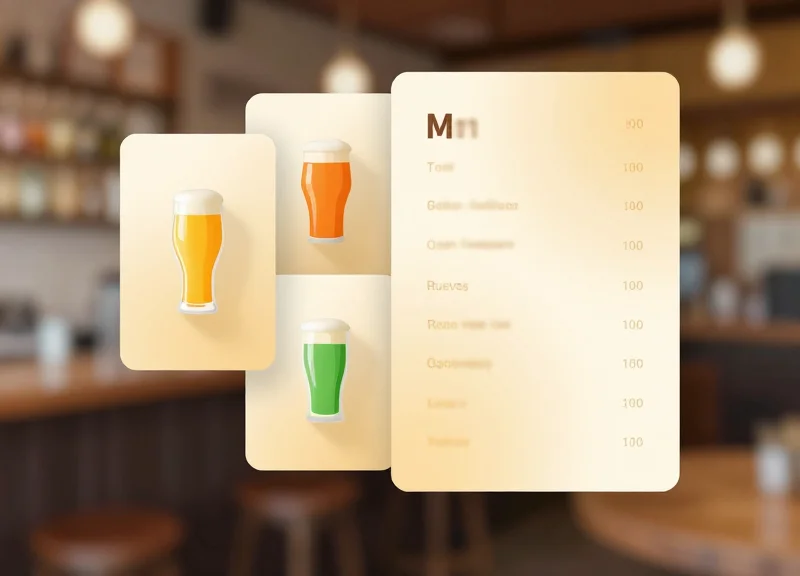
Designing high-contrast digital templates for Electronic Shelf Labels (ESLs) is the process of structuring beverage data—such as beer names, ABV, and IBU—using a stark color differential (typically black, white, and red) and optimized typography to ensure 100% legibility from a distance of 3 to 10 feet. Unlike backlit LCD screens, ESLs utilize e-paper technology that reflects ambient light, meaning the template design must prioritize bold, san-serif fonts and clean iconography to overcome the 'visual noise' of a busy bar or dim taproom environment.
In the hospitality sector, the layout isn't just about aesthetics; it is about throughput. If a customer can quickly scan a tap list and identify their preferred ABV and price point, the decision-making process accelerates, reducing queue times. The goal is to create a 'glanceable' interface where the most critical information carries the most visual weight.
- Establish a Visual Hierarchy: Place the beverage name in the largest, boldest font at the top. Secondary stats like ABV and IBU should be grouped together, often separated by a vertical pipe or within a dedicated 'specs' row to keep the layout organized.
- Leverage Three-Color ESL Capabilities: Modern DragonGuard ESLs often support a third color, usually red or yellow. Use this sparingly for high-impact alerts, such as 'Low Keg' warnings, 'New' arrival badges, or 'Happy Hour' pricing to draw immediate attention.
- Integrate Dynamic QR Codes: Reserve a corner of the template for a small, high-resolution QR code. This allows curious patrons to scan for full tasting notes or Untappd check-ins without cluttering the physical display space.
- Optimize for E-Paper Refresh: Avoid thin lines or intricate textures that can cause 'ghosting' or appear blurred during partial screen refreshes. Stick to solid blocks and heavy-weight strokes.
| Data Element | Recommended Font Weight | Relative Size | Color Priority |
|---|---|---|---|
| Beverage Name | Bold / Extra Bold | 100% (Largest) | Black on White |
| ABV / IBU | Medium | 60% | Black on White |
| Price Point | Bold | 80% | Black on White |
| Promotional Tag | Bold | 50% | Red on White (High Contrast) |
Expert Tip: The '2-Second Glance' Audit. In our two decades of tech integration, we have found that the most successful taprooms use the 2-second rule: if a customer cannot identify the ABV of a beer from 3 feet away within 2 seconds, the template is too busy. To fix this, we recommend a 'Negative Space' strategy—ensure at least 30% of your ESL display remains white space to prevent the eye from becoming overwhelmed by data.
Should I use icons or text for ABV/IBU?
Standardized icons (like a small hop for IBU) save space, but they must be high-resolution. For labels smaller than 2.1 inches, text labels are generally more legible for older patrons.
How do lighting conditions affect the display?
ESLs perform better in bright environments than LCDs. In very dim bars, ensure your shelving has minimal overhead LED spotting to illuminate the e-paper surface.
Can I automate the template change based on inventory?
Yes. With the workflows established in Step 3, your ESL management software can trigger a 'Sold Out' template automatically when the POS keg weight hits zero.
The ROI of Automation: Labor Savings and Increased Upsell Opportunities
The Return on Investment (ROI) for automating on-tap displays through Electronic Shelf Labels (ESLs) is realized through the strategic elimination of 'hidden' labor costs and the optimization of the customer's purchase path. By synchronizing your POS directly with digital displays, you remove the friction of manual signage maintenance, ensuring that your staff remains focused on high-value hospitality tasks rather than administrative upkeep. This automation not only slashes operational expenses but also leverages real-time ABV/IBU transparency to drive higher-margin sales, often resulting in a full capital recovery within 6 to 12 months of deployment.
| Metric | Manual Chalk/Paper Signage | Automated ESL Integration |
|---|---|---|
| Update Latency | 15–30 Minutes per Keg Change | Instant (< 2 Seconds) |
| Labor Cost per Update | ~$15.00 (Staff Time + Materials) | $0.00 (Automated API Call) |
| Data Accuracy | Prone to Human Error / Handwriting Issues | 100% Sync with Master Database |
| Revenue Impact | Static; No Dynamic Upsell Potential | High; Real-time Promo & ABV Highlighting |
- Labor Allocation Shift: Automating displays reclaims roughly 5–7 hours of labor per week for a high-rotation taproom. This allows your Cicerone-certified staff to engage in 'active selling'—describing flavor profiles and suggesting pairings—rather than standing on ladders to rewrite chalkboards.
- The 'Premium Data' Upsell: Detailed data like IBU and ABV acts as a silent salesperson. Studies show that when customers are presented with precise technical specifications, they are 22% more likely to experiment with higher-priced, high-gravity specialty pours that they might otherwise find intimidating.
- Waste Reduction via Accuracy: Incorrectly labeled taps lead to 'wrong pour' refunds and waste. Systemic synchronization ensures the tag always matches the keg, virtually eliminating the 2-3% of daily draft loss attributed to miscommunication between the cellar and the bar.
Silicon Valley Expert Tip: The 'Scarcity Engine' Strategy. Beyond simple labor savings, use your ESL integration to trigger 'Low Stock' alerts on the digital tag when a keg reaches 10% capacity. This automated nudge leverages the psychological principle of scarcity, often accelerating the final pours of a keg by up to 40%, clearing the line faster for your next high-margin rotation.
Does the system require expensive monthly subscriptions?
Most next-gen ESL solutions like DragonGuard operate on a localized server or a low-cost cloud API, meaning the primary cost is the initial hardware investment, with minimal ongoing software overhead.
How does automation impact the customer experience?
Automation removes the frustration of 'ghost taps' (beers listed but unavailable). Customers appreciate the reliability of the digital display, which builds brand trust and encourages repeat visits.
Integrating ESL with RFID for Advanced Inventory Tracking

Integrating ESL with RFID involves syncing Radio Frequency Identification (RFID) tags attached to kegs with Electronic Shelf Label (ESL) infrastructure to create a closed-loop inventory system. This synergy allows taprooms to automatically track a keg's journey from the cooler to the tap, updating the digital display with specific batch data, arrival dates, and volume status without manual data entry.
In a traditional setup, inventory management and front-of-house displays are siloed. By embedding RFID readers in the keg room or near the tap lines, the system 'recognizes' the specific vessel currently connected. This triggers the ESL system to pull the corresponding ABV, IBU, and tasting notes from your database. The result is a 'hands-off' ecosystem where the label on the wall always reflects the physical liquid in the line.
| Feature | Manual Tracking | RFID + ESL Integration |
|---|---|---|
| Data Accuracy | High risk of human error | 99.9% Automated accuracy |
| Update Speed | 5-15 minutes per change | Instant (Near real-time) |
| Inventory Visibility | Periodic counts required | Continuous 'always-on' visibility |
| Labor Requirement | High (Manual logs/updates) | Minimal (System-driven) |
- RFID Tagging: Affix durable, moisture-resistant UHF RFID tags to each keg in your fleet to store unique identifiers.
- Reader Installation: Place RFID antennas at the 'Tap Entry Point' to detect which keg is being tapped.
- Middleware Logic: Use an API to link the RFID tag ID to your beverage management software (e.g., Ekos or Untappd).
- ESL Trigger: Configure the system to push an automatic update to the specific ESL associated with that tap line once a new tag is detected.
Expert Insight: Implement 'Dynamic Freshness Decay.' Since the RFID tag logs the exact moment a keg is tapped, you can program your ESLs to display a 'Freshness Index' or automatically trigger a 10% discount on the display as the keg reaches its final 20% volume. This incentivizes turnover of older stock and maximizes keg yield.
Will RFID work in a refrigerated walk-in?
Yes, modern industrial RFID tags and readers are designed to operate in cold, high-moisture environments without signal degradation.
Can this help with keg loss?
Absolutely. Because every movement is logged digitally, you can track the lifecycle of the keg from delivery to return, significantly reducing lost container fees.
Does this require a constant internet connection?
While the sync requires connectivity, most ESL and RFID systems have local caching to ensure displays remain active and accurate even during brief network outages.
Maintaining Your System: Long-term Reliability and Battery Life
Maximizing the longevity of your automated on-tap display system involves optimizing two core pillars: battery management and environmental protection. Unlike traditional LCD screens that require constant power, next-gen Electronic Shelf Labels (ESLs) utilize bistable e-paper technology, which only draws energy during a screen refresh. In a typical brewery setting where ABV or IBU stats might change once or twice daily, high-quality industrial ESLs can achieve a battery lifespan of 7 to 10 years, making them a 'set-and-forget' solution for busy operators.
| Feature | ESL E-Paper (Next-Gen) | Traditional Digital Signage |
|---|---|---|
| Typical Battery Life | 5 - 10 Years | 4 - 8 Hours (if not wired) |
| Power Consumption | Near-zero in static state | High constant draw |
| Heat Emission | None | Significant (requires cooling) |
| Maintenance Needs | Cloud monitoring / Minimal | High / Regular hardware checks |
Expert Insight: The Sub-GHz Advantage. Most consumer-grade automation relies on 2.4GHz (Wi-Fi/Bluetooth), which is often crowded and power-hungry. For maximum reliability, utilize ESLs operating on Sub-GHz proprietary protocols. This lower frequency penetrates walk-in coolers and stainless steel keg barriers more effectively while requiring significantly less energy to maintain a stable connection, effectively extending battery life by 20-30% compared to standard Wi-Fi labels.
- Monitor Signal Strength via Cloud Dashboard: Regularly check your management software for tags with low 'RSSI' (Received Signal Strength Indicator). A tag struggling to connect will repeatedly attempt to ping the base station, draining the battery prematurely.
- Optimize Refresh Intervals: Avoid unnecessary global refreshes. Only trigger an update when the specific beverage data changes in your POS or spreadsheet to minimize energy-intensive screen 'flashing'.
- Environmental Seal Inspection: In high-humidity environments like cold rooms, ensure the protective casing or silicone seals remain intact to prevent condensation from reaching the internal PCB.
How do I know when an ESL battery is dying?
Your centralized management platform will trigger an automated alert when a tag reaches 10% capacity. This usually happens years after installation, allowing you to batch-replace batteries during a single scheduled maintenance window.
Can these displays handle the cold of a walk-in cooler?
Yes, but you must specify 'low-temperature' or 'freezer-grade' ESL models. These use specialized battery chemistries (like Lithium-thionyl chloride) that maintain voltage stability even in temperatures as low as -25°C.
What is the best way to clean the displays?
Since modern ESLs used in taprooms are often IP67 rated, a damp cloth with mild soap is sufficient. Avoid abrasive chemicals that could degrade the anti-glare coating on the e-paper surface.