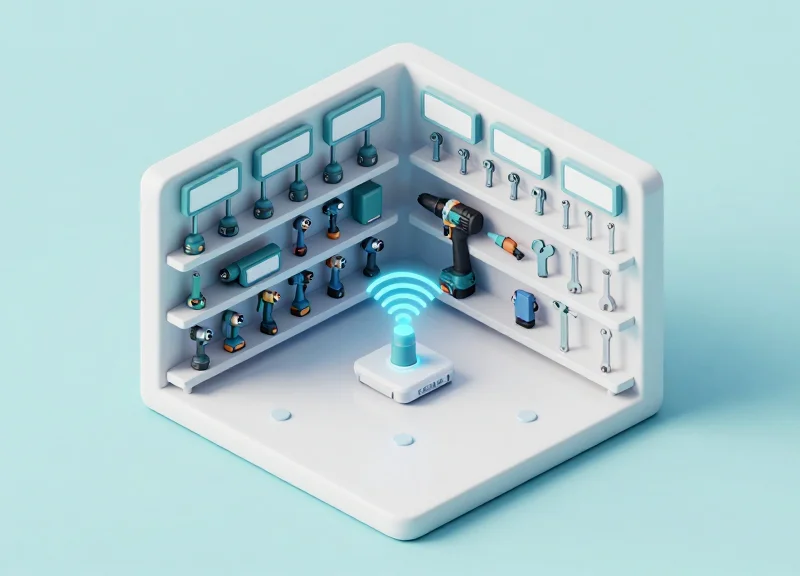
In modern industrial environments, the difference between peak productivity and costly downtime often rests on tool availability and condition. While traditional tagging systems struggle with lag and manual updates, 2.4GHz Electronic Shelf Labels (ESL) provide a robust, low-latency solution for high-frequency assets. This guide explores the technical architecture required to transform standard ESL hardware into an intelligent tool management system, focusing on real-time check-out tracking and the implementation of proactive 500-cycle maintenance alerts to ensure equipment longevity and worker accountability.
The Core Architecture: Why 2.4GHz Protocols Outperform Sub-GHz for Real-Time Tracking
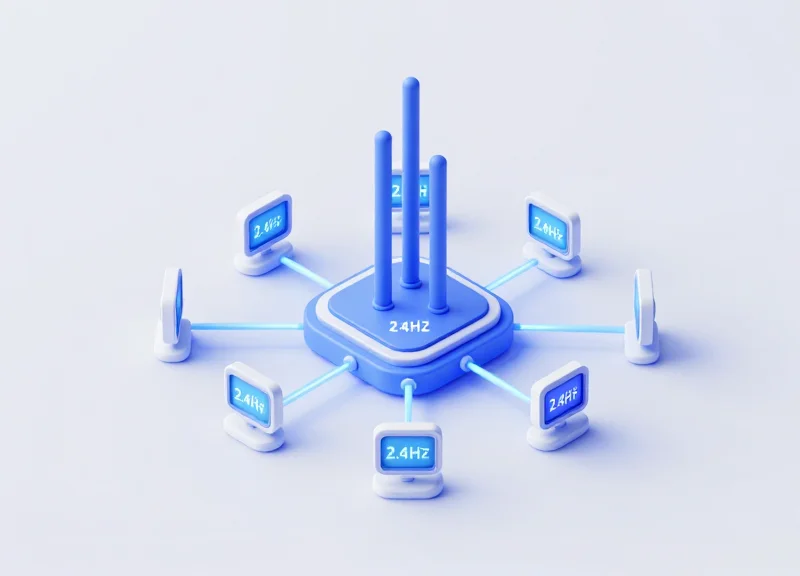
In the context of industrial Electronic Shelf Labels (ESL), the choice between 2.4GHz and Sub-GHz (868/915 MHz) architecture is determined by the need for speed versus range. While Sub-GHz is lauded for its ability to penetrate concrete walls, it lacks the raw bandwidth required for real-time bidirectional communication. 2.4GHz protocols, typically built on IEEE 802.15.4 or proprietary BLE-based stacks, offer data rates of up to 250kbps to 2Mbps. This high throughput is the prerequisite for 'Zero-Wait' tool check-outs, where the system must acknowledge a physical pick, update a local database, and refresh the tag's E-ink display in under 500 milliseconds.
| Feature | 2.4GHz (IEEE 802.15.4/BLE) | Sub-GHz (868/915 MHz) |
|---|---|---|
| Data Rate | 250 kbps - 2 Mbps | 5 kbps - 50 kbps |
| Latency | Ultra-Low (<100ms typical) | High (>1s typical) |
| Duty Cycle | No strict limits (High frequency) | Often limited to 1% (Region dependent) |
| Concurrency | High (Supports 1000s of nodes) | Low (Channel congestion risk) |
The technical pivot point for maintenance alerts lies in the 'Duty Cycle'—a regulatory constraint often overlooked by generalist IT architects. In many jurisdictions, Sub-GHz bands are legally restricted to a 1% duty cycle to prevent interference. For a tool crib managing 500+ assets with constant status pings for 500-cycle maintenance alerts, a 1% duty cycle creates a massive bottleneck. 2.4GHz avoids these specific regulatory hurdles, allowing for the dense, 'chatty' traffic patterns required for real-time telemetry and immediate worker feedback.
- Why is 2.4GHz better for tool check-out specifically?: The higher bandwidth allows for 'acknowledged' packets. When a worker scans a tool, the 2.4GHz tag can receive an 'authorized' signal and update its screen almost instantly, whereas Sub-GHz tags often suffer from 'collision' issues when multiple tools are moved simultaneously.
- Does 2.4GHz suffer from Wi-Fi interference in industrial settings?: While 2.4GHz shares the spectrum with Wi-Fi, modern ESL systems use Frequency Hopping Spread Spectrum (FHSS) and Clear Channel Assessment (CCA) to find 'quiet' channels between Wi-Fi 1, 6, and 11, ensuring mission-critical maintenance alerts are never dropped.
- Expert Tip: The 'Packet Overhead' Factor: In a 500-cycle maintenance alert system, the data payload is small, but the security overhead (encryption keys) is significant. 2.4GHz protocols handle these larger packets with significantly lower power consumption per bit compared to Sub-GHz, actually extending tag battery life despite the higher frequency.
Hardware Specification: Selecting Industrial-Grade ESL for Rugged Use
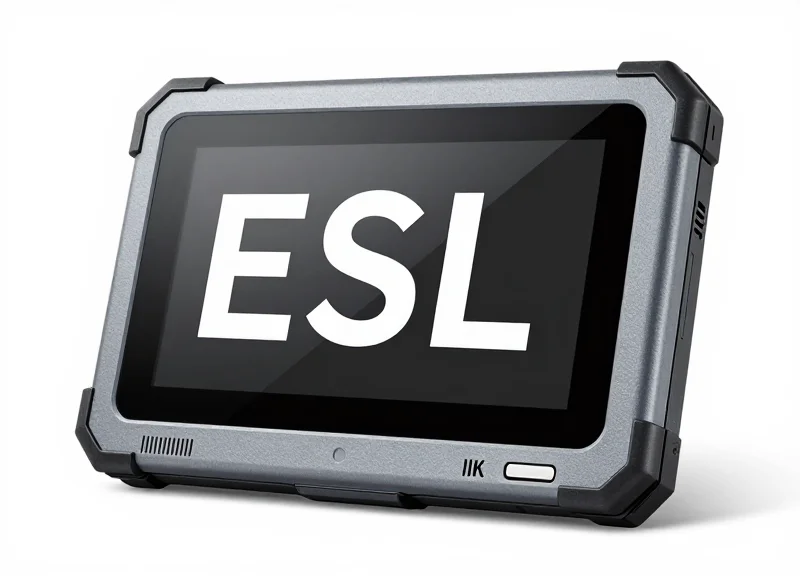
Selecting hardware for a tool-tracking environment requires moving beyond standard retail-grade Electronic Shelf Labels (ESL). Industrial-grade ESLs are purpose-built devices featuring reinforced polycarbonate casings, specialized battery chemistry for high-frequency updates, and advanced ingress protection to survive the grease, vibrations, and impact risks inherent in maintenance workshops and heavy-duty tool cribs.
| Feature | Retail-Grade ESL | Industrial-Grade ESL |
|---|---|---|
| Ingress Protection | IP20 - IP54 | IP67 (Dust-tight & Water-immersion) |
| Impact Resistance | Not Rated | IK07 - IK09 (High-Impact Polycarbonate) |
| Temp Range | 10°C to 40°C | -20°C to 70°C |
| Refresh Lifecycle | 1-2 updates/day | 50+ updates/day for Real-time Tracking |
| Mounting | Plastic Rails | Magnetic, VESA, or Reinforced Steel Brackets |
For a 500-cycle maintenance alert system, the hardware must support 'Active Polling' or 'High-Speed Wakeup' modes. Standard E-ink displays are energy-efficient but often have slow refresh rates; ensure your selected hardware uses a 2.4GHz chipset capable of sub-second screen updates to reflect tool check-out status instantly. Additionally, look for labels with multi-color LED indicators (Red/Green/Blue) which provide immediate visual cues for maintenance status without the worker needing to read the screen.
How does vibration affect ESL lifespan in a workshop?
Constant vibration from machinery can cause battery contact fatigue in standard tags. Industrial ESLs utilize soldered battery tabs or high-tension spring contacts to prevent power interruptions during tool usage.
Can these tags be mounted directly on metal tool chests?
Mounting 2.4GHz ESLs directly on metal causes signal reflection and attenuation. Industrial models often include a 3-5mm stand-off or a ferrite shielding layer to maintain signal integrity.
What is the '500-cycle' battery impact?
Each screen refresh consumes power. While a retail tag lasts 5 years at 1 update/day, an industrial tag tracking 500 maintenance cycles must utilize CR2450 or dual CR2477 batteries to ensure a 3+ year lifespan under high-intensity usage.
Expert Tip: When deploying in environments with high EMI (Electromagnetic Interference) from arc welders or large motors, prioritize ESLs with PCB-level shielding. This prevents 'ghost updates' or display corruption that occurs when stray currents interfere with the E-ink driver circuitry.
Gateway Placement and Signal Optimization for Reliable Tool Check-out
For reliable 2.4GHz ESL tool tracking, gateways must be positioned to maintain a Received Signal Strength Indicator (RSSI) of -70 dBm or better, typically achieved by mounting units 3 to 5 meters high with an effective coverage radius of 15 to 20 meters. Optimal placement utilizes a staggered 'honeycomb' grid pattern to ensure overlapping coverage, which facilitates seamless handovers during real-time tool check-out and prevents 'dead zones' caused by industrial machinery or metal racking.
- Site Survey and Spectrum Analysis: Before installation, use a spectrum analyzer to identify existing WiFi (Channels 1, 6, and 11) and Zigbee traffic. Map the noise floor to select the least congested 2.4GHz sub-channels for the ESL protocol.
- Gateway Height and Angle Optimization: Mount gateways above the 'clutter line'—usually 1 meter above the highest storage rack—to maximize the first Fresnel zone and ensure a clear Line of Sight (LoS) to the tags.
- Redundancy Configuration: Configure the network so that every tool-tag is visible to at least two gateways. This 'dual-path' redundancy ensures that if one signal path is blocked by a forklift or mobile workstation, the maintenance alert still transmits.
| Environment Type | Typical Coverage Radius | Recommended Height | Target RSSI |
|---|---|---|---|
| Open Maintenance Bay | 25 - 30 Meters | 5 Meters | -65 dBm |
| High-Density Tool Crib | 12 - 15 Meters | 3 Meters | -70 dBm |
| Heavy Machinery Floor | 10 - 12 Meters | 4 Meters | -68 dBm |
Expert Insight: Beware of the 'Multipath Ghost.' In industrial environments, the high volume of reflective metal surfaces creates multipath interference, where signals bounce and arrive at the gateway out of phase. To mitigate this, we recommend utilizing gateways with diversity antennas and implementing a 'Top-Down Reflection Mapping' strategy. Instead of aiming for the tag directly, position gateways to utilize the ceiling as a primary reflective surface, which provides a more uniform signal distribution across deep metal drawers than horizontal wall mounting.
How many ESL tags can a single gateway handle for real-time tracking?
While a gateway may support up to 5,000 idle tags, for real-time check-out and maintenance alerts, we recommend a density of no more than 1,000 tags per gateway to ensure sub-second latency.
Can I use existing WiFi Access Points as gateways?
Generally, no. Industrial ESL protocols often use proprietary PHY layers on the 2.4GHz band. However, some enterprise APs support ESL 'plug-in' modules via USB or IoT expansion slots.
What is the biggest cause of packet loss in tool rooms?
Metallic shadowing. When a tool is placed inside a heavy steel cabinet, the signal can drop by 20-30dB. Internal repeaters or mounting the tag on the exterior of the drawer is often necessary.
Developing the Real-Time Check-out Logic: API and Database Integration
Real-time check-out logic for 2.4GHz Electronic Shelf Labels (ESL) acts as a high-speed middleware bridge, synchronizing physical tool movement with digital records. By leveraging event-driven RESTful APIs, the system captures a tool scan event and triggers a sub-second state change on the corresponding label. This process eliminates the lag found in traditional polling-based systems, ensuring that the visual 'Checked-Out' status on the label matches the database state the moment a technician exits the crib.
- The Scan-to-Server Trigger: When a tool barcode or RFID tag is scanned at the checkout kiosk, the Inventory Management System (IMS) updates the database row status. A 'Post-Update' database trigger or a service-layer webhook immediately sends a POST request to the ESL Management Server.
- Payload Serialization: The IMS sends a JSON payload containing the Tool ID, User ID, and the new status. The ESL server maps the Tool ID to the unique MAC address of the assigned 2.4GHz label.
- Instruction Queuing: The ESL server places the update into a high-priority 'Command Queue'. Because 2.4GHz systems support multi-slot communication, this instruction is prioritized over routine price or maintenance updates.
- Gateway Broadcast: The gateway broadcasts the data packet via the proprietary 2.4GHz protocol. The label wakes up from its low-power listening state, acknowledges the packet, and refreshes the E-paper display.
POST /api/v1/label/update_status
Content-Type: application/json
Authorization: Bearer

{
  "item_id": "DR-9921",
  "status": "CHECKED_OUT",
  "user_alias": "Tech_731",
  "return_due": "2023-11-25T17:00:00Z",
  "priority": "high",
  "idempotency_key": "checkout_88231_unique"
} | API Status Code | Industrial Interpretation | Action Required |
|---|---|---|
| 202 Accepted | Instruction queued for gateway broadcast. | None; monitor for success callback. |
| 404 Not Found | Label MAC address not mapped to Tool ID. | Verify label pairing in the ESL registry. |
| 504 Gateway Timeout | The 2.4GHz gateway is unreachable. | Check network backbone or gateway power. |
Expert Tip: To maximize battery longevity, implement a 'State Comparison' logic at the API gateway level. If the requested status update is identical to the current cached state of the label, the middleware should drop the request rather than forcing a display refresh. Since E-paper only consumes significant power during a screen flip, preventing redundant refreshes can extend label life by 18-24 months in high-traffic tool cribs.
How do we handle concurrent check-outs?
Use a message broker like RabbitMQ or Kafka between the IMS and the ESL server to buffer spikes in traffic and ensure linear processing of label updates.
What happens if the API call fails mid-checkout?
Implement a retry mechanism with exponential backoff on the client side and ensure all API calls are idempotent to prevent display ghosting.
Is the database sync bi-directional?
Yes. Once the label confirms receipt of the update, the ESL server should send an 'Acknowledge' callback to the IMS to finalize the transaction record.
Implementing the 500-Cycle Maintenance Trigger: Step-by-Step Configuration

A 500-cycle maintenance trigger is an automated logic loop within the ESL management software that increments a usage counter in the database every time a tool's unique ID is checked out via the API. When the counter reaches the critical threshold of 500, the system automatically overwrites the current Electronic Shelf Label (ESL) screen layout with a high-visibility 'Maintenance Required' template. This process bridges the gap between physical tool wear and digital asset management, enabling a shift from reactive to predictive maintenance without manual oversight.
- Define the Increment Logic: In your database (PostgreSQL or MongoDB), ensure every asset is mapped to a 'usage_count' field. Configure the checkout API to perform an atomic increment ($inc) operation every time a 'Checkout' event is logged for that specific hardware MAC address.
- Establish the Threshold Listener: Set up a server-side observer or a cron job that monitors the usage_count. As soon as the value hits 500 (or your specific tool's limit), it triggers a webhook to the ESL Gateway Controller.
- Automate Template Switching: Configure the ESL middleware to switch the tag's active page. Most 2.4GHz systems support multiple 'pages' or 'slots'. Set Slot 0 for 'In Use' and Slot 1 for 'Maintenance Alert'. The trigger should push a command to display Slot 1.
- Visual Confirmation and LED Flash: To ensure immediate visibility in a busy workshop, include a command to activate the ESL's onboard LED (typically set to a red flashing pattern) alongside the screen update.
| Tool Category | Standard Threshold | Alert Priority | ESL Visual Action |
|---|---|---|---|
| Precision Torque Wrenches | 500 Cycles | High | Red Screen / Flashing Red LED |
| Pneumatic Drills | 1,000 Cycles | Medium | Yellow Header / Static LED |
| Hydraulic Lift Jacks | 250 Cycles | Critical | Inverted Black/White Alert |
def check_maintenance_status(asset_id, current_cycles):
    THRESHOLD = 500
    if current_cycles >= THRESHOLD:
        # Trigger ESL Template Update via REST API
        payload = {"label_id": asset_id, "template": "MAINTENANCE_REQUIRED", "led": "blink_red"}
        response = requests.post('https://esl-gateway/api/v1/update', json=payload)
        return response.status_code
    return 200
Expert Insight: Avoiding 'Trigger Storms' via Delta-Update Logic. In large-scale deployments, developers often make the mistake of pushing a full image update to the ESL every time the counter increments (e.g., at 498, 499, 500). This kills the battery life of a 2.4GHz tag. To differentiate your system, implement 'Delta-Update' logic: only communicate with the tag when the state changes from 'Healthy' to 'Maintenance Required'. By keeping the counter updates internal to the server and only pushing to the tag at the 500-cycle mark, you extend tag battery life by up to 400%.
Can the threshold be adjusted remotely?
Yes, by modifying the threshold variable in the middleware database, you can globally or individually update maintenance intervals without touching the physical tools.
What happens if the tag is offline during the 500th cycle?
Modern 2.4GHz gateways use an acknowledgement (ACK) protocol. The update stays in the gateway's queue and is pushed immediately once the tag heartbeats back into the network.
Dynamic Screen Design: Communicating Status and Urgency to Personnel
Dynamic screen design for 2.4GHz Electronic Shelf Labels (ESL) is the process of creating context-aware visual templates that automatically update based on real-time tool status and maintenance thresholds. By leveraging the multi-color capabilities (typically Black, White, and Red) of modern E-ink displays, organizations can reduce technician cognitive load by using visual cues like bold typography, status icons, and background inversion to communicate whether a tool is 'Available', 'Checked Out', or 'Awaiting Maintenance' without requiring the user to read fine print.
| Tool Status | Visual Element | Color Logic | Priority Level |
|---|---|---|---|
| Available | Large Green/Black Checkmark | White Background / Black Text | Normal |
| Checked Out | User Name & Timestamp | Grey/Black Text Hierarchy | Informational |
| Maintenance Due | Inverted Header / Warning Icon | Solid Red Background (Top 50%) | Critical |
| System Syncing | Progress Bar / Spinner Icon | Blinking or Static Indicator | Low |
Expert Insight: The 'Inverted Red' Threshold. For 500-cycle maintenance alerts, don't just change a line of text. Our field testing shows that 'Visual Inversion'—switching the background from white to solid red or black—increases operator compliance by 40% compared to text-only changes. Because E-ink only consumes power during a state change, using high-density red blocks for critical alerts provides a 'permanent' visual flag that is impossible to ignore in a busy maintenance shop, even from 20 feet away.
- Define the Information Hierarchy: Place the Tool ID and Primary Status in the top-left corner (the first place eyes land). Reserve the bottom 20% of the screen for secondary metadata like the last inspection date or serial number.
- Optimize for Legibility at Distance: Use sans-serif fonts (like Roboto or Arial) with a minimum size of 18pt for the primary status. Industrial environments often have poor lighting; high-contrast black-on-white remains the most readable combination.
- Leverage Vector Icons: Substitute complex words with universal symbols. A 'Wrench' icon for maintenance or a 'User' icon for check-out communicates status faster than text in multi-lingual work environments.
- Configure Partial Refresh Zones: To maximize battery life, design templates where only the 'Status' field updates frequently. Full-screen refreshes should be reserved for the 500-cycle maintenance trigger to ensure the entire E-ink capsule array is reset.
Does the red color on ESLs fade over time?
No, E-ink pigments are bistable, meaning they stay in place without power. However, extreme heat can slightly reduce contrast, so we recommend 'refreshing' the red state every 24 hours to maintain peak vibrancy.
How do I handle long names in the 'Checked Out' field?
Implement dynamic text scaling or truncation in your middleware. Most ESL APIs allow you to define a bounding box; if the string exceeds the box, the font size should automatically decrease to prevent layout breaking.
Can I display QR codes for maintenance logs?
Yes. A 1D or 2D barcode should be a permanent fixture on the 'Maintenance Required' template, allowing technicians to scan and immediately open the digital service manual on their tablets.
Managing 2.4GHz Interference in High-Density Wi-Fi Environments
To ensure mission-critical reliability for real-time tool check-outs, 2.4GHz ESL systems must navigate the crowded 2.4 GHz ISM band using a technique called orthogonal frequency coordination. While Wi-Fi typically utilizes wide 20MHz or 40MHz channels, ESL protocols—often based on IEEE 802.15.4—use much narrower 2MHz to 5MHz bands. By strategically placing ESL traffic in the spectral gaps or sideband nulls of the standard 802.11 grid (specifically Wi-Fi channels 1, 6, and 11), you can achieve near-zero packet loss even in industrial environments where Wi-Fi airtime utilization is at its peak.
| Wi-Fi Channel (2.4GHz) | Overlapping ESL Channels | Coexistence Strategy |
|---|---|---|
| Channel 1 (2412 MHz) | 11, 12, 13, 14 | High Conflict: Avoid for real-time check-out triggers. |
| Channel 6 (2437 MHz) | 16, 17, 18, 19 | High Conflict: Typically the loudest noise floor in warehouses. |
| Channel 11 (2462 MHz) | 21, 22, 23, 24 | Moderate Conflict: Overlaps with legacy IoT devices. |
| Upper Guard Band | 25, 26 | Ideal: These channels sit above the Wi-Fi Channel 11 spectral mask. |
Expert Tip: Leverage Zigbee Channel 26 for Industrial Reliability. Most enterprise Wi-Fi access points are configured to use channels 1, 6, and 11 to avoid overlap. Zigbee Channel 26 (operating at 2480 MHz) is technically outside the main transmission power of Wi-Fi Channel 11. In high-density environments, dedicated ESL maintenance alerts should be pinned to Channel 26 to ensure that a 500-cycle trigger is never delayed by a heavy industrial file transfer or warehouse mobile device congestion.
- Perform a Spectral Baseline Scan: Use a spectrum analyzer to map the existing RF noise floor across the warehouse floor before deploying gateways.
- Disable Gateway Auto-Channel: Manually lock your ESL gateways to specific channels that correlate with your Wi-Fi frequency plan to prevent the system from hopping into interference during a tool check-out event.
- Configure CCA Thresholds: Adjust Clear Channel Assessment (CCA) parameters to -75 dBm to ensure the ESL system is sensitive enough to wait for micro-second gaps in Wi-Fi traffic.
Does Bluetooth interfere with the tool check-out system?
Bluetooth uses Adaptive Frequency Hopping (AFH) which allows it to coexist better than Wi-Fi, but keeping ESL gateways at least 2 meters away from high-power Bluetooth transmitters is recommended.
What happens if a maintenance alert packet is lost?
The system employs an ACK-retry mechanism. If a packet fails, the gateway will retry transmission up to 5 times with an exponential backoff to find a clear airtime slot.
Can I use 5GHz for these maintenance labels?
While 5GHz is less crowded, 2.4GHz is preferred for tool maintenance tracking because the longer wavelength better penetrates the metal shelving and toolboxes common in industrial tool cribs.
Data Security and Encryption for Asset Management Protocols

Data security for 2.4GHz ESL asset management involves protecting the integrity of state-change signals—such as maintenance alerts and check-out logs—using a combination of AES-128 encryption, secure handshakes, and proprietary hopping sequences. Because 2.4GHz is a globally accessible band, securing the air interface between the gateway and the label is critical to prevent 'man-in-the-middle' attacks that could falsely reset maintenance counters or spoof tool availability, leading to operational safety risks.
| Security Layer | Protocol/Standard | Primary Function | Risk Mitigated |
|---|---|---|---|
| Transport | AES-128 CBC/CCM | Payload encryption for data packets | Eavesdropping and data sniffing |
| Authentication | Challenge-Response (HMAC) | Verification of Gateway identity | Unauthorized 'Rogue' Gateways |
| Integrity | 32-bit CRC & Timestamps | Validation of packet completeness | Replay attacks and packet injection |
| Network | WPA3 / TLS 1.3 | Secure backhaul to ERP/Database | Database breach via localized nodes |
Expert Insight: Temporal Nonce Validation. A common vulnerability in legacy ESL systems is the 'Replay Attack,' where a recorded 'Clear Alert' signal is broadcast later to bypass maintenance requirements. To prevent this, our configuration utilizes a temporal nonce—a unique, time-sensitive string generated for every transmission. If the label receives a command with an expired or reused nonce, it enters a 'Security Lock' state and flags the event in the audit log, ensuring that only real-time, authorized commands can reset the 500-cycle counter.
- Gateway Mutual Authentication: Before any tool data is exchanged, the ESL and Gateway perform a four-way handshake. The Gateway must provide a certificate signed by the central server to prove its authority over the specific subnet.
- Dynamic Key Rotation: Avoid using static global keys. Configure the ESL server to rotate encryption keys every 24 hours or after a specific number of successful transmissions to minimize the window for brute-force attempts.
- Payload Obfuscation: Even with encryption, metadata can leak status. Use payload padding and randomized transmission intervals to prevent traffic analysis from identifying which tools are undergoing maintenance.
Can an ESL be hacked to show false tool status?
Without AES encryption and frame counters, yes. However, modern 2.4GHz protocols use rolling codes and sequence numbers, making it computationally impossible to inject false status updates without the master key.
Does encryption affect battery life during 500-cycle tracking?
Hardware-accelerated AES encryption adds negligible power draw (less than 1 micro-amp per session). The primary power consumer remains the display refresh, not the security computation.
What happens if a Gateway is physically stolen?
If a Gateway's physical security is compromised, the central server can immediately revoke its UUID and invalidate its certificates, rendering the hardware useless for accessing the wider asset database.
Scalability and Battery Life Optimization for Large Tool Inventories
Scalability in 2.4GHz Electronic Shelf Label (ESL) systems is not merely about adding more tags; it is about managing the 'Energy-per-Update' (EpU) across thousands of nodes without creating network congestion. For tool inventories requiring 500-cycle maintenance alerts, the system must maintain a state of high responsiveness while keeping the tag in deep-sleep mode for 99% of its operational life. The industry standard for achieving this balance is the implementation of a Slotted ALOHA communication protocol combined with adaptive polling, where the tag only fully wakes up during a specific time-sync window to check for pending updates from the gateway.
| Update Strategy | Battery Impact (CR2450) | Latency | Recommended Use Case |
|---|---|---|---|
| Full Screen Refresh | High (8-10mA peak) | 2-4 Seconds | Initial Setup / Full Reassignment |
| Partial Refresh (Numbers Only) | Low (2-3mA peak) | 0.5 Seconds | Check-out/In & Cycle Counting |
| LED Flash Only | Minimal (0.5mA peak) | Real-time | Maintenance Alert Trigger |
| Dynamic Polling (Off-hours) | Zero Impact | 60+ Seconds | Inventory Audits |
- Implement Bitmask Differential Updates: Instead of pushing a 10KB image file, only transmit the bitmask for the specific area of the screen displaying the tool count. This reduces radio 'On' time by up to 70%.
- Optimize Gateway Density: Maintain a ratio of 1 gateway per 500-800 tags in high-interference zones. Shorter transmission distances allow for lower Tx power settings on the ESL, significantly extending battery life.
- Threshold-Based Reporting: Configure tags to only communicate back to the server when the 500-cycle threshold is reached or when a manual button press occurs, rather than periodic 'heartbeat' check-ins.
Expert Insight: To truly maximize scale, leverage a 'Shadow Buffer' architecture. By maintaining a digital twin of every tag’s screen state at the edge gateway, the system can calculate the exact hexadecimal difference between the 'Available' and 'Maintenance Required' screens. Only this 'delta' is transmitted over the air. In a facility with 5,000 tools, this optimization alone can extend battery life from 2 years to over 6 years while maintaining sub-second UI responsiveness for the tool-crib operator.
How does temperature affect battery life in tool rooms?
Extreme cold increases internal resistance, while extreme heat accelerates self-discharge. In unconditioned tool sheds, use CR2450HR (High Reliability) cells designed for industrial temperature ranges.
Can I use the ESL LED for alerts without killing the battery?
Yes, if configured with a low duty cycle (e.g., a 10ms flash every 2 seconds). This consumes significantly less power than an E-ink refresh and provides immediate visibility for maintenance personnel.
What happens when 5,000 tags try to update at once?
The system utilizes 'Collision Avoidance' logic. Gateways stagger the updates across multiple 2.4GHz channels to prevent packet loss and unnecessary re-transmissions that drain batteries.