In an era where data breaches often target cloud-connected IoT devices, retail enterprises are increasingly turning back to on-premise solutions to safeguard their digital assets. Electronic Shelf Labels (ESL) are transformative for price agility, but their integration with aging, legacy ERP systems can create significant security gaps if not handled with technical precision. This guide provides a comprehensive roadmap for IT architects and retail managers to execute a secure, intranet-based ESL deployment that revitalizes legacy infrastructure without exposing sensitive data to the public internet.
The Security Imperative for On-Premise ESL Deployment

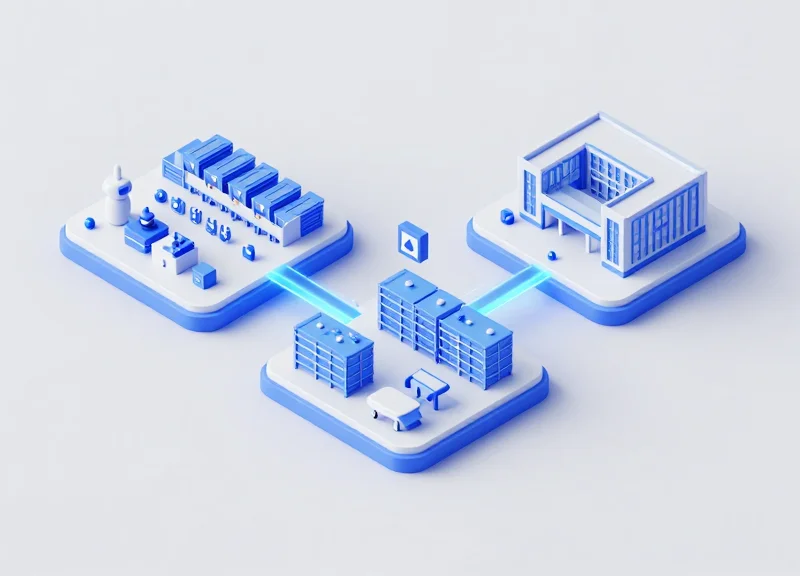
On-premise Electronic Shelf Label (ESL) deployment is the practice of hosting the ESL management software and its database within a company's private intranet, rather than a public cloud. This architecture is essential for organizations using legacy ERP systems because it creates a 'security air-gap' that prevents external IoT vulnerabilities from becoming entry points for lateral movement into sensitive core business databases. By isolating ESL traffic from the public internet, enterprises ensure that pricing data and inventory synchronization remain behind the firewall, effectively neutralizing the risk of man-in-the-middle attacks and external API exploits.
For decades, the retail sector followed a 'cloud-first' mantra, prioritizing scalability over isolation. However, as IoT devices have become primary targets for botnets and ransomware, the strategy has shifted to 'security-first' retail IoT. Legacy ERP systems—often running on older versions of SAP, Oracle, or custom SQL environments—were never designed to handle the frequent, unencrypted 'heartbeat' pings and firmware updates typical of modern cloud-connected IoT devices. Integrating these systems requires a localized approach to maintain architectural integrity.
| Security Feature | Cloud-Based ESL | On-Premise (Intranet) ESL |
|---|---|---|
| Data Sovereignty | Third-party server dependency | Full internal control |
| Attack Surface | Publicly accessible endpoints | Restricted to local network |
| Legacy Compatibility | Requires complex API gateways | Direct, secure database hooks |
| Update Control | Automatic/Vendor-pushed | Staged/Admin-controlled |
Why are legacy ERPs particularly vulnerable to cloud-linked IoT?
Legacy ERPs often lack modern authentication protocols like OAuth2 or OIDC. When a cloud ESL system pushes data to an old ERP, it usually requires opening a hole in the firewall, which attackers can exploit to reach the ERP's underlying database.
Does on-premise deployment eliminate all risks?
No, but it significantly narrows the threat vector. It moves the security focus from 'perimeter defense' to 'intranet segmentation,' making it much harder for an external hacker to gain initial access.
What is the primary benefit of intranet isolation?
It ensures that even if an ESL base station is physically compromised, the attacker is trapped within a VLAN that has no route to the internet or the broader corporate network.
Expert Insight: The Protocol Translation Trap. One often overlooked risk is 'Protocol Translation.' In my 20 years in Silicon Valley, I've seen many firms treat their ESL server as a simple bridge. For a truly secure legacy integration, the on-premise ESL server must act as a 'Protocol Firewall.' It should sanitize every request coming from the ESL hardware before it ever touches the ERP's SQL tables. Never allow direct database writes from an IoT gateway; always use a hardened intermediary service to validate the data schema and prevent SQL injection at the intranet level.
Assessing Legacy ERP Vulnerabilities Before Integration
Legacy Enterprise Resource Planning (ERP) systems were typically designed for 'Fortress Networks,' where trust was implied by physical location. Integrating modern On-Premise Electronic Shelf Labels (ESL) requires a shift from this implicit trust to a Zero Trust architecture, as these systems often harbor unpatched vulnerabilities such as cleartext transmission (Telnet/HTTP), lack of granular API permissions, and deprecated cryptographic libraries that can be exploited for lateral movement within the retail intranet.
| Vulnerability Category | Legacy ERP Reality | ESL Integration Risk |
|---|---|---|
| Data Encryption | Cleartext (HTTP/Telnet) used for internal traffic. | Packet sniffing of pricing updates or inventory data via the ESL gateway. |
| Authentication | Shared system accounts or hardcoded credentials. | If the ESL server is compromised, attackers gain full ERP database access. |
| API Maturity | Reliance on direct ODBC/JDBC or SOAP. | No rate limiting or payload validation, leading to potential SQL injection. |
| Patch Cycles | Running on EOL operating systems (e.g., Windows Server 2008). | Known exploits allow RCE (Remote Code Execution) through the integration bridge. |
- Mapping Data In-Transit: Perform a packet capture analysis to identify if data moving between the ESL controller and ERP is unencrypted.
- Interface Surface Discovery: Inventory all middleware, ODBC connectors, and flat-file drop zones used for synchronization.
- Access Control Validation: Verify if the ERP can support service-specific accounts with 'Least Privilege' rather than full admin rights.
- Cryptographic Audit: Check for deprecated protocols like TLS 1.0/1.1 or SHA-1 that may be rejected by modern ESL hardware.
Can we use a VPN to secure a legacy ERP?
While a VPN provides a secure tunnel, it does not fix the underlying vulnerability of the ERP itself; once the tunnel is breached, the internal data remains exposed.
What if our ERP doesn't have an API?
Most legacy systems use direct database connections or CSV exports, both of which require strict file-integrity monitoring and isolated staging folders.
Expert Tip: Beware of the 'Middleware Proxy Trap.' When developers create custom wrappers to bridge legacy ERPs with modern ESLs, they often bypass standard security logging to reduce latency. This creates a 'blind spot' where malicious queries can be injected into the ERP via the ESL controller without triggering traditional SIEM alerts. Always ensure your middleware logs all 'Write' operations to a centralized, immutable audit trail.
Step 1: Network Segmentation and Intranet Hardening

Network segmentation for On-Premise Electronic Shelf Label (ESL) systems is the architectural practice of isolating IoT hardware and their management servers within a dedicated Virtual Local Area Network (VLAN) to prevent lateral movement. By creating a logical boundary between your legacy ERP environment and the ESL ecosystem, you ensure that a vulnerability in an outdated ERP database cannot be leveraged to hijack retail displays, and conversely, a compromised base station cannot be used as a pivot point to exfiltrate sensitive financial data.
- Define a Dedicated ESL VLAN: Provision a unique VLAN (e.g., VLAN 200) specifically for ESL base stations and the local ESL server. Ensure this VLAN does not carry general corporate traffic or guest Wi-Fi signals.
- Implement Layer 3 Access Control Lists (ACLs): Apply strict ACLs at the router or Layer 3 switch level. Only allow the ESL server to communicate with the ERP server on specific, audited ports (e.g., Port 443 or a custom SQL port) while blocking all other inter-VLAN traffic.
- Enforce MAC Address Filtering: Configure your network switches to permit only known MAC addresses belonging to your ESL base stations. This prevents 'rogue' devices from gaining access if a physical Ethernet port in the retail area is tampered with.
- Disable Unused Services and Ports: Hardening the intranet requires shutting down non-essential services on the ESL server, such as Telnet, FTP, or SMB, which are common targets for legacy-based exploits.
| Traffic Source | Destination | Protocol/Port | Action |
|---|---|---|---|
| ESL Base Stations | ESL Server | UDP 1234 / MQTT | Allow |
| ESL Server | Legacy ERP | TCP 1433 (SQL) / HTTPS | Allow (Restricted) |
| General Corporate Net | ESL VLAN | Any | Deny |
| ESL VLAN | Public Internet | Any | Deny (Air-Gap) |
Expert Tip: Implement 'Micro-segmentation' at the application level. In Silicon Valley's high-security retail deployments, we don't just stop at VLANs. We use 'Identity-Based Firewalls' where the ESL server must authenticate its identity to the network before the ERP gateway opens the specific port for data synchronization. This ensures that even an IP-spoofing attack within the intranet fails to penetrate the ERP core.
Why can't I just use my existing Wi-Fi for ESL?
Standard Wi-Fi shares bandwidth and increases the attack surface. ESL systems often use proprietary Zigbee-based or sub-GHz protocols; placing them on general Wi-Fi creates interference and leaves the network vulnerable to SSID de-authentication attacks.
What is the biggest risk of a 'flat' network?
In a flat network, if a hacker gains access to a low-security device (like a legacy printer or an older ESL base station), they can move laterally to your ERP system to steal customer PII or modify pricing globally.
How often should I audit these VLAN rules?
Automated configuration audits should run weekly, with a manual deep-dive every quarter to ensure 'configuration drift' hasn't opened new holes during routine maintenance.
Step 2: Designing a Secure Middleware Layer

Designing a secure middleware layer is the process of creating an abstraction tier that decouples your legacy ERP database from the ESL server to prevent direct SQL exposure and unauthorized data exfiltration. By acting as a stateless 'translation engine,' the middleware transforms fragile legacy outputs—such as flat files or SOAP XML—into the hardened JSON-based commands required by modern Electronic Shelf Label (ESL) base stations, ensuring that internal IoT devices never have a direct path to the core business logic.
- Implement a Unidirectional Data Flow: Configure the middleware to pull data from the ERP via a read-only service account, rather than allowing the ERP to push data. This 'Pull' architecture ensures that if the ESL network is compromised, the attacker cannot 'push' malicious payloads back into the ERP environment.
- Data Sanitization and Schema Validation: Every piece of data entering the middleware must be validated against a strict schema. For example, if a price update contains non-numeric characters or exceeds expected lengths, the middleware must drop the packet and trigger a security alert.
- Protocol Translation and Encapsulation: Legacy ERPs often rely on unencrypted protocols. The middleware should intercept these legacy streams and encapsulate them within TLS 1.3 encrypted tunnels before they traverse the broader intranet to reach the ESL management server.
| Feature | Direct Legacy-ESL Connection | Secure Middleware Abstraction |
|---|---|---|
| Database Exposure | High: Direct SQL/ODBC access | None: Uses API-based abstraction |
| Data Integrity | None: Garbage-in, Garbage-out | High: Mandatory schema validation |
| Attack Surface | Broad: ERP vulnerabilities exposed | Limited: Only the bridge is visible |
| Logging | Fragmented or nonexistent | Centralized audit logs for every sync |
import json
import schema_validator

def translate_erp_to_esl(legacy_data):
    # 1. Sanitize input to prevent SQL injection style payloads
    clean_data = sanitize_input(legacy_data)

    # 2. Validate against strict ESL Schema
    if not schema_validator.validate(clean_data, 'esl_update_v1'):
        raise SecurityException('Invalid Data Format Detected')

    # 3. Transform to Modern JSON
    return json.dumps({
        'item_id': clean_data['ID'],
        'new_price': clean_data['PRICE'],
        'timestamp': get_utc_now()
    })
Expert Tip: The 'Disposable Token' Strategy. One common mistake is hardcoding ERP credentials into the middleware config. Instead, use a temporary, short-lived OAuth token generated by a vault service. Even if an intruder gains access to the middleware environment, the credentials they find will expire within minutes, effectively neutralizing the long-term risk to your ERP core.
Why can't I just use a direct ODBC connection?
Direct ODBC connections lack fine-grained access control and often require opening firewall ports that allow lateral movement. Middleware restricts the 'conversation' to specific, pre-defined price and inventory fields.
Does middleware add significant latency to price updates?
When optimized, middleware adds less than 50ms of overhead. Considering ESL updates typically batch every 5-15 minutes, this micro-latency is a negligible trade-off for the massive security gains.
Step 3: Implementing AES Encryption and Handshake Protocols

Securing the communication channel between your on-premise Electronic Shelf Label (ESL) server and the physical display tags requires a dual-layered approach: Advanced Encryption Standard (AES) for data confidentiality and a rigorous handshake protocol for mutual authentication. In a legacy ERP environment, where the backend may lack native security features, the ESL server must act as the primary encryption engine, ensuring that every wireless packet sent across the retail floor is unreadable to unauthorized sniffers and resistant to injection attacks.
| Feature | AES-128 | AES-256 |
|---|---|---|
| Compute Overhead | Low - Ideal for battery-powered ESL tags | Higher - May impact tag battery longevity |
| Security Level | Standard for commercial IoT applications | Military-grade; resistant to quantum brute-forcing |
| Implementation Difficulty | Low; widely supported by low-power RF chips | Moderate; requires more cycles and memory |
| Recommended Use | Daily price updates and standard metadata | High-value inventory or pharmaceutical tracking |
While AES protects the payload, it does not prevent 'Replay Attacks'—where a captured valid packet is re-broadcast to reset a price. To mitigate this, a multi-step handshake protocol must be implemented. My veteran tip for Silicon Valley-grade security: Implement a Time-based One-Time Password (TOTP) or a Nonce (Number used once) within the handshake. By including a unique, rolling timestamp in the encrypted header, the physical tag will reject any command that was issued even seconds prior, rendering intercepted data useless for attackers.
def generate_handshake_packet(server_key, tag_id, payload):
    nonce = os.urandom(16)
    cipher = AES.new(server_key, AES.MODE_GCM, nonce=nonce)
    ciphertext, tag = cipher.encrypt_and_digest(payload)
    return {
        'tag_id': tag_id,
        'nonce': base64.b64encode(nonce),
        'ciphertext': base64.b64encode(ciphertext),
        'auth_tag': base64.b64encode(tag)
    }
Why can't I use standard SSL/TLS for ESL tags?
Standard TLS is too heavy for the limited processing power and RAM of low-power ESL hardware. Symmetric AES-128 is the industry standard because it provides robust security with minimal energy consumption.
How often should encryption keys be rotated?
For maximum security, keys should be rotated every 6 to 12 months, or immediately upon the decommissioning of a base station or server hardware to prevent long-term exposure.
What happens if the handshake fails?
The system should be configured for 'Fail-Safe' operation. If a handshake fails due to a suspected MITM attack, the tag should retain its last known valid state rather than going blank or reverting to a default price.
Step 4: Data Synchronization and Conflict Resolution
Data synchronization in an on-premise ESL environment is the technical process of aligning the ERP’s master price file with the local display server to ensure 'shelf-to-register' consistency. Because legacy ERP systems often lack the real-time push capabilities of modern SaaS, a secure synchronization layer must manage latency, validate data integrity, and resolve conflicts where price updates might overlap or fail during transmission across the intranet.
| Sync Method | Latency | Network Load | Security Profile |
|---|---|---|---|
| Full Batch Sync | High (4-24 hrs) | Extreme (Spikes) | Lower (Predictable window) |
| Delta Pulling | Low (Minutes) | Minimal (Steady) | High (Requires secure API polling) |
| Event-Driven Hook | Near Real-Time | Variable | Highest (Requires hardened listeners) |
In legacy environments, the 'Delta-Only' approach is superior. Instead of refreshing the entire catalog, the middleware identifies changes since the last timestamp (TS). This minimizes the exposure of the database and reduces the risk of packet interception on the local network.
- Establish the Source of Truth (SoT): Explicitly configure the ERP as the 'Master' and the ESL Server as the 'Read-Only Subscriber.' If a local store manager attempts a manual price override on the ESL server, the next sync must automatically revert it to match the ERP master record.
- Implement a Three-Way Handshake Verification: The middleware sends a sync request, the ESL server acknowledges receipt, and a final 'success' flag is returned only after the base station confirms the physical label has updated its screen buffer.
- Queueing and Retry Logic: Use an asynchronous message queue (like RabbitMQ or a local SQL-based queue) to handle updates. If the ESL base station is busy or the network is congested, the update remains in the queue with a 'Pending' status rather than being dropped.
{
  "action": "update_price",
  "sku": "98234-A",
  "new_price": "19.99",
  "currency": "USD",
  "timestamp": "2023-10-27T10:00:00Z",
  "checksum": "a1b2c3d4e5f6..."
}
Expert Insight: The 'Shadow Table' Buffer. To prevent legacy ERP crashes during peak hours, never allow the ESL system to query the production ERP tables directly. Implement a 'Shadow Table' on your middleware server. The ERP pushes updates to this buffer, and the ESL system reads from the buffer. This creates a physical air-gap for data integrity, ensuring that a malfunction in the IoT layer cannot cause a deadlock on your primary financial records.
How do we handle 'Ghost Prices'?
Ghost prices occur when the ERP updates but the label doesn't. We solve this by using bidirectional feedback loops: the ESL server must report a 'Hardware Success' status back to the middleware before the ERP record is marked as synchronized.
What happens if two updates occur for the same SKU?
We employ a 'Latest Timestamp Wins' logic. Every data packet includes a high-precision UTC timestamp. The middleware discards any incoming packets for a specific SKU if the timestamp is older than the current 'Last Success' record.
Is data encryption necessary for sync inside a VLAN?
Yes. Even within a segmented VLAN, internal threats exist. All sync traffic between the middleware and the ESL server should use TLS 1.3 to prevent internal spoofing of price data.
Step 5: Continuous Monitoring and Local Log Auditing

Continuous monitoring and log auditing represent the critical 'feedback loop' of your intranet security strategy, transforming static defenses into a dynamic response system. In an environment where Electronic Shelf Labels (ESL) interface with legacy ERPs, security cannot be a 'set and forget' task; it requires a centralized mechanism to aggregate system logs, monitor traffic patterns, and alert administrators to deviations from the established behavioral baseline. By leveraging local, air-gapped monitoring tools, organizations can detect lateral movement or unauthorized command execution without exposing internal data to the public internet.
- Centralize Local Syslog Aggregation: Configure the ESL middleware and ERP bridge to forward all security-related events to a dedicated local Syslog-ng or Fluentd server. This prevents attackers from deleting local logs on a compromised node to hide their tracks.
- Establish Behavioral Baselines: Map out the typical data volume and frequency of price updates. For instance, if the ERP typically sends 500 updates at 6:00 AM, a burst of 5,000 updates at midnight should trigger an immediate investigation.
- Implement File Integrity Monitoring (FIM): Deploy FIM tools on the ESL server to monitor changes to configuration files and executable binaries, ensuring that the 'bridge' software hasn't been tampered with to intercept data.
filter f_esl_unauthorized { facility(auth, authpriv) and not match('trusted_admin_ip' value('SOURCEIP')); };
log { source(s_network); filter(f_esl_unauthorized); destination(d_security_alerts); };| Metric Type | Threshold / Indicator | Security Significance |
|---|---|---|
| Unauthorized IP Access | Single attempt from non-VLAN IP | Indicates potential lateral movement or VLAN hopping. |
| ESL Command Latency | Increase > 200ms | May suggest a Man-in-the-Middle (MitM) interception or packet sniffing. |
| Batch Success Rate | Drop below 95% | Potential signal jamming or rogue base station interference. |
Expert Tip: Watch for the 'Ghost Update' anomaly. This occurs when a physical ESL display changes its state without a recorded command originating from the ERP system. In a legacy environment, this is often the first sign of a replay attack where a malicious actor is re-broadcasting captured radio frequencies to manipulate store pricing locally.
Can I use cloud-based SIEM for an on-premise ESL setup?
While possible via a secure gateway, it is generally discouraged for high-security intranet environments to avoid creating an outbound 'phone home' path that attackers could exploit.
How long should I retain local logs?
For compliance and forensic analysis, maintain 'hot' logs for 30 days for immediate querying and 'cold' compressed archives for at least 12 months.
What is the most common log error to watch for?
Repeated 'Handshake Failure' errors between the middleware and the ERP are primary indicators of a misconfigured or malicious attempt to intercept the data stream.
Overcoming Performance Bottlenecks in Older Hardware

To overcome performance bottlenecks when integrating Electronic Shelf Labels (ESL) with older hardware, organizations must shift from resource-heavy full-table exports to incremental 'delta' updates. Legacy ERP systems often lack the IOPS (Input/Output Operations Per Second) to handle concurrent high-frequency queries; therefore, implementing a middleware caching layer and query-level throttling is essential to ensure that price synchronization does not monopolize the CPU cycles required for core business transactions.
| Constraint Factor | Legacy Bottleneck | Optimized Solution |
|---|---|---|
| Database Access | Full table scans every 15 mins | Incremental 'Delta' updates via triggers |
| CPU Utilization | Synchronous processing | Asynchronous batching and throttling |
| Memory Management | Direct DB connection for every ESL | Redis or Memcached middleware layer |
| Disk I/O | High-frequency write logs | Write-ahead logging (WAL) optimization |
- Implement Logical Delta Detection: Instead of pulling the entire product catalog, add a 'last_modified' timestamp or a boolean 'needs_update' flag to the ERP database. This allows the ESL middleware to only fetch records that have changed since the last sync, reducing data overhead by up to 98%.
- Optimize Legacy SQL Queries: Avoid using 'SELECT *' queries on older SQL Server or AS/400 systems. Explicitly define only the columns needed for the ESL (e.g., SKU, Price, Unit). Ensure these columns are part of a non-clustered index to speed up retrieval.
- Schedule Off-Peak Batching: If real-time updates are not mission-critical for certain categories, schedule massive price changes (like promotional turnovers) during low-traffic windows to prevent ERP 'freezing' during business hours.
Expert Insight: The 'Shadow Table' Architecture. In my two decades of Silicon Valley engineering, I've found that the safest way to protect a fragile legacy ERP is to implement a 'Shadow Table.' Instead of the ESL middleware hitting the live production tables, the ERP pushes updates to a lightweight, flat-file 'Shadow' table within the same database environment. The ESL engine then queries this decoupled table. This ensures that even if the ESL update service experiences a surge, it hits a secondary resource and never locks the primary transactional tables used by point-of-sale (POS) systems.
Why does my ERP slow down during ESL updates?
This is typically caused by 'Lock Contention.' When the ESL middleware queries a table, it may temporarily lock rows that the POS system needs to write to, causing a queue that slows down the entire system.
What is a safe polling frequency for 15-year-old hardware?
For hardware of that age, avoid polling more than once every 5 to 10 minutes. If you require faster updates, move to a 'push' notification model where the ERP notifies the middleware only when a specific change occurs.
Can hardware upgrades help without software changes?
Migrating the legacy ERP database to an SSD-based storage array can provide a temporary performance boost, but software-level query optimization is still required to solve the underlying logic bottlenecks.
Why DragonGuard is Your Partner in Secure Digital Transformation
DragonGuard acts as the critical strategic bridge for enterprises that require modern digital agility—such as real-time Electronic Shelf Labeling (ESL)—without compromising the hardened security of their air-gapped intranet or legacy ERP environments. While generic vendors focus on cloud-first convenience, DragonGuard specializes in 'Security-First Localization,' ensuring that physical security hardware and digital inventory data communicate through a proprietary, tamper-proof architecture designed for high-stakes retail and industrial settings.
- Deep Protocol Expertise: We specialize in translating legacy DB2, Oracle, or proprietary COBOL-based ERP outputs into modern AES-encrypted signals for ESL and RFID infrastructure.
- EAS and RFID Synergy: Our solutions don't just display prices; they integrate with Electronic Article Surveillance (EAS) to prevent shrink and enhance inventory accuracy simultaneously.
- On-Premise Native Design: DragonGuard solutions are built to live behind your firewall, removing the 'Cloud-Vulnerability Surface Area' entirely from your pricing and inventory strategy.
| Feature | Generic ESL Providers | DragonGuard Enterprise |
|---|---|---|
| Deployment Model | Primarily Cloud/SaaS | 100% On-Premise/Intranet Native |
| Legacy ERP Support | Requires API Middleware | Direct Low-Level Driver Integration |
| Hardware Encryption | Software-Level (SSL) | Chip-Level AES-128/256 Handshakes |
| Security Orientation | Operational Ease | Intrusion Prevention and Auditability |
Expert Insight: The 'Hardware-Level Air Gap' Strategy. A common pitfall in digital transformation is trusting software-only encryption. DragonGuard differentiates itself by implementing what we call 'Hardware-Defined Security.' By ensuring the ESL base station operates on a dedicated sub-frequency isolated from public Wi-Fi and requires a physical handshake for firmware updates, we create a system that is virtually invisible to external network threats, even if your internal intranet is compromised.
Can DragonGuard work with ERP systems older than 20 years?
Yes. Our team specializes in creating custom 'wrapper' services that scrape or poll legacy data streams, converting them into secured JSON or XML packets for the ESL server without requiring a core system overhaul.
How does DragonGuard handle hardware failures in high-security zones?
Our ESL and RFID nodes include self-healing mesh capabilities. If one node fails, the system reroutes signals locally without needing to call home to a cloud server, maintaining the integrity of your display data.
Does this integration impact network latency?
Because our solutions run locally on your intranet, latency is typically sub-50ms, significantly faster than cloud-based competitors that rely on external internet speeds.