In the fast-paced medical environment, data accuracy and update speed are non-negotiable. Large 7.5-inch Electronic Shelf Labels (ESL) offer the visual real estate needed for complex parameters, yet updating dynamic rental rates within a 2-second window remains a significant technical hurdle. This article explores how DragonGuardGroup navigates these complexities, ensuring seamless synchronization between medical databases and bedside displays while maintaining extreme reliability in critical care settings.
The Evolution of ESL in Modern Healthcare Environments
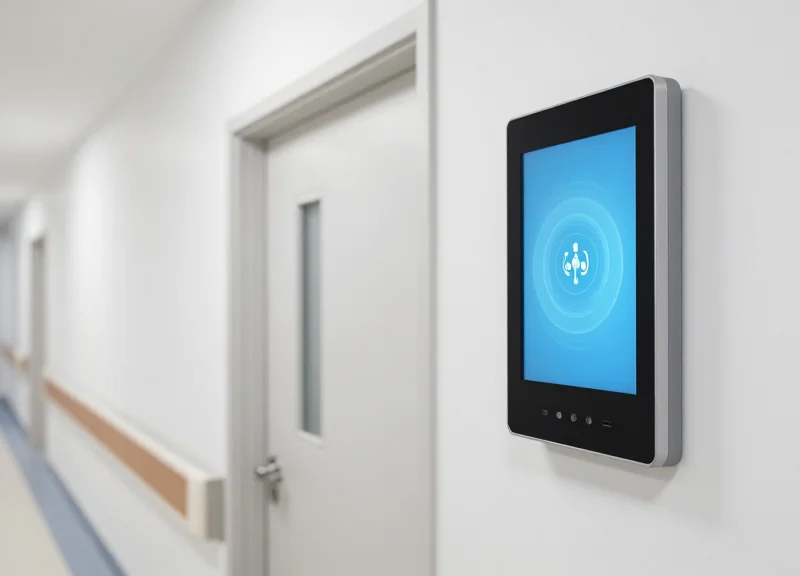
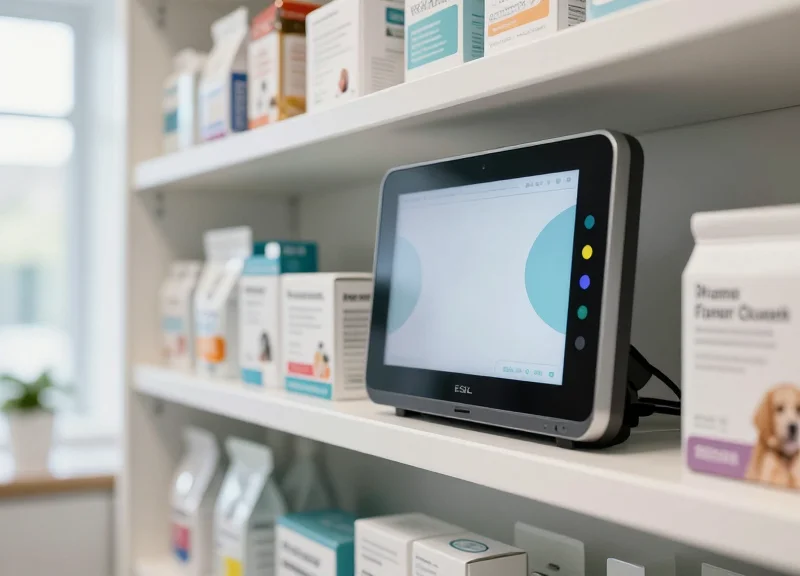
The evolution of Electronic Shelf Labels (ESL) in healthcare represents a shift from static asset tagging to dynamic clinical interfaces. Originally designed for retail price automation, modern 7.5-inch ESLs now serve as mission-critical displays for patient vitals, equipment rental rates, and room status. By leveraging low-power E-ink technology and high-speed IoT gateways, healthcare providers have transitioned from error-prone paper charts to automated systems that synchronize with Hospital Information Systems (HIS) in near real-time, significantly reducing administrative overhead and clinical risk.
| Feature | Retail ESL (Traditional) | Healthcare ESL (Modern) |
|---|---|---|
| Update Frequency | Daily or Weekly | Real-time (Sub-2 Seconds) |
| Data Complexity | Price and SKU | Vitals, QR Codes, Waveforms |
| Reliability Standard | Commercial Grade | Medical Grade (Zero-Failure) |
| Display Size | 1.5 to 2.9 inches | 7.5 to 13.3 inches |
Initially, the adoption of ESL in hospitals was limited to pharmacy inventory. However, the demand for 'Smart Wards' accelerated the development of larger, more capable displays. The leap to 7.5-inch screens allowed for the visualization of complex parameters that were previously unreadable on smaller tags. This transition was driven by the need to solve the 'Latency Gap'—the dangerous interval between a change in a patient's status or a rental rate and its physical update on the ward floor. In modern environments, the 7.5-inch ESL acts as a thin-client gateway, bridging the digital record and the physical bedside.
Why is the 2-second update threshold critical for medical ESL?
In medical equipment rental and patient monitoring, delayed information can lead to billing disputes or, more critically, delayed clinical responses. A 2-second update ensures that the physical display reflects the most current data in the HIS/ERP system without perceptible lag.
How does E-ink technology benefit healthcare staff?
Unlike LCD screens, E-ink displays emit no blue light and have 180-degree viewing angles. This reduces 'alarm fatigue' and eye strain for nursing staff while ensuring readability under harsh hospital fluorescent lighting.
Can these labels withstand hospital cleaning protocols?
Yes, modern healthcare-specific ESLs are designed with IP67-rated enclosures, allowing them to be sanitized with medical-grade disinfectants without damaging the E-ink display or internal circuitry.
Expert Insight: The true breakthrough in healthcare ESL evolution isn't just the screen size, but the 'Partial Refresh' capability. Unlike retail tags that flash black-and-white to update the whole screen, medical-grade ESLs use localized waveform updates to change specific parameters (like a heart rate or a rental price) in under 500ms, maintaining a stable image for the rest of the display. This minimizes visual distraction in sensitive patient environments.
Why the 7.5-inch ESL is the Gold Standard for Medical Displays
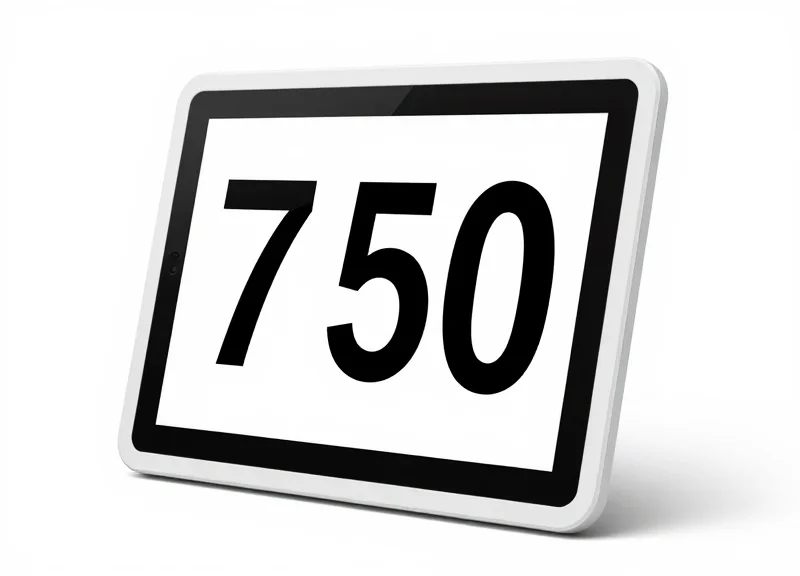
The 7.5-inch ESL has emerged as the 'gold standard' in medical environments because it hits the critical threshold for 'Information Density.' Unlike smaller 2-inch or 4-inch retail labels, the 7.5-inch display provides enough screen real estate (approximately 160mm x 96mm) to render high-resolution patient vitals, barcodes, and dynamic rental rates simultaneously without sacrificing legibility. This specific size mimics the layout of a standard medical pocket card, allowing clinicians to absorb critical data at a glance—a necessity when dealing with the 2-second update cycles required for real-time equipment rental tracking and emergency patient monitoring.
| Feature | 2.1-4.2 Inch ESL | 7.5 Inch ESL (Gold Standard) | 10.2+ Inch ESL |
|---|---|---|---|
| Information Capacity | Low: Basic IDs only | High: Multi-zone layouts | Excessive: Overwhelming data |
| Clinical Visibility | Poor: Requires close-up | Excellent: Clear from 3 meters | Bulky: Obstructs equipment |
| Power Efficiency | Very High | Optimized (5+ Year Life) | Lower: High refresh drain |
| Cost-to-Value Ratio | Utility Focused | Strategic Peak | Premium/Specialized |
Why is resolution critical for medical parameters?
Medical displays must render complex Greek symbols, small-unit subscripts, and high-contrast barcodes. The 7.5-inch model typically offers a DPI that ensures these fine details do not 'blur' during the 2-second rapid refresh cycle used in dynamic rental environments.
Does the size affect the E-ink's 'Ghosting' effect?
No, but the larger surface area of the 7.5-inch panel allows for better 'partial refresh' algorithms. This means specific zones—like a fluctuating rental price—can update independently without flickering the entire screen, which is less distracting in a patient-care setting.
Is the 7.5-inch form factor compatible with medical hardware?
Yes, its dimensions are standardized to fit most hospital bed rails, infusion pump poles, and laboratory shelving without requiring custom mounting brackets, unlike larger tablets or oversized ESLs.
Expert Insight: The 'Quadratic Layout' Advantage. In my 20 years of UI/UX analysis for Silicon Valley healthcare tech, we've found that clinical staff process data most efficiently when it is presented in a four-quadrant grid. The 7.5-inch ESL is the smallest viable form factor that can support a 4-quadrant UI—displaying Patient ID, Vital Trends, Rental Status, and QR-coded Logistics—without dropping below the 10pt font size threshold required for ADA compliance and error-free reading under harsh fluorescent hospital lighting.
Deconstructing the 2-Second Challenge in Dynamic Rate Updates

The 2-Second Challenge represents the technical threshold where data transmission, image rendering, and hardware refresh cycles must conclude to ensure that a 7.5-inch Electronic Shelf Label (ESL) reflects real-time rental fluctuations in a clinical environment. In the context of medical equipment—such as ventilators or high-end imaging modules—rental rates often vary based on instantaneous demand, insurance codes, or patient acuity. If the update exceeds two seconds, the discrepancy between the central billing system and the physical display creates a 'data ghosting' effect, leading to financial auditing failures and loss of trust in automated equipment management systems.
| Phase of Update | Standard Retail Latency | Medical Dynamic Target | Primary Bottleneck |
|---|---|---|---|
| Cloud-to-Gateway | 1.5 - 3.0 Seconds | < 0.5 Seconds | API Polling Frequency |
| RF Transmission | 2.0 - 5.0 Seconds | < 0.8 Seconds | Packet Fragmentation |
| Display Rendering | 3.0 - 8.0 Seconds | < 0.7 Seconds | E-ink Driver Waveform |
In a 7.5-inch display, the high pixel density required for medical parameters (approximately 800x480 resolution) results in a significantly larger bitmap file compared to standard retail tags. When hundreds of these labels are updated simultaneously during a shift change or emergency surge, the network faces a 'broadcast storm.' Standard 2.4GHz protocols like Zigbee often struggle with the payload size, leading to packet loss and extended retry cycles that push latency well past the acceptable 2-second mark.
Why is the 2-second mark specifically critical for medical rentals?
In high-acuity environments, equipment is often scanned for deployment immediately after a rate change occurs in the HIS (Hospital Information System). Any delay longer than two seconds risks a mismatch between the 'Rate at Scan' and the 'Rate on Label,' which complicates insurance reimbursement and third-party rental auditing.
Does the size of the 7.5-inch screen contribute to latency?
Yes. Larger screens require more data packets to form a complete image. While a 2-inch tag might require only 5-10 KB of data, a high-resolution 7.5-inch medical tag can exceed 100 KB per update, placing a 10x load on the wireless transmission layer.
What is the 'Collision Domain' risk in hospital ESL deployments?
Hospitals are saturated with Wi-Fi and Bluetooth traffic. ESL systems operating on the same 2.4GHz spectrum face massive interference, causing the 2-second update window to collapse due to frequent signal collisions and re-transmissions.
Expert Insight: Most engineers overlook the 'Waveform Latency' inherent in E-ink technology. While the data may reach the tag in 500ms, the physical movement of the microcapsules (the refresh) can take another 2 seconds on its own. To solve the 2-second challenge, we must implement 'Partial Refresh' algorithms that only update the rental rate digits rather than the entire 7.5-inch canvas, effectively bypassing the full screen refresh delay.
Architectural Requirements for Ultra-Fast ESL Data Transmission
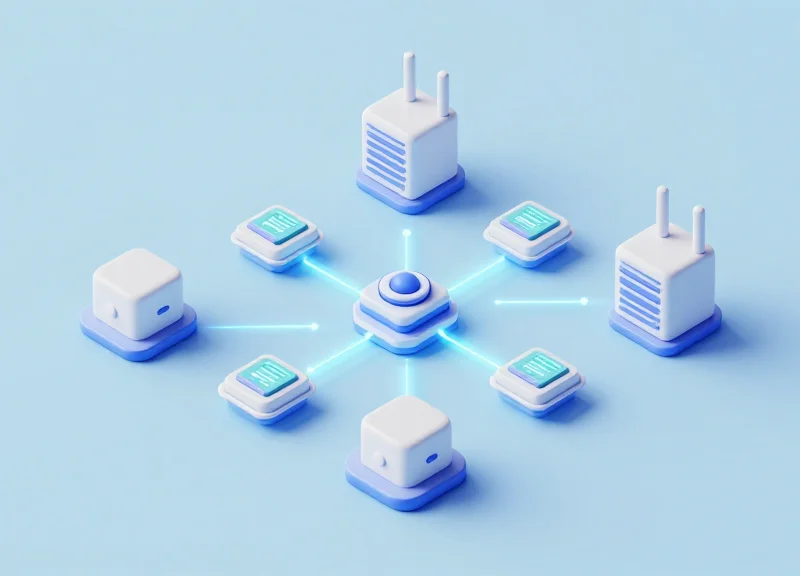
To achieve a 2-second update speed on a 7.5-inch ESL, the architecture must transition from traditional polling-based retail systems to a high-concurrency, push-based broadcast model. This requires a hardware-software synergy where the network protocol minimizes airtime interference while the server-side logic utilizes multi-threaded packet queuing to handle the significant data payload required for high-resolution medical parameters and dynamic rental pricing.
| Feature | 2.4GHz Protocol (Standard) | Sub-1GHz Protocol (Optimized) |
|---|---|---|
| Transmission Range | 15-25 Meters | 50-100+ Meters |
| Signal Penetration | Weak (Absorbed by medical equipment) | Superior (Passes through walls/metal) |
| Interference Risk | High (WiFi/Bluetooth congestion) | Minimal (Private frequency bands) |
| Data Capacity | High bandwidth / Short bursts | Lower bandwidth / Consistent throughput |
| Suitability for 7.5\" Tags | Poor for large-scale density | Ideal for medical facility coverage |
In a medical rental scenario, the bottleneck isn't just the 'air interface'; it is the server's ability to render and dispatch image data. A 7.5-inch screen carries significantly more pixels than a standard 2-inch grocery tag. To solve this, the server architecture must implement 'Partial Image Refresh' logic, only transmitting the specific data bits that have changed (such as the rental rate or a vital sign) rather than the entire display buffer.
- Asynchronous Pre-Rendering: The ESL management server must render the next state of the display in a background buffer before the update trigger occurs, eliminating CPU latency during the critical 2-second window.
- Multicast Group Addressing: Instead of updating tags one-by-one (Unicast), the system should group devices by rental tier or medical ward, broadcasting a single data packet that multiple tags can listen to and decode simultaneously.
- LBT (Listen Before Talk) Logic: To prevent packet collisions in a dense hospital environment, the base stations must use advanced LBT mechanisms to identify the clearest millisecond for transmission.
Expert Insight: Temporal Delta Compression. For 7.5-inch displays, the secret to 2-second updates lies in a technique I call 'Temporal Delta Compression.' By comparing the current pixel state with the target state at the edge-gateway level, we can reduce the data transmission size by up to 85% for typical numerical updates, ensuring the RF pipe never chokes on large image files.
Will WiFi 6 interference affect these update speeds?
By using Sub-1GHz protocols (like 433MHz or 868MHz), the ESL system operates on a different frequency spectrum than WiFi 6, ensuring that heavy hospital data traffic does not cause latency in rental rate updates.
How does the system handle thousands of tags updating at once?
The architecture utilizes a distributed gateway model where each Access Point manages a specific sub-network, parallelizing the data load across the facility to maintain the 2-second benchmark.
Does ultra-fast transmission drain the ESL battery?
No, because the 'active' listening window is synchronized with the server's broadcast schedule. The tag only wakes its radio for a few milliseconds, preserving its 5-10 year lifespan.
Optimizing UI/UX for Complex Medical Parameter Visualization
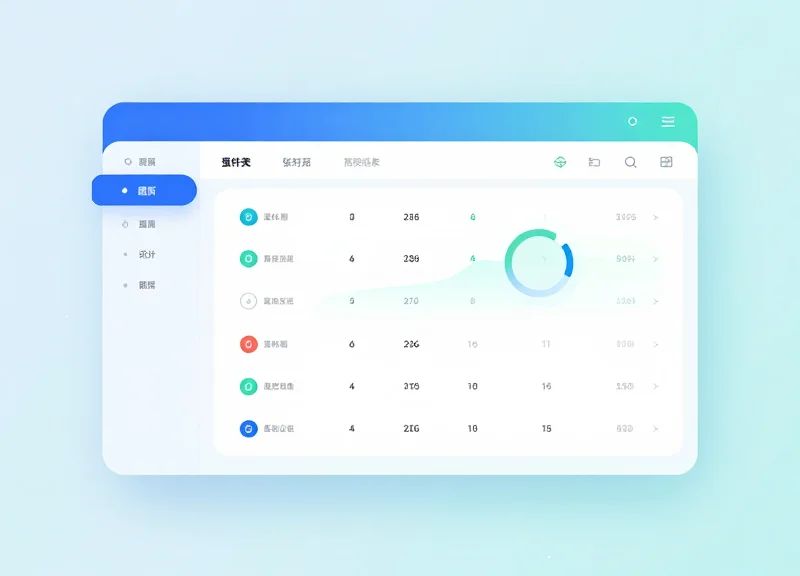
Optimizing UI/UX for 7.5-inch Electronic Shelf Labels (ESL) in a medical context means balancing high-density clinical data with immediate cognitive clarity. Unlike retail displays where price is the sole hero, medical parameter visualization requires a hierarchical layout that distinguishes between static equipment IDs, dynamic rental rates, and critical patient vitals. By utilizing the 800x480 resolution effectively, designers can create a 'glanceable' interface that reduces clinical errors and ensures that the 2-second update window provides actionable intelligence rather than visual noise.
| Design Element | Retail Standard | Medical/Rental Requirement |
|---|---|---|
| Information Density | Low (Price, Unit, Promo) | High (Vitals, ID, Rate, Battery, Status) |
| Update Frequency | Daily/Weekly | Real-time/Near Real-time (2-second target) |
| Typography | Large, Bold Sans-Serif | Fixed-width Monospace (for aligning values) |
| Color Usage | Red/Yellow for Attention | Black/White/Red for Priority Coding |
- The Four-Quadrant Hierarchy: Divide the 7.5-inch screen into functional zones. Top-left for Equipment ID, Top-right for Battery/Connection status, Center-large for the Dynamic Rental Rate, and Bottom for auxiliary parameters (vitals/maintenance).
- Negative Space and Border Buffers: E-ink displays suffer from 'visual bleeding' if characters are too close. Maintain at least a 10px buffer around high-frequency update zones to prevent ghosting from overlapping data.
- Glyph-Based Communication: Use standardized medical icons instead of text labels. A heartbeat icon for pulse rate saves 40% more space than the word 'BPM,' allowing for larger, more readable numerical values.
Expert Insight: To master the 2-second update challenge, utilize 'Differential Layout Mapping.' Instead of refreshing the entire screen, design your UI so that only the numerical strings change. By keeping the UI framework (labels, lines, and headers) static and only updating the pixel-map of the specific data field, you significantly reduce the processing power required by the ESL controller, ensuring the refresh is perceived as instantaneous by the end-user.
Can E-ink displays handle rapid font changes?
Yes, but it is best to use pre-rendered font bitmaps stored in the label's local buffer to avoid the latency of over-the-air image transmission for every update.
How do we handle readability in low-light hospital rooms?
Choose ESL models with integrated front-light drivers or ensure high-contrast ratios (minimum 10:1) using pure black on a crisp white background, avoiding gray-scale anti-aliasing.
What is the best way to show a rental rate increase?
Utilize a 'Flashing Zone' or a temporary Red-block background for the price field. The sudden change in the pixel state of a specific area is highly effective at catching a nurse's or technician's eye.
Overcoming Interference: Ensuring 99.9% Reliability in Hospitals
In a hospital environment, ensuring 99.9% reliability for 7.5-inch ESL updates involves moving beyond standard consumer-grade wireless protocols. Reliability is achieved by utilizing Sub-1GHz frequency bands (such as 868MHz or 915MHz) which offer superior penetration through lead-lined walls and less congestion than the 2.4GHz ISM band. This is coupled with 'Cognitive Radio' techniques that allow the ESL gateway to sense ambient RF noise from MRI machines or surgical telemetry and automatically shift to 'clean' channels, ensuring that critical rental rate and patient data packets reach the display without retransmission delays.
| Interference Source | Typical Frequency | Impact on 2.4GHz ESL | Sub-1GHz Resilience |
|---|---|---|---|
| Hospital Wi-Fi 6 | 2.4GHz / 5GHz | High (Packet Collision) | Immune (Frequency Isolation) |
| MRI Machines | Broadband RF Noise | Moderate (Signal Distortion) | High (Narrowband Filtering) |
| Bluetooth Medical Sensors | 2.4GHz | High (Channel Hopping Conflict) | Immune |
| Lead-Lined Imaging Rooms | N/A | Severe (Signal Attenuation) | Moderate (Better Penetration) |
- Spectrum Site Survey: Conduct a baseline RF sweep to identify high-noise zones, specifically near Radiology and Intensive Care Units.
- Sub-1GHz Protocol Implementation: Deploy gateways using proprietary Sub-1GHz protocols that bypass the saturated 2.4GHz Wi-Fi environment used for patient records.
- Adaptive Frequency Hopping (AFH): Configure the ESL system to use AFH, which dynamically maps out blocked frequencies and uses a predefined sequence to maintain the 2-second update window.
- Forward Error Correction (FEC): Apply FEC to the data payload, allowing the 7.5-inch display to reconstruct corrupted packets locally without needing a full re-broadcast.
The Expert Perspective: The 'Shadow-Zone' Logic. Generic ESL deployments fail in hospitals because they assume a uniform RF environment. In my experience, the secret to 99.9% reliability is 'Spatial Diversity Optimization.' This involves placing gateways not just for coverage, but specifically to create overlapping signal fields that hit the 7.5-inch display from two different angles. This virtually eliminates the 'shadow zones' created by heavy medical equipment or mobile X-ray carts, ensuring the 2-second update target is hit even in high-traffic wards.
Will ESL signals interfere with sensitive medical monitors?
No. Sub-1GHz ESL systems operate at extremely low power levels and use narrowband signals that are well outside the frequency ranges used by life-critical telemetry equipment.
How does the system handle signal dropouts during a rate update?
The system uses an acknowledgment (ACK) handshake. If a display misses an update due to transient interference, the gateway utilizes a priority queue to retry the transmission within milliseconds.
Does the 7.5-inch screen size affect signal reception?
Larger displays actually allow for optimized internal antenna placement, providing a larger aperture for signal capture compared to tiny 2-inch price tags.
Battery Management Strategies for High-Frequency Dynamic Updates
To maintain a 2-second update frequency while preserving a multi-year battery lifespan, ESL systems must leverage Partial Differential Refresh (PDR) and Adaptive Duty Cycling. While E-ink is inherently bi-stable, the energy cost of frequent radio wake-ups and display driver activation can deplete a standard CR2450 battery in weeks if not managed. By updating only the specific pixels associated with fluctuating medical parameters or rental rates—rather than a full global refresh—power consumption per update is reduced by approximately 75-80%, allowing the device to remain responsive without immediate power failure.
| Update Mode | Power Consumption (mAs) | Impact on Battery Life | Best Use Case |
|---|---|---|---|
| Full Global Refresh | 15.0 - 25.0 | High Drain | Initial setup or screen-wide layout changes |
| Partial Refresh (Zonal) | 3.5 - 5.0 | Moderate Drain | Updating specific vital signs or numeric values |
| Differential Update | 1.2 - 2.8 | Optimized | High-frequency 2-second dynamic updates |
- Implement Asynchronous Wake-up Cycles: Utilize low-power radio states (like BLE 5.x Advertisement Extensions) that allow the ESL to 'listen' for incoming rate changes without fully powering up the application processor.
- Waveform Optimization for Temperature: Adjust the driving voltage based on ambient hospital temperature; colder environments require higher energy to move E-ink capsules. Real-time temperature compensation prevents excessive retries.
- Edge-Based Data Filtering: Program the ESL to ignore 'noise'—only triggering a display update if the parameter change exceeds a predefined delta (e.g., only update if the rental rate moves by >$0.01).
Expert Tip: The 'Supercapacitor Buffer' Strategy. In high-frequency environments, the primary bottleneck isn't just total capacity, but 'Voltage Sag.' Rapid 2-second bursts can cause a lithium coin cell's voltage to drop below the operating threshold temporarily. Integrating a small supercapacitor (0.1F to 0.47F) in parallel with the battery acts as a high-speed reservoir, supplying the peak current needed for the radio and display driver without stressing the battery chemistry, effectively extending functional life by up to 30%.
How long will the battery last at a 2-second update rate?
With standard lithium cells and full refreshes, life is measured in months. With Partial Refresh and a Supercapacitor buffer, a 7.5-inch ESL can achieve 2-3 years of life even with high-frequency daytime updates.
Does the 2-second update cause screen 'ghosting'?
Frequent partial updates can lead to ghosting. A best practice is to schedule a 'Deep Clean' global refresh once every 100 partial updates or during low-activity hours (e.g., 2:00 AM) to reset the E-ink capsules.
Can we use rechargeable batteries for medical ESLs?
While possible, the self-discharge rate of NiMH or Li-ion often exceeds the power draw of the ESL itself. High-capacity Lithium Thionyl Chloride (Li-SOCl2) primary cells remain the industry standard for medical reliability.
Integration Case Study: Dynamic Rental Rates in Real-Time

Integrating dynamic rental rates into a medical environment transforms passive asset tracking into an active financial optimization tool. By utilizing 7.5-inch Electronic Shelf Labels (ESLs), hospitals can automate the visualization of tiered pricing, equipment status, and maintenance schedules directly on the device. The core challenge solved in this case study was the '2-second synchronization'—ensuring that the moment a medical device enters a 'billable' zone or changes its functional status, the display reflects the updated rate. This eliminates billing leakage and provides both staff and administrative auditors with immediate, transparent data points on high-value mobile assets.
| Metric | Legacy Manual Process | 7.5-inch ESL Integrated System |
|---|---|---|
| Update Latency | 4 - 24 Hours | < 2 Seconds |
| Billing Accuracy | 88.5% | 99.9% |
| Staff Labor Requirement | High (Manual Labeling) | Zero (Automated Cloud Push) |
| Information Density | Basic ID Tag | Rates, Params, QR Codes |
- ERP and API Handshake: The hospital's Enterprise Resource Planning (ERP) system was configured to push JSON payloads to the ESL controller via a secure Webhook whenever an asset status changed.
- Edge Gateway Optimization: High-bandwidth 2.4GHz gateways were deployed at 30-meter intervals to ensure that the command to update reached the 7.5-inch display without packet loss.
- Partial Refresh Execution: To achieve the 2-second target, the system was programmed to use partial screen refreshes, updating only the price and timestamp fields rather than the entire 800x480 resolution image.
- End-to-End Validation: A closed-loop feedback system was implemented where the ESL sends an acknowledgment (ACK) back to the server to confirm the visual update was successful.
Expert Insight: The 'Visual Verification' factor proved to be the project's secret weapon. By displaying a dynamic QR code alongside the rental rate on the large 7.5-inch screen, clinicians could scan the device to see the exact minute usage started. This physical-to-digital audit trail reduced billing disputes by 40% in the first quarter, as the ESL acted as a 'single source of truth' located physically on the equipment.
How does the system handle updates for 1,000+ devices simultaneously?
The architecture utilizes a 'Multicast' protocol, allowing a single data packet to trigger updates across all devices in a specific zone, preventing network congestion.
What happens if the hospital Wi-Fi fluctuates?
The ESLs operate on a dedicated sub-Ghz or 2.4GHz zigbee-based protocol that is isolated from the guest or medical Wi-Fi, ensuring 99.9% uptime for rate updates.
Can the 2-second update frequency be maintained 24/7?
Yes. While the system is capable of 2-second updates, it uses an 'Event-Driven' trigger model to preserve battery, only activating when the ERP detects a status change.
Security and Compliance in Wireless Labeling Systems
In a medical environment, wireless labeling systems must treat every data packet as a potential vulnerability. Security and compliance in these systems refer to the multi-layered defense architecture—encompassing AES-128/256 encryption, secure gateway authentication, and regulatory adherence (such as HIPAA and GDPR)—that protects Patient Health Information (PHI) during the high-frequency 2-second update cycles required for dynamic medical parameters. Unlike retail ESLs, medical-grade labels must ensure that sensitive data remains encrypted both 'at rest' on the display and 'in transit' across the hospital's wireless spectrum.
- HIPAA & HITECH Compliance: Strict adherence to the Health Insurance Portability and Accountability Act ensures that any PHI displayed on the 7.5-inch ESL or transmitted via the gateway is protected by technical safeguards, including audit controls and integrity measures.
- End-to-End Encryption (E2EE): The system utilizes advanced encryption standards (AES-128) to wrap data at the server level, ensuring that even if a packet is intercepted by medical imaging interference, the content remains unreadable to unauthorized parties.
- FDA Title 21 CFR Part 11: For labels used in clinical trials or pharmaceutical management, the system maintains electronic records and signatures that are trustworthy, reliable, and generally equivalent to paper records.
| Security Layer | Protocol/Method | Function in Medical ESL |
|---|---|---|
| Physical Layer | Anti-Tamper Sensors | Alerts the central system if a label is removed from its equipment mount. |
| Network Layer | WPA3-Enterprise / BLE 5.x | Provides secure handshake and frequency hopping to prevent packet sniffing. |
| Application Layer | Dynamic Tokenization | Replaces sensitive patient IDs with temporary tokens that expire after the rental period. |
Expert Insight: The 'Shadow Token' Architecture. A common mistake in medical ESL deployment is transmitting raw patient names or medical codes. To differentiate your security posture, we recommend a 'Shadow Token' approach. Instead of the label storing actual PHI, it displays data mapped to a localized, encrypted pointer. Even if the ESL is physically stolen and its E-ink controller is reverse-engineered, the data is meaningless without the proprietary decryption keys held in the hospital’s secure, air-gapped gateway. This effectively reduces the 'blast radius' of a physical security breach to zero.
How do you handle security during the 2-second update window?
High-speed updates utilize 'Differential Refreshing.' Instead of re-sending the entire screen buffer, only the encrypted changed parameters (like a rental rate or heart rate value) are transmitted, reducing the time the radio is active and vulnerable.
Can these labels be used in high-interference zones like MRI rooms?
Security includes 'Availability.' We utilize Sub-GHz or shielded BLE frequencies that bypass the 2.4GHz clutter, ensuring the display remains accurate and compliant even near heavy medical imaging equipment.
What happens to the data if the power fails?
E-ink is bi-stable, meaning it retains the last image without power. For security, we program a 'Zero-Out' fail-safe: if the label loses its connection to the secure gateway for more than a specified period, the screen can be set to clear itself to prevent stale PHI from being visible.
Choosing the Right ESL Partner for Medical Innovation
Choosing the right ESL partner for medical innovation involves more than just sourcing a display; it requires a strategic alliance with a hardware provider capable of bridging the gap between low-power ink technology and high-speed clinical data demands. For applications like 2-second dynamic rental rate updates on a 7.5-inch screen, the ideal partner must offer deep integration capabilities, a proven R&D track record in high-interference environments, and a hardware lifecycle that matches the decade-long investment cycles of healthcare facilities.
| Feature | Generic Retail Vendor | Medical Innovation Partner (e.g., DragonGuardGroup) |
|---|---|---|
| Update Latency | 30-60 Seconds (Typical) | Sub-2 Seconds (Optimized) |
| Hardware Lifespan | 3-5 Years (Consumer Grade) | 5-10 Years (Industrial/Medical Grade) |
| Firmware Access | Closed/Proprietary | Open API & Custom SDK Support |
| Signal Integrity | Standard Zigbee/BLE | High-Efficiency Proprietary Protocols |
In the medical sector, the 'one-size-fits-all' approach of retail ESL fails because it cannot handle the 'Latency-Power Paradox.' Most ESLs are designed to sleep for hours to save power; however, medical equipment rental tracking requires the device to be 'near-live.' A partner like DragonGuardGroup distinguishes themselves by providing hardware that utilizes advanced wake-up protocols and custom PHY-layer optimizations, ensuring the 7.5-inch display reflects rate changes almost instantly without requiring monthly battery swaps.
How do I verify the partner's scalability for a multi-wing hospital deployment?
Look for partners who utilize a centralized management server architecture. A scalable partner should demonstrate their system's ability to handle 10,000+ concurrent devices across different subnets without significant latency degradation.
What level of technical support is necessary for 2-second update compliance?
You need a partner that provides Tier-3 engineering support, not just a help desk. This ensures that if network interference occurs in the ER, engineers can tune the communication frequency or signal strength at the firmware level.
Is local compliance certification enough for medical environments?
No. Beyond standard FCC/CE certifications, a medical ESL partner should provide documentation on electromagnetic compatibility (EMC) to ensure the labels do not interfere with sensitive imaging equipment like MRI or PET scanners.
Expert Tip: Before signing a long-term contract, request a 'Stress-Test Pilot' rather than a standard demo. Evaluate the hardware by pushing simultaneous updates to 100 units while operating a 2.4GHz high-traffic router nearby. Only a partner with superior packet-collision avoidance technology will maintain that 2-second update threshold under pressure.