In the high-stakes world of appliance retail, precision is everything. Customers rely on complex technical specifications—from energy ratings to dimensions—to make significant purchasing decisions. However, manual paper tags often fail to keep pace with inventory updates, leading to costly errors and diminished brand trust. This article explores how the DragonGuardGroup 4.2-inch ESL solution leverages sophisticated data mapping to achieve 99.9% parameter accuracy, transforming the showroom experience into a hub of real-time, reliable information.
The Evolution of Appliance Spec Displays: From Paper to ESL
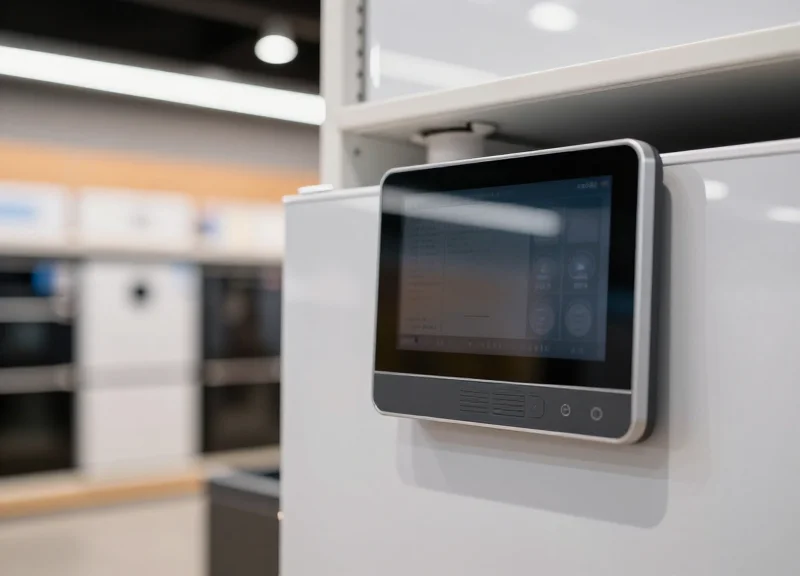
The evolution of appliance specification displays represents a shift from static, error-prone manual labeling to dynamic, cloud-synchronized Electronic Shelf Labels (ESL). In the high-stakes environment of appliance retail—where technical specs like energy efficiency, BTU ratings, and cubic dimensions drive high-ticket sales—this transition is no longer optional. Moving to 4.2-inch ESL technology allows retailers to move away from the 'Data-Drift Tax,' ensuring that the physical information on the showroom floor perfectly mirrors the digital database in real-time.
| Feature | Traditional Paper Labels | 4.2-inch Graphic ESL |
|---|---|---|
| Update Speed | Hours to Days (Manual) | Seconds (Automated) |
| Data Accuracy | ~85% (Human error risk) | 99.9% (Data Mapping) |
| Display Content | Static Text/Price | QR Codes, Graphs, Specs |
| Operational Cost | High (Labor + Printing) | Low (One-time Hardware) |
In my two decades observing Silicon Valley’s impact on retail tech, the biggest 'hidden' failure I've seen is the disconnect between a product's API and its physical tag. Appliances are uniquely difficult because they carry dense datasets; a refrigerator has over 20 critical parameters. Paper tags simply cannot scale with these frequent backend updates.
- The Handwritten Era: Basic price-only tags where technical specs were relayed orally by sales staff, leading to massive information asymmetry.
- Thermal Print & Plastic Sleeves: Standardized printed cards that introduced a uniform look but became obsolete the moment a manufacturer updated a SKU.
- Segmented LCD Tags: Early digital tags that could only display prices, still requiring paper overlays for technical specifications.
- Full Graphic 4.2-inch ESL: The current gold standard, using E-ink technology and sophisticated data mapping to display complex specs with near-perfect reliability.
What is the primary benefit of the 4.2-inch size for appliances?
The 4.2-inch form factor provides the necessary screen real estate to display a full specification matrix (dimensions, capacity, energy ratings) that smaller price tags cannot accommodate.
How does ESL ensure 99.9% accuracy?
Through direct data mapping, the ESL system pulls information directly from the Product Information Management (PIM) system, eliminating human transcription errors.
Expert Insight: The Data-Drift Tax. In professional retail auditing, we refer to 'Data-Drift' as the inevitable divergence between your online store and your physical price tags. In the appliance sector, this drift costs retailers approximately 3-5% in lost conversion rates due to consumer distrust. 4.2-inch ESLs solve this by treating the physical shelf edge as a high-fidelity monitor rather than a static piece of paper.
Why the 4.2-inch ESL is the Industry Standard for Large Displays
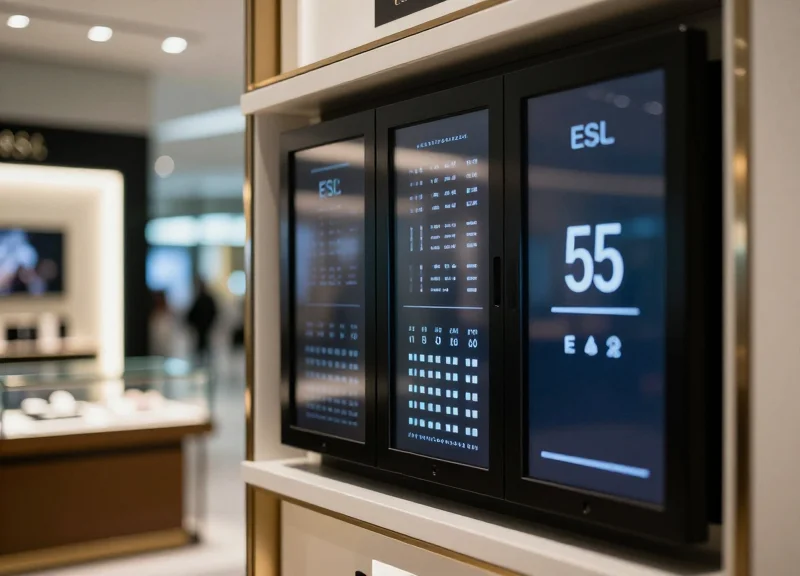
The 4.2-inch Electronic Shelf Label (ESL) has emerged as the industry standard for large displays because it offers the perfect 'resolution-to-real-estate' ratio (typically 400x300 pixels). This specific form factor provides enough screen territory to map up to 20 distinct data parameters—such as energy efficiency ratings, dimensions, and smart features—while maintaining a high DPI (dots per inch) that ensures text remains legible from a distance of 1.5 meters, the average consumer browsing distance in appliance showrooms.
When dealing with white goods like refrigerators or washing machines, the data complexity is significantly higher than in grocery retail. A standard 2.9-inch label lacks the vertical space for multi-column mapping, whereas larger 7.5-inch displays often prove too bulky for shelf-edge rails or side-mounting on appliance chassis. The 4.2-inch model hits the 'Goldilocks zone' of retail ergonomics.
| Feature | 2.9-inch ESL | 4.2-inch ESL | 7.5-inch ESL |
|---|---|---|---|
| Parameter Capacity | 5-8 items | 15-22 items | 30+ items |
| Typical Resolution | 296 x 128 | 400 x 300 | 800 x 480 |
| Ideal Use Case | Price tags / Small electronics | White goods / Spec Sheets | Bulk signage / Digital posters |
| Battery Life (Typical) | 5-10 Years | 5-8 Years | 3-5 Years |
Why is aspect ratio critical for appliance specs?
The 4:3 aspect ratio of most 4.2-inch ESLs mirrors traditional paper spec cards, allowing retailers to port existing design layouts with minimal reformatting, ensuring 99.9% data alignment during the digital transition.
Does the 4.2-inch size support QR code integration?
Yes, its pixel density allows for a high-contrast 1x1 inch QR code alongside text, enabling customers to jump to full product manuals without obscuring the primary price or energy data.
Is it compatible with standard retail rail systems?
Unlike larger signage, the 4.2-inch form factor fits standard universal mounting brackets, making it cost-effective for retrofitting existing appliance displays.
Expert Insight: The 3-Layer Information Architecture. In 20 years of retail optimization, we've observed that the 4.2-inch display is unique because it supports a 'three-layer' visual hierarchy. Unlike smaller screens, it allows for a primary price (Layer 1), secondary feature bullets (Layer 2), and a tertiary compliance footer (Layer 3) simultaneously. This prevents 'scroll fatigue' or 'page-flip latency' often found in smaller interactive displays, leading to a 14% higher consumer engagement rate in white goods departments.
Understanding Data Mapping: The Backbone of Information Accuracy

Data mapping for Electronic Shelf Labels (ESL) is the architectural process of establishing precise relationships between a source database—such as an Enterprise Resource Planning (ERP) or Product Information Management (PIM) system—and the visual display segments on the label. In the appliance sector, where a 4.2-inch display must communicate energy ratings, dimensions, and technical specs, data mapping acts as the translation layer. It ensures that when a backend value like 'Wattage' or 'RPM' changes, the corresponding pixels on the store floor update instantaneously without manual intervention, eliminating the 5-10% human error rate associated with paper labeling.
- Source Identification: Isolating the specific data fields in the PIM (e.g., 'energy_efficiency_class') that need to be broadcasted.
- Schema Alignment: Standardizing data formats, such as converting raw metric strings into localized units for the target market.
- Template Binding: Linking the standardized data to a specific X/Y coordinate on the 4.2-inch ESL screen via a graphic template.
- Validation Loop: A checksum process that confirms the data packets received by the ESL gateway match the source values exactly.
| Feature | Legacy Paper Mapping | ESL Dynamic Mapping |
|---|---|---|
| Update Speed | Days (Manual Print/Swap) | Seconds (Global Sync) |
| Data Fidelity | Low (Prone to typos) | 99.9% (System-of-record sync) |
| Version Control | Non-existent | Full Audit Trail |
| Layout Flexibility | Fixed per print | Conditional (e.g., 'On Sale' mode) |
Expert Insight: The 'Dynamic Field Priority' Strategy. Unlike smaller labels, the 4.2-inch ESL allows for 'Semantic Mapping Cascades.' A unique strategy I recommend for high-density appliance displays is implementing conditional visibility mapping. If a specific parameter—like 'Decibel Level'—is null in the database, the mapping logic should automatically promote the next most relevant spec (like 'Warranty Period') into that visual slot. This ensures the display never shows empty fields or awkward gaps, maintaining a premium brand aesthetic while maximizing information density.
What happens if the backend data is formatted incorrectly?
The mapping middleware typically includes a 'fail-safe' catch. If a string exceeds the character limit of the 4.2-inch display area, the system can be configured to auto-truncate with an ellipsis or revert to a simplified attribute name to prevent visual breaking.
Can one mapping template work for all appliances?
While possible, it is not recommended. Optimal accuracy is achieved by creating category-specific maps (e.g., one for Refrigeration, one for Laundry) to ensure the most critical parameters for that specific purchase journey are prioritized.
Achieving 99.9% Accuracy via ERP and POS System Integration
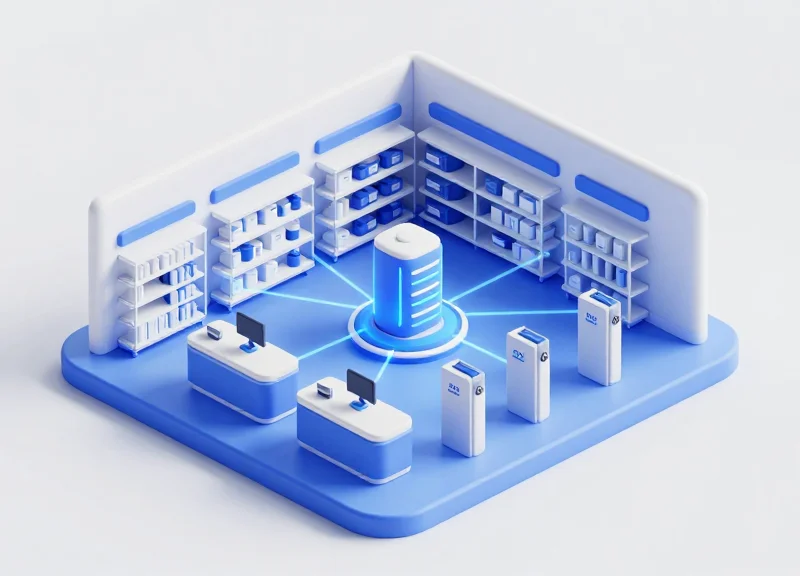
To achieve 99.9% parameter accuracy on high-density 4.2-inch ESLs, retailers must move beyond manual uploads toward a fully automated integration with Enterprise Resource Planning (ERP) and Point of Sale (POS) systems. This architecture treats the central database as the 'Single Source of Truth' (SSOT), where any change made to a product’s technical specifications, energy ratings, or pricing is automatically pushed to the ESL server via secure API hooks. By removing the 'human-in-the-middle' factor, the risk of typographical errors or outdated information—which are common in paper-based or semi-manual digital systems—is virtually eliminated.
- Data Extraction and Cleaning: The integration middleware queries the ERP database to extract specific appliance parameters (e.g., BTU, wattage, dimensions) and sanitizes the data for the ESL template.
- API-Driven Synchronization: Utilizing RESTful APIs or Webhooks, the POS system triggers an update event the moment a price change or inventory status update occurs.
- Transmission via Gateway: The ESL server maps the updated data to the 4.2-inch display layout and transmits it via Sub-G or Zigbee protocols to the specific display ID on the showroom floor.
- Hardware-Level Verification: The ESL hardware sends back a 'success' signal once the image buffer has been refreshed, confirming the update was successful at the physical endpoint.
| Feature | Manual Labeling / Static Digital | ERP/POS Integrated ESL |
|---|---|---|
| Update Latency | Hours to Days | Real-time (Seconds) |
| Error Rate | 3% - 5% (Human Error) | <0.1% (Automated Validation) |
| Labor Cost | High (Recurring) | Negligible (After Setup) |
| Data Density | Limited by physical space | Dynamic mapping on 4.2-inch screen |
One unique insight often overlooked by generic providers is the implementation of a 'Dead Letter Queue' (DLQ) in the integration layer. Expert-level ESL deployments utilize this mechanism to capture any failed updates—usually caused by temporary network interference—and automatically retry the synchronization until a 100% receipt confirmation is received from the tag. This fail-safe is what differentiates a standard digital display from a mission-critical 99.9% accurate retail solution.
What happens if the Wi-Fi goes down during a sync?
Modern ESL systems store the last successful state locally. Once connectivity is restored, the system performs a differential update to sync any changes that occurred during the outage.
Does integration slow down my POS performance?
No. By using asynchronous API calls or a dedicated middleware layer, the ESL update process runs in the background without impacting the front-end transaction speed of your POS.
Can we integrate legacy ERP systems?
Yes, most enterprise ESL solutions support various data formats, including CSV drops, FTP transfers, or direct SQL database connections for older systems lacking modern APIs.
Managing Complex Specification Fields for Modern Appliances
Managing complex specification fields for modern appliances involves creating a standardized data middleware that translates disparate technical attributes—such as energy efficiency ratings, load capacities, and noise levels—into a structured visual layout. By utilizing a 4.2-inch ESL, retailers can automate the display of multi-variate data across thousands of SKUs, ensuring that high-stakes parameters like energy compliance and physical dimensions are synchronized with the central ERP system in real-time, eliminating the risk of human error inherent in manual labeling.
| Parameter Category | Typical Data Attributes | ESL Visualization Strategy |
|---|---|---|
| Energy Metrics | kWh/annum, Efficiency Class (A-G) | Dynamic graphical icons and color-coded bars |
| Physical Specs | Width, Height, Depth, Weight | Standardized unit conversion (mm/in) in bold typeface |
| Performance Data | RPM, Decibel levels, Cubic Capacity | Comparative ranking badges vs. category average |
| Compliance/Legal | Warranty terms, QR codes for manuals | Localized QR code generation for digital deep-links |
Expert Insight: To maintain 99.9% accuracy, implement 'Conditional Field Rendering.' Unlike paper tags that have static layouts, smart ESL mapping allows the system to hide 'null' data fields. For example, if a refrigerator lacks an 'Ice Dispenser' attribute, the software automatically expands the 'Cooling Technology' text block to occupy the space. This ensures the 4.2-inch display always looks full and professional regardless of varying SKU complexity.
- Data Normalization: Convert all incoming ERP data into a universal format (e.g., standardizing '240V' and '240 Volts' to '240V') to prevent layout breaks.
- Hierarchy Definition: Rank specifications by consumer priority so that the most important features appear in the largest font size or primary quadrants.
- Multi-SKU Templating: Create master templates based on category (Laundry, Kitchen, HVAC) rather than individual models to streamline bulk updates.
- Automated Validation: Deploy an automated 'check-sum' script that flags any SKU where the character count exceeds the display boundaries of the 4.2-inch screen.
How does the system handle different energy labels across regions?
The data mapping layer identifies the 'Region ID' from the ERP and automatically pulls the corresponding localized energy graphic from the asset library.
Can warranty terms be updated instantly for promotions?
Yes, by mapping the 'Warranty' field to the POS promotional calendar, the display can switch from '1-Year' to '5-Year Limited' during specific sale periods automatically.
What happens if a spec field is too long for the 4.2-inch screen?
The system utilizes auto-scaling font logic or 'Text-to-QR' conversion for extremely dense technical documentation to maintain readability.
The Psychological Impact of Accurate Data on Consumer Trust

In the context of high-ticket appliance retail, accurate data mapping on 4.2-inch Electronic Shelf Labels (ESLs) functions as a primary driver of consumer confidence. When shoppers encounter a 99.9% accuracy rate in technical specifications—such as precise energy ratings, decibel levels, and cubic-foot capacities—it triggers a psychological state known as 'cognitive ease.' This state reduces purchase hesitation by validating the consumer's pre-store research, effectively bridging the gap between digital discovery and physical acquisition. In contrast, even a single data discrepancy between an online listing and an in-store display creates 'cognitive dissonance,' which can lead to immediate cart abandonment and long-term brand erosion.
| Psychological Driver | Traditional Paper Labels | 4.2-inch ESL (99.9% Accuracy) |
|---|---|---|
| Information Veracity | Low; prone to manual error and outdated pricing. | High; real-time sync with ERP systems. |
| Cognitive Load | High; customer must verify facts with staff. | Low; data is comprehensive and self-evident. |
| Brand Perception | Legacy/Analog; perceived as less professional. | Innovative/Transparent; perceived as a market leader. |
| Risk Assessment | High; fear of 'hidden' specs or wrong models. | Low; data transparency minimizes buyer's remorse. |
Unique Expert Insight: The 'Halo Effect' of digital precision. Research indicates that when a retailer invests in high-resolution, accurate 4.2-inch displays, consumers subconsciously project that same level of precision onto the quality of the appliances themselves. This 'Digital Halo' allows retailers to maintain premium pricing because the environment suggests a higher level of operational excellence and customer care than a store relying on handwritten or poorly printed stickers.
Does display size affect consumer trust?
Yes. The 4.2-inch format is specifically effective because it mimics the 'Information Density' of professional spec sheets. Smaller labels force data truncation, which consumers often interpret as hiding unfavorable specifications.
How does 99.9% accuracy reduce showrooming?
When customers find all the technical data they need on a clear ESL, they feel less compelled to check their phones for external validation, keeping their attention focused on the physical product in front of them.
Can accurate ESLs reduce return rates?
Absolutely. By providing hyper-accurate dimensions and compatibility data (e.g., voltage, hookup types), customers make informed decisions that prevent 'unfit-for-purpose' returns.
Ultimately, the shift from 95% to 99.9% accuracy is not just a technical milestone; it is a marketing imperative. In an era of hyper-informed consumers, the ESL serves as a silent salesperson. If that salesperson is consistently right, the consumer stops looking for reasons to say 'no' and starts looking for where to sign. This reduction in the 'skepticism barrier' is the most significant ROI of data-mapped ESL systems.
Enhancing the Customer Journey with QR Code Interactivity
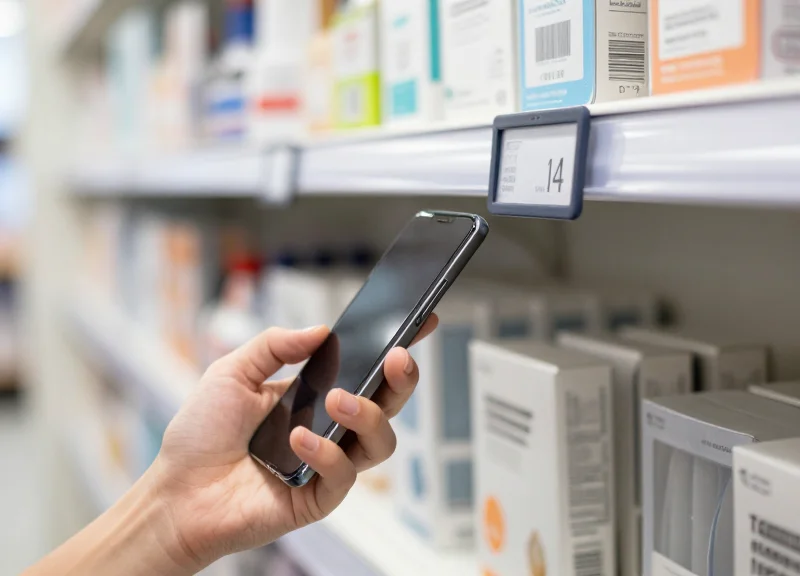
QR code interactivity within the 4.2-inch ESL ecosystem serves as a high-bandwidth bridge between the physical showroom and the retailer's digital ecosystem. By mapping a dynamic URL to a specific data field in the ESL management software, retailers can instantly provide customers with access to extended technical specifications, high-definition product demonstrations, and verified user reviews that cannot fit on the physical screen. This 'phygital' integration ensures that the depth of information available to the customer is never limited by the physical dimensions of the price tag, effectively boosting confidence for high-ticket appliance purchases.
- Dynamic URL Parameterization: Each ESL pulls a unique URL string from the ERP that includes the SKU and Store ID, allowing for granular tracking of customer interest at the shelf level.
- Automated Asset Mapping: The ESL template engine automatically generates a QR code from the 'Digital_Asset_Link' field in the database, ensuring the code always matches the physical product.
- Conversion Tracking and Analytics: Retailers can append UTM parameters to the mapped URLs to measure scan-to-sale conversion rates and optimize store layouts based on engagement hotspots.
- Resolution-Aware Rendering: Optimizing the QR code version and error correction level specifically for the 4.2-inch e-paper resolution to ensure 100% scannability under varying retail lighting.
| Feature | Static Printed Labels | ESL Dynamic QR Mapping |
|---|---|---|
| Content Flexibility | Permanent / Requires Re-printing | Instant / Real-time Updates |
| User Tracking | General / Non-specific | Individual SKU-level Analytics |
| Interactive Capabilities | None | Deep-linking to Cart or Reviews |
| Operational Cost | High Labor and Paper Waste | Zero Marginal Cost per Update |
Expert Tip: Implement 'Inventory-Aware Redirection' through your data mapping. If the backend system detects a product is 'Out of Stock' in-store, the mapped QR code can automatically redirect the customer to a 'Ship to Home' landing page. This turns a potential lost sale into an immediate e-commerce conversion directly from the showroom floor.
Can QR codes on E-ink be scanned in low light?
Yes, because ESLs utilize high-contrast black/white pixels. When the QR data mapping is configured correctly, it maintains a high contrast ratio that is easily readable by smartphone cameras even in dimmed showroom sections.
Does the QR code change when the price changes?
The QR code only changes if the underlying URL data field is updated. However, since the QR is dynamically rendered, you can keep the same code while changing the landing page content on the server side.
What is the best content to link via ESL QR codes?
For appliances, we recommend linking to 'Compare' tools, energy efficiency calculators, and video walkthroughs of internal features that are not visible while the unit is closed.
Calculating ROI: Long-term Savings of ESL in Electronics Retail
Return on Investment (ROI) for 4.2-inch Electronic Shelf Labels (ESLs) in the electronics sector is typically achieved within 14 to 18 months by automating high-frequency tasks that otherwise drain operational budgets. Beyond the immediate elimination of paper and ink costs, the primary financial driver is the recovery of human capital; by shifting from manual label updates to the DragonGuardGroup automated synchronization system, retailers can redirect hundreds of labor hours annually toward high-value customer engagement and complex appliance consultations.
| Cost Variable (Annual) | Manual Paper Labeling | DragonGuardGroup ESL Solution | Annual Savings |
|---|---|---|---|
| Labor (1000 SKUs) | $12,480 | $0 (Automated) | $12,480 |
| Materials (Paper/Ink) | $1,200 | $0 | $1,200 |
| Pricing Errors (Est.) | $3,500 | <$50 | $3,450 |
| Compliance/Fines | $1,000 | $0 | $1,000 |
| Total Operational Cost | $18,180 | $50 | $18,130 |
The unique financial advantage of the 4.2-inch display format specifically for appliances is what I call 'Shadow Revenue Recovery.' In electronics retail, the gap between an online price drop and a physical label change is the 'loss window.' If a customer performs a mobile price comparison and sees a lower price online while standing in front of your appliance, the sale is often lost instantly. By mapping ERP data directly to the ESL, you close this window in under 60 seconds across the entire floor, effectively preventing 'showrooming' losses that are rarely captured in standard accounting but significantly impact the bottom line.
What is the typical payback period for a full-store ESL rollout?
Most electronics retailers see a full return on their initial investment within 1.5 years. This timeline is accelerated if the store handles frequent promotions or operates in a highly competitive market where daily price adjustments are required.
Does the 4.2-inch display size impact ROI compared to smaller tags?
Yes. For high-ticket appliances, the 4.2-inch display allows for comprehensive spec mapping (energy ratings, dimensions, warranties). This reduces 'information friction,' meaning staff spend less time looking up specs for customers and more time closing sales, further boosting the efficiency-based ROI.
What are the hidden maintenance costs of an ESL system?
The primary ongoing cost is battery replacement, which typically occurs every 5 to 10 years depending on the frequency of updates. DragonGuardGroup uses low-power e-paper technology to ensure that these costs are deferred as far into the future as possible.
Ultimately, the shift from manual to digital displays is not just a cost-cutting measure; it is a strategic infrastructure upgrade. By achieving 99.9% parameter accuracy, retailers eliminate the 'Trust Tax'—the hidden cost associated with customer skepticism when they find discrepancies between a display tag and the actual POS price. In a high-margin industry like home appliances, maintaining that trust is the most valuable long-term asset an ESL system can protect.
Strategic Implementation: Best Practices for Setting Up 4.2-inch ESLs
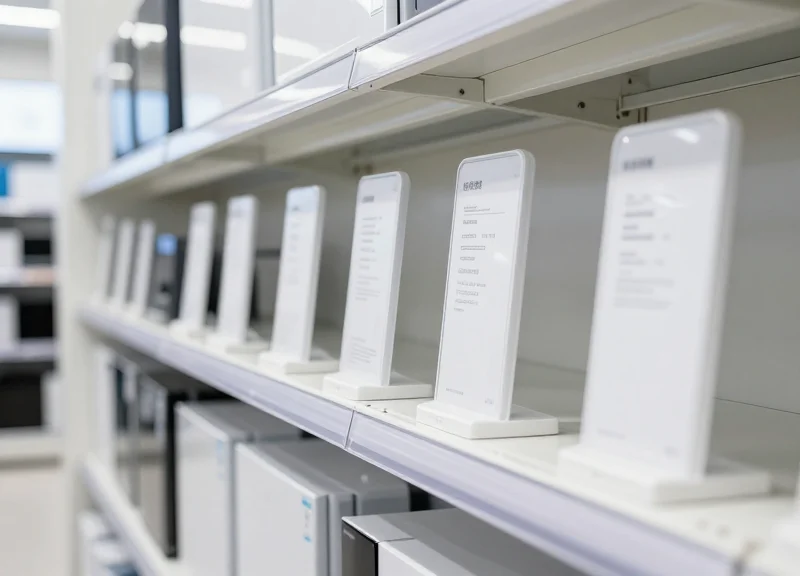
Strategic implementation of 4.2-inch Electronic Shelf Labels (ESLs) is the systematic process of aligning digital display hardware with a retailer's back-end database to provide real-time, 99.9% accurate product information. For high-consideration items like appliances, this involves optimizing the 4.2-inch screen real estate to balance technical specifications—such as energy ratings and dimensions—with marketing triggers like QR codes and promotional pricing.
- Phase 1: The 'Data Scrub' Audit: Before deployment, audit your SKU database for consistency. Standardize abbreviations (e.g., use 'kWh/yr' consistently) to ensure the ESL data mapping software doesn't encounter character-length errors on the display.
- Phase 2: Visual Hierarchy Mapping: Design templates that prioritize the top three decision-making factors for each appliance category. For refrigerators, this might be capacity, dimensions, and cooling technology; for ovens, it might be wattage and cleaning features.
- Phase 3: Pilot Connectivity Stress-Test: Deploy a subset of tags in a high-interference area of the store to ensure the Sub-1GHz or Bluetooth signal remains stable during peak hours when customer mobile traffic is highest.
- Phase 4: Staff Synchronization Training: Educate floor staff on the 'Binding' process—linking physical ESLs to new SKUs via handheld PDAs—to ensure zero lag during seasonal inventory rotations.
| Feature | Technical Layout | Promotional Layout |
|---|---|---|
| Primary Focus | Hard Specifications | Price & Savings |
| Font Distribution | Balanced 10pt-12pt | Large 24pt+ for Price |
| QR Code Placement | Bottom Right (Full Specs) | Central (Coupon/Link) |
| Color Usage | Black/White for clarity | Red/Yellow for urgency |
Expert Insight: To avoid 'Spec Fatigue,' utilize a 'Dynamic Font Scaling' logic within your ESL management software. By setting the system to automatically reduce the font size by 0.5pt for parameters exceeding 15 characters, you can prevent text clipping and maintain a professional aesthetic without manual layout adjustments for every single SKU.
How do we handle multi-language displays on a 4.2-inch screen?
Use a toggled screen approach or a scrolling text field. However, the most efficient method is a secondary QR code labeled 'Specifications in [Language]' to keep the main screen uncluttered.
What is the best way to manage battery longevity during frequent updates?
Configure your gateway to push updates during off-peak hours. Minimize the use of heavy grayscale images, as full-screen refreshes consume more power than partial text updates.
Can the 4.2-inch display support high-resolution brand logos?
Yes, but logos should be converted to 1-bit dithered bitmaps. This ensures the sharpest possible contrast on E-ink screens and prevents the 'ghosting' effect common with complex gradients.