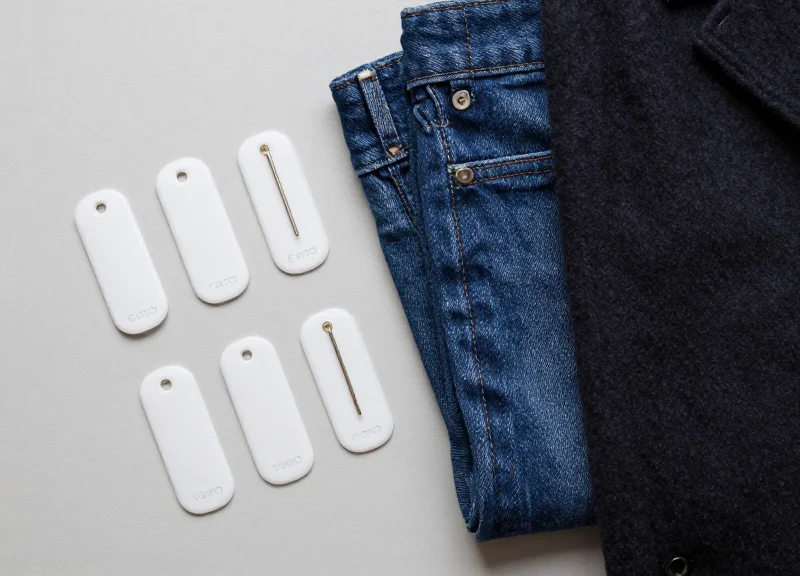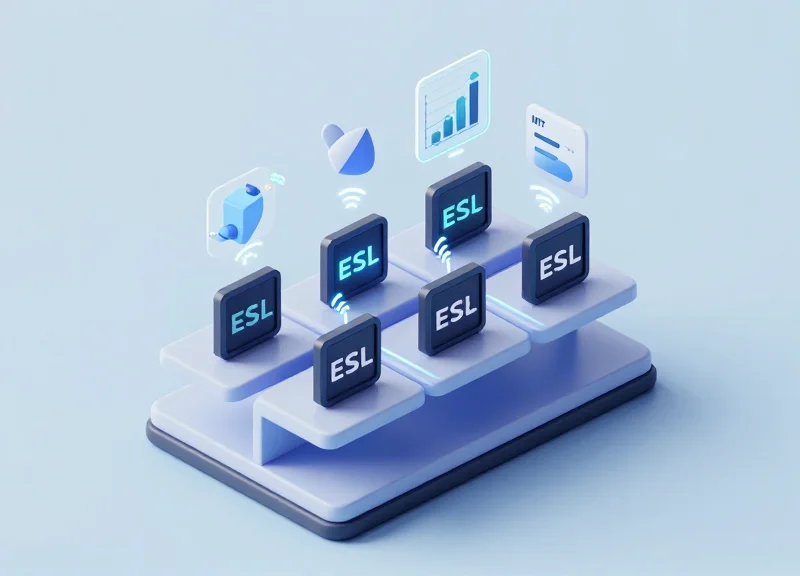
In the high-stakes world of professional optics and photography boutiques, customers demand precision. Static paper labels often fail to convey the dynamic technical prowess of a lens, such as its Modulation Transfer Function (MTF) performance or aperture range. By leveraging 2.4GHz Electronic Shelf Labels (ESLs), retailers can now synchronize complex technical data in real-time. This guide provides a comprehensive roadmap for integrating sophisticated optical specs directly onto your digital displays, ensuring your boutique stays at the cutting edge of retail technology while providing the technical transparency your expert clientele expects.
The Intersection of High-End Optics and Smart Retail
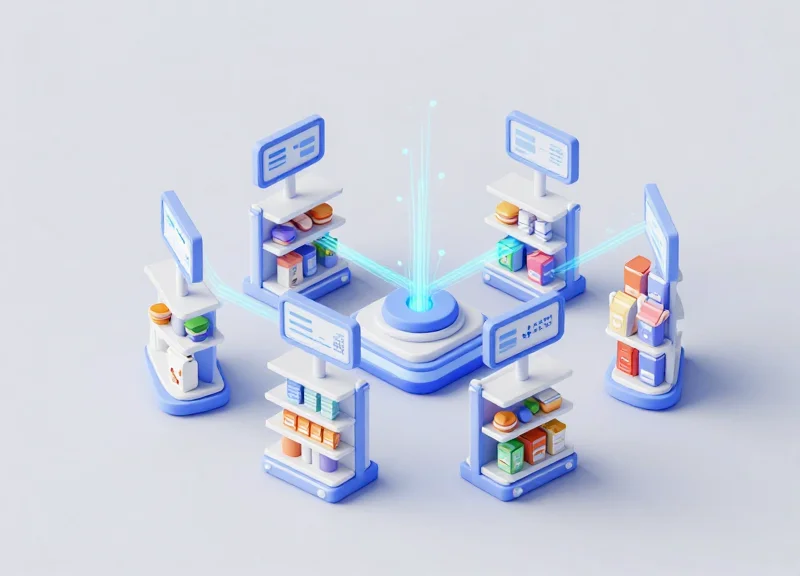
The intersection of high-end optics and smart retail is the strategic convergence of precision optical engineering data—such as Modulation Transfer Function (MTF) charts and aperture geometry—with IoT-driven Electronic Shelf Label (ESL) systems. By utilizing 2.4GHz wireless protocols, professional boutiques can now synchronize live technical specifications from a centralized database directly to the showroom floor. This ensures that high-intent buyers, such as cinematographers and professional photographers, receive the most accurate performance metrics at the exact moment of purchase, effectively bridging the gap between deep-tech hardware specs and modern retail automation.
| Feature | Traditional Boutique Display | Smart Optical Boutique (2.4GHz ESL) |
|---|---|---|
| Data Accuracy | Static, often outdated printed cards | Real-time sync with manufacturer databases |
| Technical Depth | Basic focal length and price only | Full MTF charts, T-stop ratings, and bokeh profiles |
| Customer Trust | Dependent on staff knowledge | Verified, data-driven transparency |
| Update Speed | Manual replacement (hours/days) | Instantaneous global updates (seconds) |
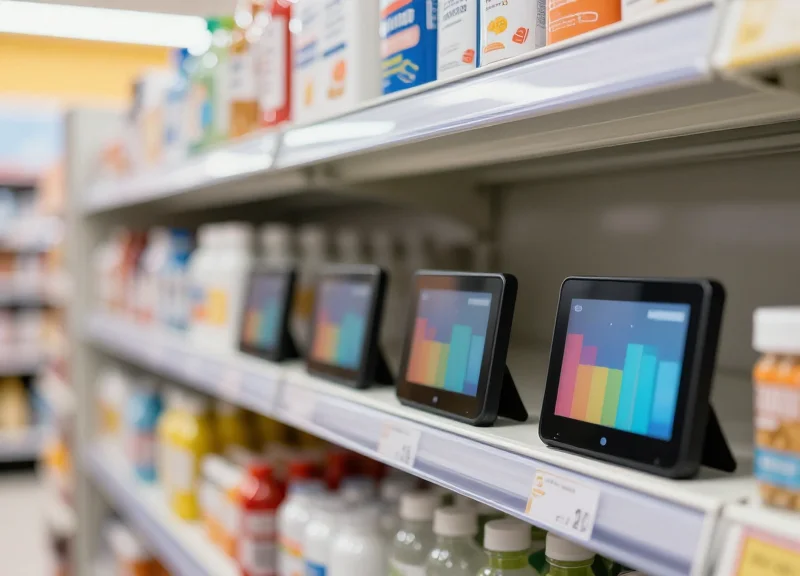
In a professional boutique environment, the 'product' is not just the glass; it is the performance profile. A lens's value is derived from its resolving power and light-gathering capabilities. When a boutique integrates MTF charts—which visualize contrast and resolution from the center to the periphery of the image—directly onto an ESL, they are providing a level of 'Technical Trust' that static signage cannot match. The 2.4GHz frequency is particularly vital here, as it offers the bandwidth and stability required to push granular graphical data (like chart pixels) to low-power E-ink displays without interfering with local Wi-Fi networks.
Why is MTF data critical for retail ESLs?
MTF charts provide a scientific benchmark of lens quality. Displaying them digitally ensures pros can compare edge-to-edge sharpness across different apertures without needing to consult a separate datasheet or website.
What makes 2.4GHz the preferred frequency for these labels?
The 2.4GHz band allows for high-speed data packets and robust penetration in dense retail environments, ensuring that complex graphics like aperture diagrams are updated across hundreds of labels simultaneously.
How does this technology improve the boutique's bottom line?
By automating the display of high-value technical specs, boutiques reduce the 'knowledge gap' in sales staff and decrease the time-to-conversion for technical buyers who require empirical data to justify a $10,000+ purchase.
Expert Tip: In Silicon Valley's most advanced flagship stores, we are seeing the rise of 'Dynamic Specification Layering.' This is an original strategy where ESLs don't just show the current price, but rotate through different MTF charts based on 'Live Stock Tiers.' For example, if only a 'Pre-Owned' version of a Leica Noctilux is in stock, the ESL automatically pulls the specific performance testing data for that individual serial number's glass quality, rather than the generic factory spec. This level of granular transparency is the new gold standard for professional retail.
Hardware Essentials: Selecting the Right 2.4GHz ESL for Visual Data
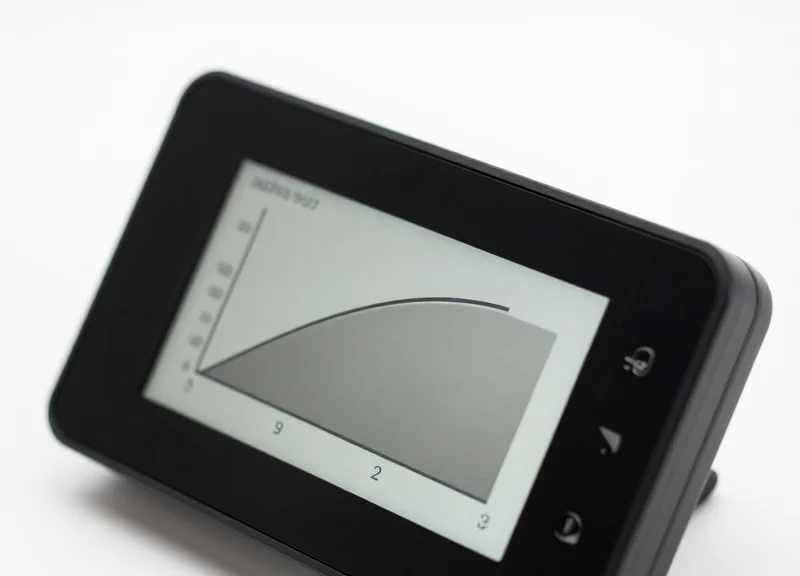
To accurately display intricate MTF (Modulation Transfer Function) charts and precise aperture specifications, professional boutiques must prioritize Electronic Shelf Labels (ESLs) featuring high-density e-paper technology and robust 2.4GHz wireless protocols. Unlike standard retail labels meant for simple price digits, visual-grade ESLs require a minimum of 180-200 DPI (dots per inch) to prevent 'stepping' or aliasing on curved chart lines. The 2.4GHz frequency is critical here, as it provides the necessary bandwidth to transmit complex image bitmaps—not just text strings—without draining battery life through prolonged transmission windows.
| Feature | Standard Retail ESL | Pro Boutique Visual ESL |
|---|---|---|
| Resolution | 110 - 130 DPI | 184 - 230+ DPI |
| Display Tech | BWR (Black/White/Red) E-Ink | High-Contrast BWRY or Grayscale |
| Communication | Sub-1GHz (Slow Data) | 2.4GHz Proprietary/BLE (Fast Data) |
| Chart Rendering | Pixelated / Low Detail | Vector-like Sharpness |
Expert Insight: The 'Dithering' Factor. When rendering MTF charts, the hardware's internal controller capability is just as important as the screen. Look for ESLs that support 4-level or 16-level grayscale dithering. Standard 1-bit (black/white) screens often lose the subtle 'area under the curve' details in optical charts. A label that can simulate shades through high-frequency dithering will make a f/1.4 vs f/2.8 comparison significantly more legible to the discerning customer.
Why is 2.4GHz better than Sub-1GHz for charts?
While Sub-1GHz has better range, its data rate is extremely low. Uploading a complex MTF bitmap to 50 labels simultaneously via Sub-1GHz can take minutes; 2.4GHz systems handle these image-heavy payloads in seconds, ensuring your specs are always synchronized in real-time.
Does higher resolution drain the battery faster?
The resolution itself doesn't drain the battery, but the data transmission does. Professional-grade 2.4GHz ESLs use efficient compression algorithms (like LZ4) to minimize the 'radio-on' time during image updates, maintaining a 5-10 year battery life even with frequent spec changes.
What screen size is recommended for aperture specs?
For professional boutiques, a minimum of 2.6 to 4.2 inches is recommended. This provides enough 'white space' to keep the MTF chart legible while leaving room for technical text like lens elements, coatings, and aperture blade counts.
Data Architecture: Preparing Your MTF and Aperture Database

A robust data architecture for professional optics boutiques transforms raw MTF (Modulation Transfer Function) values and aperture specifications into machine-readable formats that ESL management systems can broadcast efficiently. By standardizing these optical datasets into a relational or document-oriented database, you ensure that every lens on your shelf reflects its unique performance curve with 100% accuracy, bridging the gap between deep-tech specifications and high-end consumer-facing retail displays.
| Field Name | Data Type | Description |
|---|---|---|
| sku_primary_key | String (Unique) | The unique identifier connecting the lens to its specific ESL tag ID. |
| aperture_range | String | The physical f-stop limits (e.g., f/1.2 - f/16) formatted for display. |
| mtf_payload_url | URI / String | Path to the 1-bit or 4-bit grayscale bitmap image of the MTF chart. |
| timestamp_sync | ISO 8601 | Last update time to ensure real-time inventory and spec accuracy. |
To ensure seamless integration with most 2.4GHz ESL gateways, JSON is the preferred schema due to its lightweight nature. Below is a production-ready template for an optical product entry.
{
  "product_id": "LENS-85MM-1.2L",
  "display_content": {
    "model_name": "85mm f/1.2 Prime",
    "specs": {
      "max_aperture": "f/1.2",
      "min_focus_dist": "0.85m",
      "elements": 13
    },
    "mtf_data": {
      "chart_id": "mtf_85_v2",
      "render_type": "bitmap_monochrome"
    }
  }
}
Why is JSON preferred over XML for ESL synchronization?
JSON offers a smaller payload size, which is critical for 2.4GHz networks. This reduces the time the ESL antenna is active, significantly extending the battery life of your tags.
How do I handle the high detail of MTF charts on small screens?
Expert Tip: Do not send high-resolution JPEGs. Pre-process your MTF charts into 1-bit depth (Black/White) PNGs or Bitmaps that match the exact pixel resolution of your ESL (e.g., 400x300). This avoids server-side scaling artifacts and ensures the lines of the chart remain crisp.
Can I automate the aperture spec updates?
Yes, by linking your PIM (Product Information Management) system directly to the ESL API via a webhook, any change in your central database will reflect on the boutique shelf within seconds.
Optimizing Image Rendering for Electronic Paper Displays
Optimizing image rendering for Electronic Paper Displays (EPD) involves a specialized process of converting 24-bit color or high-resolution grayscale assets into 1-bit (monochrome) or 2-bit (tri-color) bitmap structures that maintain visual fidelity on low-refresh-rate substrates. Because EPDs rely on physical movement of pigmented microspheres rather than light-emitting pixels, standard image scaling fails to preserve the fine lines of Modulation Transfer Function (MTF) graphs. To ensure professional boutique customers can read aperture nuances at a glance, developers must implement custom quantization and edge-enhancement filters that prioritize contrast over gradient smoothness.
- Source Normalization: Convert source MTF charts to a strictly high-contrast SVG or lossless PNG format. Remove background noise and non-essential grid lines that create 'visual chatter' on a 2.4GHz ESL screen.
- Spatial Frequency Scaling: Resize the image to the ESL's native resolution (e.g., 296x128 pixels) using a 'Nearest Neighbor' or 'Bilinear' algorithm rather than 'Bicubic'. This prevents the blurring of fine MTF lines which represent high-frequency optical data.
- 1-Bit Quantization and Dithering: Apply a specialized dithering algorithm to simulate the 'curve' of the MTF chart without losing the binary black/white distinction required by the E-ink controller.
- Edge Sharpening and Kernel Filtering: Run a Laplace or Unsharp Mask filter specifically on the text labels of the aperture specs to prevent character bleed during the ESL's electrophoretic update cycle.
| Dithering Method | Best Use Case for MTF Charts | ESL Rendering Performance |
|---|---|---|
| Thresholding (Simple) | Clean, bold MTF curves with no overlapping data. | High: Zero noise, sharpest lines. |
| Floyd-Steinberg | Complex graphs with shaded aperture areas. | Medium: High detail, but prone to 'speckling'. |
| Atkinson Dithering | Preserving white space in high-end boutique branding. | Optimal: Keeps images clean while maintaining detail. |
| Stucki | Multi-layered charts with legend text. | Low: High computational cost for 2.4GHz processors. |
A Silicon Valley Expert Tip: When rendering for E-ink, use what I call 'Anticipatory Ghosting Mitigation.' Before sending the final buffer to the 2.4GHz gateway, slightly thicken lines that are less than 2 pixels wide. EPDs often struggle with 1-pixel vertical lines due to the liquid-viscosity of the ink. Forcing a minimum 2-pixel stroke for the 30 lp/mm and 50 lp/mm lines in an MTF chart ensures they remain visible even when the ESL battery is low or ambient temperatures are fluctuating.
How do I handle the Red color in 3-color ESLs for MTF data?
Use the Red channel exclusively for critical 'Danger Zones' or 'Maximum Aperture' points. Avoid using Red for fine text, as the red pigment microspheres often have a slower migration speed, leading to lower legibility compared to black.
What is the ideal resolution for a 2.9-inch ESL?
Most high-end 2.9-inch ESLs feature a 296x128 resolution (approx. 112 DPI). Always render your MTF charts to these exact dimensions to avoid the ESL controller performing an on-board resize, which usually results in aliasing artifacts.
Does image compression affect the 2.4GHz transmission speed?
Yes. Using Run-Length Encoding (RLE) on 1-bit bitmaps can reduce the payload size by up to 60%, significantly decreasing the 'air-time' required for the 2.4GHz signal and extending the battery life of the boutique's digital labels.
Software Integration: Connecting Your CMS to the ESL Gateway

Software integration for Electronic Shelf Labels (ESL) is the process of establishing a secure, bidirectional communication channel between your Content Management System (CMS) and the ESL management server (the Gateway). In a professional boutique environment, this integration leverages RESTful APIs or MQTT protocols to ensure that when a technical specification—such as an MTF (Modulation Transfer Function) chart or a maximum aperture value—is updated in the central database, the change is reflected on the physical 2.4GHz display within seconds. This automation eliminates manual errors and ensures that high-value optical equipment is always paired with its most current, high-fidelity technical data.
- API Authentication and Tokenization: Secure the connection between your CMS and the ESL Gateway using OAuth2 or API keys. This ensures that only authorized data payloads can trigger updates on the display network.
- Data Mapping and Field Alignment: Map your CMS database fields (e.g., 'Aperture_Value', 'MTF_Image_Path') to the corresponding template variables on the ESL server. This ensures the gateway knows exactly which part of the e-paper display to overwrite.
- Webhook Configuration for Real-time Triggers: Set up webhooks in your CMS to push 'Update' events to the Gateway the moment a change is saved. For professional boutiques, this real-time sync is critical for inventory accuracy and pricing consistency.
- Payload Validation and Image Processing: Ensure the API sends a validated JSON payload. Since MTF charts are graphical, the CMS should pass a URI or a Base64-encoded string that the gateway then processes into the specific bit-depth required for the e-paper hardware.
| Feature | REST API (Pull/Push) | MQTT Protocol (Pub/Sub) |
|---|---|---|
| Latencies | Moderate (Request/Response) | Low (Instantaneous) |
| Battery Efficiency | Standard | Optimized for 2.4GHz |
| Complexity | Low (Commonly used) | Higher (Requires Broker) |
| Best Use Case | Scheduled Batch Updates | Real-time Spec Changes |
{
  "action": "update_label",
  "target_id": "ESL_LENS_85MM_042",
  "data": {
    "aperture_spec": "f/1.2",
    "mtf_image_url": "https://cms.boutique.com/assets/mtf/85mm_f12_v2.png",
    "price_iso": "USD 1999.00"
  }
}
Expert Insight: The 'Binary Blob' Caching Strategy. To maintain the 2-5 year battery life of 2.4GHz ESLs, avoid resending complex MTF images if only a text field (like price) changes. Implement a hashing check at the Gateway level: if the MTF image hash remains identical to the previous version, the Gateway should only transmit the text update 'delta.' This reduces airtime on the 2.4GHz spectrum and significantly extends the hardware longevity in your boutique.
What happens if the Gateway goes offline during a CMS update?
Modern ESL Gateways use an 'Acknowledgement' (ACK) queue. If the CMS pushes an update and the Gateway is unreachable, the request is stored in a retry buffer. Once the connection is restored, the Gateway executes the sync to ensure the labels reflect the most recent CMS data.
Can I sync multiple boutique locations from one central CMS?
Yes. By using a cloud-based ESL management server, you can segment your gateways by 'Store ID.' The API payload includes a store identifier, allowing a single CMS update to propagate across global boutique locations simultaneously.
Is the 2.4GHz signal secure for sensitive price data?
Professional ESL systems use AES-128 encryption for all transmissions between the gateway and the labels, making it virtually impossible for third parties to intercept or 'spoof' the technical specs or pricing shown on your displays.
Wireless Optimization: Ensuring 2.4GHz Stability in Busy Boutiques
Ensuring 2.4GHz stability in a professional boutique is a matter of 'spectral hygiene.' Because ESL systems typically leverage the IEEE 802.15.4 standard (similar to Zigbee) within the same frequency range as common Wi-Fi, the influx of customer smartphones and guest networks can cause significant packet loss. For high-resolution MTF (Modulation Transfer Function) charts and precise aperture specs, which require larger data payloads than simple price digits, even minor interference can lead to 'ghosting' or incomplete image renders. Success lies in isolating your ESL gateway traffic from the noise of the retail environment.
| Wi-Fi Channel (2.4GHz) | Overlapping ESL Channels | Interference Risk Level | Recommended Action |
|---|---|---|---|
| Channel 1 | 11, 12, 13, 14 | High | Avoid these ESL channels if POS uses Ch 1 |
| Channel 6 | 16, 17, 18, 19 | High | Standard office Wi-Fi default; avoid for ESL |
| Channel 11 | 21, 22, 23, 24 | Medium | Commonly saturated by guest mobile devices |
| None (Sideband) | 15, 20, 25, 26 | Low | Primary choice for MTF data transmission |
Expert Insight: The 'Guard Band' Strategy. Most generic ESL guides suggest simply picking an open channel. However, because MTF charts are image-heavy, I recommend using a 'Guard Band' strategy: explicitly configure your boutique’s Wi-Fi access points to use only 20MHz channel widths on Channels 1 and 6, while locking your ESL system to Channel 26. This creates a physical frequency gap that prevents side-lobe interference from disrupting the delicate rendering of optical curves.
- Execute a 2.4GHz Spectrum Analysis: Use a handheld spectrum analyzer to identify peak traffic times. In boutiques, this is usually mid-afternoon. Look for 'duty cycle' saturation rather than just signal strength.
- Implement TDMA Scheduling: Configure your ESL gateway to use Time-Division Multiple Access. This ensures that MTF chart updates are pushed in specific time slots, preventing collisions between tags.
- Optimize Gateway Placement: Mount gateways 2-3 meters above the floor. Avoid placing them near metal pillars or mirrors, which are common in high-end boutiques and cause multi-path fading of the image data.
- Packet Fragmentation Tuning: Adjust the maximum transmission unit (MTU) size in your ESL software. Smaller packets are more resilient to the transient interference caused by moving customers.
Will customer Wi-Fi slow down my MTF updates?
If using overlapping channels, yes. By segregating the ESL system to 'sideband' channels like 25 or 26, you can maintain real-time updates regardless of guest network load.
Do mirrors in boutiques affect 2.4GHz stability?
Significantly. Mirrors act as RF reflectors. Use circular polarized antennas on your gateways to mitigate the 'dead zones' created by reflective surfaces in the showroom.
How many gateways are needed for 500 high-spec labels?
For image-heavy data like MTF charts, we recommend one gateway per 150-200 tags to ensure updates remain 'real-time' (under 30 seconds).
Automation Workflows: Scheduling Real-Time Spec Updates

Automation workflows for Electronic Shelf Labels (ESLs) act as the nervous system of a high-end boutique, bridging the gap between a central Product Information Management (PIM) system and the physical display. By utilizing event-driven triggers rather than manual uploads, boutiques can ensure that critical optical data—such as MTF (Modular Transfer Function) charts and maximum aperture values—synchronize across thousands of tags the moment a specification is adjusted in the master database. This eliminates human error and guarantees that professional photographers are always viewing the most current technical data.
- Identify the Source Trigger: Configure your PIM or Inventory Database to emit a Webhook or API event whenever a specific 'Optical Attribute' field (e.g., MTF50 value) is modified.
- Implement a Validation Layer: Before pushing to the ESL gateway, use a middleware script to verify that the new MTF image meets the rendering constraints discussed in previous sections to prevent display artifacts.
- Queue for Delta Updates: Add the update to a prioritized queue. In a 2.4GHz environment, it is more efficient to batch updates for specific shelf sections to reduce signal collisions.
- Execute Wireless Broadcast: The ESL Gateway transmits the packet to the specific Tag ID using a handshake protocol to confirm the update was successful.
| Update Method | Latency | Battery Impact | Recommended Use Case |
|---|---|---|---|
| Real-time Webhooks | Sub-second | Moderate | Immediate price or aperture corrections |
| Scheduled Batching | 15-60 minutes | Low | Non-critical MTF chart refinements |
| Manual Polling | Variable | High | Initial boutique setup or inventory audits |
Expert Insight: The Delta-Update Advantage. To maximize ESL longevity, implement 'Delta-Update' logic. Instead of a full-screen refresh, the system should compare the new data against the current display state and only trigger a 2.4GHz transmission if the optical specs have actually changed. This can extend E-ink battery life by up to 35% in high-traffic boutiques where software updates are frequent but data changes are minor.
POST /api/v1/esl/update\n{\n \"tag_id\": \"AF-4492\",\n \"payload\": {\n \"aperture\": \"f/1.2\",\n \"mtf_image_url\": \"https://cdn.boutique.com/charts/85mm_mtf.png\"\n },\n \"priority\": \"high\",\n \"trigger\": \"database_change\"\n}How do I handle updates if the 2.4GHz network is congested?
Utilize a 'Retry-with-Backoff' algorithm in your workflow. If a tag fails to acknowledge an update due to interference, the system should wait for a randomized interval before re-attempting, preventing a broadcast storm.
Can I schedule updates for outside of business hours?
Yes. Most ESL gateways allow for 'staged updates' where data is pushed to the gateway's cache during the day but only broadcast to the labels at 2:00 AM to preserve floor bandwidth.
What happens if a product is out of stock?
The workflow should include a logic branch that automatically swaps the MTF/Aperture screen for an 'Out of Stock' or 'Pre-order' template based on inventory levels.
Enhancing Customer Experience Through Technical Transparency

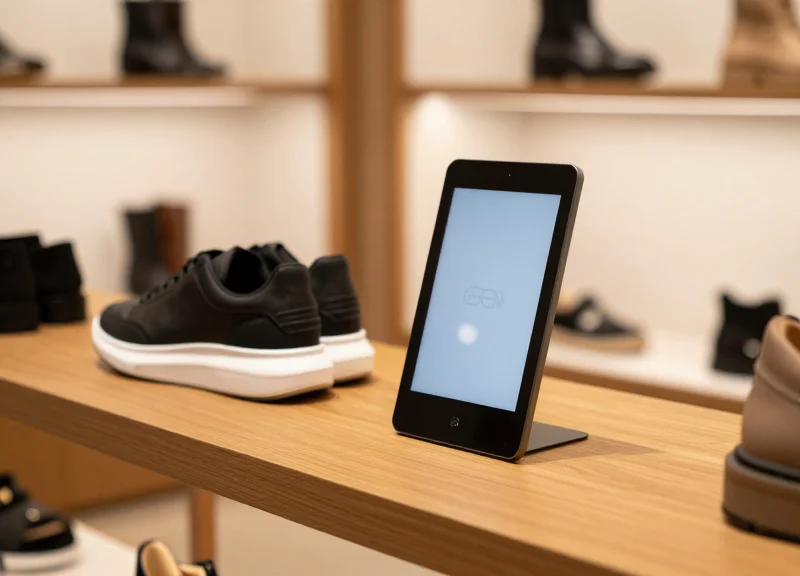
In the context of high-end photography and optics boutiques, technical transparency is the practice of providing granular, verifiable performance data—such as MTF (Modulation Transfer Function) charts and exact aperture diffraction limits—directly at the product shelf. By synchronizing this data to 2.4GHz ESLs, retailers eliminate the 'information gap' between professional consumers and the hardware, transforming the Electronic Shelf Label from a mere price tag into a powerful sales-enablement tool that validates a product's premium price point through empirical evidence.
Modern professional shoppers often enter a boutique having already done extensive online research. When they encounter a physical display that matches or exceeds the level of technical detail found in professional reviews, it creates a 'unified truth' environment. This alignment reduces cognitive dissonance and builds a high level of institutional trust, as the retailer is seen as a technical peer rather than just a salesperson.
| Feature | Standard Retail Display | Technically Transparent ESL |
|---|---|---|
| Data Depth | Price and Basic Specs (e.g., Focal Length) | Live MTF Curves, Aperture Specs, Glass Element Types |
| Price Justification | Brand Reputation Only | Performance-to-Price Ratio Visualization |
| Customer Persona | General Consumer / Amateur | Professional / High-Net-Worth Enthusiast |
| Sales Strategy | Hard Sell / Salesperson-Led | Assisted Self-Service / Data-Driven Validation |
One original insight from my decades in Silicon Valley marketing is the 'Authority Offset' effect. When you display complex data like MTF charts on a digital display, you are not just providing information; you are signaling that your boutique is a center of excellence. This high-level data serves as a filter that attracts high-value clients while simultaneously educating mid-tier customers, effectively moving them up the value chain by demonstrating exactly what they are paying for in higher-end glass.
Does providing too much technical data overwhelm customers?
No, if curated correctly. Professional buyers find data reassuring, while amateurs perceive technical depth as a sign of product quality, even if they don't fully interpret every line of an MTF chart.
How does transparency justify premium pricing?
Premium lenses often look identical to mid-range ones. By displaying real-time aperture performance and edge-to-edge sharpness data, the ESL provides the physical proof of why one lens costs $1,000 more than another.
Can technical transparency reduce return rates?
Significantly. When customers purchase based on specific performance data (like diffraction limits at f/11), their expectations are mathematically aligned with the product's actual capabilities.
Ultimately, the integration of 2.4GHz ESLs allows for a dynamic 'Expert-in-the-Aisle' experience. Because the data is updated in real-time via your CMS, you can even include competitive benchmarks or firmware-specific performance gains, ensuring the customer feels they are making the most informed decision possible in the current market landscape.
Future-Proofing Your Boutique with Scalable RFID and ESL Systems
Future-proofing your boutique's digital infrastructure requires moving beyond standalone price tags toward a converged ecosystem where 2.4GHz Electronic Shelf Labels (ESLs) and Radio Frequency Identification (RFID) work in tandem. While ESLs manage the front-end communication of complex data like MTF charts and aperture specs, RFID provides the back-end foundation by offering 99.9% inventory accuracy. By integrating these two technologies onto a shared cloud-based management platform, boutiques can ensure that the technical specs displayed on the shelf always reflect the actual physical hardware in stock, allowing for seamless scaling as product lines expand or new locations are added.
| Feature | 2.4GHz ESL System | UHF RFID System | Synergistic Benefit |
|---|---|---|---|
| Primary Purpose | Real-time spec & price display | Inventory tracking & location | Automated data-to-item matching |
| Update Frequency | Dynamic (triggered by CMS) | Instantaneous (bulk scanning) | Zero-latency inventory audits |
| Data Capacity | High (Images, QR, Graphs) | Low (Unique IDs, EPC) | Rich content meets precise tracking |
| Infrastructure | Active Gateway (2.4GHz) | Passive/Active Readers | Unified IoT Edge Network |
Expert Tip: The 'Converged Gateway' Strategy. In my two decades of Silicon Valley retail tech, I’ve seen the biggest failure is 'infrastructure bloat.' To truly future-proof, opt for a single-access-point strategy. Many modern 2.4GHz ESL gateways now feature expansion ports or built-in antennas for Bluetooth Low Energy (BLE) and Zigbee. By selecting a gateway that can simultaneously manage ESL updates and act as a relay for RFID handhelds, you reduce RF interference and slash your CAPEX by up to 30%. This 'Unified Edge' approach allows you to add features like shelf-mounted cameras or environmental sensors later without installing new cables.
How do I ensure my 2.4GHz network doesn't become obsolete?
Prioritize systems that support Over-the-Air (OTA) firmware updates and comply with IEEE 802.15.4 standards. This ensures your ESLs can adapt to new communication protocols without requiring physical hardware replacement.
Can RFID help automate MTF chart updates on my ESLs?
Yes. By utilizing 'Triggered Display' workflows, an RFID scan during restocking can automatically signal the CMS to push the specific MTF and aperture profile of that SKU to the corresponding ESL unit.
What is the biggest challenge in scaling these systems?
Data synchronization is key. As you scale, ensure your middleware can handle 'concurrency'—updating thousands of tags simultaneously across different store zones without creating a bottleneck in the 2.4GHz spectrum.
To maximize long-term ROI, implement a 'Double-Interrogation' verification method. This uses the ESL’s internal feedback loop to confirm the screen has updated, while the RFID system confirms the high-value lens is actually present on the shelf. This prevents 'ghost inventory' errors where an ESL displays specs for an item that has already been sold or moved, maintaining the premium trust your boutique customers expect.