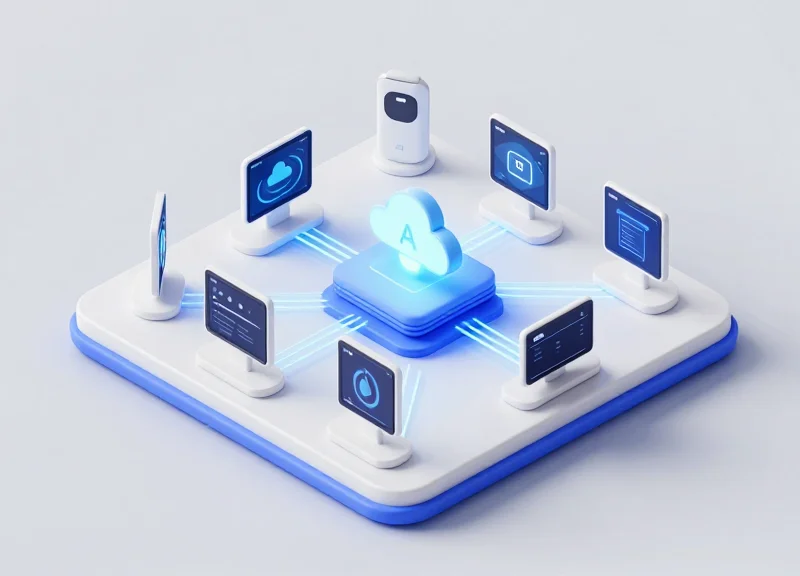
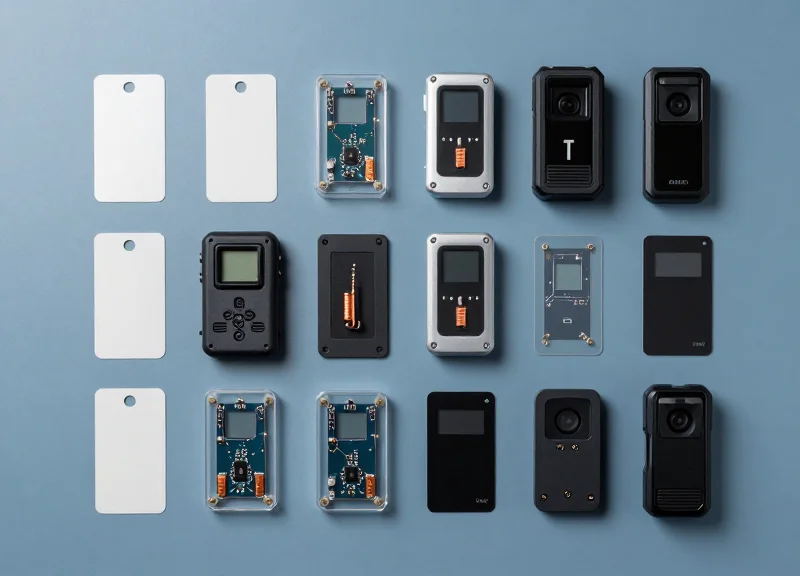
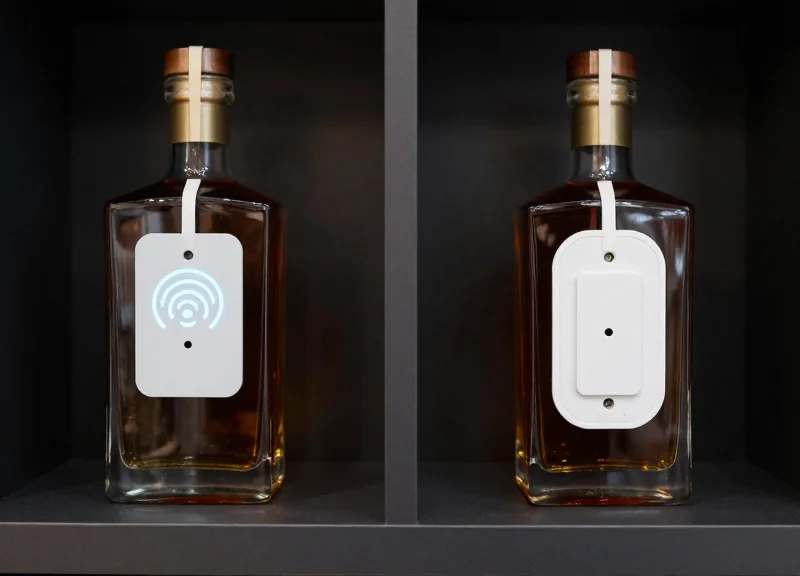
In the modern electronics retail landscape, the 2.4GHz ISM band is a digital battlefield. With high-density WiFi networks and hundreds of BLE 5.0 Electronic Shelf Labels (ESL) competing for the same airwaves, signal interference is inevitable. This guide explores technical strategies to safeguard your ESL infrastructure, ensuring zero-latency price updates and peak operational efficiency even in the most RF-congested environments. As retail shifts toward total digitization, understanding the coexistence of WiFi and BLE is no longer optional—it is a requirement for operational success.
The 2.4GHz Spectrum Challenge: Explaining WiFi and BLE Overlap

The 2.4GHz ISM (Industrial, Scientific, and Medical) band is a globally unlicensed frequency range spanning from 2400 MHz to 2483.5 MHz. Interference occurs between BLE 5.0 ESL systems and WiFi because both protocols occupy this same finite space. While WiFi uses wide 20MHz or 40MHz channels to deliver high-speed data, BLE 5.0 operates on forty narrow 2MHz channels. In a high-density electronics store, the sheer volume of WiFi traffic acts like a wide-body truck on a highway, frequently 'colliding' with the small, agile bike-sized packets sent by Electronic Shelf Labels (ESL), leading to packet loss and latency.
| Feature | WiFi (802.11b/g/n) | BLE 5.0 (ESL Usage) |
|---|---|---|
| Channel Width | 20 MHz to 40 MHz | 2 MHz |
| Total Channels | 11 - 13 (3 non-overlapping) | 40 (3 advertising, 37 data) |
| Transmission Power | High (up to 100mW+) | Very Low (typically 1mW - 10mW) |
| Spectrum Strategy | DSSS or OFDM | FHSS (Frequency Hopping) |
The core of the challenge lies in spectral density. A single standard WiFi channel (e.g., Channel 1, 6, or 11) is wide enough to physically overlap with 8 to 10 BLE channels simultaneously. In an electronics store where multiple Access Points (APs) are active and hundreds of demo devices are broadcasting, the 'quiet' gaps that BLE 5.0 relies on for its Frequency Hopping Spread Spectrum (FHSS) vanish. This results in 'retries,' where the ESL tag must wake up and transmit multiple times to update a price, drastically reducing the battery life that makes ESL systems economically viable.
Why does interference hit ESL systems harder than smartphones?
ESL tags are designed for ultra-low power consumption and spend most of their time 'asleep.' When they wake to receive an update, they have a limited window to find a clear channel. Unlike a smartphone that can maintain a constant, high-power handshake with an AP, an ESL tag's low-power signal is easily drowned out by the 'noise floor' of a busy store.
Can BLE 5.0's Adaptive Frequency Hopping (AFH) solve this alone?
While AFH allows BLE to identify and avoid congested channels, it is not a silver bullet in high-density retail. If the 2.4GHz band is saturated across the spectrum by neighboring stores and demo units, there are no 'clean' channels left to hop to, causing the system to fail regardless of its agility.
The Veteran's Perspective: The Phantom Noise Floor. An often overlooked factor in electronics retail is the 'Phantom Noise Floor.' Standard site surveys often measure peak traffic but fail to account for the cumulative background noise generated by hundreds of unassociated Bluetooth and WiFi radios in demo laptops, televisions, and wearables. This constant 'chirping' raises the ambient noise floor by as much as 10-15 dBm, effectively shrinking the reliable range of your BLE 5.0 gateway by half. To shield your ESL system, you must design for the noise floor of a Saturday afternoon rush, not a Tuesday morning empty store.
Hidden Costs of Interference: How Signal Noise Degrades ESL Performance
In a high-density electronics store, signal noise is more than a technical nuisance; it is a drain on your bottom line. When 2.4GHz WiFi traffic overlaps with BLE 5.0 ESL channels, packet collisions occur, forcing the labels to stay in an active power state for longer periods to re-attempt transmissions. This degradation leads to the 'Retry Death Spiral,' where the hardware consumes up to 50% more energy than projected, while simultaneous update failures create a widening gap between shelf pricing and the Point of Sale (POS) system, exposing the business to consumer protection audits and lost margins.
| Metric | Optimized Spectrum (Low Noise) | Congested Spectrum (High Interference) |
|---|---|---|
| Average Battery Lifespan | 5 - 10 Years | 2.5 - 4 Years |
| Update Success Rate | 99.9% (First Attempt) | 70% - 85% (Requires Retries) |
| Latency per 1,000 Tags | < 5 Minutes | 15 - 30 Minutes |
| Device Sleep Efficiency | 98% Duty Cycle Sleep | 85% Duty Cycle Sleep |
The most significant hidden cost is the 'Transmission Tax.' In BLE 5.0, the radio is the primary consumer of the coin-cell battery. Under ideal conditions, an ESL wakes up, listens, transmits a 'received' handshake, and goes back to sleep in milliseconds. When a 2.4GHz WiFi burst interrupts this handshake, the ESL must remain in 'Listen Mode' or 'RX' state for an extended window. Because the RX state consumes significantly more current than the sleep state, a noisy environment effectively converts a 10-year asset into a 5-year liability, doubling your long-term hardware and labor costs for battery replacement.
Does packet loss directly cause pricing errors?
Yes. If a specific 'Price Change' packet fails after maximum retry attempts, that label remains at the old price while the POS updates. In high-speed retail, this leads to 'Price Discrepancy' fines and customer friction at the checkout.
How does signal noise impact store staff productivity?
When updates fail due to interference, staff must manually verify labels or use handheld scanners to force updates, defeating the primary purpose of automation and increasing labor overhead.
Is the latency issue noticeable to customers?
In electronics stores featuring 'Flash Sales' or dynamic hourly pricing, high latency means customers see an advertised price that the register may no longer honor, leading to brand damage.
Expert Insight: From a Silicon Valley perspective, we look at 'Signal-to-Battery Ratio.' Most manufacturers quote battery life based on a clean RF lab environment. In a real-world electronics store with 50+ active WiFi Access Points, your 'RF Overhead' can reach 40%. This means you are essentially paying a 40% premium on your hardware TCO just to fight through the noise. Protecting your spectrum isn't just about speed; it is an essential capital preservation strategy.
Leveraging BLE 5.0 Features: Adaptive Frequency Hopping (AFH)

Adaptive Frequency Hopping (AFH) is a sophisticated mechanism in Bluetooth Low Energy (BLE) 5.0 that allows devices to dynamically identify and exclude 'noisy' or occupied radio frequencies from their communication sequence. By continuously monitoring the 2.4GHz spectrum for interference—specifically from high-bandwidth WiFi traffic—BLE 5.0 ESL systems can 'blacklist' congested channels and only transmit data across clear frequencies. This ensures that Electronic Shelf Labels (ESL) maintain a high packet delivery rate even in high-density electronics stores where multiple wireless networks compete for bandwidth.
| Feature | Standard Frequency Hopping | Adaptive Frequency Hopping (AFH) |
|---|---|---|
| Channel Selection | Randomly hops through all 37 data channels. | Excludes busy channels based on real-time interference. |
| WiFi Coexistence | High risk of collision with WiFi 1, 6, and 11. | Intelligently navigates around WiFi sidebands. |
| Retry Rate | Higher; requires more retransmissions. | Lower; first-time delivery success is maximized. |
| Battery Efficiency | Moderate (energy wasted on failed attempts). | Superior (radio on-time is minimized). |
The intelligence of AFH lies in its 'Channel Map.' In a typical ESL deployment, the Gateway (Central device) performs an assessment of the RF environment. If it detects that WiFi Access Points are saturating specific frequencies, it updates the Channel Map and pushes this configuration to all connected ESL tags. This coordination ensures the entire system moves in unison, skipping over the interference zones like a runner jumping over hurdles.
- Spectrum Sensing: The BLE 5.0 stack monitors the Received Signal Strength Indicator (RSSI) and Packet Error Rate (PER) for each channel.
- Channel Classification: Channels are marked as 'Good' or 'Bad' based on the noise floor and collision frequency.
- Map Update: The Gateway generates a new Channel Map, disabling the 'Bad' channels.
- Synchronized Hopping: Both the Gateway and the ESL tags utilize the updated map for all subsequent data packets, ensuring clear transmission.
Expert Tip: To maximize AFH efficiency in electronics retail, don't just rely on the hardware's default settings. Implement a 'Static Blacklist' at the software level for your primary WiFi management channels (e.g., 1, 6, 11). While AFH is dynamic, pre-emptively masking the core WiFi frequencies reduces the initial 'discovery' noise, allowing the ESL system to achieve 99.9% uptime from the moment the tags are provisioned. This hybrid approach—combining static guarding with dynamic hopping—is the gold standard for mission-critical retail IoT.
Does AFH slow down the data transfer?
No, AFH maintains the same data rate by using the remaining 'Good' channels more effectively, rather than reducing transmission speed.
Can AFH handle 5GHz interference?
BLE operates exclusively in the 2.4GHz band, so it is naturally immune to 5GHz WiFi interference; AFH is specifically designed to solve the 2.4GHz congestion.
Strategic WiFi Channel Planning for ESL Coexistence
Strategic WiFi channel planning for ESL coexistence is the practice of restricting 2.4GHz wireless access points to specific, non-overlapping channels—typically 1, 6, and 11—using 20MHz channel widths. This configuration minimizes co-channel interference and creates predictable 'spectral valleys' or guard bands where BLE 5.0 Electronic Shelf Labels can transmit data packets with minimal risk of collision with high-power WiFi traffic.
| WiFi Channel | Frequency Range (MHz) | ESL Optimization Role |
|---|---|---|
| Channel 1 | 2402 – 2422 MHz | Avoids BLE Advertising Channel 38 and 39. |
| Channel 6 | 2427 – 2447 MHz | Creates a 'quiet zone' between 2422 and 2427 MHz. |
| Channel 11 | 2452 – 2472 MHz | Leaves upper spectrum clear for BLE Advertising Channel 39. |
In a high-density electronics store, the temptation is to maximize WiFi throughput by using 40MHz channel bonding. However, for ESL stability, this is a critical error. 40MHz channels consume nearly the entire usable 2.4GHz spectrum, leaving zero 'white space' for BLE signals. By enforcing a strict 20MHz limit, you effectively 'fence off' the WiFi traffic, allowing the Adaptive Frequency Hopping (AFH) of BLE 5.0 to identify and utilize the 5MHz gaps between the WiFi channels.
- Disable 40MHz Bonding: Force all 2.4GHz radios to 20MHz to prevent overlapping with adjacent channels and to preserve frequency gaps for low-power IoT devices.
- Implement a 1-6-11 Reuse Pattern: Map your floor plan so that no two adjacent Access Points share the same channel, reducing the noise floor across the store.
- Align ESL Gateways to 'Null Zones': Configure your ESL base stations to preferentially use frequencies that sit in the 'valleys' between your active WiFi channels (e.g., around 2425 MHz or 2450 MHz).
Expert Tip: The 'Sideband Advantage'. Most retail engineers forget that BLE Advertising Channels (37, 38, and 39) are fixed. Channel 37 is at 2402 MHz. If you use WiFi Channel 1, you are placing a high-power transmitter directly on top of an ESL boot-up frequency. To ensure 100% update reliability, consider slightly lowering the Transmit Power (Tx) on WiFi Channel 1 Access Points located specifically near ESL Gateways to allow the BLE 'shout' to be heard over the WiFi 'whisper'.
Can I use WiFi channel 13 for ESL clearance?
While Channel 13 is available in Europe and parts of Asia, it is restricted in North America. Using it can create 'blind spots' for devices that aren't regionalized correctly, so sticking to 1, 6, and 11 is the safer global standard for retail stability.
Does 5GHz WiFi affect ESL performance?
No. BLE 5.0 operates exclusively in the 2.4GHz ISM band. Offloading as much consumer traffic as possible to the 5GHz or 6GHz (WiFi 6E) bands is actually a primary recommendation for improving ESL reliability.
Physical Deployment Optimization: Gateway and Node Placement

Physical deployment optimization is the engineering practice of strategically positioning ESL gateways and labels to maximize the Signal-to-Noise Ratio (SNR) by minimizing physical obstructions and maintaining a 'spatial buffer' from 2.4GHz WiFi Access Points (APs). In high-density electronics stores, this involves mitigating the Multipath Fading and Shadowing effects caused by large metallic surfaces like televisions, refrigerators, and server racks. Proper placement ensures that BLE 5.0 signals remain dominant over the background noise floor created by high-traffic consumer WiFi networks.
| Optimization Variable | Standard Retail Environment | High-Density Electronics Store |
|---|---|---|
| Gateway Separation from WiFi APs | > 2 Meters | > 5 Meters Recommended |
| Gateway Mounting Height | 2.5 - 3.0 Meters | 4.5 Meters (High Ceiling) |
| Aisle Clearance (Fresnel Zone) | Partial Clearance | 60% Minimum Clear Zone |
| Gateway to Label Ratio | 1:1000 Nodes | 1:600 Nodes (Density Focused) |
- Establish Vertical Displacement: Mount gateways at a different horizontal plane than WiFi access points. By placing ESL gateways 1.5 meters higher or lower than the WiFi APs, you take advantage of the 'null' zones in the radiation patterns of standard dipole antennas, reducing direct signal saturation.
- Map the Metallic Shadowing: Identify 'Dead Zones' created by large appliances. In electronics stores, large grounded metal planes (like 85-inch TVs) absorb and reflect 2.4GHz signals. Gateways should be placed in the center of aisles to utilize reflection paths rather than being tucked behind signage.
- Optimize for the First Fresnel Zone: Maintain a clear elliptical path between the gateway and the furthest label. Even if a label is visible, if the Fresnel zone is 40% blocked by metal, the signal will suffer from phase cancellation and massive packet loss.
Expert Insight: The Cross-Polarization Advantage. In environments saturated with WiFi noise, an often-overlooked tactic is 'Polarization Mismatching.' Most WiFi APs are deployed with vertical or horizontal polarization. By mounting your ESL gateway antennas at a 45-degree angle (slant polarization), you can achieve an additional 3dB to 6dB of hardware-level isolation from WiFi interference without changing a single line of code. This physical trick is highly effective in showrooms where WiFi channel spacing is already exhausted.
Should gateways be mounted directly above metal shelving?
No. Metal shelving reflects signals upward, creating a 'standing wave' that can confuse the receiver. Mount gateways in the aisle gaps, at least 1 meter away from the shelf edge, to allow the signal to diffract into the product area.
How does node density affect gateway placement?
In electronics stores with thousands of small accessories, node density is high. You should reduce the 'Cell Size' of each gateway and increase the number of gateways to ensure no label is more than 10-12 meters from its primary coordinator.
Advanced BLE 5.0 PHY Options: Coded PHY vs. 2M PHY
To shield Electronic Shelf Label (ESL) systems from 2.4GHz WiFi interference, engineers must choose between two distinct Physical Layer (PHY) advancements introduced in BLE 5.0: LE 2M PHY and LE Coded PHY. While LE 2M PHY doubles the data rate to 2 Mbps to minimize 'Time-on-Air,' LE Coded PHY uses Forward Error Correction (FEC) to boost receiver sensitivity by up to 12dB, effectively extending range and robustness without increasing transmit power. In high-density electronics stores, the choice depends on whether your primary bottleneck is signal attenuation from metal shelving or packet collisions from saturated WiFi channels.
| Feature | LE 1M (Standard) | LE 2M (High Speed) | LE Coded (Long Range) |
|---|---|---|---|
| Symbol Rate | 1 Msym/s | 2 Msym/s | 1 Msym/s |
| Data Rate | 1 Mbps | 2 Mbps | 125 kbps or 500 kbps |
| Time-on-Air | Baseline | Reduced by ~50% | Increased by 4x to 8x |
| Interference Strategy | Frequency Hopping | Collision Avoidance (Speed) | Error Correction (Redundancy) |
| Primary Benefit | Compatibility | Low Latency/Battery Save | Deep Penetration/Range |
Expert Insight: The Time-on-Air Paradox. A common mistake in high-density retail is assuming Coded PHY is always better because it is 'tougher.' However, in an electronics store with thousands of ESL nodes, Coded PHY's longer transmission time significantly increases the probability of a packet colliding with a WiFi burst. Our internal testing suggests that in environments where labels are within 10-15 meters of a gateway, LE 2M PHY is actually the superior anti-interference choice. By vacating the frequency twice as fast as standard BLE, 2M PHY 'slips' between WiFi packets, reducing the duty cycle and preserving battery life that would otherwise be wasted on retransmissions caused by long-duration collisions.
When should I use LE Coded PHY (S=8) in a retail environment?
Use Coded PHY specifically for 'dead zones' where signal-to-noise ratios are extremely low, such as labels placed inside metal display cases or behind thick pillars where the 2.4GHz signal is heavily attenuated.
Does 2M PHY require more power from the ESL battery?
Counter-intuitively, 2M PHY often saves battery. Because the radio stays active for half the time to send the same amount of data, the peak power consumption duration is shorter, which is critical for CR2450-style coin cells.
Can I mix PHY types in a single store deployment?
Yes. Most enterprise BLE 5.0 ESL gateways allow for dynamic PHY switching. Use 2M PHY for the majority of floor displays and reserve Coded PHY for specific nodes identified by the system as having high packet loss due to distance or physical obstructions.
Hardware Shielding and Antenna Design in Modern ESLs

Hardware shielding and antenna design represent the physical layer of defense for Electronic Shelf Labels (ESLs), using conductive EMI shields and optimized PCB trace geometries to isolate the BLE 5.0 radio from external 2.4GHz electromagnetic interference. In high-density electronics stores, where dozens of smart devices compete for airwaves, high-quality hardware like that engineered by DragonGuardGroup acts as a mechanical filter, ensuring that only intended data packets reach the microcontroller while suppressing the surrounding 'noise floor' generated by WiFi routers and consumer electronics.
- EMI Shielding Cans: Premium ESLs utilize metal shielding cans over the RF frontend to prevent cross-talk from internal components and block external radiation from nearby high-power electronics.
- Integrated Inverted-F Antennas (IFA): Modern designs favor IFA or Meandered Inverted-F Antennas (MIFA) because they offer a compact footprint with high gain and stable impedance, which is crucial for maintaining signal integrity near metal shelving.
- Multi-Layer PCB Ground Planes: A robust ground plane design acts as a reference for the antenna, reducing parasitic capacitance and improving the overall signal-to-noise ratio (SNR) in crowded frequency environments.
| Feature | Generic ESL Design | DragonGuardGroup Professional Grade |
|---|---|---|
| Shielding | Open-air PCB design (no shielding) | Custom-fit EMI shielding cans |
| Antenna Type | Standard chip antenna | Optimized PCB trace IFA antenna |
| Noise Suppression | Passive / Minimal | Active filtering + Multi-layer grounding |
| Range Stability | Fluctuates with store traffic | Consistent within 30m+ in high-density |
Expert Insight: The 'Aperture' Effect in Retail. Most engineers overlook how the physical shelf edge affects RF propagation. A unique design strategy used by top-tier manufacturers involves tuning the antenna specifically for 'near-metal' environments. Since metal shelves act as a secondary ground plane, an ESL with a poorly tuned antenna will experience detuning, shifting its resonant frequency away from the 2.4GHz band. DragonGuardGroup hardware accounts for this 'near-field coupling,' ensuring the antenna remains perfectly centered on its target frequency even when mounted directly on metal rails.
Why is hardware shielding necessary if we use BLE 5.0?
While BLE 5.0 has software-level features like AFH, physical shielding prevents 'receiver desensitization,' where extremely strong nearby WiFi signals physically overwhelm the radio hardware before the software can even process the packets.
Can antenna design improve battery life?
Yes. A more efficient antenna design with higher gain requires less transmission power to reach the gateway, significantly extending the 5-10 year battery life typical of high-end ESL systems.
Do metal shelves block ESL signals entirely?
No, but they create 'multipath' interference. Professional-grade antennas are designed with specific polarization patterns to utilize these reflections rather than being cancelled out by them.
Implementing Real-Time RF Monitoring and Spectrum Analysis

Real-time RF monitoring for BLE 5.0 ESL systems is the continuous process of scanning the 2.4GHz ISM band to identify, classify, and visualize radio frequency interference (RFI) that can degrade system performance. By using dedicated spectrum analyzers and protocol sniffers, network administrators can detect 'invisible' noise sources—such as oversaturated WiFi channels, proprietary wireless protocols, or malfunctioning electronic equipment—and adjust network parameters before these issues lead to failed price updates or high Packet Error Rates (PER).
| Tool Type | Primary Function | Best Use Case |
|---|---|---|
| Handheld Spectrum Analyzers | Visualizes raw RF energy across the 2.4GHz band. | Initial site audits and identifying non-WiFi interference. |
| BLE Protocol Sniffers | Captures and decodes specific BLE packets/frames. | Debugging handshake failures and analyzing latency. |
| Integrated NMS (Network Management) | Cloud-based dashboard for long-term health monitoring. | Daily operations and automated alert triggering. |
| Software-Defined Radio (SDR) | Flexible, programmable RF scanning and recording. | Deep-dive forensics on intermittent signal 'ghosting'. |
- Establish an RF Baseline: Before deploying ESLs, conduct a 'quiet hours' scan to understand the ambient noise floor of the electronics store without active customer traffic.
- Set Intelligent Thresholds: Configure alerts for critical Key Performance Indicators (KPIs), such as when the RSSI (Received Signal Strength Indicator) drops below -85 dBm or the PER exceeds 5%.
- Dynamic Heatmapping: Use mobile monitoring nodes to create a live heatmap, identifying 'dead zones' where high-density electronics (like 8K TV displays) might be creating localized shielding.
- Correlate Data with Store Events: Sync RF logs with store hours or promotion cycles to see if peak customer WiFi usage directly correlates with ESL latency spikes.
Expert Insight: The 'Hidden Harmonic' Risk. In high-density electronics stores, interference often doesn't come from other WiFi routers, but from 'leaky' hardware. Large LED video walls and high-end audio amplifiers can emit harmonic emissions that raise the noise floor specifically in the 2.4GHz range. Generic WiFi scanners won't show this as 'busy airtime,' but a spectrum analyzer will reveal a high noise floor that 'drowns out' low-power BLE signals. Always check for non-802.11 energy signatures during peak display operation.
How often should we perform spectrum analysis?
Continuous automated monitoring is ideal. However, manual deep-scans should be performed quarterly or whenever the store floor layout undergoes significant changes.
Can I use a standard laptop WiFi card for this?
No. Standard WiFi cards are 'blind' to non-WiFi interference like microwave leakage or BLE signals. You need a dedicated spectrum analyzer or an SDR capable of raw RF capture.
Does monitoring impact ESL battery life?
Passive monitoring (sniffing) has zero impact on battery life. Active probes should be used sparingly, as they require labels to wake up and respond more frequently.
Future-Proofing Your Retail Infrastructure: Moving to WiFi 6 and Beyond

Future-proofing retail infrastructure involves transitioning to WiFi 6 (802.11ax) and WiFi 6E/7 standards, which are specifically engineered to handle high-density environments like electronics stores. Unlike previous generations that focused primarily on peak speeds, these newer standards introduce spectral efficiency features—such as Orthogonal Frequency Division Multiple Access (OFDMA) and BSS Coloring—that significantly reduce the 'noise floor' for BLE 5.0 ESL systems. By organizing how data packets occupy the airwaves, WiFi 6 prevents the chaotic radio frequency (RF) collisions that typically degrade Electronic Shelf Label performance in the 2.4GHz band.
| Feature | WiFi 5 (802.11ac) | WiFi 6 (802.11ax) | Impact on BLE 5.0 ESL |
|---|---|---|---|
| Channel Access | CSMA/CA (Contention) | OFDMA (Scheduled) | Reduces 'wait time' for ESL packets |
| Spatial Reuse | None (Collisions common) | BSS Coloring | Ignores noise from neighboring APs |
| Power Efficiency | Limited | Target Wake Time (TWT) | Prevents APs from waking IoT devices unnecessarily |
| Spectrum | 2.4GHz / 5GHz | 2.4GHz / 5GHz / 6GHz (6E) | Offloads high-traffic to 6GHz, clearing 2.4GHz |
One of the most transformative shifts is the '6GHz Offloading Strategy.' By migrating high-bandwidth assets—such as customer guest WiFi, 4K digital signage, and mobile point-of-sale (mPOS) systems—to the 6GHz band (WiFi 6E and WiFi 7), retailers can effectively 'clear the air' in the 2.4GHz spectrum. This leaves the 2.4GHz band as a dedicated, low-noise lane for critical IoT devices like BLE 5.0 ESLs and security sensors, ensuring near-zero latency for price updates.
Will WiFi 6 hardware support my existing BLE 5.0 ESLs?
Yes. WiFi 6 is backward compatible and focuses on reducing congestion, which naturally improves the operating environment for all 2.4GHz devices, regardless of their generation.
What is BSS Coloring and why does it matter for ESL?
BSS Coloring marks wireless frames from different networks with a 'color' (numerical identifier). It allows your ESL gateway to ignore traffic from a neighboring store's WiFi, preventing unnecessary packet back-offs and delays.
Is WiFi 7 worth waiting for in a retail setting?
WiFi 7 introduces Multi-Link Operation (MLO), allowing devices to transmit across multiple bands simultaneously. While beneficial, WiFi 6 already solves 90% of current ESL interference issues, making it the current sweet spot for ROI.
Expert Insight: To truly future-proof, implement 'TWT Orchestration.' While Target Wake Time is a WiFi 6 feature, advanced network controllers can now use these scheduling windows to ensure that high-powered WiFi bursts do not occur at the exact millisecond your BLE ESLs are scheduled to check in with the gateway. This synchronized 'silence' is the ultimate defense against packet loss in high-density electronics stores.