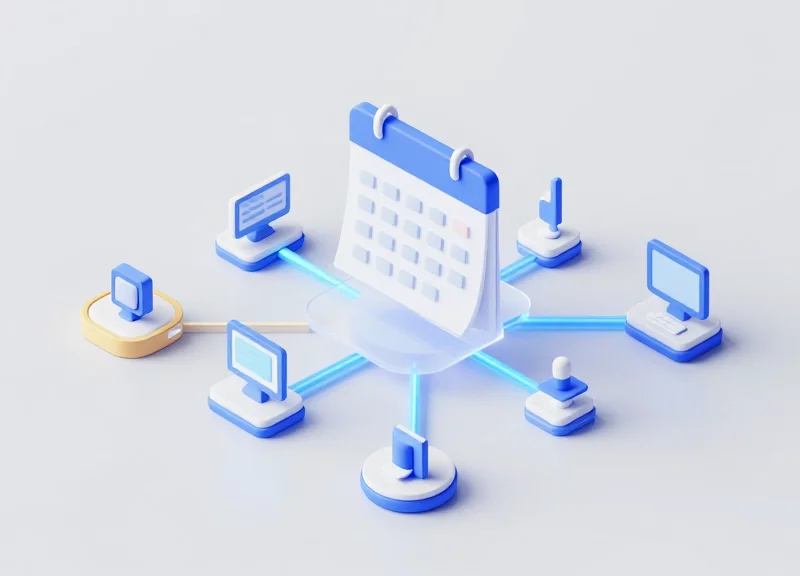
In the modern agile workspace, efficiency is paramount. Manual updates of meeting room schedules are not only time-consuming but prone to human error, leading to double bookings and confusion. Electronic Shelf Labels (ESL) have evolved beyond retail into the corporate world as 'Electronic Meeting Labels.' This guide provides a deep dive into the technical architecture required to sync these digital signs with enterprise calendars like Microsoft Outlook and Google Calendar via secure APIs, ensuring real-time accuracy and enhanced security.
The Evolution of ESL in Corporate Environments
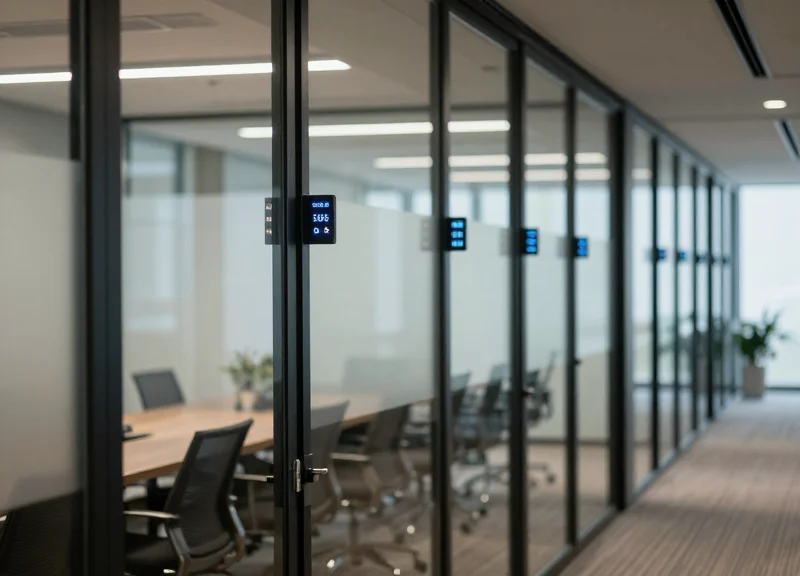
Electronic Shelf Label (ESL) technology in corporate environments has transformed from simple e-paper price tags into intelligent IoT endpoints that provide real-time visualization of room occupancy. By bridging the gap between digital scheduling platforms like Outlook and Google Calendar and the physical office space, modern ESL systems eliminate 'ghost meetings' and administrative friction through automated, high-contrast displays that update via secure API protocols.
For decades, corporate signage was static, expensive to update, and often out of sync with actual room usage. The shift toward agile work environments and 'hot-desking' necessitated a more responsive solution. Today's corporate ESLs utilize sub-GHz or BLE (Bluetooth Low Energy) communication to maintain ultra-low power consumption while displaying complex metadata—such as meeting titles, organizers, and duration—pulled directly from cloud-based calendar APIs.
| Feature | Legacy Static Signage | Modern ESL Integration |
|---|---|---|
| Update Frequency | Manual / Periodic | Real-time via API |
| Data Accuracy | Low (Often outdated) | High (Mirroring Outlook/Google) |
| Labor Cost | High (Requires physical printing) | Near Zero (Automated updates) |
| Infrastructure | None/Basic | IoT Gateway / Cloud Backend |
Why is API integration critical for ESL in offices?
Without a secure API bridge, an ESL is just a digital picture frame. Integration ensures that when a user hits 'Book' in Outlook, the physical label at the room entrance updates within seconds, preventing double-bookings and confusion.
How does ESL improve employee productivity?
It reduces 'search friction.' Employees can see at a glance if a room is free for the next 30 minutes without opening their laptops or mobile devices, fostering a more fluid and efficient workplace culture.
What is the Expert Tip for ESL deployment?
Treat your ESL labels as 'Physical API Response Headers.' In a high-traffic Silicon Valley office, the most successful implementations use the label's LED flash feature to signal 'Meeting Ending in 5 Minutes,' providing a non-intrusive nudge to occupants to wrap up on time.
As we move further into the era of the smart office, the role of the ESL will expand from simple room labeling to comprehensive environmental feedback loops, potentially integrating with HVAC and lighting systems to further optimize energy consumption based on real-time calendar occupancy.
Technical Architecture: Bridging the Gap Between Software and Hardware
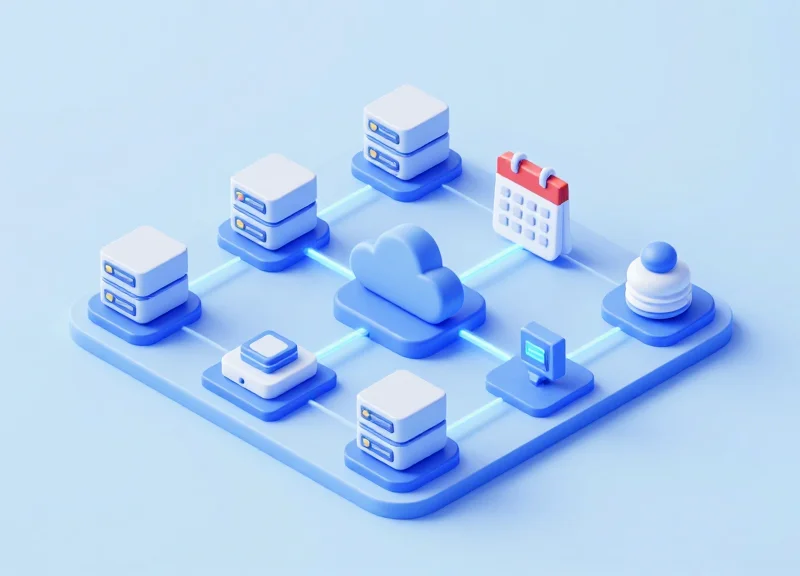
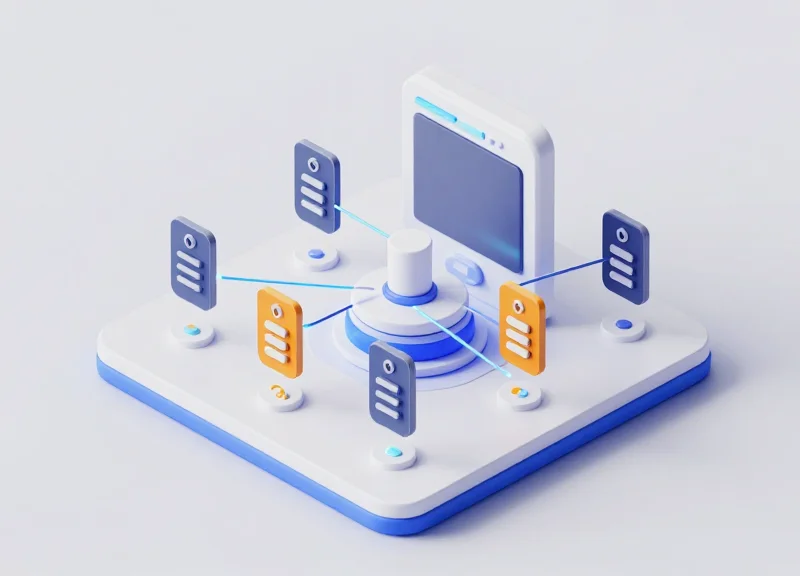
The technical architecture for syncing Electronic Shelf Labels (ESL) with corporate calendars is a structured 3-tier ecosystem consisting of the Calendar Cloud (Data Provider), the Middleware/API Layer (Orchestration), and the ESL Gateway (Physical Edge). This framework ensures that a meeting scheduled in Outlook or Google Calendar is processed, formatted for E-ink display requirements, and transmitted wirelessly to the correct physical location with sub-minute latency and enterprise-grade security.
| Architecture Layer | Primary Component | Key Protocol / Tool | Strategic Function |
|---|---|---|---|
| Cloud Tier | Source of Truth | Microsoft Graph / Google Workspace API | Authoritative data source for schedule events. |
| Logic Tier | Integration Middleware | RESTful API / Webhooks / Node.js | Data transformation, image rendering, and auth management. |
| Edge Tier | ESL Gateway & Labels | Sub-1GHz / BLE / Zigbee | Wireless transmission to ultra-low-power display hardware. |
In this stack, the Middleware serves as the 'brain.' It does not simply pass data through; it monitors for webhook notifications from the calendar provider, fetches the JSON payload, and converts abstract meeting details (subject, organizer, time) into a pixel-perfect image template. This transformation is critical because E-ink displays are resource-constrained and cannot render complex HTML or CSS locally. By handling the 'heavy lifting' of image processing in the cloud or a local server, the system maximizes the battery life of the end-node devices.
How does the system handle concurrent updates across hundreds of labels?
The architecture utilizes an asynchronous queuing system (like RabbitMQ or MQTT). When multiple meetings end or start simultaneously, the Middleware batches these updates and feeds them to the Gateway, which manages airtime to prevent packet collisions and ensure every label updates within seconds.
Is the connection between the cloud and the hardware secure?
Yes. All communication between the Calendar API and the Middleware uses OAuth 2.0 and TLS 1.3 encryption. From the Middleware to the Gateway, AES-128 or AES-256 encryption is standard to prevent unauthorized 'spoofing' of room information.
Can the hardware function if the internet goes down?
Most enterprise architectures implement a local cache at the Middleware or Gateway level. If the connection to the Cloud Tier is lost, the ESLs will continue to display the last known schedule until connectivity is restored.
Expert Insight: The Power of 'Pre-Rendering' on the Edge. A common mistake in DIY integrations is attempting to send raw data to the labels. For enterprise stability, we recommend 'Server-Side Rendering' (SSR) for your labels. By generating the 1-bit or 3-bit BMP/PNG image at the Middleware layer, you eliminate font-rendering inconsistencies and reduce the label's processor wake-time by up to 40%, significantly extending the 5-year battery life typically expected in corporate environments.
Securing the Connection: OAuth 2.0 and Authentication
Securing the connection between Electronic Shelf Labels (ESL) and enterprise calendars requires OAuth 2.0, the industry-standard protocol for authorization that allows the ESL gateway to access meeting data without exposing user passwords. By utilizing access tokens instead of static credentials, organizations can implement a 'valet key' approach, granting the ESL system specific, time-limited permissions to read calendar events while maintaining a robust security posture against unauthorized data access.
| Requirement | Microsoft Azure (Outlook) | Google Cloud (Workspace) |
|---|---|---|
| Management Console | Azure Portal / Entra ID | Google Cloud Console |
| Identifier | Application (Client) ID & Tenant ID | Client ID & Client Secret |
| Primary Scope | Calendars.Read (Application) | https://www.googleapis.com/auth/calendar.events.readonly |
| Grant Type | Client Credentials or Auth Code | Service Account or OAuth Web Flow |
### Configuring Microsoft Azure for Outlook Integration. To sync with Outlook, you must register a new application in the Microsoft Entra ID (formerly Azure AD) portal to facilitate the Microsoft Graph API connection.
- App Registration: Navigate to 'App registrations' and create a new registration. Set the Redirect URI to your ESL middleware's callback endpoint.
- API Permissions: Select 'Microsoft Graph', then 'Application permissions'. Search for 'Calendars.Read' to allow the system to view schedules across all room mailboxes without a signed-in user.
- Secret Generation: Under 'Certificates & secrets', generate a new Client Secret. Store this value immediately; it is required for the middleware to request access tokens.
### Configuring Google Cloud for Workspace Integration. Google requires a project-based approach where the Calendar API is explicitly enabled for your organization's domain.
- Project Creation: Create a new project in the Google Cloud Console and enable the 'Google Calendar API' from the API Library.
- OAuth Consent Screen: Configure the consent screen as 'Internal' to restrict access to your organization's employees and devices.
- Service Account Setup: Create a Service Account and download the JSON Key File. Enable 'Domain-Wide Delegation' to allow the service account to impersonate room resource calendars.
POST /common/oauth2/v2.0/token HTTP/1.1
Host: login.microsoftonline.com
Content-Type: application/x-www-form-urlencoded

client_id={CLIENT_ID}
&scope=https%3A%2F%2Fgraph.microsoft.com%2F.default
&client_secret={CLIENT_SECRET}
&grant_type=client_credentials
Expert Tip: Implementation of 'Scope Pinning'. In 20 years of Silicon Valley integrations, the most common security failure is 'Scope Creep.' For ESL deployments, never use 'Calendars.ReadWrite'. By pinning your scope strictly to 'Read-only,' you create an immutable layer of protection: even if your ESL middleware is compromised, an attacker cannot delete or modify corporate meetings, ensuring physical office displays remain a reliable source of truth.
What is the difference between Delegated and Application permissions?
Delegated permissions act on behalf of a logged-in user, while Application permissions (recommended for ESL) allow the background service to run autonomously without manual login.
How often should Client Secrets be rotated?
Standard enterprise security protocols suggest rotating secrets every 180 days to minimize the window of opportunity for leaked credentials.
Do I need a separate project for every office location?
No, a single centralized App Registration or Google Project can manage multiple locations by utilizing different resource IDs for each room.
Microsoft Graph API Integration for Outlook
Microsoft Graph API serves as the unified gateway for accessing Outlook calendar data, allowing developers to programmatically bridge the gap between digital scheduling and physical Electronic Shelf Label (ESL) infrastructure. By utilizing the '/users/{id}/events' and '/calendarView' endpoints, organizations can transform standard meeting room mailboxes into dynamic data sources that push live occupancy and booking information directly to e-paper displays at the room's edge.
- Identify the Target Resource: Obtain the unique User ID or SMTP address of the room mailbox in Azure AD. This identifier is required for every API request to specify which physical room's schedule is being queried.
- Implement Delta Queries for State Management: Rather than full-syncing every minute, use Delta Queries to track changes. Store the initial '@odata.deltaLink' and call it periodically to receive only the updates (additions, deletions, or time shifts) since the last check, significantly reducing bandwidth and API overhead.
- Map Graph Properties to ESL Templates: Extract critical fields such as 'subject', 'start/dateTime', 'end/dateTime', and 'organizer/emailAddress'. Map these to the middleware's image generator to create the binary or bitmap file sent to the ESL gateway.
- Configure Webhook Subscriptions: Set up a subscription to the '/me/events' resource with a 'changeType' of 'updated,deleted'. This allows Microsoft to push a notification to your middleware the moment a meeting is canceled or moved, ensuring the ESL reflects the change in near real-time.
| Endpoint Operation | API Method | Primary Use Case |
|---|---|---|
| List Events | GET /users/{id}/events | Fetching a chronological list of all future bookings. |
| Delta Sync | GET /users/{id}/calendarView/delta | Incremental updates to keep ESLs in sync without high traffic. |
| Create Subscription | POST /subscriptions | Enabling push notifications for immediate hardware updates. |
GraphServiceClient graphClient = new GraphServiceClient(authProvider); var events = await graphClient.Users["[email protected]"].CalendarView.Delta().Request(queryOptions).GetAsync();- Expert Tip: The Change-Sensing Filter: To maximize ESL battery life, implement a filter in your middleware that compares the 'LastModifiedDateTime' of a Graph event. Only trigger a wireless transmission to the ESL if the meeting's core metadata (time or title) has changed. Updating a label for a non-visual change, like a meeting description edit, unnecessarily drains the device's battery.
- How do I handle recurring meetings?: Use the 'calendarView' endpoint instead of the 'events' endpoint. The 'calendarView' expands recurring series into individual instances for a specific timeframe, making it easier to display 'Today's Schedule' on the label.
- What is the recommended sync frequency?: For a balance between battery life and accuracy, we recommend a 5-minute polling interval for delta queries combined with webhooks for 'Instant-On' responsiveness when a meeting is booked on the fly.
Google Workspace API Integration for Google Calendar
Google Workspace API integration for ESL systems centers on the Google Calendar API v3, enabling automated data synchronization between Resource Calendars and physical room labels. By utilizing Service Accounts with Domain-Wide Delegation, the integration architecture can programmatically monitor room schedules across an entire organization without individual user authentication, ensuring that Electronic Shelf Labels (ESL) reflect real-time availability and upcoming event details with high precision.
- Project Setup: Initialize a Google Cloud Project and enable the Google Calendar API in the API Library.
- Service Account Creation: Generate a Service Account, download the private JSON key, and ensure the account has no user-interactive login requirements.
- Domain-Wide Delegation: In the Google Admin Console, authorize the Service Account Client ID with the specific OAuth scope: https://www.googleapis.com/auth/calendar.readonly.
- Resource Identification: Retrieve unique Resource Calendar IDs (usually formatted as [email protected]) via the Admin SDK Directory API.
- Data Polling and Webhooks: Configure the application to use the 'watch' method for push notifications or the 'events.list' method for incremental polling.
| Google API Property | ESL Template Variable | Function |
|---|---|---|
| summary | {{MEETING_TITLE}} | Displays the primary title of the meeting. |
| start.dateTime | {{START_TIME}} | The ISO 8601 timestamp converted to the room's local timezone. |
| attendees.length | {{COUNT}} | Shows the number of confirmed participants. |
| status | {{AVAILABILITY}} | Logic check: if 'confirmed', display 'Booked', else 'Available'. |
{ "kind": "calendar#event", "status": "confirmed", "summary": "Sprint Planning", "start": { "dateTime": "2023-11-15T09:00:00Z" }, "end": { "dateTime": "2023-11-15T10:30:00Z" }, "location": "Conference Room A" }Expert Tip: To maximize ESL battery longevity and system scalability, implement Delta Syncing via 'syncTokens'. Instead of a full calendar fetch, your middleware should store the 'nextSyncToken' returned by Google. Subsequent requests using this token will only return events that have been created, modified, or deleted since the last sync. This reduces the payload size by up to 95% and prevents the ESL gateway from unnecessary broadcasts, effectively doubling the lifespan of the display batteries.
How are recurring meetings handled?
The API provides a 'recurringEventId'. For ESL displays, it is best to query the 'instances' endpoint to get the specific start and end times for the current day's occurrence.
What happens if the API quota is exceeded?
Implement exponential backoff logic and prioritize 'watch' notifications over high-frequency polling to maintain stability within Google's usage limits.
Can custom room attributes be displayed?
Yes, by cross-referencing the Resource ID with the Google Admin Directory API, you can pull metadata like room capacity or AV equipment to show on the ESL.
Data Mapping and Middleware Development

Middleware development is the process of building a centralized logic layer that orchestrates the data flow between Calendar APIs (Outlook/Google) and the ESL management platform. This layer performs two primary roles: data normalization, where disparate API responses are unified into a single schema, and payload transformation, which converts that schema into the binary images or proprietary text formats used by E-ink hardware. Without robust middleware, latency in event updates can lead to physical meeting rooms showing outdated schedules, creating workplace friction.
| Source Field (Outlook/Google) | Middleware Transformation | ESL Target Field | Requirement |
|---|---|---|---|
| subject / summary | String truncation (max 30 chars) | Meeting_Name | Mandatory |
| start.dateTime | ISO 8601 to Local 24h/12h | Start_Time | Mandatory |
| organizer.displayName | Null check / Default fallback | Organizer_Label | Optional |
| status / responseStatus | Map to Hex Color Code (if color ESL) | Status_Indicator | Critical |
### The Logic of Payload Transformation Most modern ESLs operate in one of two modes: Text-Based or Image-Based. Text-based displays use predefined templates stored on the label, where the middleware simply sends a string. Image-based displays (more common for high-end corporate signage) require the middleware to render a 1-bit or 3-bit BMP/PNG file server-side. This rendering is typically handled using libraries like Pillow (Python) or Sharp (Node.js), ensuring that brand fonts and layout positions remain pixel-perfect regardless of the data length.
import PIL.Image, PIL.ImageDraw, PIL.ImageFont

def create_esl_buffer(meeting_name, time_str):
    # Create a 2.9 inch 296x128 E-ink image buffer
    img = PIL.Image.new('1', (296, 128), 1)
    draw = PIL.ImageDraw.Draw(img)
    font = PIL.ImageFont.truetype('Roboto-Bold.ttf', 24)

    draw.text((10, 10), f'Meeting: {meeting_name}', font=font, fill=0)
    draw.text((10, 50), f'Time: {time_str}', font=font, fill=0)

    return img.tobytes() # Ready for transmission to ESL Gateway
Expert Tip: Implement 'Visual Delta Updates' To maximize the 5-year battery life of your ESL hardware, never send an update if the visual state hasn't changed. Our silicon valley veteran tip is to generate a hash (MD5 or SHA-1) of the rendered image buffer in your middleware database. If the hash of the new calendar pull matches the existing one, abort the transmission. This prevents the E-ink display from unnecessary 'ghosting' refreshes and can extend hardware longevity by up to 30%.
How do you handle time zone discrepancies in middleware?
Always normalize all incoming API timestamps to UTC. The middleware should then apply the specific offset of the physical meeting room location before rendering the string for the ESL display.
What is the best way to handle 'Ad-hoc' meetings booked on-site?
Implement a 'Webhook Listener' in your middleware. When a user taps an NFC-enabled ESL or books via a QR code, the middleware should immediately push a PATCH request to the Calendar API and force a refresh of the ESL display buffer.
Why use middleware instead of direct API-to-Gateway communication?
Direct communication lacks the ability to pre-render images, handle complex authentication refreshes, and provide a buffer for API rate limiting, which can lead to display failures during peak hours.
Optimizing Sync Frequency and Battery Management
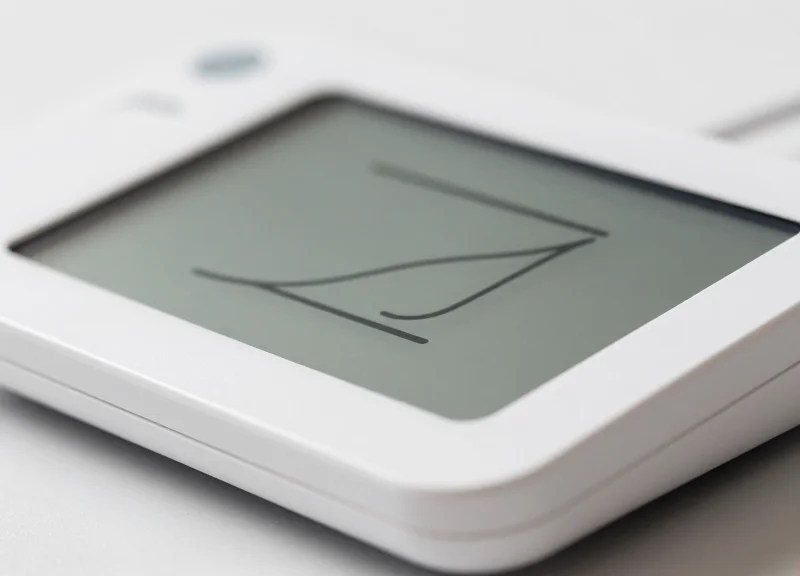
In the world of Electronic Shelf Labels (ESL) for meeting rooms, the 'Latency-Power Paradox' is the primary engineering challenge: users expect real-time synchronization with Outlook or Google Calendar, yet the hardware must often survive for 3 to 5 years on a single button-cell battery. Optimization involves minimizing the 'radio-on' time of the ESL tag, as the wireless transmission of data consumes significantly more power than the E-ink display refresh itself. By implementing a tiered synchronization strategy that differentiates between 'active' office hours and 'dormant' periods, developers can reduce energy consumption by up to 60% without sacrificing user experience.
| Sync Strategy | Update Latency | Battery Impact | Recommended Use Case |
|---|---|---|---|
| Fixed Polling (1 min) | Very Low | Critical (Months) | Wired/Powered Displays Only |
| Adaptive Polling | Medium | Moderate (2+ Years) | Standard Office Environments |
| Webhook-Driven (Push) | Near Instant | Variable | High-Traffic Boardrooms |
| Differential Sync | N/A | Low (Optimized) | All Battery-Operated ESLs |
The Expert Insight: Implement 'Differential Refresh' Logic. Most developers make the mistake of pushing a full image update every time the API detects a change. However, if a meeting is extended by 15 minutes but the title remains the same, only a small portion of the E-ink screen needs to change. By calculating a 'checksum' of the previous display state versus the new state at the middleware level, you can instruct the ESL gateway to only transmit data if the visual change is significant, or use partial-refresh commands to save energy on the hardware side.
- Establish an Adaptive Heartbeat: Configure the middleware to poll the Google/Outlook API every 5 minutes during 08:00–18:00, and shift to 60-minute intervals during nights and weekends.
- Leverage Microsoft Graph Subscriptions: Use webhooks to listen for 'Resource Calendar' changes. Instead of polling, the middleware only wakes the ESL gateway when a 'Change' notification is received from Azure.
- Queue and Batch Updates: Avoid 'jitter' where back-to-back calendar edits cause multiple refreshes. Implement a 30-second 'cooldown' buffer to batch multiple rapid changes into a single transmission.
- Localize the Rendering Logic: Send raw data (text strings) to the gateway rather than heavy bitmap images. Let the gateway or the tag's firmware handle the font rendering to reduce the payload size transferred over the air.
How does E-ink technology affect battery management?
E-ink is bi-stable, meaning it consumes zero power to maintain an image. Power is only drawn when the state of the microcapsules is changed or when the wireless radio is searching for a signal.
Can I use 'Push' notifications for all ESL tags?
Pure 'Push' is difficult because ESL tags are usually in deep-sleep mode to save power. Instead, tags check in with the gateway at a set 'heartbeat' interval to see if any updates are pending in the queue.
What is the biggest 'hidden' battery drain?
Network interference. If an ESL tag fails to acknowledge a data packet due to poor signal, it will retry multiple times, keeping the radio active and draining the battery exponentially faster.
Best Practices for End-to-End Encryption
In the context of ESL meeting label synchronization, End-to-End Encryption (E2EE) is the practice of encrypting meeting data—such as attendee names, meeting titles, and sensitive agendas—at the point of origin (the Calendar API or secure middleware) and only decrypting it at the final endpoint (the ESL Gateway or the display itself). Unlike standard Transport Layer Security (TLS), which only protects data while it is moving through a 'pipe,' E2EE ensures that even if a server or database in the middle is compromised, the actual payload remains unreadable without the specific private keys held by the hardware.
| Security Layer | Protection Scope | Risk Mitigated |
|---|---|---|
| TLS 1.3 (Transport) | Data in transit between APIs and Middleware. | Man-in-the-Middle (MitM) packet sniffing. |
| At-Rest Encryption (AES-256) | Data residing in databases or logs. | Unauthorized physical or cloud storage access. |
| End-to-End Encryption (E2EE) | Content remains encrypted through all hops. | Compromised middleware or malicious administrators. |
- Asymmetric Key Exchange (RSA/ECC): Utilize Elliptic Curve Cryptography (ECC) to establish a shared secret between your secure backend and the ESL Gateway. ECC is preferred for ESL hardware due to its high security-to-bit-length ratio, reducing the computational load on low-power display controllers.
- Authenticated Encryption with Associated Data (AEAD): Always use AEAD modes like AES-256-GCM. This not only encrypts the meeting labels but also provides an authentication tag to ensure the message has not been tampered with or replayed by an attacker.
- Hardware Security Modules (HSM): Store your primary encryption keys in a hardware-backed vault (such as Azure Key Vault or AWS KMS). Never hardcode keys in the middleware source code or environment variables.
- Ephemeral Key Rotation: Rotate encryption keys every 24 hours or after a specific number of sync cycles. This limits the 'blast radius' of a potential credential leak.
from cryptography.hazmat.primitives.ciphers.aead import AESGCM
import os

def encrypt_label_data(data, secret_key):
    # Generate a unique 12-byte nonce for every sync event
    nonce = os.urandom(12)
    aesgcm = AESGCM(secret_key)
    # Encrypt the meeting label JSON payload
    ciphertext = aesgcm.encrypt(nonce, data.encode(), None)
    return nonce + ciphertext # Prepend nonce for the ESL Gateway
Expert Tip: To achieve true 'Zero-Trust' in ESL environments, implement 'Payload Fragmentation.' By splitting the encrypted meeting string into non-contiguous packets that are only reassembled at the ESL Gateway, you make it mathematically impossible for a bridge or a standard network sniffer to reconstruct the sensitive labels even if they bypass the initial TLS layer.
Does E2EE slow down the ESL update frequency?
While encryption adds a few milliseconds of latency, the bottleneck in ESL systems is usually the Zigbee or Sub-GHz wireless transmission, not the CPU time required for decryption. Modern chips handle AES-256 almost instantly.
Can Google and Microsoft see my encrypted data?
If you encrypt the data before sending it through their notification channels (webhooks), the calendar providers only see the encrypted ciphertext. However, the initial pull from their API is usually done via TLS; hence the 'end' in E2EE should ideally begin at your first secure processing node.
What happens if a display is physically stolen?
Ensure the ESL Gateway uses unique per-device keys. If a single display is stolen, you can revoke its specific key in the management console without affecting the security of the rest of the office's labels.
Troubleshooting Latency and Connectivity Issues
In a professional ESL (Electronic Shelf Label) integration, latency is defined as the delta between a calendar event modification in Outlook or Google and the physical refresh of the ink display. Connectivity issues typically stem from three failure points: API credential expiration, regional network outages, or gateway congestion. To maintain a high-performance system, developers must implement a 'fail-fast' architecture that distinguishes between transient network hiccups and persistent authorization failures.
| Latency Source | Typical Delay | Primary Resolution |
|---|---|---|
| Microsoft Graph Webhooks | 500ms - 5s | Validate subscription lifecycle and notification URLs. |
| Google API Rate Limiting | Variable | Implement exponential backoff and quota monitoring. |
| Sub-GHz Gateway Transmission | 1s - 30s | Optimize packet size and check for RF interference. |
| Hardware Wakeup Interval | Configurable | Adjust 'heartbeat' frequency vs. battery longevity. |
- Implement Exponential Backoff: When an API call fails with a 503 or 429 status, do not retry immediately. Double the wait time between each subsequent attempt (e.g., 1s, 2s, 4s) to allow the service to recover.
- Webhook Validation Handshake: Ensure your endpoint responds with a 200 OK within the required timeframe (usually 3-10 seconds) during the validation phase to prevent the cloud provider from disabling the sync.
- Local Cache Comparison: Store a hash of the last successfully pushed data. Only trigger a hardware update if the new payload differs from the cache to reduce unnecessary network load.
async function fetchWithRetry(url, options, retries = 3) { try { const response = await fetch(url, options); if (response.status === 429) throw new Error('Rate Limit'); return response; } catch (err) { if (retries > 0) { await new Promise(res => setTimeout(res, 2000)); return fetchWithRetry(url, options, retries - 1); } throw err; } }Expert Insight: The 'Tail Latency' Trap. In large-scale ESL deployments, a single unresponsive label can cause a 'head-of-line blocking' issue at the gateway level. To prevent one faulty tag from delaying the entire office's updates, implement an asynchronous queue where the gateway acknowledges the command immediately and retries the specific hardware ID in a separate low-priority thread. This ensures that 99% of your meeting labels update instantly regardless of a few outliers.
Why do labels show 'Sync Pending' for minutes?
This usually indicates the label is in a deep-sleep state. Check the 'Poll Interval' settings in your ESL management software; decreasing this improves responsiveness but impacts battery life.
How do I handle 401 Unauthorized errors mid-sync?
Automate the OAuth2 token refresh flow. If the refresh token fails, trigger an administrative alert immediately, as this indicates a service principal or permission change.
What causes image corruption on the display?
Packet loss during the image-to-binary transmission. Use checksums (like CRC32) for each data chunk sent to the gateway to ensure integrity before the 'Refresh' command is issued.