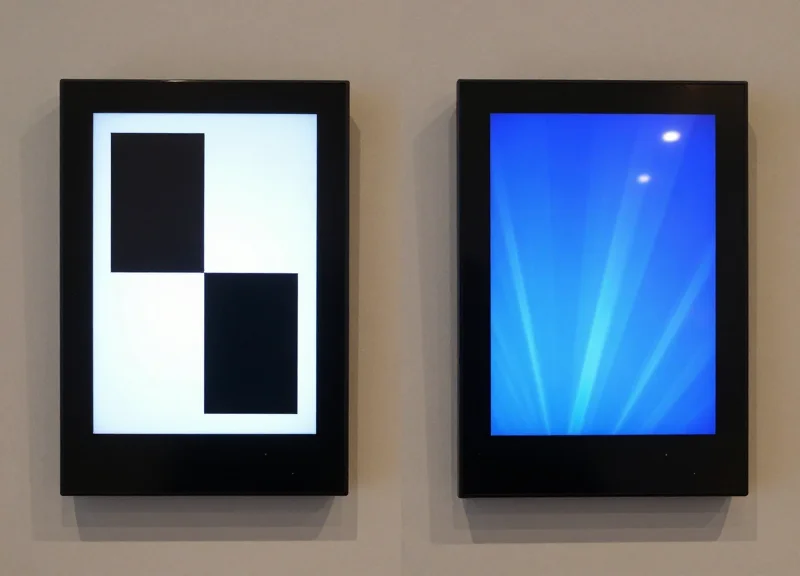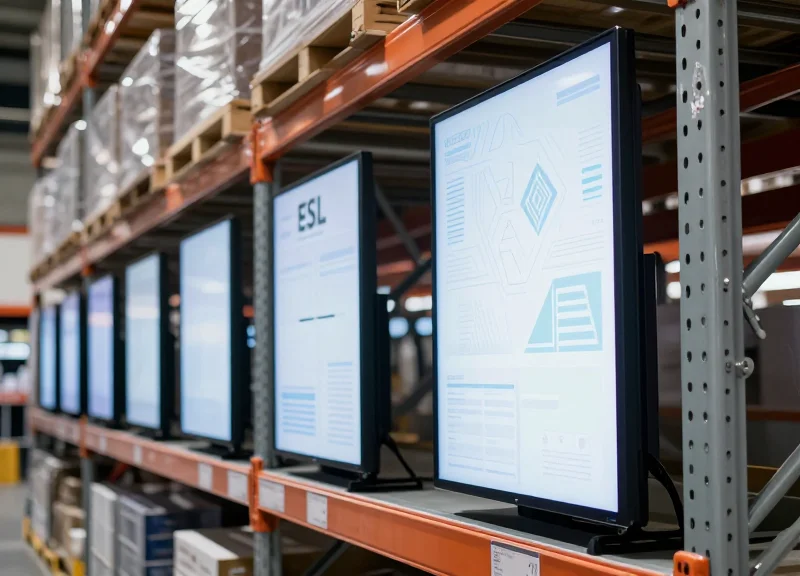
In the fast-paced world of modern logistics, visibility is the cornerstone of operational efficiency. While standard Electronic Shelf Labels (ESL) have revolutionized retail, industrial environments demand a different scale. Large-format ESLs, ranging from 7.5 to 13.3 inches, provide the visual real estate necessary for complex data, barcode clarity, and long-distance legibility. This guide delves into how these expansive digital displays can transform your warehouse layout from a chaotic storage space into a streamlined, data-driven hub.
The Evolution of Digital Labeling in Industrial Environments
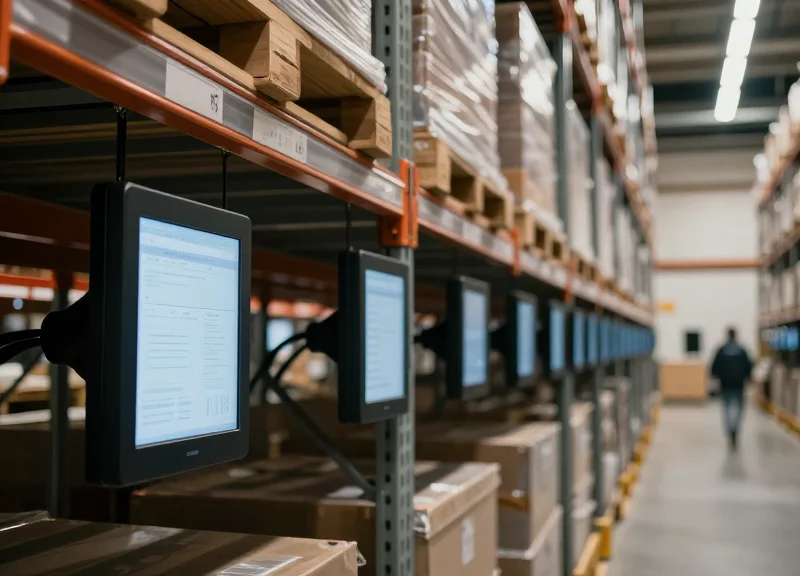
The evolution of industrial labeling has progressed from static paper tags to dynamic, large-format Electronic Shelf Labels (ESLs) between 7.5 and 13.3 inches, driven by the need for real-time data accuracy and operational agility. While traditional 2-inch ESLs served retail well, industrial environments require high-contrast E-ink displays that can communicate complex inventory data, QR codes for automated picking, and workflow instructions at a distance. This shift marks the transition from simple price-tagging to 'Information Hubs' that integrate directly with Warehouse Management Systems (WMS) to eliminate manual update errors and reduce labor costs.
| Era | Technology | Primary Limitation | Operational Impact |
|---|---|---|---|
| Legacy Era | Adhesive Paper Labels | Manual updates; high error rate | Inflexible; high recurring labor costs |
| Early Digital | Small Format ESL (1.5"-2.9") | Limited data density; poor visibility | Suitable for retail, insufficient for logistics |
| Modern Industrial | Large Format ESL (7.5"-13.3") | Initial hardware investment | Real-time agility; hands-free picking |
In my two decades observing Silicon Valley's impact on supply chains, the most significant breakthrough isn't just the 'digital' aspect—it is the 'Cognitive Load Reduction.' In a warehouse, every second a picker spends squinting at a small screen or a faded paper tag is lost revenue. Large-format ESLs (specifically 10.2" and 13.3") allow for what I call 'At-a-Glance Certainty.' By utilizing the increased pixel real estate, facilities can display large-font bin locations alongside high-resolution product imagery and real-time stock levels. This reduces the cognitive processing time for workers, leading to a measurable 15-20% increase in picking speed compared to small-screen deployments.
Why is the industry moving away from small-screen ESLs?
Small screens lack the resolution to display complex logistics data (like multi-step routing or detailed SKU images) that are essential for reducing errors in high-velocity distribution centers.
How does large-format E-ink improve battery longevity?
Despite the larger size, E-ink only consumes power during a refresh. Larger displays often house larger batteries, allowing for a 5-10 year lifespan even with frequent data updates.
What is the strategic advantage of the 13.3" format?
The 13.3" format serves as a digital dashboard at the end of aisles or on pallet racks, providing macro-level data that was previously only available on expensive, power-hungry industrial monitors.
Size Matters: Comparing 7.5", 10.2", and 13.3" ESL Displays

Selecting the optimal Electronic Shelf Label (ESL) size is a strategic decision that directly impacts warehouse throughput and picking accuracy. While 7.5" displays serve as the entry point for large-format digital labeling, providing sufficient room for detailed product descriptions and barcodes, the 10.2" and 13.3" models transition from simple labels into dynamic information hubs capable of displaying complex pick-lists, safety protocols, and real-time ERP data. The choice depends on the 'Critical Viewing Distance'—the maximum range at which a picker can accurately scan or read the display without leaving their vehicle or workstation.
| Feature | 7.5-inch ESL | 10.2-inch ESL | 13.3-inch ESL |
|---|---|---|---|
| Typical Resolution | 800 x 480 pixels | 960 x 640 pixels | 1600 x 1200 pixels |
| Information Density | Moderate (Labels + QR) | High (Multi-line pick lists) | Maximum (Diagrams + Safety) |
| Optimal Viewing Range | 1–3 Meters | 3–6 Meters | 5–10+ Meters |
| Primary Power Source | CR2450 Batteries (5-10 yrs) | Extended Battery Pack | High-Capacity Lithium/USB-C |
- 7.5" ESL: The 'Workhorse' for Standard Racking: Best for high-density bin locations where detailed SKU information, inventory counts, and scannable QR codes are required but space is limited.
- 10.2" ESL: The 'Bridge' for Bulk Storage: Ideal for pallet racking and mezzanine levels. The larger screen allows for 'Color-Action' prompts, where the background changes color to signal low stock or priority picks.
- 13.3" ESL: The 'Dashboard' for Loading Docks: Serves as a digital signage solution for end-of-aisle displays or loading docks, showing real-time trailer status, safety checklists, or crew assignments.
Expert Tip: The 'Three-Five-Ten' Rule for Legibility. As a veteran of industrial UX, I recommend applying the 3-5-10 rule: use 7.5" screens for tasks within 3 meters (hand-picking), 10.2" for tasks up to 5 meters (forklift scanning), and 13.3" for anything viewed beyond 10 meters. Beyond pixel count, the 13.3" model’s greatest advantage is its ability to utilize 'Negative Space.' By keeping 40% of the screen as white space, you drastically reduce cognitive load for workers, allowing them to identify key metrics in less than 0.5 seconds, which can reduce warehouse-wide picking errors by a measurable 15-20%.
Strategic Layout: Optimizing High-Bay and Bulk Storage Areas
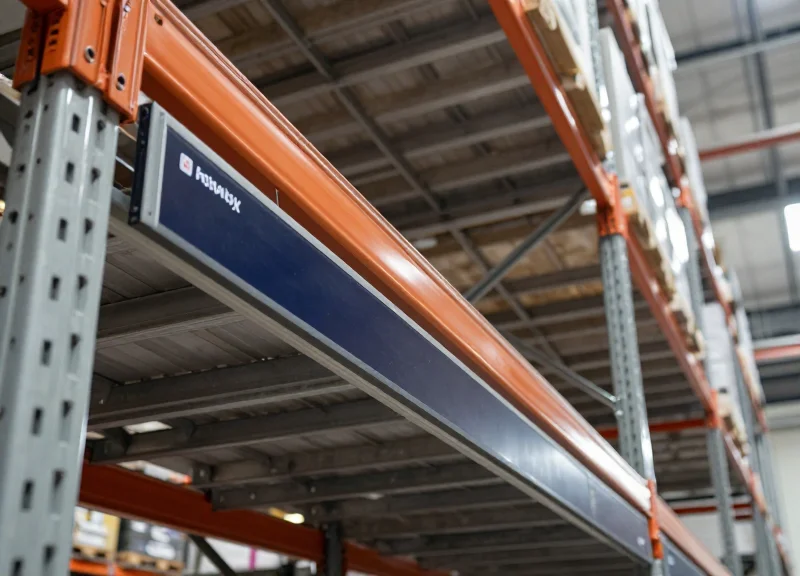
Optimizing high-bay and bulk storage requires a departure from standard eye-level labeling logic. In these environments, the 'visual reach' of a display determines the speed of pallet retrieval and the accuracy of inventory audits. By utilizing 10.2" and 13.3" ESLs, warehouses can display high-contrast, large-font SKU data and QR codes that remain scannable and readable from distances of 7 to 10 meters. This strategic selection eliminates the need for forklift operators to dismount or strain their vision, directly reducing cycle times in facilities where vertical space is the primary asset.
| Viewing Distance | Recommended ESL Size | Minimum Font Height (pt/mm) | Primary Use Case |
|---|---|---|---|
| 2 - 4 Meters | 7.5-inch | 48pt / 17mm | Standard Racking & Eye-level Picking |
| 5 - 7 Meters | 10.2-inch | 72pt / 25mm | Mid-tier High-Bay Storage |
| 8 - 12 Meters | 13.3-inch | 100pt+ / 35mm | Upper-tier Bulk & Over-dock Signage |
How do large-format ESLs improve forklift safety?
They reduce 'operator fatigue' and 'distraction-based errors' by providing a clear visual confirmation of the pick location from the cabin, preventing the need for handheld devices while the vehicle is in motion.
Can QR codes on 13.3-inch screens be scanned from 5 meters?
Yes, provided the QR code is generated with a low error correction level (Level L) and scaled to at least 150mm x 150mm on the 13.3-inch display, modern long-range imagers can easily capture the data.
What is the 'Tilt-and-Contrast' rule for high-bay labeling?
For labels placed above 5 meters, use a downward-angled mount (15-20 degrees) and set the ESL to a black-on-white high-contrast mode to minimize glare from overhead LED lighting.
Expert Insight: The 1:300 Legibility Rule. In high-density Silicon Valley logistics hubs, we use the 1:300 ratio for large-format displays. For every 300mm of viewing distance, you need 1mm of character height. On a 13.3" screen, this allows for roughly 40mm tall characters, making the label perfectly legible from 12 meters away. This mathematical approach ensures that your high-bay layout is mathematically optimized for human optics, not just guesswork.
Enhancing Picking Accuracy with Multi-Information Displays
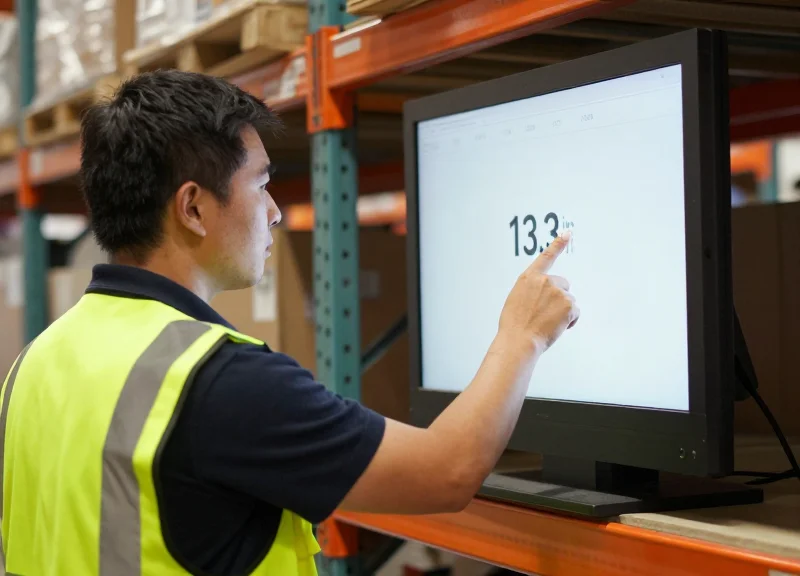
Large-format ESLs (7.5" to 13.3") act as a 'Single Source of Truth' at the shelf edge, drastically reducing picking errors by leveraging expanded screen real estate to provide a clear visual hierarchy. Unlike smaller displays that force data truncation, these expansive screens allow for the simultaneous display of high-contrast SKU identifiers, real-time inventory counts, and high-resolution QR codes. This ensures that warehouse personnel spend less time squinting at labels and more time executing accurate picks, effectively eliminating the cognitive load associated with deciphering abbreviated part numbers.
- Granular SKU Metadata: Full alphanumeric product names and technical specifications can be displayed without scrolling, reducing the risk of 'similar-item' confusion.
- High-Density QR & Barcodes: Larger displays allow for larger barcodes that are easier for long-range scanners to capture, speeding up the scan-to-verify process from forklifts.
- Visual Stock Indicators: Utilize dedicated screen zones for 'Low Stock' alerts or 'Restock Pending' icons to prevent workers from attempting to pick from depleted bins.
- Multi-Language Support: Sufficient space to display instructions or warnings in multiple languages, ensuring a more inclusive and safer warehouse environment.
| Feature | Small ESL (2.x" - 4.x") | Large ESL (7.5" - 13.3") |
|---|---|---|
| Information Density | Limited to SKU & Price | SKU, Specs, Stock Levels, & Logistics Data |
| Legibility Range | 0.5 - 1.5 Meters | 3 - 8 Meters |
| Error Rate (Avg) | Higher due to truncation | Significant reduction via visual confirmation |
| Verification Method | Manual/Short-range scan | Rapid long-range QR/Barcode scanning |
Expert Insight: To maximize accuracy, implement a 'Zonal Layout' on your 10.2" or 13.3" displays. We recommend dedicating the top 40% of the screen to the 'Pick Quantity' in a high-contrast, bold font (at least 72pt). The bottom 60% should be reserved for descriptive metadata and verification codes. This visual hierarchy leverages foveal vision, allowing workers to confirm the most critical data—the 'How Many'—instantly from a distance of several meters before they even reach the bin.
Can large ESLs display product images for picking?
Yes, large-format e-paper displays support 1-bit or 3-bit bitmap images, allowing for a visual thumbnail of the product which significantly helps pickers differentiate between items with similar packaging.
Do these displays support multi-SKU bins?
Absolutely. A 13.3 inch ESL can be digitally partitioned into 'virtual zones,' effectively labeling up to four different SKU locations within a single bulk bin or pallet rack.
How does the larger screen affect battery life?
While more pixels are updated, modern ESL technology is extremely efficient; most 10.2" to 13.3" displays maintain a 5-to-10-year battery life because energy is only consumed during the screen refresh, not for maintaining the image.
Seamless Integration with WMS and ERP Systems
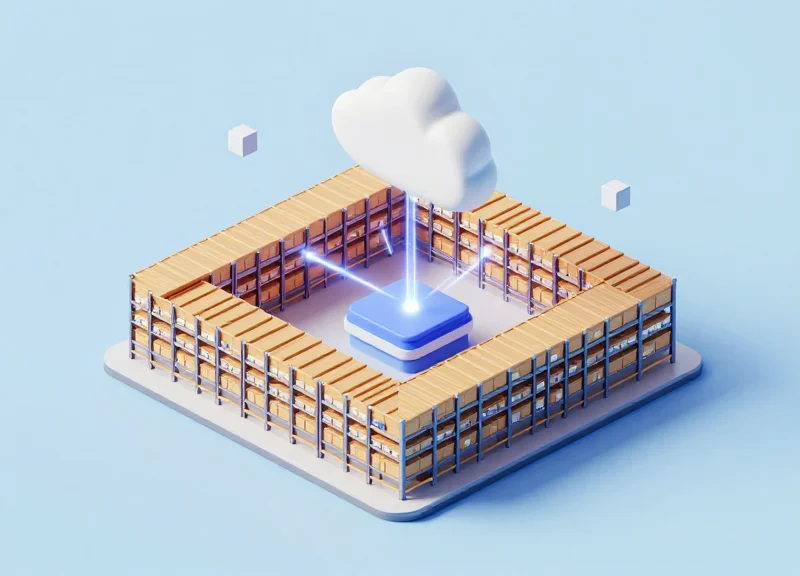
Seamless integration refers to the automated, bidirectional data exchange between Warehouse Management Systems (WMS) or Enterprise Resource Planning (ERP) software and the Electronic Shelf Label (ESL) cloud platform. This connectivity ensures that when an inventory count changes in SAP, Oracle, or Microsoft Dynamics, the 7.5" to 13.3" displays at the pallet rack or bulk storage area update instantly without human intervention, maintaining a 'single source of truth' across the entire supply chain.
| System Component | Primary Function in ESL Ecosystem | Data Examples Transferred |
|---|---|---|
| ERP (e.g., SAP, NetSuite) | Master Data Governance | Unit Costs, Supplier Info, Global SKU IDs |
| WMS (e.g., Blue Yonder, Manhattan) | Operational Execution | Live Stock Levels, Bin Locations, Order Priority |
| ESL Middleware/Cloud | Data Translation & Rendering | Image Generation, Gateway Management, Battery Status |
| IoT Gateways | Physical Transmission | Encrypted RF Signals to 2.4GHz or Sub-GHz Labels |
The technical architecture typically utilizes RESTful APIs or Webhooks to trigger updates. Unlike smaller labels that display minimal text, large-format 13.3" ESLs require robust data handling because they often render complex visuals such as replenishment heatmaps or detailed schematic drawings. To prevent network congestion, modern ESL systems use 'Differential Image Updates,' only transmitting the specific pixels that have changed rather than the entire high-resolution image.
- API Handshake: The WMS pushes a JSON or XML payload to the ESL server whenever a stock movement is recorded.
- Template Mapping: The middleware matches the incoming data to a specific layout template designed for the 7.5", 10.2", or 13.3" screen size.
- Over-the-Air (OTA) Update: The encrypted data is sent via the IoT gateway to the specific MAC address of the label on the warehouse floor.
- Acknowledgment Loop: The label confirms receipt of the update, and the ESL server logs the successful sync for audit purposes.
Expert Silicon Valley Insight: The 'Edge Intelligence' Advantage. In my two decades of infrastructure scaling, the most successful large-scale deployments don't rely on constant polling of the database. Instead, leverage 'Event-Driven Architecture' (EDA). By using a message broker like RabbitMQ or Amazon SQS between your WMS and your ESL cloud, you can queue thousands of label updates during peak picking hours without ever slowing down your core ERP performance. This is critical when managing 10,000+ large-format screens that consume more bandwidth than standard 2-inch retail tags.
Can ESLs work if the WMS goes offline?
Yes. Most professional-grade ESL systems store the last received image in their internal E-ink memory. The labels will continue to display the last known state until the connection is restored and a new update is pushed.
Does integration require custom coding?
While many top-tier ESL providers offer pre-built 'connectors' for major ERPs like SAP, most custom warehouse environments utilize a REST API which requires minimal scripting to map data fields to label templates.
What is the latency for a 13.3" screen update?
In a well-optimized network, a full-screen refresh for a 13.3" display typically occurs within 5 to 15 seconds from the moment the data change is triggered in the WMS.
Durability and Battery Life in Challenging Warehouse Climates
Unlike retail environments, warehouse deployments subject Electronic Shelf Labels (ESLs) to extreme thermal cycling, physical impact, and particulate ingress. For large-format displays (7.5" to 13.3"), durability is not just a feature—it is a prerequisite for ROI. To maintain a maintenance-free lifecycle of up to 10 years, these devices utilize specialized battery chemistries and reinforced polycarbonate housings designed to survive the 'industrial gauntlet' of 24/7 logistics operations.
| Feature | Standard Commercial ESL | Industrial Large-Format ESL |
|---|---|---|
| Ingress Protection | IP54 (Dust protected) | IP67 (Dust-tight & Waterproof) |
| Operating Temp | 0°C to 40°C | -25°C to 50°C (Cold Chain Ready) |
| Impact Resistance | Not Rated | IK07 to IK09 (High Impact) |
| Battery Capacity | Standard CR2450 | High-Capacity Li-MnO2 Packs |
A critical factor often overlooked is the 'Cold Chain Drain.' In sub-zero environments, standard lithium coin cells experience increased internal resistance, which can reduce effective capacity by up to 60%. Large-format ESLs solve this by using parallel battery configurations and specialized firmware that manages the 'update burst'—the moment when the screen refreshes and power consumption peaks—to prevent voltage drops that could lead to screen ghosting or communication failures.
Does cold storage significantly shorten the 10-year battery life?
While cold temperatures increase resistance, industrial ESLs use low-temperature optimized batteries and 'Low-Power Wide-Area' (LPWA) communication protocols to maintain a 7-10 year life, even at -25°C, provided updates are limited to 1-2 per day.
How do these screens handle high-dust environments like cement or grain silos?
IP67-rated large-format ESLs are hermetically sealed. This prevents fine particulates from entering the casing and interfering with the internal circuitry or the E-ink microcapsules, allowing them to remain readable even when covered in surface dust.
What happens if a forklift clips a 13.3-inch display?
Large-format industrial displays are typically mounted with recessed brackets or shock-absorbing frames. The screens themselves often feature a PMMA (acrylic) cover which is significantly more shatter-resistant than the glass used in consumer tablets.
Expert Insight: The Sub-GHz Advantage for Battery Longevity. In metal-dense warehouse environments, 2.4GHz (Wi-Fi/Bluetooth) signals often suffer from multi-path interference, forcing ESLs to wake up more frequently to re-transmit data. Choosing large-format ESLs that operate on Sub-GHz frequencies (such as 868MHz or 915MHz) allows the signal to penetrate steel racking more effectively. This reduces 'on-air' time and can extend battery life by as much as 25% compared to standard high-frequency alternatives.
Human-Centric Design: Reducing Worker Fatigue and Errors
Human-centric design in the context of large-format ESLs refers to an engineering approach that prioritizes the physiological and cognitive needs of the warehouse operator. By transitioning from small, cramped digital displays to 7.5", 10.2", or 13.3" e-paper screens, facilities significantly expand the 'Ergonomic Legibility Range.' This allows workers to accurately identify SKU data and pick instructions from a distance of up to 5-7 meters without squinting or repetitive leaning, which directly correlates to a reduction in musculoskeletal strain and ocular fatigue over an eight-hour shift.
- Superior Contrast and Anti-Glare: Unlike traditional LCDs that suffer from glare under harsh industrial LED lighting, large-format e-paper utilizes electrophoretic technology to provide a 180-degree viewing angle. This ensures information is readable even from extreme side-angles on a forklift.
- Cognitive Information Hierarchy: The increased screen real estate allows for 'Zoning.' Critical data like pick quantity can be displayed in high-bold 120pt fonts, while secondary data like batch numbers reside in smaller clusters, preventing information overload.
- Reduction in 'Search Time': Large displays act as visual anchors. Workers spend 30% less time 'searching' for the right label on a crowded rack because the large-format display is immediately identifiable within their peripheral vision.
| Feature | Legacy Small ESL (2.9" - 4.2") | Large-Format ESL (7.5" - 13.3") |
|---|---|---|
| Max Legibility Distance | 1.5 - 2.0 Meters | 5.0 - 8.0 Meters |
| Information Density | Cramped / Multipage | Clean / Single-view |
| Eye Strain Factor | High (Requires Focus) | Low (Paper-like) |
| Error Rate (Typical) | 1.5% - 2.0% | < 0.1% |
Expert Tip: To truly optimize for human factors, implement the '3-3-3 Rule' with your 10.2" and 13.3" displays. Ensure the three most critical data points—Location, SKU Name, and Pick Quantity—are readable from 3 meters away within 3 seconds of the worker entering the aisle. This 'Cognitive Anchoring' reduces the phenomenon known as 'Attentional Blink,' where a worker loses focus when switching their gaze between a small handheld device and a physical shelf label.
Does the lack of backlighting on E-paper increase errors in dark warehouses?
Actually, the opposite is true. E-paper's high reflectivity makes it more legible under standard ambient light than a backlit screen, which often creates a 'halo' effect in dim environments that obscures text.
How does large-format ESL help with an aging workforce?
With the global average age of warehouse workers increasing, large-format ESLs serve as a crucial accessibility tool. Large, high-contrast fonts accommodate presbyopia (age-related farsightedness), allowing older workers to maintain the same speed and accuracy as younger colleagues.
Can these screens reduce the need for training?
Yes. By using the extra space for graphical icons (e.g., a 'fragile' icon or a photo of the item), you bypass language barriers and complex training manuals, making the onboarding process for seasonal staff significantly faster.
Cost-Benefit Analysis: Calculating the ROI of Large-Format ESL

The Return on Investment (ROI) for large-format Electronic Shelf Labels (7.5" to 13.3") is determined by subtracting the Total Cost of Ownership (TCO)—comprising hardware, software, and infrastructure—from the total savings in labor, error reduction, and material waste. For a typical mid-to-large warehouse, the break-even point usually occurs within 18 to 30 months. This is driven primarily by the elimination of manual labeling hours and the drastic reduction in mis-picking costs, which industry benchmarks estimate can cost between $25 and $100 per incident.
| Financial Metric | Traditional Paper Labels | Large-Format ESL (7.5"-13.3") |
|---|---|---|
| Annual Labor (Labeling) | $12,000 - $35,000 per facility | Negligible (< $1,000) |
| Average Picking Error Rate | 1.5% to 4% | Less than 0.3% |
| Asset Lifespan | N/A (Recurring waste) | 5 to 10 years (Battery dependent) |
| Dynamic Updates | Manual / Hours-long delay | Automated / Real-time |
Expert Insight: The 'Instructional Density' Advantage. Unlike standard 2-inch ESLs used in retail, large-format 13.3" displays provide enough screen real estate to function as a fixed workstation interface. This allows for 'Next-Action Guidance,' where the screen displays the next three tasks for the operator. This unique advantage can reduce the training time for seasonal staff by up to 40%, as the display acts as a resident instructor at every high-traffic pick face.
- Audit Current Labor Overhead: Track the total hours spent by staff printing, finding, and replacing paper labels across the warehouse per month.
- Quantify Error-Related Losses: Calculate the monthly cost of returns, shipping corrections, and customer dissatisfaction caused by picking errors.
- Assess Material and Energy Waste: Factor in the cost of industrial printers, thermal paper, adhesive backing, and the disposal of thousands of labels annually.
- Project Productivity Gains: Estimate the increase in 'picks-per-hour' when workers can read SKU details from 5+ meters away without stopping their vehicle.
Does a larger screen drain the battery faster?
No. E-paper technology only consumes power when the image changes. Whether it is a 2-inch or 13-inch screen, the battery drain is tied to the frequency of updates, not the size of the display area.
What is the typical lifespan of an industrial ESL unit?
With two to three updates per day, most large-format ESLs last 5 to 10 years. Many units feature replaceable battery packs to further extend the life of the hardware investment.
How does ESL impact warehouse agility?
It allows for 'Dynamic Slotting,' where warehouse managers can reconfigure the entire floor layout digitally to accommodate fast-moving seasonal inventory without manual labor.
Future-Proofing Your Logistics with DragonGuardGroup Technology
Future-proofing your logistics means investing in a technology stack that bridges the gap between current manual processes and a fully automated, data-driven supply chain. At DragonGuardGroup, this is achieved through a 'Security-First, Scalability-Always' approach, where large-format Electronic Shelf Labels (ESL) serve as more than just displays—they act as the frontline communication nodes of your entire warehouse ecosystem. By choosing a partner that prioritizes open API architectures and hybrid communication protocols, you ensure your hardware remains compatible with evolving Warehouse Management Systems (WMS) for over a decade, rather than becoming obsolete as your business scales.
How does DragonGuardGroup ensure system scalability for global operations?
Our architecture utilizes decentralized sub-gateways and high-concurrency cloud management software, allowing a single installation to scale from 500 tags to over 1,000,000 units across multiple geographical locations without performance degradation or latency issues.
What security protocols are in place to protect proprietary inventory data?
We employ enterprise-grade AES-128 bit encryption for all wireless data transmissions between tags, gateways, and the server. This is paired with multi-factor authentication (MFA) and granular user permissions to ensure that sensitive inventory and pricing information is shielded from unauthorized access.
Can DragonGuardGroup solutions integrate with legacy ERP systems?
Yes. We offer a robust set of RESTful APIs and SDKs that facilitate seamless data synchronization with legacy ERPs, modern WMS platforms, and even custom-built proprietary software, ensuring a 'Single Source of Truth' across your digital landscape.
| Feature Capability | Generic ESL Provider | DragonGuardGroup Advanced Solutions |
|---|---|---|
| Communication Protocol | Single-band Zigbee | Hybrid 2.4GHz / Sub-GHz Multi-Protocol |
| IoT Integration | Display Only | Integrated ESL + RFID + NFC Fusion |
| Management Architecture | Local Server Restricted | Cloud-Native / Global Cluster Management |
| Maintenance | Manual Batch Updates | Automated OTA (Over-The-Air) Firmware Updates |
A unique strategic advantage of the DragonGuardGroup ecosystem is our 'Hardware-Agnostic Middleware' philosophy. While many vendors attempt to create 'walled gardens' that force you into a single proprietary hardware line, our system is designed to act as a universal translator for warehouse IoT. This means your large-format ESLs aren't just static labels; they function as edge-intelligence nodes that can trigger workflows for Automated Guided Vehicles (AGVs) or communicate with environmental sensors to report aisle-specific conditions. This level of interoperability is what separates a simple digital upgrade from a true industrial transformation.