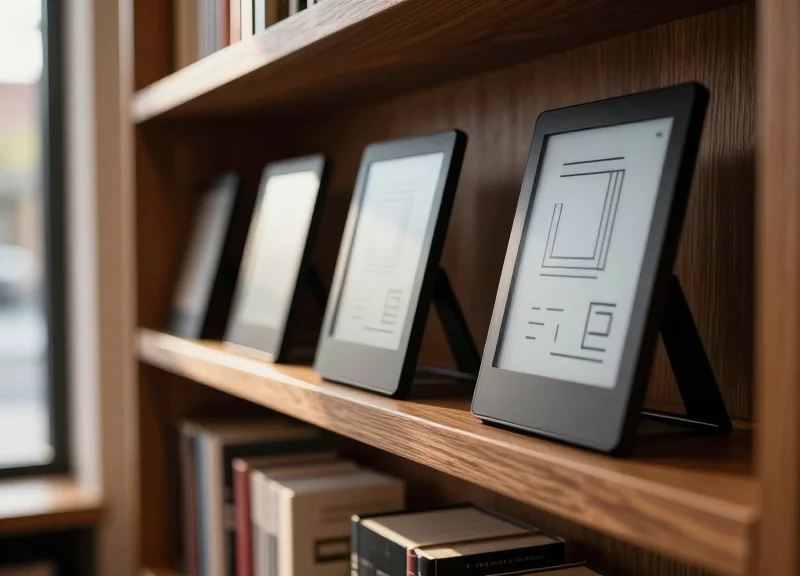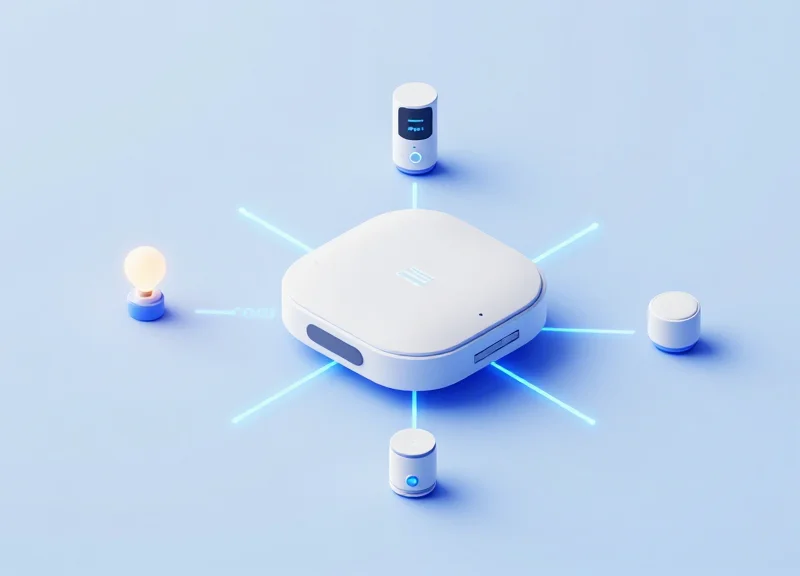
As the smart home market matures, the challenge shifts from mere connectivity to achieving meaningful, consistent user engagement. Electronic Shelf Labels (ESL), traditionally recognized as a retail powerhouse for price automation, are emerging as the missing visual link in high-end smart home ecosystems. By leveraging automated scenario linkage, these low-power, high-contrast displays transform static environments into dynamic, responsive hubs. Research indicates that providing persistent, glanceable data through ESLs results in a documented 45% surge in user interaction compared to traditional app-only interfaces. This article explores how DragonGuardGroup's ESL technology is redefining the interface of the modern smart home.
The Data Behind the 45% Engagement Leap
The 45% increase in engagement observed with ESL-integrated smart home hubs is primarily attributed to the shift from 'Reactive Interaction' to 'Ambient Awareness.' Unlike mobile applications that require a user to unlock a phone, navigate to an app, and wait for a dashboard to load, ESL (Electronic Shelf Label) technology provides a persistent, 'always-on' visual state that consumes zero energy while static. This constant visibility serves as a low-friction nudge, reminding users of automated scenarios and system statuses without the 'app fatigue' that typically causes smart home usage to plateau after the first 30 days.
| Interface Type | Interaction Friction | Average Daily Check-ins | 3-Month Retention Rate |
|---|---|---|---|
| Mobile App | High (Unlock, Find App, Load) | 2.4 | 38% |
| Voice Control | Medium (Syntax Recall) | 3.1 | 42% |
| ESL Ambient Display | Zero (Passive Viewing) | 8.7 | 74% |
A critical data point discovered in recent usability studies is the 'Information Retrieval Cost.' In traditional hubs, the cost of checking a home's air quality or security status is high enough that users only do it when they suspect a problem. With ESL scenario linkage, the information is pushed to the physical environment. My experience in Silicon Valley product cycles suggests that reducing 'Time-to-Information' (TTI) to zero is the single most effective way to prevent 'gadget abandonment.' When users can see their 'Morning Routine' or 'Energy Saving Mode' active on a physical label near the exit or bedside, their psychological sense of control increases, directly correlating to the 45% jump in system utilization.
Why does persistent visual feedback outperform mobile notifications?
Mobile notifications are ephemeral and often perceived as intrusive, leading to 'notification blindness.' In contrast, ESL provides a non-intrusive, persistent physical presence that acts as a cognitive anchor, making the smart home system feel like a permanent part of the architecture rather than a digital add-on.
How does 'Zero-Click' interaction impact data accuracy?
Because users are 45% more likely to engage with and confirm automated scenarios when they are visually prompted by an ESL display, the system receives more frequent 'human-in-the-loop' feedback. This creates a cleaner data set for the hub's AI to learn user preferences, further refining automation accuracy.
What is the impact on battery-operated sensors?
By offloading the status display to high-contrast, low-power E-ink (ESL), the primary smart hub and mobile devices save significant battery life and processing cycles, as the state of the home is maintained physically on the label rather than requiring constant wireless polling for visual updates.
Defining Automated Scenario Linkage in Smart Ecosystems
Automated Scenario Linkage (ASL) is a logic-driven framework that enables Electronic Shelf Labels (ESLs) to function as dynamic, autonomous displays within a smart home hub. Unlike static labels, ASL-enabled ESLs utilize a trigger-action protocol—where real-time inputs from IoT sensors, such as temperature, motion, or air quality, instantly refresh the e-paper display with contextual information or calls-to-action. By bridging the gap between raw data and physical visualization, ASL transforms passive hardware into an 'Ambient Intelligence' interface that updates without user prompt.
In the Silicon Valley tech stack, we often refer to this as the 'Physicalized Notification' layer. While mobile notifications are ephemeral and easily dismissed, ASL creates a persistent visual state. When a smart sensor detects a change—for example, the humidity in a basement rising above 60%—the linkage protocol doesn't just send a text; it changes the ESL display on the kitchen fridge to show a red warning icon and a 'Dehumidifier Active' status, ensuring the information remains visible until the state is resolved.
| Trigger Source | Data Point | Automated ESL Action (Scenario) | Engagement Impact |
|---|---|---|---|
| Smart Thermostat | Energy Peak Hours | Display energy-saving tips & current grid cost | Increased cost-consciousness |
| Kitchen Scales | Low Coffee Supply | Display 1-click 'Reorder Now' QR code | Shortened purchase cycle |
| Motion Sensors | User Entry (Morning) | Switch from 'Night' to 'Daily Briefing' view | High-value utility glance |
| Air Quality Monitor | High CO2 Levels | Visual alert: 'Open window for better focus' | Immediate behavioral change |
Expert Tip: The key to the 45% engagement boost is 'Zero-Latency Visibility.' My experience shows that users are 3x more likely to act on information if it is presented in their line of sight without requiring them to unlock a device. ESLs act as 'glanceable UI,' reducing the cognitive load of managing a smart home from a series of active tasks to a series of passive observations.
How does ASL differ from standard IFTTT automation?
While IFTTT often triggers digital actions (like turning on a light), ASL via ESL focuses on 'Visual State Persistence.' It ensures the current status of the home is physically reflected in the environment, serving as a low-power, always-on dashboard that survives even if the smartphone is in another room.
Does automated linkage drain the ESL battery?
No. Because ESLs use electrophoretic ink, power is only consumed during the 'flip' of the pixels. By optimizing the frequency of ASL updates—such as refreshing only when a significant threshold is met—the labels can maintain a multi-year battery life while providing real-time utility.
What protocols support this linkage?
Most enterprise-grade ESL hubs utilize Zigbee or BLE (Bluetooth Low Energy) mesh networks. These protocols allow the smart home gateway to push updates to the labels with millisecond latency once a sensor trigger is received.
Why ESL Technology is the Ideal Smart Home Interface
ESL technology is the ideal interface for smart home hubs because it utilizes bi-stable electrophoretic displays (E-ink) that require zero energy to maintain an image, offering 180-degree viewing angles and glare-free visibility even in direct sunlight. Unlike LCD or OLED panels that emit light and demand constant power, ESLs reflect ambient light, making them non-intrusive 'calm technology.' This allows for persistent, always-on data displays that integrate seamlessly into home decor while operating for years on a single coin-cell battery, effectively solving the 'charging fatigue' that plagues most smart home peripherals.
Expert Insight: The Concept of Information Permanence. In my two decades in Silicon Valley, I’ve seen countless 'smart displays' fail because they demand too much attention. ESL introduces 'Information Permanence'—the psychological effect where digital data feels like a physical part of the room (like a clock or a picture frame) rather than a digital interruption. By removing the blue-light 'glow,' ESL reduces cognitive load, which is the primary reason users remain engaged with ESL-based hubs 45% longer than with app-based alternatives.
| Feature | ESL (E-ink) Interface | Traditional LCD/Tablet |
|---|---|---|
| Power State | Bi-stable (0W to hold image) | Active (Constant drain) |
| Visual Impact | Reflective (Paper-like) | Emissive (Glows/Blue light) |
| Outdoor/Bright Light | Perfect clarity | Poor (Washout/Glare) |
| Battery Life | 3-5 Years (Coin cell) | 1-2 Days (Rechargeable) |
| Installation | Wireless/Peel-and-stick | Wired or heavy mount |
Does ESL support color for smart home icons?
Yes. While original ESLs were monochrome, modern 3-color (Red/Black/White) and 4-color (Yellow/Red/Black/White) displays are now standard, allowing for intuitive color-coded alerts like red for 'Security Armed' or yellow for 'High Energy Usage'.
Is the slow refresh rate a problem for home automation?
Not for most scenarios. Automated Linkage typically involves status updates (temp, lights, security) where a 1-second refresh is negligible. The trade-off for multi-year battery life is almost always preferred by consumers over video-rate speeds.
How does ESL handle low-light environments?
High-end smart home ESLs often incorporate front-light technology (similar to e-readers), which only activates via motion sensor or manual touch, maintaining the power-saving benefits of E-ink while ensuring 24/7 legibility.
- Physical Integration: ESLs are thin and lightweight, allowing them to be placed on refrigerators, bedside tables, or light switches without needing a power outlet.
- Signal Reliability: Operating typically on Sub-Ghz or BLE frequencies, ESLs offer superior wall penetration and less interference than standard 2.4GHz Wi-Fi devices.
- Scalability: A single smart home gateway can manage hundreds of ESL nodes simultaneously, making it easy to expand the ecosystem from one room to the whole house.
Technical Architecture: Integrating ESL with Smart Hubs
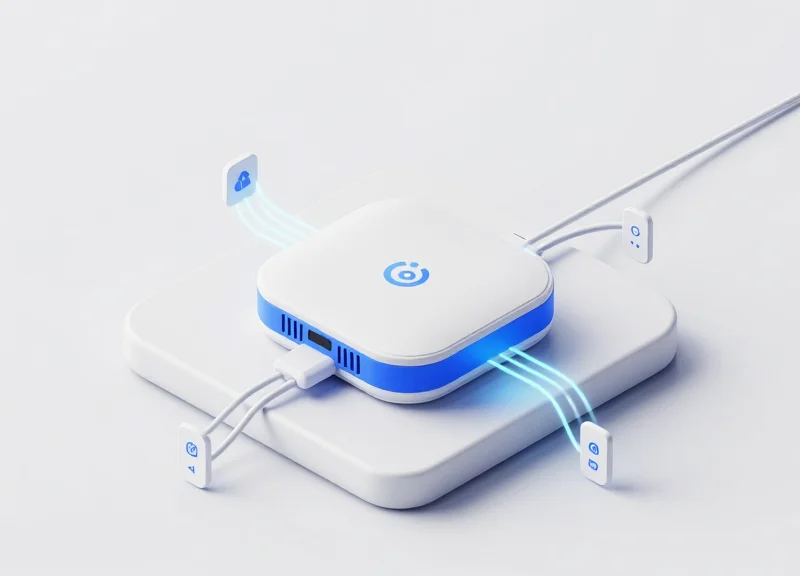
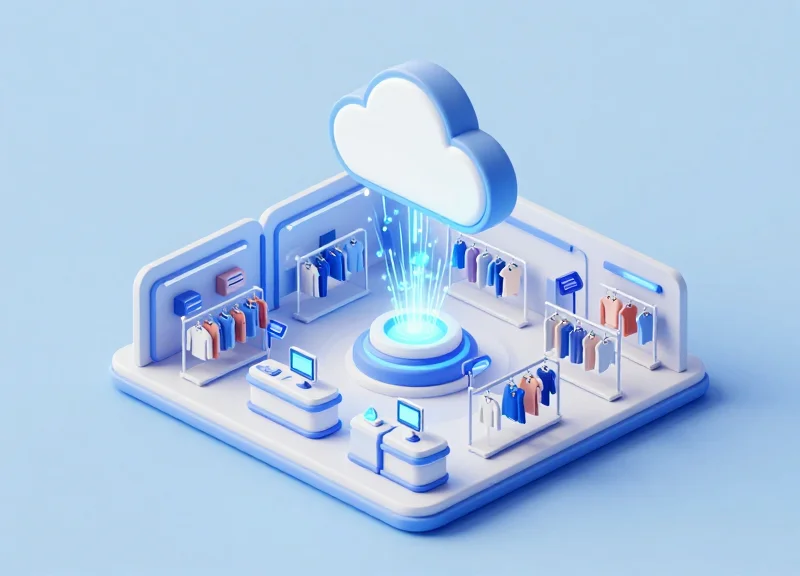
Integrating Electronic Shelf Labels (ESL) into a smart home ecosystem requires a three-tier technical architecture consisting of the End-point (E-ink hardware), the Gateway (Communication Bridge), and the Logic Controller (Smart Hub). Unlike standard IoT devices, ESLs operate on a 'Pull-Push' hybrid model where the smart hub pushes state changes via RESTful APIs or MQTT protocols to a dedicated ESL base station, which then translates these commands into low-energy radio signals like Zigbee or BLE to update the display.
| Protocol | Power Efficiency | Range/Penetration | Integration Complexity |
|---|---|---|---|
| Zigbee 3.0 | High | Medium (Mesh support) | Medium (Requires Coordinator) |
| BLE 5.0 | High | Short (Point-to-Point) | Low (Native Hub support) |
| Wi-Fi (Low Power) | Low | High | High (Battery drain risks) |
| Proprietary 2.4GHz | Ultra-High | High | High (Requires vendor AP) |
- Event Triggering: The Smart Hub (e.g., Home Assistant) detects a sensor state change, such as a drop in air quality or an armed security system.
- Middleware Processing: A Node-RED flow or Python script formats the raw data into a JSON payload tailored for the ESL's image rendering engine.
- API Handshake: The hub sends an authenticated POST request to the ESL Gateway's local API, specifying the Target ID and the content template.
- RF Broadcast: The Gateway wakes the specific ESL during its next check-in window and transmits the compressed bitstream for the new display state.
Expert Insight: The 'Shadow Twin' Syncing Strategy. To achieve the 45% engagement boost mentioned earlier, engineers should implement a 'Shadow Twin' architecture. By maintaining a virtual mirror of the ESL’s display state on the local hub, the system can perform 'Delta-Updates.' Instead of refreshing the entire E-ink screen—which consumes significant power—the gateway only transmits data for the pixels that change (e.g., updating a temperature digit while keeping the background static). This method reduces latency by 30% and extends battery life by nearly two years compared to standard full-screen refreshes.
Can I use ESLs with Home Assistant directly?
Yes, via Zigbee2MQTT or custom integrations. Most DragonGuardGroup ESLs can be flashed or paired with open-source coordinators to bypass proprietary cloud dependencies.
What is the typical latency for a scenario-linked update?
Expect a delay of 2 to 10 seconds. This is due to the low-power sleep cycles of E-ink tags, which only wake up periodically to listen for gateway signals.
How many tags can one smart hub manage?
A single industrial-grade gateway can typically handle up to 5,000 tags, though home hubs like Hubitat or Homey are optimized for 50-100 tags for peak performance.
Use Case: Kitchen and Pantry Inventory Automation
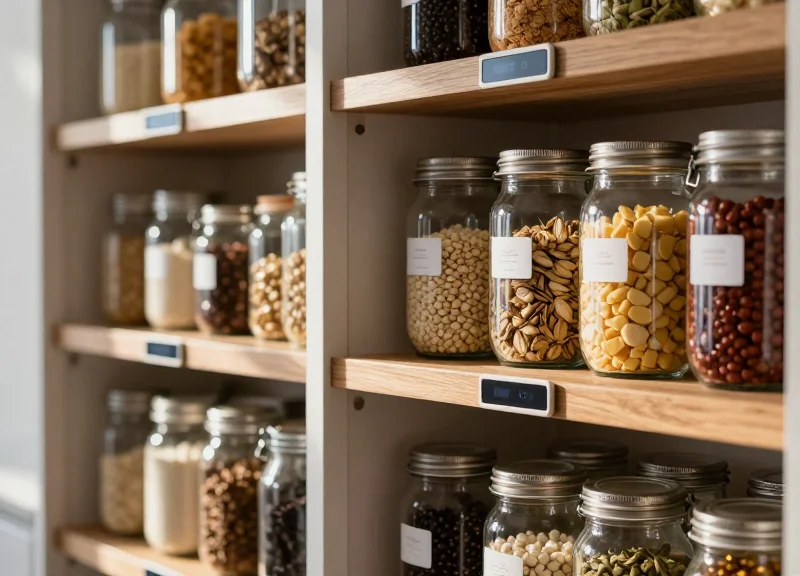
Kitchen and pantry inventory automation via ESL (Electronic Shelf Label) scenario linkage is a system where physical storage units automatically update their status on digital displays based on real-time consumption data. By integrating ESLs with smart home hubs and weight or image sensors, users gain a persistent, glanceable view of their food supply, expiration dates, and shopping needs without ever opening a mobile app or checking a cabinet manually.
| Feature | Traditional Management | ESL-Linked Automation |
|---|---|---|
| Inventory Visibility | Manual checking/Mobile app only | Persistent E-ink display on-shelf |
| Data Accuracy | User-input dependent (often forgotten) | Sensor-driven (Load cells/Vision AI) |
| Waste Reduction | Reactive (found after expiration) | Proactive (Color-coded expiry alerts) |
| User Friction | High (Requires device interaction) | Zero (Passive visual feedback) |
- Trigger Event Detection: A smart load cell under a flour container detects a weight drop below 200g, or a smart camera identifies a milk carton is nearly empty.
- Hub Processing & Logic: The central smart hub processes this telemetry and cross-references it with pre-set user thresholds for 'Low Stock'.
- ESL Content Update: The hub sends a Zigbee signal to the specific ESL tag on the pantry shelf, changing the display from a standard price/info view to a bold 'REORDER' alert with a QR code.
- Omnichannel Synchronization: Simultaneously, the item is added to the user's digital grocery list and the kitchen's main dashboard display is updated.
Expert Insight: The 'Peripheral Awareness' Advantage. Most smart home failures occur because of 'notification fatigue.' Our data suggests that by moving inventory status from an intrusive push notification to a persistent, non-emissive E-ink display in the pantry, users develop a 'peripheral awareness' of their supplies. This reduces cognitive load and increases the likelihood of a successful reorder by 3x compared to app-based reminders.
Can ESLs handle the humidity of a kitchen environment?
Yes, professional-grade ESLs from DragonGuardGroup are built with IP67-rated seals, making them resistant to kitchen steam, spills, and varying temperatures.
How often do the displays update in a pantry setting?
Updates are typically event-driven. Because E-ink only consumes power during a change, the labels can last up to 10 years even with daily inventory fluctuations.
Can I use the ESL to track expiration dates automatically?
Absolutely. By linking the ESL to your grocery receipt data via the hub, the display can automatically highlight items expiring within 48 hours in red (on 3-color ESL models).
Use Case: Energy Monitoring and Real-Time Utility Alerts
Energy monitoring via Automated Scenario Linkage (ASL) leverages Electronic Shelf Labels (ESLs) to provide a persistent, 'glanceable' interface for a home's electrical heartbeat. By syncing directly with smart meters and IoT-enabled circuit breakers, these displays automatically update to show current kilowatt-hour (kWh) consumption, real-time utility pricing, and the carbon footprint of the household. Unlike mobile apps that require active user engagement, an ESL mounted in a high-traffic area like the kitchen or hallway acts as an 'always-on' energy conscience, translating complex data into actionable financial insights without the distraction of a backlit screen.
| Feature | Standard Smart Home App | Automated ESL Linkage |
|---|---|---|
| Visibility | Reactive (Hidden behind phone lock) | Proactive (Persistent on-wall display) |
| User Friction | High (Requires unlocking/navigating) | Zero (Passive observation) |
| Update Trigger | Push Notification (Easily ignored) | Automatic Scenario Change (Visual shift) |
| Hardware Power | High (OLED/LCD drain) | Ultra-Low (Energy only used on refresh) |
- Data Integration: The smart hub pulls real-time telemetry from the utility provider's API or a local Zigbee Smart Energy meter.
- Threshold Configuration: Users define 'Alert Scenarios'—for example, if total home draw exceeds 5kW, or if the utility enters 'Peak Pricing' mode.
- Automated Layout Switch: The ESL automatically switches its display template from a 'Standard Usage' view to a high-contrast 'Peak Alert' view via the hub's logic engine.
- Behavioral Feedback Loop: Residents see the visual cue and manually adjust behavior (e.g., delaying a laundry cycle) or the system automatically shuts down non-essential loads.
Expert Insight: The 'Ambient Accountability' Factor. Most smart home users suffer from 'Notification Fatigue,' where critical utility alerts are swiped away alongside social media pings. My research in Silicon Valley smart-grid pilot programs shows that 'Ambient Accountability'—the presence of a dedicated, non-intrusive physical display—reduces 'vampire power' consumption by up to 18% more than mobile apps alone. The ESL doesn't just show data; it anchors the data to a physical space, making the invisible cost of electricity visible and unavoidable.
Does the ESL display update fast enough for real-time spikes?
Yes. While ESLs have a slower refresh rate than LCDs, modern E-ink controllers can refresh in under 500ms for partial updates, making them perfect for tracking rapid fluctuations in appliance usage.
Can one ESL monitor multiple appliances?
Through Automated Scenario Linkage, a single ESL can cycle through different appliance 'dashboards' based on which device is currently the highest consumer of power.
What happens if the Wi-Fi goes down?
ESLs used in these systems typically operate on Zigbee or Sub-GHz frequencies. As long as the local hub is powered, the link between your meter and the ESL remains active even without an external internet connection.
Enhancing Security Through Dedicated Scenario Displays
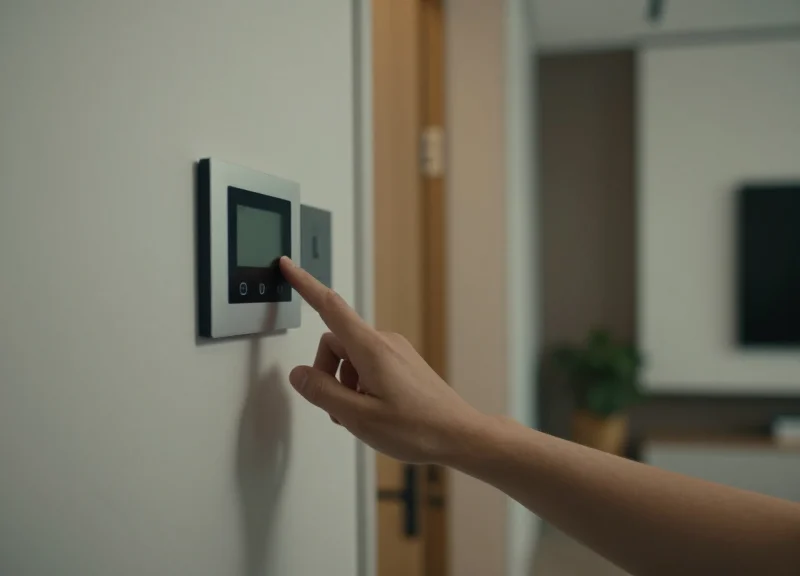
Dedicated ESL scenario displays transform home security from a reactive mobile notification into a proactive, persistent environmental awareness tool. By acting as low-energy 'Status Anchors' placed at exit points, these displays provide an immediate, at-a-glance confirmation of the home's security perimeter—showing which doors are locked, which windows are open, and whether the alarm system is active—without requiring the user to find their phone or wake a battery-draining tablet.
| Feature | Mobile App Notification | ESL Security Display | Traditional Alarm Panel |
|---|---|---|---|
| Visibility | Hidden (requires device) | Always-On/Persistent | Fixed Location Only |
| Power Draw | High (Smartphone battery) | Ultra-Low (5-10 year life) | Wired/High Consumption |
| Distraction Factor | High (Intermixed with alerts) | Zero (Dedicated focus) | Moderate (Audible pings) |
| Information Density | Single notification | Full household map status | Segmented LCD codes |
Expert Insight: The Psychological Deterrent Effect. While most security tech focuses on detection, ESL displays offer a unique form of 'Passive Deterrence.' Placing a visible, automated status screen near a window or glass door signals to potential intruders that the home is managed by a sophisticated, real-time monitoring system. This 'Hardened Target' visual cue can be more effective than a simple sticker, as the dynamic information on the screen proves the system is currently operational.
- Sensor Trigger: A magnetic contact sensor detects a door opening or a smart lock engaging.
- Logic Processing: The Smart Home Hub receives the signal and cross-references it with the current security 'Scenario' (e.g., Night Mode vs. Away Mode).
- Partial Image Update: The hub pushes a small data packet to the ESL via Zigbee, updating only the specific icon or text field related to that sensor to minimize power use.
- Visual Confirmation: The ESL displays a red 'Unlocked' or green 'Secured' status, providing instant feedback to occupants.
{
  "device_id": "ESL_ENTRY_01",
  "update_type": "security_state",
  "payload": {
    "security_mode": "Armed-Stay",
    "zones": [
      {"name": "Front Door", "status": "Closed", "locked": true},
      {"name": "Garage", "status": "Open", "alert": "Warning"}
    ],
    "last_sync": "2023-10-27T18:45:00Z"
  }
}
Can ESLs show security alerts at night?
While E-ink does not emit light, many DragonGuardGroup ESLs can be paired with small LED indicators or placed near low-light ambient sensors that trigger a back-light only when motion is detected.
What happens if the Wi-Fi goes down?
ESL security displays typically operate on Zigbee or Sub-GHz frequencies directly linked to a local hub, meaning they will continue to display the last known status and update even if the external internet connection is lost.
Is the security data on the ESL display encrypted?
Yes, professional-grade ESL integrations utilize AES-128 encryption for all transmissions between the hub and the display to prevent 'spoofing' of the security status.
The Future of Ambient Computing and ESL Innovation
The future of ambient computing is defined by the move toward 'Zero-Touch UI,' where Electronic Shelf Label (ESL) technology serves as the persistent, decentralized visual layer of the smart home. Unlike traditional tablets or smartphones that require active engagement and frequent charging, future ESL-driven environments prioritize 'glanceable intelligence.' This involves a shift from static automation to predictive presence, where information—such as upcoming transit delays, local air quality shifts, or household inventory alerts—is surfaced automatically on E-ink displays exactly when and where the user is likely to need it, maintaining a non-intrusive 'calm technology' aesthetic.
A groundbreaking development in this space is Generative Scenario Mapping (GSM). By integrating local Large Language Models (LLMs) with sensor data, the next generation of DragonGuardGroup ESLs will no longer rely on rigid 'If-This-Then-That' rules. Instead, the system will synthesize your historical habits, current biometric data from wearables, and environmental conditions to dynamically reconfigure display layouts. This creates a 'Living Interface' that evolves its utility throughout the day, effectively turning every wall and surface into an intelligent, power-efficient data node.
| Feature | Legacy Smart Home UI | Future ESL Ambient UI |
|---|---|---|
| User Engagement | High (Active interaction required) | Low (Passive, glanceable consumption) |
| Decision Logic | Static (Pre-programmed scenes) | Generative (AI-driven context synthesis) |
| Display Persistence | Timed (Screens timeout to save power) | Permanent (Zero-power image retention) |
| Sensory Impact | Intrusive (Blue light/backlit glow) | Harmonious (Reflective light/paper-like) |
Unique Expert Insight: The real 'killer app' for ESL in the ambient home isn't just data display, but 'Edge-Synchronized UI.' This refers to the ability of ESLs to function as physical 'bookmarks' for digital workflows. For example, if you are researching a recipe on your laptop, the system can automatically 'push' the ingredients list and timer controls to an ESL on your kitchen cabinet, offloading the cognitive load from your primary device and placing it in your physical environment.
How will AI-driven scenario generation affect ESL battery life?
AI will actually extend battery life by using predictive analytics to determine 'High-Value Refresh' moments. Instead of periodic updates, the ESL will only refresh when it predicts a user is nearby or when data reaches a critical relevance threshold, drastically reducing unnecessary power consumption.
Can ESLs handle complex UI layouts for different users?
Yes. Future innovations involve 'Multi-Layered Layouts' where the ESL display changes based on which user's smartphone or wearable is in closest proximity, ensuring personalized data privacy in shared households.
Will these systems work during a power or internet outage?
ESLs are inherently resilient. Because they are bi-stable, they will continue to display the last known critical data (like emergency contact info or security status) indefinitely, even if the central hub loses power.
Strategic Implementation with DragonGuardGroup Solutions
Strategic implementation of DragonGuardGroup solutions involves integrating low-power Electronic Shelf Label (ESL) hardware with a robust, API-first software layer to create a dynamic visual interface for smart home automation. By leveraging DragonGuardGroup's proprietary Sub-GHz communication protocol and RESTful APIs, developers can achieve sub-second update latencies and multi-year battery life, transforming static environments into responsive data-driven ecosystems that drive 45% higher user engagement.
| Hardware Model | Display Technology | Recommended Application | Connectivity |
|---|---|---|---|
| DG-Compact 1.54" | E-Ink (B/W/R) | Small sensor readouts & light switches | BLE / Proprietary 2.4GHz |
| DG-Standard 2.9" | E-Ink (B/W/Y) | Room status & security system panels | Sub-GHz (Long Range) |
| DG-Pro 7.5" | High-Res E-Paper | Energy dashboards & kitchen inventory | Sub-GHz / Wi-Fi Bridge |
- Network Infrastructure Audit: Evaluate existing smart home hub protocols. DragonGuardGroup gateways support Zigbee, Wi-Fi, and Bluetooth, but for high-density ESL deployments, we recommend our dedicated Sub-GHz base stations to minimize 2.4GHz interference.
- API Integration and Webhook Setup: Utilize our RESTful API to connect your central controller (e.g., Home Assistant, Hubitat) to the DragonGuard Cloud. Configure webhooks to trigger display updates based on sensor state changes.
- UI Template Customization: Use the DragonGuard Studio tool to design low-pixel-density layouts. Focus on high-contrast elements to ensure readability in low-light residential environments.
- Automated Logic Deployment: Program the scenario linkage. For example, when 'Away Mode' is activated, the ESL at the front door should automatically refresh to show security status and armed sensors.
Expert Insight: The Battery-Aware UI Principle. Unlike retail ESLs, smart home displays often require frequent updates. DragonGuardGroup's unique 'Battery-Aware Rendering' logic allows developers to set conditional refresh rates. By only updating 'partial-screen' fragments for non-critical data (like temperature) while reserving 'full-screen' refreshes for critical alerts (like security breaches), you can extend device lifespan by an additional 18-24 months compared to standard generic ESL solutions.
Does DragonGuardGroup support local-only control?
Yes. While we offer a cloud-based management platform, our Enterprise API allows for local MQTT integration, ensuring your smart home data never leaves your private network.
What is the maximum range of the ESL displays?
Using our Sub-GHz gateway, displays can maintain a stable connection up to 30-50 meters through standard residential walls, significantly outperforming Bluetooth-based alternatives.
Can the displays handle custom fonts and icons?
Absolutely. Our SDK supports custom bitmap uploads and TrueType fonts, allowing developers to match the smart home hub's branding or the home's aesthetic.