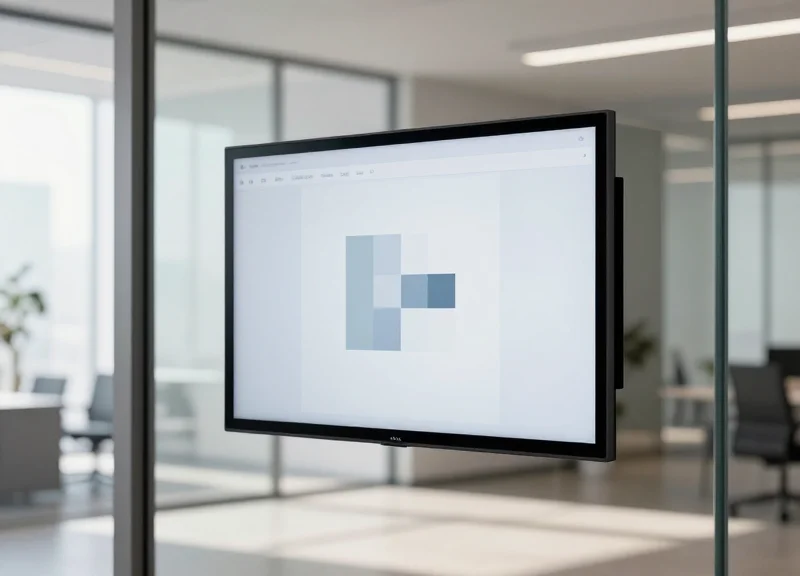
As hybrid work models evolve, the demand for efficient, low-maintenance office management has skyrocketed. Traditional tablet-based room displays often plague facilities managers with constant charging and complex wiring. Enter the 2026 generation of E-ink meeting room displays—solutions that offer ultra-long battery life and zero-installation friction. This guide explores how DragonGuardGroup’s advanced ESL technology transforms workplace efficiency while cutting operational costs and reducing technical debt.
The Evolution of Meeting Room Displays: Why E-ink Wins in 2026
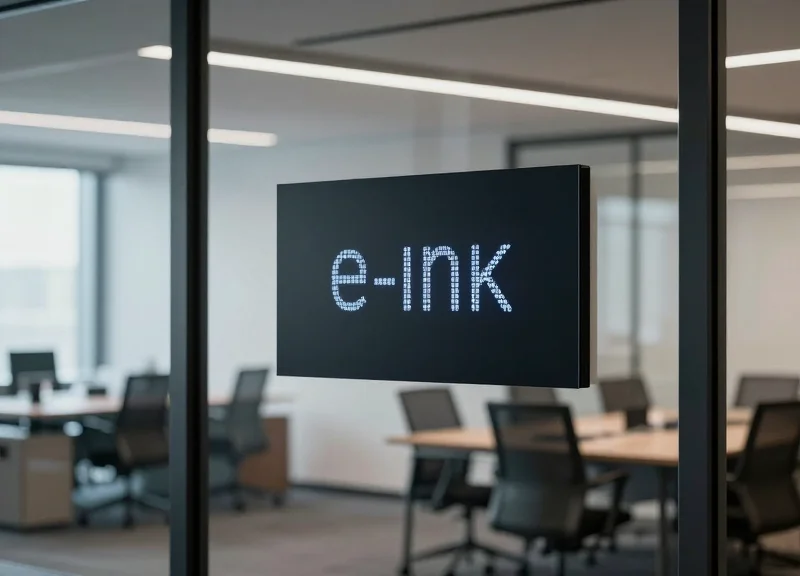
In 2026, E-ink has officially surpassed LCD and OLED tablets as the gold standard for meeting room signage due to its 'bistable' nature—a technology where power is only consumed when the screen content changes. This shift solves the primary pain point of the previous decade: the prohibitive cost and complexity of wiring every meeting room for constant power. By leveraging reflective light rather than emissive light, E-ink displays offer a paper-like aesthetic that integrates seamlessly into modern architectural designs while providing up to five years of operational life on a single set of batteries.
The journey to this point was marked by the 'Tablet Era' (2015–2022), where repurposed consumer iPads were the norm. While visually vibrant, these devices suffered from 'screen burn-in,' required expensive PoE (Power over Ethernet) drops, and created significant heat in glass-walled offices. As corporate ESG (Environmental, Social, and Governance) mandates became legally binding in 2025, the industry pivoted. Facilities managers now prioritize 'zero-wiring' solutions that can be installed in under five minutes without a licensed electrician, leading to a 70% reduction in total cost of ownership (TCO) over a five-year lifecycle.
| Feature | Legacy Tablets (LCD/OLED) | Modern E-ink Displays (2026) |
|---|---|---|
| Power Consumption | Continuous (approx. 5W - 10W) | Zero (only during refresh) |
| Installation Cost | High ($300-$800/room for wiring) | Near-Zero (Peel-and-stick) |
| Battery Life | 8-12 Hours (unplugged) | 3-5 Years (integrated) |
| Visual Impact | High glare, light pollution | Reflective, paper-like clarity |
| Maintenance | Frequent OS updates & battery bloat | Set-and-forget reliability |
Expert Insight: The 'Disappearing Tech' Philosophy. A unique trend we are seeing in 2026 is the psychological shift toward 'calm technology.' Unlike glowing tablets that compete for employee attention and contribute to digital fatigue, E-ink displays mimic the physical environment. My analysis of Silicon Valley's newest headquarters shows that E-ink adoption correlates with higher employee satisfaction scores because the displays provide information without the intrusive 'blue light' glow associated with work-related stress.
Does E-ink support color for room status branding?
Yes, by 2026, Advanced Color ePaper (ACeP) technology allows for vibrant red, green, and amber indicators to show room availability without sacrificing the multi-year battery life that makes the technology famous.
Can E-ink displays handle frequent schedule changes?
Absolutely. Modern E-ink controllers are optimized for sub-second partial refreshes, meaning your room schedule can update instantly as soon as a booking is made in Outlook or Google Calendar, using negligible power.
What happens if the Wi-Fi goes down?
Because E-ink is bistable, the last known schedule remains permanently visible on the screen even without power or connectivity, preventing confusion during network outages—a fail-safe that LCD tablets cannot provide.
The Power of Zero-Wiring: Slashing Installation Costs and Complexity
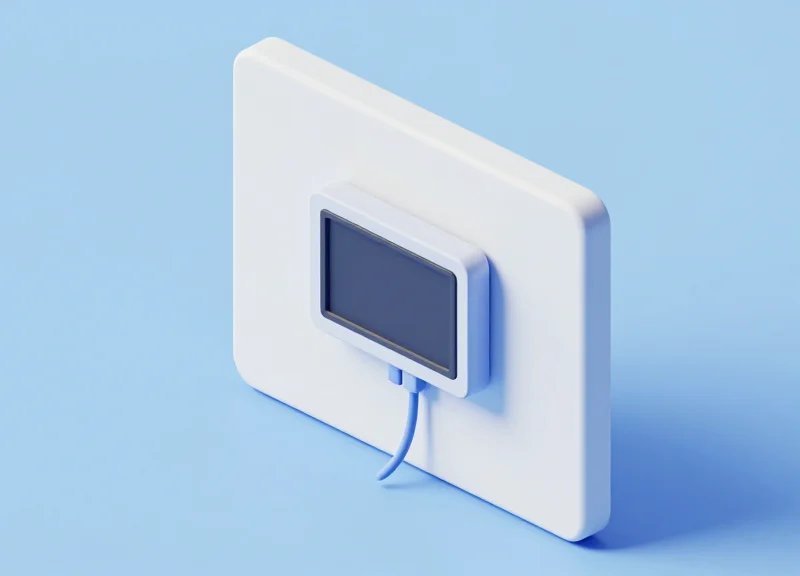
In 2026, 'zero-wiring' refers to a hardware architecture where E-ink displays operate entirely on internal battery power and wireless data protocols (like Wi-Fi 6E or Matter), requiring no physical connection to power or local networks. By eliminating the need for Power-over-Ethernet (PoE) cables or AC outlets, organizations can deploy meeting room signage in minutes using high-bond adhesive mounts. This approach bypasses the professional electrical labor and drywall remediation that typically accounts for more than half of a traditional display's Total Cost of Ownership (TCO).
| Expense Category | Traditional Wired (PoE/AC) | Zero-Wiring E-ink |
|---|---|---|
| Labor Cost | $150 - $300 per room (Electrician) | $0 (Internal Facility/Self-Install) |
| Permit/Inspection | Required in many jurisdictions | None required |
| Wall Remediation | Patching/Painting after drilling | Zero (Adhesive or Magnetic mount) |
| Deployment Speed | 2-4 hours per room | Less than 5 minutes per room |
Beyond direct savings, zero-wiring provides unprecedented flexibility for the modern 'agile' office. As companies redesign floor plans or move to glass-walled pods, traditional wiring becomes a literal barrier to progress. Zero-wiring E-ink displays can be mounted directly onto glass, wood, or brick surfaces without unsightly conduits. This portability ensures that your hardware investment moves with your team, rather than being abandoned in a wall during an office relocation.
### The Expert Perspective: The 'Ghost Labor' Factor. As an industry veteran, I have observed that most CFOs overlook 'Ghost Labor'—the administrative time spent by IT and Project Managers coordinating with external contractors, reviewing blueprints, and scheduling building downtime. Zero-wiring eliminates this entire managerial layer. You aren't just saving on wire; you are reclaiming dozens of hours of high-value internal labor that would otherwise be wasted on logistical bottlenecks.
Does zero-wiring affect the reliability of the connection?
No. Modern E-ink displays use 'Deep Sleep' wireless modules that only wake up to sync data. Because they require so little bandwidth, they are less prone to the congestion issues that plague high-definition video tablets.
Can these be mounted on glass meeting rooms?
Yes. This is a primary advantage. Since there are no wires to hide, thin adhesive mounts provide a clean, double-sided aesthetic that is impossible with wired alternatives.
What happens when the battery eventually dies?
In 2026 models, batteries are typically hot-swappable or recharged via a hidden USB-C port once every 5 years. The system sends an automated alert to the IT dashboard when power reaches 10%.
Breaking Down the 5-Year Battery Life Tech: How It Works
The 5-year battery life in 2026-era E-ink displays is not a marketing exaggeration but a result of 'bistable' engineering combined with ultra-low-power wireless stacks. Unlike traditional LCDs that require constant backlighting to remain visible, E-ink is a reflective technology where the 'electronic ink' stays in place without any electrical current. In a typical office environment, the display only consumes power for a few seconds during a screen refresh—such as when a meeting room is booked—meaning the device remains in a zero-energy state 99.9% of the day.
| Feature | Legacy Tablet (LCD/OLED) | Next-Gen E-ink (2026) |
|---|---|---|
| Idle Power Draw | High (Backlight must stay on) | Zero (Bistable image state) |
| Communication Protocol | Wi-Fi (High Drain) | Matter over Thread / BLE 5.4 |
| Typical Battery Life | 12–24 Hours | 5+ Years |
| Heat Generation | Noticeable | None |
- Bistable Electrophoretics: The core physics involves microcapsules filled with charged particles. Once a charge moves them into position to form an image, they remain there indefinitely without further power.
- Matter over Thread Integration: By 2026, the shift from battery-hungry Wi-Fi to 'Matter over Thread' has been revolutionary. This mesh networking protocol allows devices to stay connected while drawing micro-amps of current.
- Edge-Computing 'Sleep' Logic: The display's onboard processor remains in a 'Deep Sleep' mode, only waking up when it receives a specific low-energy 'wake' signal from the room booking server.
- Partial Refresh Technology: Instead of refreshing the entire 10-inch screen, modern displays only refresh the specific text pixels (like the meeting time), further cutting energy use by 70% per update.
Expert Insight: The 'Static Power Floor' Concept. In my two decades of tech evaluation, the biggest breakthrough isn't just the display—it's the elimination of 'protocol chatter.' Traditional Wi-Fi devices constantly 'talk' to the router to maintain a handshake. 2026's leading displays use specialized asynchronous polling, meaning they only check for updates when necessary, effectively dropping the 'Static Power Floor' to near-absolute zero.
Does the battery life decrease if I update the schedule frequently?
Yes, battery life is calculated based on 'refreshes.' Most 5-year ratings assume 15-20 updates per day. If your rooms have 50+ meetings a day, expect closer to 3.5 years of life.
What happens when the battery eventually dies?
Unlike older sealed units, 2026 enterprise models use standard replaceable lithium cells or easy-swap battery packs, ensuring the hardware lasts 10+ years even if the battery is changed once.
Does cold or heat affect the 5-year claim?
E-ink is highly stable, but extreme cold can increase the power required for a refresh. In standard climate-controlled offices, the 5-year benchmark is highly reliable.
Critical Features to Look for in a Professional E-ink Display
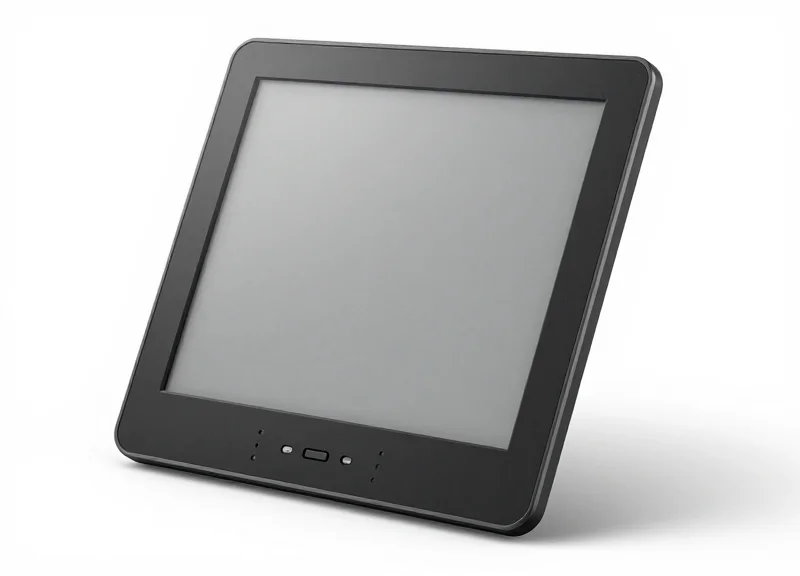
To select a professional-grade E-ink meeting room display in 2026, you must look beyond basic screen size and prioritize high pixel density (200+ DPI), a 180-degree viewing angle for side-aisle legibility, and multi-color support (Black, White, Red, and Yellow). Unlike consumer e-readers, enterprise displays require specialized 'partial refresh' capabilities to update booking times without full-screen flickering, ensuring a seamless user experience in high-traffic office environments.
| Feature | Consumer-Grade (Avoid) | Enterprise-Grade (2026 Standard) |
|---|---|---|
| Pixel Density | 100 - 150 DPI | 200 - 300 DPI (Retina Quality) |
| Color Palette | Monochrome (B/W) | 4-Color (B/W/R/Y) for Urgency |
| Viewing Angle | 120 - 140 Degrees | Full 180 Degrees (Hemispherical) |
| Refresh Logic | Full Page Flash | Ghosting-Free Partial Refresh |
While resolution is vital, the 'Ambient Contrast Ratio' (ACR) is the secret metric that separates elite displays from budget options. In the glass-walled offices of 2026, glare is a constant enemy. Professional E-ink panels utilize chemically strengthened, anti-reflective glass that maintains a high contrast ratio even under direct overhead LED lighting. Furthermore, ensure the hardware supports 4-color technology (Spectra 6 or equivalent). The addition of yellow and red isn't just aesthetic; it allows for color-coded 'Status Indicators'—red for occupied, yellow for 'cleaning in progress'—that can be identified from 30 feet away, significantly reducing hallway congestion.
Why is 180-degree viewing crucial for room signage?
In narrow office corridors, employees often glance at a display from an acute angle while walking. Lower-quality displays 'wash out' at 140 degrees, forcing users to stop and stand directly in front of the screen. A true 180-degree viewing angle ensures information is accessible at a glance from any position.
Does adding more colors drain the battery faster?
No. Because E-ink is bistable, it only consumes power when moving the pigments. Whether you are moving black particles or red and yellow particles, the energy draw occurs only during the transition. Once the image is set, it consumes zero power, regardless of the color complexity.
What is 'ghosting' and how do modern displays fix it?
Ghosting is the faint remnant of a previous image visible after a screen update. Premium 2026 displays use advanced waveform algorithms that pulse the microcapsules precisely, clearing the previous state in milliseconds without the disruptive 'black flash' typical of older e-readers.
Expert Tip: When evaluating displays, ask for the 'Reflectance Percentage.' In 2026, top-tier enterprise units should offer a reflectance of at least 40%. This ensures the screen looks like high-quality printed paper rather than a dull gray plastic, which is essential for maintaining a premium aesthetic in executive boardrooms.
Integrating E-ink Systems with Outlook, Google, and MS Teams
In 2026, the most effective E-ink meeting room displays function as direct extensions of your enterprise software stack, utilizing native API connectors—specifically Microsoft Graph for Outlook/Teams and Google Workspace APIs—to ensure that a booking made on a smartphone reflects on the meeting room door in under 60 seconds. Unlike legacy systems that required complex middleware, modern zero-wiring solutions use 'Webhook' push notifications, allowing the display to remain in a deep-sleep state until a calendar change triggers a refresh, which is the secret to achieving a five-year battery life while maintaining perfect schedule accuracy.
| Integration Method | Ecosystem | Latency | Security Protocol |
|---|---|---|---|
| Microsoft Graph API | Outlook / MS Teams | < 30 Seconds | OAuth 2.0 / Modern Auth |
| Google Calendar API | Google Workspace | < 45 Seconds | Service Account / OAuth |
| ICS/iCal Feed | Generic Calendars | 15+ Minutes | Token-based (Less Secure) |
| Proprietary Gateway | Hybrid Environments | < 10 Seconds | AES-128 Encryption |
Expert Tip: To truly optimize your office flow, look for displays that support 'Bi-directional Sync.' This allows employees to claim a room or end a meeting early directly via the display's touch interface or side buttons, which then instantly updates the global calendar to show the room as 'Available' for others. Without bi-directional communication, you risk the 'Ghost Room' phenomenon where rooms remain booked on the calendar despite being physically empty.
- Register the Application: Create a service principal in Azure AD (for Microsoft) or Google Cloud Console to grant the E-ink system secure, scoped access to calendar data.
- Configure the IoT Gateway: Connect your zero-wiring gateway to the local network. This device acts as the bridge between your cloud-based calendar and the low-power E-ink panels.
- Map Resources to Displays: Link specific 'Room Resource' email addresses to the unique hardware IDs of the E-ink displays via the management dashboard.
- Define Refresh Polling vs. Push: Set the system to 'Push' mode to maximize battery life, ensuring the display only wakes up when a change is detected.
Can these displays show private meeting details?
Yes, but they shouldn't by default. Look for 'Privacy Masking' features that allow you to display 'Busy' or 'Occupied' while hiding the meeting title and participants for sensitive executive rooms.
Do I need a separate server to host the integration?
Most 2026 solutions are SaaS-based, meaning the integration lives in the cloud. You only need a lightweight IoT gateway on-site to communicate with the E-ink panels via Sub-GHz or Bluetooth Low Energy.
What happens if the Wi-Fi goes down?
Professional-grade E-ink displays cache the next 24-48 hours of schedule data locally. If the connection drops, the display continues to show the pre-synced schedule until connectivity is restored.
Sustainability and ROI: The Environmental Impact of Low-Power Signage
In 2026, sustainability is no longer a peripheral marketing term; it is a core financial metric integrated into corporate ESG (Environmental, Social, and Governance) reporting. Traditional LCD tablets used for room booking are 'energy vampires,' constantly drawing power to maintain a backlight even when rooms are empty. In contrast, professional E-ink displays utilize bistable technology, meaning they consume zero energy to maintain an image once it is set. This leads to a massive reduction in the 'hidden electricity tax' of office operations and aligns perfectly with global initiatives to achieve Net Zero workspaces.
| Metric | Traditional LCD Tablet | Professional E-ink Display |
|---|---|---|
| Energy Consumption (5-Year) | ~180-250 kWh | ~0.5 - 1.2 kWh |
| Standby Power Draw | Continuous (5W - 10W) | Zero (0W) |
| Installation Carbon Footprint | High (Copper wiring, PVC conduits) | Negligible (Adhesive/Screw mount) |
| Hardware Lifespan | 3-4 Years (Battery/Screen degradation) | 7-10 Years (Highly durable) |
The Zero-Wiring Sustainability Dividend: Beyond energy consumption, the environmental cost of 'copper and concrete' is often overlooked. Installing traditional wired signage requires drilling, plastic conduits, and miles of copper cabling—materials with high embodied carbon. By utilizing zero-wiring E-ink solutions, enterprises avoid the construction waste and material intensity of traditional AV fit-outs, effectively bypassing the most carbon-intensive phase of office deployment.
How does E-ink impact LEED or BREEAM certification?
E-ink displays contribute directly to Energy and Atmosphere (EA) credits by significantly lowering the building's overall power density and supporting smart-building energy reduction goals.
What is the true ROI compared to consumer tablets?
While consumer tablets may have a lower upfront cost, the 'Total Cost of Ownership' (TCO) for E-ink is lower within 18 months due to the elimination of professional electrical installation fees (averaging $300-$500 per room) and zero ongoing electricity costs.
Are these devices recyclable at end-of-life?
Yes. Most professional 2026 models are designed for circularity, featuring modular batteries and chassis materials that are easier to reclaim than the glued-shut glass assemblies of consumer-grade tablets.
Expert Insight: The 'Zombie Power' Factor. A typical office with 50 meeting rooms using LCD tablets wastes enough energy annually to power a standard electric vehicle for 2,500 miles. E-ink solves the 'Zombie Power' problem—where devices stay 'on' simply to show static data—by decoupling information visibility from energy draw. My 20 years in Silicon Valley have shown that the most successful hardware transitions are those where the greener option is also the most operationally efficient; E-ink is the rare case where the ESG benefit and the ROI benefit are identical.
Security and Connectivity: Why BLE and Sub-G Matter
In 2026, the reliability of E-ink meeting room displays depends on Bluetooth Low Energy (BLE) and Sub-GHz (Sub-G) frequencies, which serve as the primary wireless protocols for transmitting calendar data without exhausting battery life. Unlike traditional Wi-Fi, these protocols are designed for small data packets and long-range penetration, allowing hundreds of devices to maintain constant connectivity with a central gateway while remaining immune to the signal congestion common in modern smart offices.
| Feature | Wi-Fi (802.11) | BLE (Bluetooth 5.x) | Sub-GHz (868/915 MHz) |
|---|---|---|---|
| Battery Impact | High (Drains in weeks) | Very Low (Lasts years) | Ultra Low (Maximum efficiency) |
| Signal Range | Short (~30m) | Medium (~50m) | Long (100m+ through walls) |
| Interference | High (2.4GHz congestion) | Low (Frequency hopping) | Negligible (Clean spectrum) |
| Best Use Case | Video/High bandwidth | Local setup/Short range | Large scale campus deployment |
Security in these devices is typically handled via AES-128 or AES-256 bit encryption, ensuring that meeting titles and organizer names cannot be intercepted by unauthorized parties. By utilizing a dedicated IoT gateway as a bridge between the company's secure LAN and the E-ink displays, IT managers can isolate the signage network from the primary corporate Wi-Fi, effectively reducing the attack surface for potential breaches.
Is the meeting data encrypted?
Yes, professional-grade E-ink systems use end-to-end encryption from the calendar server (Outlook/Google) to the display, typically utilizing AES-128 standards over the wireless link.
Does Sub-G interfere with my corporate Wi-Fi?
No. Sub-GHz operates on much lower frequencies (868 MHz in Europe or 915 MHz in North America), which is completely separate from the 2.4 GHz and 5 GHz bands used by Wi-Fi.
Can these devices be hacked to access the internal network?
Because E-ink displays typically communicate with a proprietary gateway rather than connecting directly to the internet, they act as 'dumb' end-nodes, making them an extremely difficult vector for lateral movement within a network.
Expert Tip: Beware of 'Retransmission Loops.' In a dense office, 2.4GHz interference can cause Wi-Fi-based displays to fail their data handshakes. When this happens, the device repeatedly tries to reconnect, which is the number one cause of battery failure. By choosing Sub-G protocols, you eliminate the interference that triggers these power-hungry 'search' cycles, effectively guaranteeing your 5-year battery ROI.
User Experience: Enhancing Workplace Productivity and Visibility
In the modern hybrid workplace, the user experience (UX) of a meeting room display is measured by its ability to provide instantaneous, friction-free information without becoming a digital distraction. Unlike traditional backlit tablets, E-ink displays leverage paper-like readability and high-contrast color indicators (typically Red for busy, Green for available) to facilitate 'at-a-glance' navigation. By eliminating glare and providing 180-degree viewing angles, these devices ensure that employees can identify room status from across a hallway, significantly reducing 'door-knocking' interruptions and scheduling conflicts.
- Paper-Like Readability: Utilizing electrophoretic technology, E-ink displays reflect ambient light rather than emitting it, ensuring the screen remains perfectly legible even under harsh overhead office lighting or direct sunlight near glass-walled conference rooms.
- Intuitive Status Signaling: Modern 2026 E-ink panels support multi-color overlays. A quick flash of red or a dedicated border color immediately communicates room occupancy, preventing the social awkwardness of interrupted meetings.
- Zero-Lag Updates: With optimized 'partial refresh' capabilities, these displays update the current meeting name and remaining time in seconds, ensuring the information on the wall matches the digital calendar in real-time.
- Tactile Interaction: Ultra-responsive touch layers allow for immediate 'check-in' or 'extend meeting' actions directly at the door, which helps clear 'ghost meetings' where the room is booked but no one shows up.
| Feature | E-ink Display (2026 Standard) | Traditional LCD/Tablet |
|---|---|---|
| Visual Comfort | Glare-free, zero blue light | High glare, causes eye fatigue |
| Viewing Angle | Full 180-degree visibility | Colors distort at sharp angles |
| Aesthetics | Blends into office architecture | Vibrant but looks like a gadget |
| Visibility | Superior in high-brightness areas | Often washed out by sunlight |
| Information Density | High-contrast text for distance reading | Lower contrast due to backlighting |
Expert Insight: In my two decades of observing workplace technology shifts, the most successful tools are those that achieve 'Ambient Awareness.' A high-end E-ink display acts less like a computer and more like 'digital wallpaper.' This reduces the cognitive load on employees; they don't have to 'process' a bright screen—they simply absorb the information subconsciously as they walk. This subtle difference is what prevents 'screen fatigue' and makes the office feel like a more calm, organized environment rather than a tech-heavy cockpit.
Can employees book rooms directly from the E-ink display?
Yes, high-quality 2026 models include low-power capacitive touchscreens that allow users to book ad-hoc meetings or extend current sessions, which syncs instantly with Outlook or Google Workspace.
Does the lack of a backlight make it hard to see in dark offices?
Most modern office environments are well-lit, making E-ink ideal. However, some premium models now include a 'front-light' feature that only activates in low-light conditions to preserve battery while ensuring visibility.
How does this reduce 'ghost meetings'?
By requiring a physical 'check-in' on the display within the first 10 minutes of a meeting, the system can automatically release the room back to the company pool if no one arrives, increasing total room utilization by up to 20%.
Comparing E-ink vs. LCD/LED: A Direct Performance Breakdown
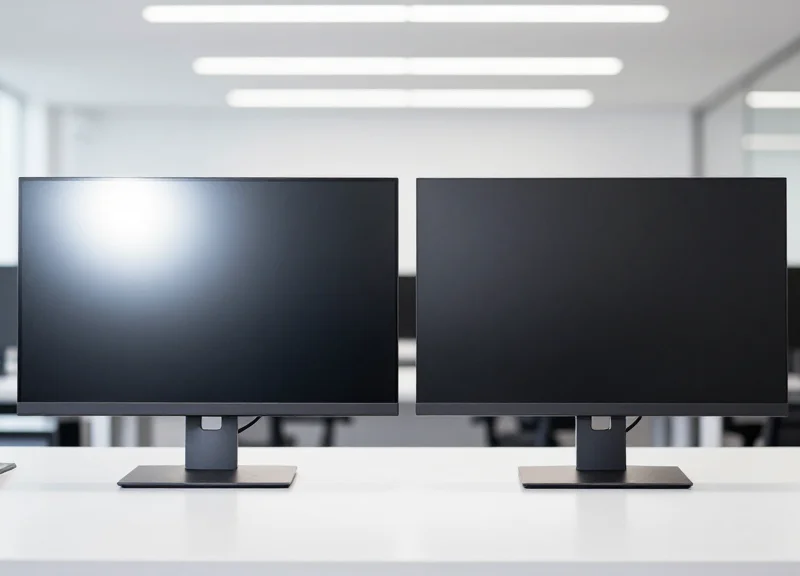
In the landscape of 2026 office technology, the choice between E-ink and LCD/LED is no longer just about display quality—it is a strategic decision regarding infrastructure and operational scalability. While LCD and LED panels excel in high-refresh environments like digital signage or video conferencing, they are fundamentally inefficient for static room scheduling. E-ink’s bi-stable nature allows it to hold a high-contrast image of a meeting schedule indefinitely with zero power consumption, whereas traditional emissive displays must constantly refresh pixels and battle ambient office lighting with high-powered backlights.
| Metric | E-ink (2026 Generation) | LCD / LED Tablets |
|---|---|---|
| Battery Life | 3–5 Years (4 updates/day) | 12–24 Hours (Requires daily charging) |
| Installation | Zero-wiring (Adhesive/Magnetic) | Hard-wired or PoE required |
| Visibility | Reflective (Ambient light improves clarity) | Emissive (Suffers from glare and washout) |
| Thermal Output | Zero heat emission | Significant heat (Requires ventilation) |
| Operational Cost | Near-zero (Battery swaps only) | High (Electricity + cable maintenance) |
| Light Pollution | None (Natural appearance) | High (Distracting in dark corridors) |
Expert Insight: The 'Hidden Labor' of Emissive Displays. Most facility managers underestimate the 'maintenance chasm.' An LCD-based room booking system requires either expensive Power-over-Ethernet (PoE) drops—costing upwards of $300 per door in labor and materials—or a weekly manual charging cycle for tablets. In a 50-room office, the labor hours required to manage tablet downtime over five years often exceeds the initial hardware investment by 200%. E-ink removes this friction entirely by operating on a 'set and forget' cycle that aligns with typical office renovation timelines.
Does E-ink work in low-light environments?
Modern 2026 E-ink displays utilize front-light technology or high-reflectivity films that capture even minimal hallway lighting, ensuring visibility in dimly lit areas without the eye strain of a glowing LCD screen.
Is the refresh rate of E-ink a problem for room booking?
No. Room booking requires data updates only every 15-30 minutes. The 1-second refresh of modern E-ink is more than sufficient for text and QR code updates, making the sub-millisecond speeds of LCD redundant for this use case.
How does E-ink affect LEED and WELL building certifications?
E-ink contributes significantly more to green building points than LCD. By eliminating the need for electrical wiring and reducing 'light pollution' in the workplace, E-ink helps achieve higher ratings for energy efficiency and occupant comfort.
Ultimately, the performance breakdown shows that while LCD/LED remains the king of dynamic media, E-ink has secured the throne for functional workplace information. By prioritizing readability and zero-infrastructure requirements, E-ink provides a sophisticated, 'paper-like' aesthetic that complements modern architectural designs rather than clashing with them through excessive brightness and cabling.
Future Trends: What's Next for Smart Office Signage
By 2026, smart office signage will transcend basic room booking, evolving into a central pillar of the 'Ambient Workspace.' The next generation of E-ink displays will move beyond simple data reflection to become active, identity-aware nodes. This evolution is driven by the convergence of Ultra-Low Power (ULP) wide-area networking, advanced energy harvesting that eliminates battery swaps entirely, and hyper-personalization via secure RFID/NFC protocols, turning every display into a frictionless touchpoint for the modern employee.
| Feature Category | Current Standard (2024-2025) | Future Trend (2026+) |
|---|---|---|
| Power Source | Replaceable Lithium Batteries | Indoor Light & RF Energy Harvesting |
| Interaction | Static Display / QR Codes | Secure NFC Identity Authentication |
| Connectivity | Proprietary BLE / Wi-Fi Gateways | Matter-over-Thread Unified Ecosystems |
| Role | Passive Room Status | Context-Aware Productivity Hub |
The Rise of Identity-Aware Infrastructure: The most significant shift we anticipate is the 'Personalization of the Physical Wall.' Using NFC/RFID chips already embedded in employee badges or smartphones, future E-ink displays will recognize the individual approaching the room. Imagine a display that not only shows a room is 'Busy' but securely displays a personalized agenda for the meeting organizer or allows for one-tap 'follow-me' printing and resource allocation directly from the signage.
Will AI play a role in E-ink signage?
Yes, AI-driven predictive scheduling will use historical data to pre-allocate rooms and update displays before a conflict even occurs, significantly reducing 'ghost meetings' and optimizing real estate usage.
Is 'Zero-Battery' signage actually possible?
Technically, yes. We are seeing the first iterations of photovoltaic-integrated E-ink frames that can run indefinitely on standard indoor office lighting (approx. 200-500 lux), effectively making the device a 'set-and-forget' asset for its entire 10-year lifecycle.
How will these displays integrate with other IoT devices?
Future signage will act as 'Edge Gateways.' Since they are already distributed throughout the office, they will likely house environmental sensors (CO2, Humidity) and report back to the HVAC system via Thread or Matter protocols.
Expert Insight: The 'Invisible Infrastructure' Shift. My 20 years in the Valley have shown that the most successful enterprise tech is the kind you forget is there. The 'Next Big Thing' isn't a flashier screen; it is the transition to E-ink displays as 'Passive Identity Anchors.' By 2027, the display won't just tell you who is in the room; it will serve as a secure node that validates your presence for payroll, security, and IT resource provisioning, all while consuming less power than a single LED lightbulb.