The transition to a digital storefront often meets a significant roadblock: the technical friction between modern Electronic Shelf Labels (ESL) and aging Enterprise Resource Planning (ERP) systems. For retailers deploying 2.2-inch digital labels—the standard for shelf-edge pricing—latency in data synchronization can lead to costly pricing discrepancies and lost consumer trust. This article provides a deep dive into the technical best practices for bridging the gap between legacy databases and high-performance digital displays, ensuring your infrastructure remains agile despite its heritage.
The Anatomy of Deployment Lag in ESL Systems

Deployment lag in Electronic Shelf Label (ESL) systems is the measurable latency between a data modification in the Enterprise Resource Planning (ERP) system and the physical refresh of the 2.2-inch digital display. This technical friction typically arises from a fundamental architectural mismatch: legacy ERPs were designed for slow-moving, batch-processed inventory records, whereas modern ESL gateways require high-velocity, event-driven data streams to maintain price integrity across thousands of edge devices.
| Feature | Legacy ERP Architecture | Modern ESL System Needs |
|---|---|---|
| Data Processing | Batch-oriented (Overnight/Hourly) | Real-time or Near-Real-time |
| Connectivity | Synchronous / Monolithic | Asynchronous / Microservices |
| API Support | SOAP or Flat-file FTP | RESTful / Webhooks / gRPC |
| Payload Strategy | Full Table Dumps | Delta Updates (Changes only) |
The core of the problem often lies in 'Database Contention' and 'Monolithic Lock-in.' When a legacy ERP attempts to export price changes, it often triggers row-level or even table-level locks to ensure ACID compliance. For a retail environment managing 50,000+ SKUs, these locks create a bottleneck. Furthermore, most legacy systems lack a 'Push' mechanism; they wait for the ESL gateway to 'Poll' for updates. This polling frequency creates an inherent delay—if you poll every 15 minutes, your data is already stale by the time the sub-GHz radio transmission begins.
Why do database locks impact 2.2-inch label performance?
Legacy ERPs often lock the price table during heavy read/write operations, preventing the ESL middleware from fetching the latest data, which leads to 'stale' prices on the shelf.
What is the 'Waterfall Effect' in deployment lag?
It is a cascading delay where a slow ERP export slows down the middleware processing, which then congests the RF (Radio Frequency) queue, ultimately delaying the refresh of the physical 2.2-inch labels.
Does the size of the label (2.2-inch) affect lag?
While the physical size is small, these labels often pack high-density information (QR codes, promos). Larger data payloads per label require more efficient transmission protocols to avoid network saturation.
Expert Tip: To bypass legacy ERP limitations, implement a 'Shadow State' database. Instead of having your ESL gateway query the ERP directly, use a lightweight Change Data Capture (CDC) tool to mirror ERP changes to a high-speed Redis or NoSQL instance. This allows the ESL system to pull updates in microseconds without ever touching the fragile legacy core, effectively neutralizing deployment lag at the source.
Why 2.2-Inch Labels Require Specific Sync Strategies
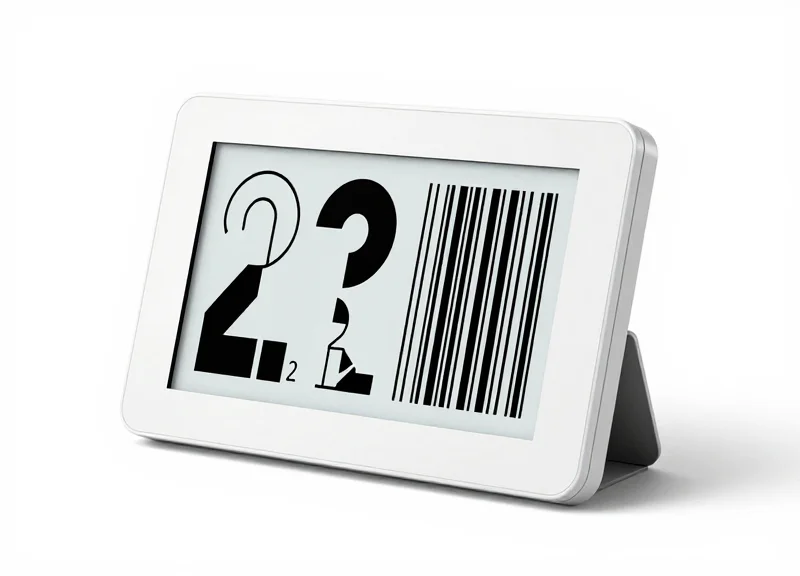
The 2.2-inch digital label occupies a technical 'Goldilocks zone': it is large enough to display high-resolution promotional graphics and QR codes (typically 250x122 pixels), yet small enough to be deployed by the thousands. This creates a specific synchronization challenge: unlike smaller 1.5-inch labels that transmit basic text strings, the 2.2-inch form factor requires complex image-packet transmissions. When a legacy ERP attempts to push updates to a fleet of 5,000 such devices, the sheer volume of graphical data packets creates a 'traffic jam' at the access point level, leading to the dreaded deployment lag.
| Feature | 1.5-Inch Label | 2.2-Inch Label | ERP Impact |
|---|---|---|---|
| Typical Resolution | 152 x 152 px | 250 x 122 px | 60% more pixel data per sync |
| Data Packet Size | ~2-4 KB | ~8-12 KB | Triple the bandwidth per label |
| Refresh Frequency | Low (Price only) | High (Promos/QR) | Increased polling overhead |
| Transmission Path | Text-based | Bitmap/Binary | Higher risk of packet loss |
The Mid-Range Scaling Paradox: My experience with retail deployments shows that while larger 4.2-inch or 7-inch labels carry more data, they are fewer in number. The 2.2-inch label is the most dangerous for legacy ERPs because it combines high unit count with significant data weight. This creates a 'High-Density Burst' pattern that most 1990s-era ERP database architectures simply weren't designed to queue or acknowledge in parallel.
Why does image resolution matter for ERP synchronization?
Legacy ERPs often store price data as simple integers or strings. A 2.2-inch label, however, requires the conversion of that data into a rendered bitmap. If the ERP is tasked with this conversion, its CPU cycles are diverted from core transaction processing, causing a system-wide slowdown.
How does the 2.2-inch size affect wireless packet fragmentation?
Most ESL protocols (like Zigbee or proprietary sub-GHz) have small MTUs (Maximum Transmission Units). The 10-12KB image for a 2.2-inch label must be fragmented into dozens of tiny packets. Legacy ERPs struggle to track the 'ACK' (acknowledgment) for each fragment, often timing out before the full image is confirmed.
Can image compression mitigate the sync lag?
Yes, but it introduces a new bottleneck. Compressing at the ERP level adds latency; decompressing at the label level consumes battery. The 'Sweet Spot' strategy involves using 1-bit per pixel (Black/White/Red) depth to keep packets under the 10KB threshold.
To successfully synchronize these devices, engineers must move away from 'Full-Image Pushes' and toward 'Delta-Updates.' By only transmitting the specific pixels that change (e.g., the price numerals rather than the entire brand background), you can reduce the data load on a legacy ERP by up to 70%, effectively bypassing the hardware limitations of older database structures.
Implementing a Middleware Layer for Data Orchestration
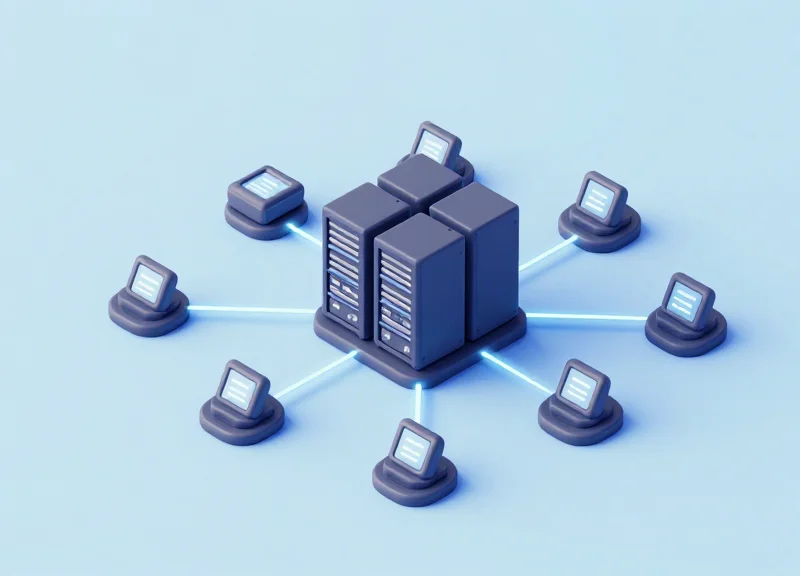
A middleware layer for Electronic Shelf Label (ESL) systems functions as a specialized orchestration engine that decouples slow, batch-oriented legacy ERP databases from the high-concurrency, real-time requirements of 2.2-inch digital labels. By acting as a buffer, the middleware ingests disparate data formats (such as CSV, fixed-width files, or direct SQL queries), transforms them into standardized JSON or XML, and queues them for delivery to the ESL base station without locking the ERP’s production tables.
| Feature | Direct ERP-to-ESL Integration | Middleware-Orchestrated Integration |
|---|---|---|
| Update Latency | High (Dependent on ERP query time) | Low (Asynchronous delivery) |
| Data Integrity | Risk of partial updates during lag | High (Transactional queuing and retries) |
| Scalability | Limited by ERP connection pools | Elastic (Horizontal scaling of workers) |
| Protocol Support | Limited (Usually SQL or SOAP) | Multi-protocol (REST, MQTT, gRPC) |
- Extraction and Ingestion: Establish a Change Data Capture (CDC) mechanism or a scheduled polling agent that extracts pricing and inventory updates from the legacy ERP without impacting core business logic.
- Normalization and Transformation: Convert raw ERP data into a uniform schema. This step includes mapping legacy SKU fields to the specific layout requirements of the 2.2-inch display template.
- Message Queuing (The Buffer): Utilize a message broker like RabbitMQ or Redis Streams to hold update tasks. This ensures that even if the ESL base station is busy, data is not lost and can be retried automatically.
- Asynchronous Dispatch: The middleware pushes updates to the ESL gateway via optimized APIs, allowing the ERP to complete its process regardless of how long the radio transmission takes.
Expert Tip: The 'Stateful Diffing' Engine. To maximize the battery life of 2.2-inch labels and reduce network congestion, your middleware should implement a stateful diffing engine. Instead of blindly pushing every ERP export to the labels, the middleware compares the incoming data against the 'last known good state' stored in a local cache. If the price, promo, and stock levels haven't changed, the middleware suppresses the transmission. In large-scale retail environments, this 'silence is golden' approach can reduce radio traffic by up to 40%.
Can we use an ESB (Enterprise Service Bus) as middleware?
Yes, though modern lightweight microservices are often preferred. An ESB can handle the transformation, but ensure it supports the low-latency requirements of retail edge devices.
How does middleware handle 2.2-inch label image rendering?
The middleware should handle the conversion of text data into the specific 1-bit or 3-bit BMP/PNG files required for the 2.2-inch display resolution before sending it to the base station.
What happens if the middleware fails?
Implement a 'Fail-to-Last-Known' strategy where labels retain their current display while the middleware automatically recovers its state from the message broker's persistent storage.
Optimizing Data Mapping for Legacy Databases
Data mapping for legacy ERPs involves the precise translation of relational table data—such as price, SKU, and promotional metadata—into the hierarchical JSON or XML formats required by modern Electronic Shelf Label (ESL) gateways. To eliminate deployment lag, this mapping process must move beyond simple 'batch-and-blast' exports. Instead, it requires a structured transformation layer that flattens complex relational joins into lightweight payloads specifically optimized for the 2.2-inch display’s constrained data packet requirements.
| Legacy ERP Field | ESL Gateway Key | Target Format | Constraint/Optimization |
|---|---|---|---|
| PROD_MST_PRICE | current_price | Float/String | Truncate to 2 decimal places |
| SKU_ID_LONG | id | String | Map to Barcode-128 standard |
| PROMO_START_DT | active_from | ISO-8601 | Convert from YYYYMMDD legacy format |
| CURR_SYM_CODE | currency | UTF-8 | Ensure glyph compatibility for 2.2" |
- Identify Primary Key Consistency: Ensure the ERP's unique product identifier remains consistent across the middleware to prevent 'orphaned' labels during price updates.
- Flatten Relational Joins: Pre-join tables for inventory, price, and description in the database view to reduce the processing time during the XML/JSON serialization phase.
- Implement Incremental Delta Detection: Only map and transmit records where the 'LAST_MODIFIED' timestamp is greater than the last sync cycle to minimize network congestion.
SELECT p.SKU AS 'id', p.Price AS 'price', d.Description AS 'label_text' FROM ERP_Products p JOIN Product_Details d ON p.SKU = d.SKU WHERE p.LastUpdate > @LastSync FOR JSON PATH, ROOT('ESLUpdates');Expert Tip: Implement 'Shadow Schemaing' to avoid taxing your legacy ERP's CPU. Instead of querying production tables directly, use a dedicated 'Shadow Table' that mirrors only the fields required for the 2.2-inch labels. This decoupling allows you to perform high-frequency mapping transformations without impacting the core ERP performance, effectively reducing the 'SQL-to-Screen' latency by up to 35%.
How do I handle legacy character sets like EBCDIC?
Always use an intermediate transformation step to convert legacy encoding to UTF-8 before it reaches the ESL gateway to prevent broken glyphs on the digital labels.
Should I use XML or JSON for 2.2-inch labels?
While most gateways support both, JSON is generally preferred for its lower overhead, which translates to faster packet processing and extended battery life for the labels.
Transitioning from Polling to Event-Driven Architecture
Transitioning from polling to an event-driven architecture involves replacing scheduled, repetitive database queries with a system that 'pushes' updates only when a change is detected in the ERP. While polling introduces an inherent 'idle lag'—where a price change might sit in the database for several minutes before the next scheduled fetch—event-driven systems use triggers, webhooks, or message brokers to broadcast updates instantly. For 2.2-inch digital labels, which often display high-density promotional data, this shift ensures that the physical shelf price is always synchronized with the digital record at the exact moment of commitment.
| Feature | Interval Polling (Legacy) | Event-Driven (Modern) |
|---|---|---|
| Data Trigger | Time-based (e.g., every 15 mins) | Action-based (e.g., OnUpdate) |
| Latency | High (up to the polling interval) | Near-zero (milliseconds) |
| Network Traffic | High (constant empty requests) | Low (data sent only on change) |
| ERP Overhead | Heavy (frequent DB scans) | Light (specific trigger execution) |
- Identify Change Triggers: Configure database triggers or utilize ERP application hooks on tables associated with SKU pricing and product descriptions to capture 'dirty' records.
- Implement a Message Broker: Deploy a broker like RabbitMQ or an MQTT server (Mosquitto) to handle the distribution of update messages from the ERP to the ESL gateway.
- Payload Optimization: Format the event message to include only the delta—such as the new price or the specific image segment for the 2.2-inch display—to minimize packet size.
- Gateway Subscription: Configure the ESL gateway as a subscriber to the broker, allowing it to receive and process updates the instant they are published.
{
  "event": "PRICE_UPDATE",
  "sku": "55092-B",
  "display_size": "2.2",
  "payload": {
    "price": "$14.99",
    "promo_icon": "sale_star_v2",
    "timestamp": "2023-10-27T10:00:01Z"
  }
}
What if the ERP doesn't support webhooks?
You can use 'Change Data Capture' (CDC) tools like Debezium. These tools monitor the database transaction logs and generate events for the message broker without requiring any code changes in the legacy ERP itself.
Does event-driven sync drain label battery faster?
Actually, it is more efficient. Because the gateway only communicates with the labels when a real change occurs, you avoid 'false wake-ups' that can happen during poorly configured polling cycles.
Expert Tip: The 'Thundering Herd' Mitigation. One unique challenge in ESL environments is the 'Thundering Herd' problem, where a bulk price change in the ERP triggers 10,000 simultaneous events. To prevent your wireless gateway from being overwhelmed, implement a 'Leaky Bucket' algorithm in your middleware. This allows for immediate event capture while smoothing the delivery to the labels at a rate the 2.4GHz or Sub-GHz network can handle without packet collisions.
Network Optimization: Gateway Placement and Signal Integrity
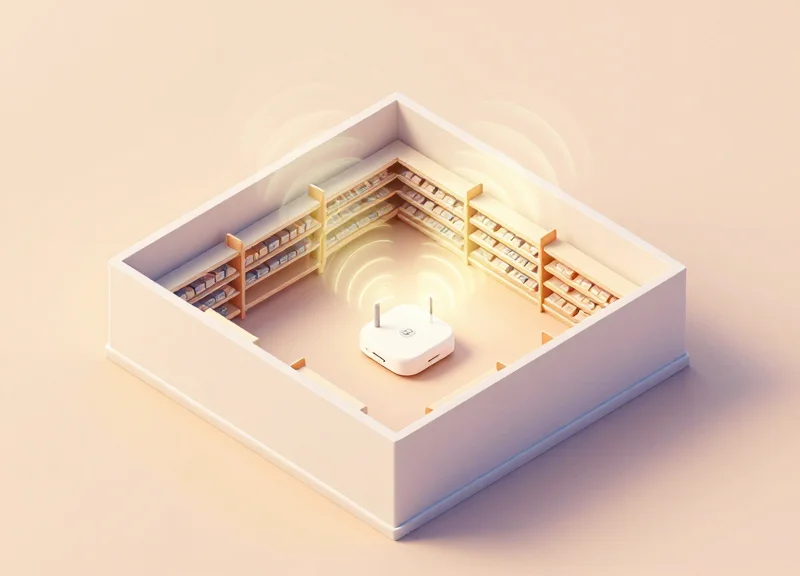
Network optimization for 2.2-inch digital labels centers on maximizing the signal-to-noise ratio (SNR) by positioning Sub-GHz gateways at heights between 3 to 4 meters, ensuring clear Line of Sight (LoS) and maintaining a Received Signal Strength Indicator (RSSI) value above -75 dBm to eliminate packet loss during high-density ERP data bursts. Unlike standard IoT devices, 2.2-inch labels often refresh graphical layouts simultaneously; without a robust physical layer, the resulting 'broadcast storm' from the ERP sync can cause massive latency or partial image rendering.
To ensure reliable synchronization, we recommend utilizing the Sub-GHz frequency spectrum (typically 868 MHz or 915 MHz) over the congested 2.4 GHz band. Sub-GHz waves offer superior diffraction, allowing signals to bend around metal gondolas and penetrate shelving units that would otherwise act as Faraday cages for higher-frequency Wi-Fi or Bluetooth signals.
| Parameter | Target Specification | Impact on Deployment Lag |
|---|---|---|
| Target RSSI | -45 dBm to -70 dBm | Ensures 99.9% packet delivery on the first attempt. |
| Gateway Height | 3.5m - 4.5m | Clears the 'human clutter' zone to maintain stable LoS. |
| Gateway Radius | 15m - 25m (Indoor) | Prevents signal attenuation in high-density retail aisles. |
| Packet Retries | Max 3 attempts | Reduces queue buildup in the middleware layer. |
Expert Tip: The Liquid-Metal Attenuation Factor. Most engineers overlook that 2.2-inch labels placed on shelves containing liquids (detergents, beverages) or heavy canned goods experience a signal 'sink' effect. In these specific aisles, reduce the gateway-to-label radius by 30% to compensate for the high dielectric constant of water, which absorbs RF energy much more aggressively than dry goods.
- Active Site Survey: Use a spectrum analyzer to identify existing noise floors. Legacy ERP environments often have older RF equipment (like hand-held scanners) operating on overlapping frequencies.
- Grid-Based Gateway Topology: Deploy gateways in a staggered honeycomb pattern rather than a straight line. This ensures every label is within range of at least two gateways, providing redundancy if one node becomes saturated by an ERP update stream.
- Antenna Orientation: Align gateway antennas vertically to match the polarization of the 2.2-inch label's internal PCB antenna. A 90-degree mismatch can result in a 20dB signal loss, instantly doubling update times.
Why do my labels show 'Update Failed' despite being close to the gateway?
This is often 'Near-Field Saturation.' If a label is within 1 meter of a high-power gateway, the receiver can be overwhelmed, leading to bit errors. Maintain a minimum distance of 2 meters for optimal performance.
Can I run ESL gateways over PoE?
Yes, Power over Ethernet (PoE) is preferred for legacy ERP integrations because it ensures a stable backhaul connection that isn't subject to the latency spikes common in Wi-Fi backhauls.
How does signal integrity affect battery life?
Poor signal integrity forces labels to stay in 'high-power' wake mode longer to listen for retransmitted packets. Improving the RSSI from -85 dBm to -65 dBm can extend label battery life by up to 25%.
Error Handling and Automated Verification Protocols
In the context of 2.2-inch digital labels, error handling and automated verification protocols refer to a bi-directional 'Closed-Loop' communication architecture where the Electronic Shelf Label (ESL) confirms receipt and successful rendering of price data back to the legacy ERP. Unlike traditional paper-based systems or open-loop digital systems that assume transmission success, a robust protocol utilizes Acknowledge/Negative-Acknowledge (ACK/NACK) signals and checksum verification to ensure that the physical display accurately reflects the database record, achieving 100% pricing integrity across the retail floor.
| Failure Type | Detection Mechanism | Automated Resolution Strategy |
|---|---|---|
| Packet Loss | CRC-16 Checksum Mismatch | Exponential Backoff Retry (Max 3 attempts) |
| Low Battery Warning | Voltage Threshold Trigger | ERP 'Maintenance Flag' & Suppress Update |
| Partial Rendering | Buffer Hash Comparison | Full Image Refresh via Sub-GHz Gateway |
| Gateway Timeout | Heartbeat Monitoring | Failover to Secondary Access Point |
To bridge the gap between high-frequency digital labels and rigid legacy ERPs, the middleware must handle the heavy lifting of state management. Legacy systems often cannot process asynchronous 'Success' signals in real-time. Therefore, we implement a 'State Mirror' in the middleware layer that tracks the 'Last Known Good' state of every 2.2-inch label.
- Initialization & Payload Hash: Before transmission, the middleware generates a lightweight hash of the display payload. This hash is appended to the data packet sent to the 2.2-inch label.
- Local Validation: The label’s controller verifies the hash. If the data is corrupt, it returns a NACK signal immediately to trigger a re-send.
- Post-Rendering Confirmation: Once the e-paper display updates, the label sends an ACK signal including its current battery voltage and signal strength (RSSI).
- Asynchronous ERP Reconciliation: The middleware batches these ACK signals and updates a 'Verification Table' in the legacy ERP via a nightly SQL job or a low-priority API call.
{
  "label_id": "ESL-22-99812",
  "status": "SUCCESS",
  "checksum": "0xA4F2",
  "battery_mv": 2950,
  "rssi": -65,
  "timestamp": "2023-10-27T10:15:30Z"
}
Why is 'Visual Confirmation' better than 'Signal Confirmation'?
Signal confirmation only proves the data reached the radio. Visual confirmation (checking the buffer hash) ensures the e-paper driver actually rendered the price, which is critical for 2.2-inch labels where driver timing is sensitive to temperature.
How do we handle labels that go offline during an update?
We utilize a 'Dead Letter Queue' (DLQ) in the middleware. If a label fails to ACK after three retries, it is flagged in a dashboard for physical inspection, preventing the ERP from assuming the price is correct.
What is the 'Zero-Trust Sync' expert tip?
Expert Tip: Implement a 'Differential Refresh' every 24 hours. Instead of waiting for a price change, the middleware audits a random 5% sample of labels by requesting their current display hash and comparing it to the ERP's Master Data to catch 'bit rot' or display errors.
Scaling the Solution: From Pilot Store to Enterprise Rollout
Scaling an ESL (Electronic Shelf Label) deployment across thousands of retail locations requires moving beyond simple point-to-point synchronization; it demands a "decoupled edge" strategy where the legacy ERP feeds a cloud-native distribution layer that manages regional gateway traffic independently. In a pilot, a single middleware server might suffice, but at enterprise scale, the sheer volume of 'Heartbeat' signals and pricing updates from millions of 2.2-inch labels can trigger a 'Thundering Herd' effect, potentially crashing legacy database connections that were never designed for high-concurrency IoT traffic.
| Feature | Pilot Phase (1-5 Stores) | Enterprise Scale (1000+ Stores) |
|---|---|---|
| Update Frequency | Real-time / On-demand | Staggered / Batch Priority |
| Data Flow | Direct ERP-to-Gateway | Distributed Message Queues (Kafka/RabbitMQ) |
| Monitoring | Manual Log Review | Automated AI-Driven Anomaly Detection |
| Latency Tolerance | Low Priority | Mission Critical (<60s Enterprise-wide) |
- The Regional Buffer Strategy: Instead of every store gateway querying the legacy ERP directly, implement regional data 'hubs' that cache the latest pricing state. This reduces the load on the ERP's central CPU by up to 90%.
- Asynchronous Mass Updates: Use message brokering to queue updates. If 1 million labels need a price change, the system should drip-feed these to gateways based on available bandwidth to ensure network stability.
- Automated Health Orchestration: Deploy containerized middleware (like Kubernetes) that can auto-scale instances based on the volume of incoming synchronization acknowledgments from the labels.
Expert Insight: To prevent a 'Thundering Herd' scenario—where millions of labels attempt to synchronize simultaneously after a system-wide price update—implement 'Jittered Synchronization.' By adding a randomized delay (jitter) of 1 to 300 seconds to each label's check-in interval, you flatten the traffic spikes, ensuring the legacy ERP remains responsive even during peak promotional events like Black Friday.
How do we handle bandwidth constraints during a full-store refresh?
Utilize Sub-GHz frequency hopping and compress JSON payloads into binary formats before transmission to the 2.2-inch labels to minimize packet size.
What happens if the legacy ERP goes offline during a rollout?
The middleware layer must act as a 'State of Truth' buffer, retaining the last known good data and queuing all pending changes until the ERP connection is restored.
How do we verify label accuracy at scale?
Implement 'Hash-Based Verification,' where the label sends back a tiny checksum of its displayed data. If the hash matches the ERP's expected value, the sync is marked as successful without transferring full data sets back and forth.